ChatGPT evolves: Introducing the canvas feature
It’s a significant milestone in ChatGPT's evolution and the future of AI.
Published 2024-12-11
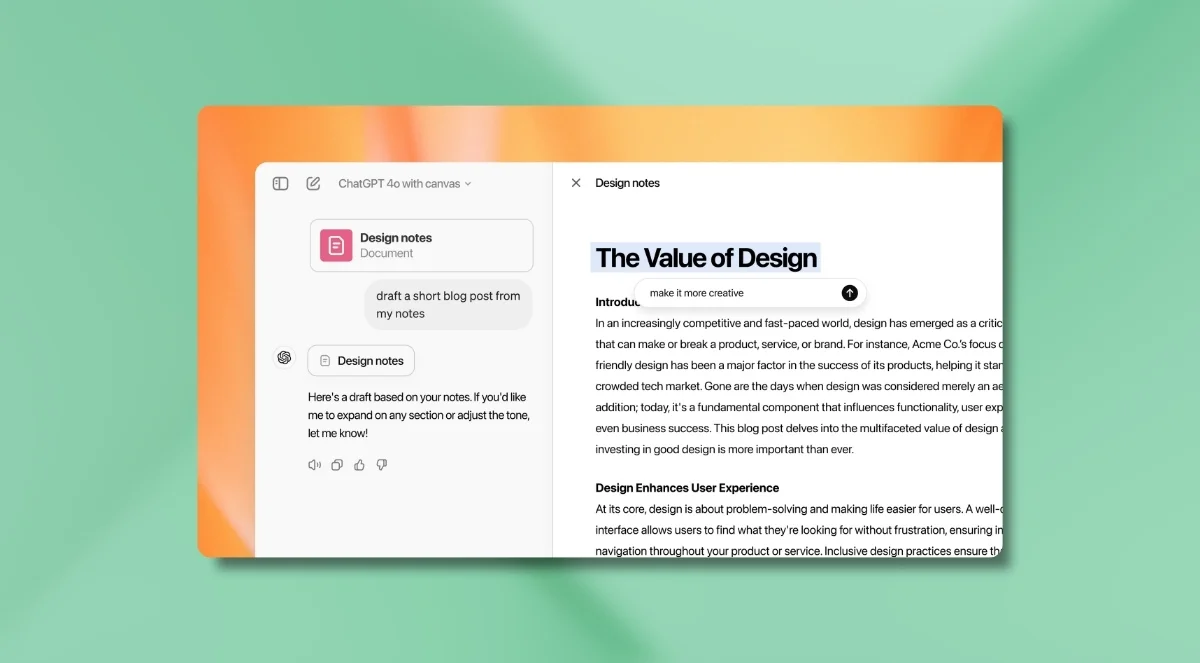
In a significant move to improve user experience, OpenAI has unveiled a new beta feature for ChatGPT called "canvas." This development comes on the heels of a substantial $6.6 billion funding round, signalling OpenAI's commitment to pushing the boundaries of AI interaction.
What is canvas and how does it work?
Canvas is an editable workspace that appears alongside ChatGPT's traditional chat interface. Where the traditional interface only allows for back and forth conversation, canvas promotes active collaboration between ChatGPT and users. OpenAI explained their reasoning behind the design development:
“Although the chat interface is easy to use and works well for many tasks, it’s limited when you want to work on projects that require editing and revisions. Canvas offers a new interface for this kind of work."
Here are the key features of Canvas that help facilitate a more collaborative approach to writing and coding tasks:
- Dual-window interface: Chatbox and editable canvas side by side
- Ability to generate, edit, and refine content collaboratively
- Specialised modes for writing and coding tasks
- Version history for easy access to previous iterations
Let’s take a look under the hood.
To start using Canvas (once you have access to the beta), choose ChatGPT 4o with Canvas from the model selector at the top of the chat window.
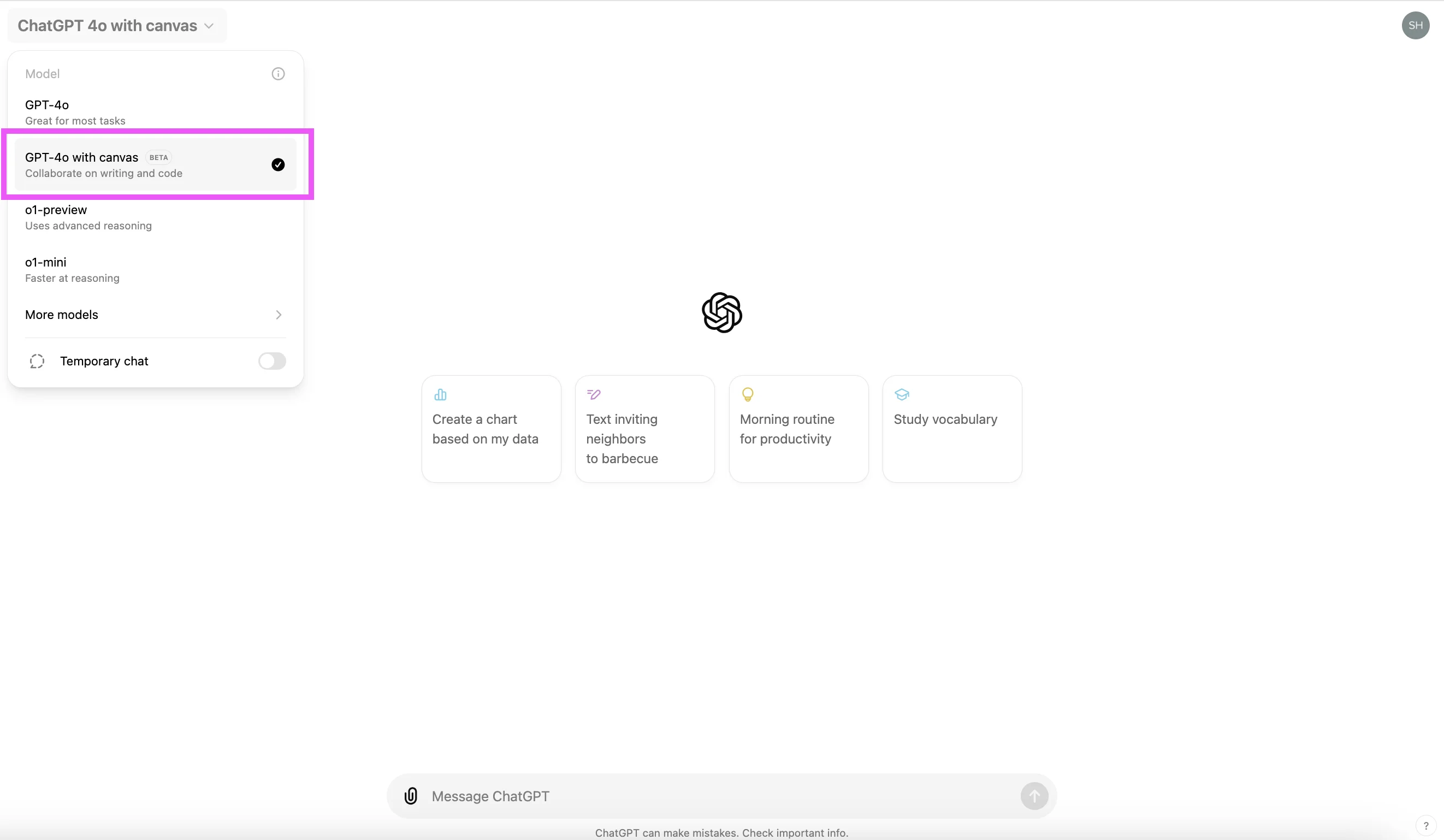
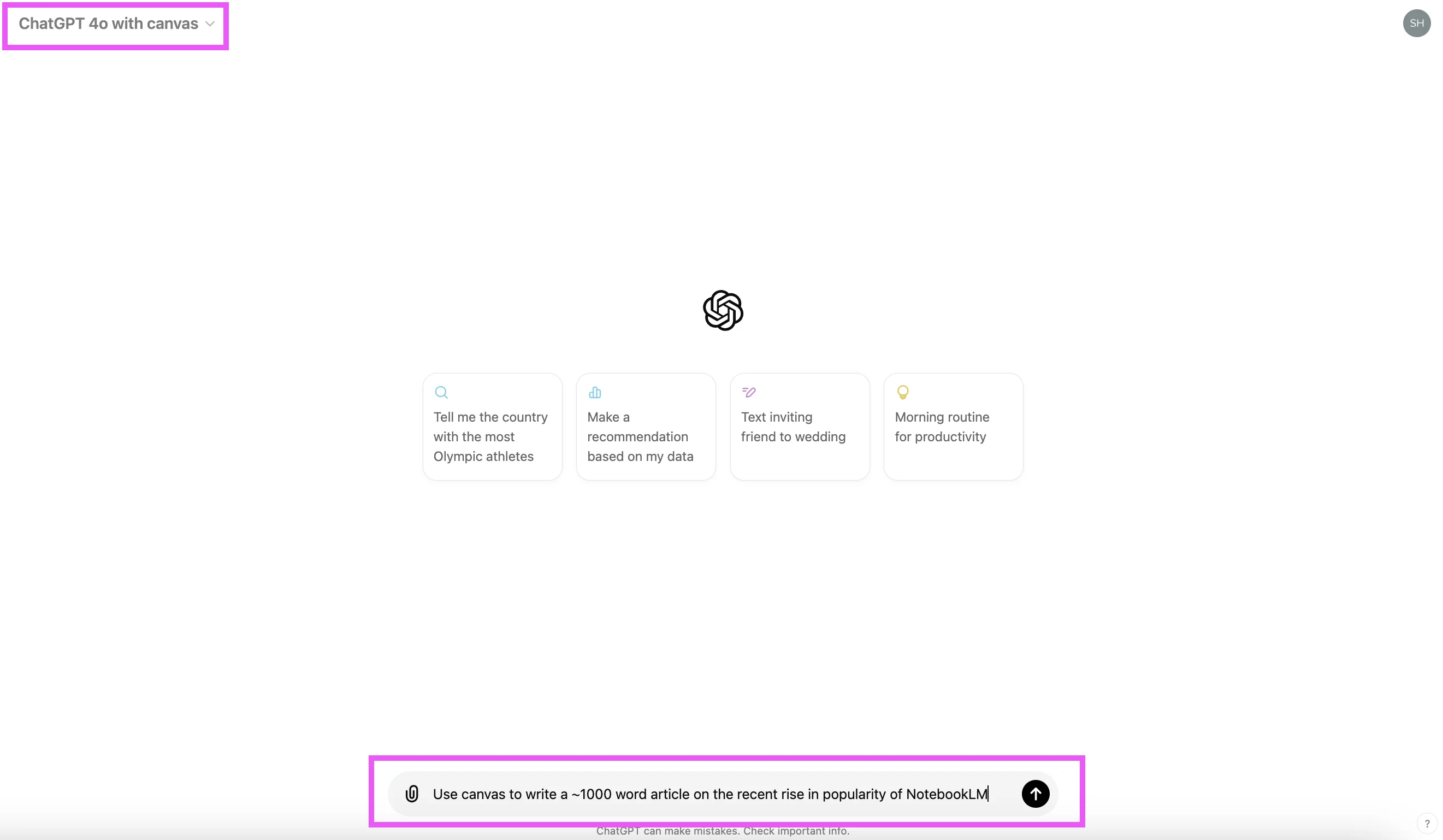
Simply prompt it with “Use canvas to…” or similar…
…and a canvas window will open on the right of the screen, like this:
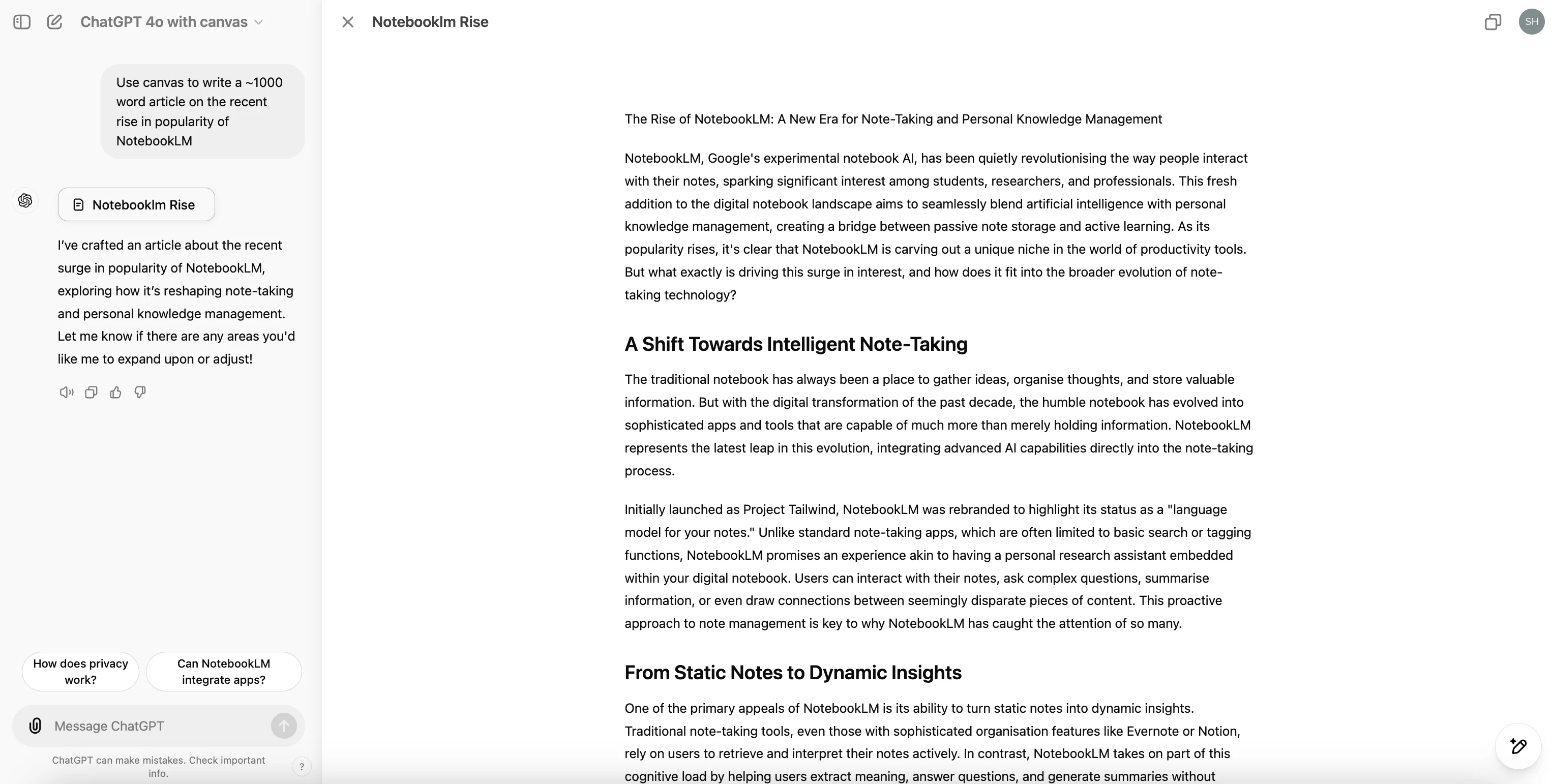
You’ll see the chat on the left where you can continue prompting the AI.
Canvas for writing
The canvas is interactive, meaning you can edit, organise and further develop whatever elements of the canvas content you want. It goes beyond the usual “You prompt, ChatGPT writes” relationship, allowing you and the AI to collaborate together.
Firstly, you can edit the canvas content directly. No more copy-pasting what ChatGPT generates into another platform in order to make changes.
If you want ChatGPT to make edits, you have several options. You can request changes in the chat window on the left. Or, hover over the pencil icon in the bottom-left and you’ll see a menu with several shortcut editing options (’Add emojis’ is way OTT, and my personal favourite 😜). The options aren’t hugely different from what you can prompt ChatGPT within a normal chat window, but it’s incredibly convenient. One-click and a quick flick of a slider button to change the word count or reading level? Yes, please.
If you want to collaborate back and forth with ChatGPT on specific sections of the canvas content, hover over some text and type a prompt in the ‘Edit or explain..’ box that appears. ChatGPT will respond in the chat window.
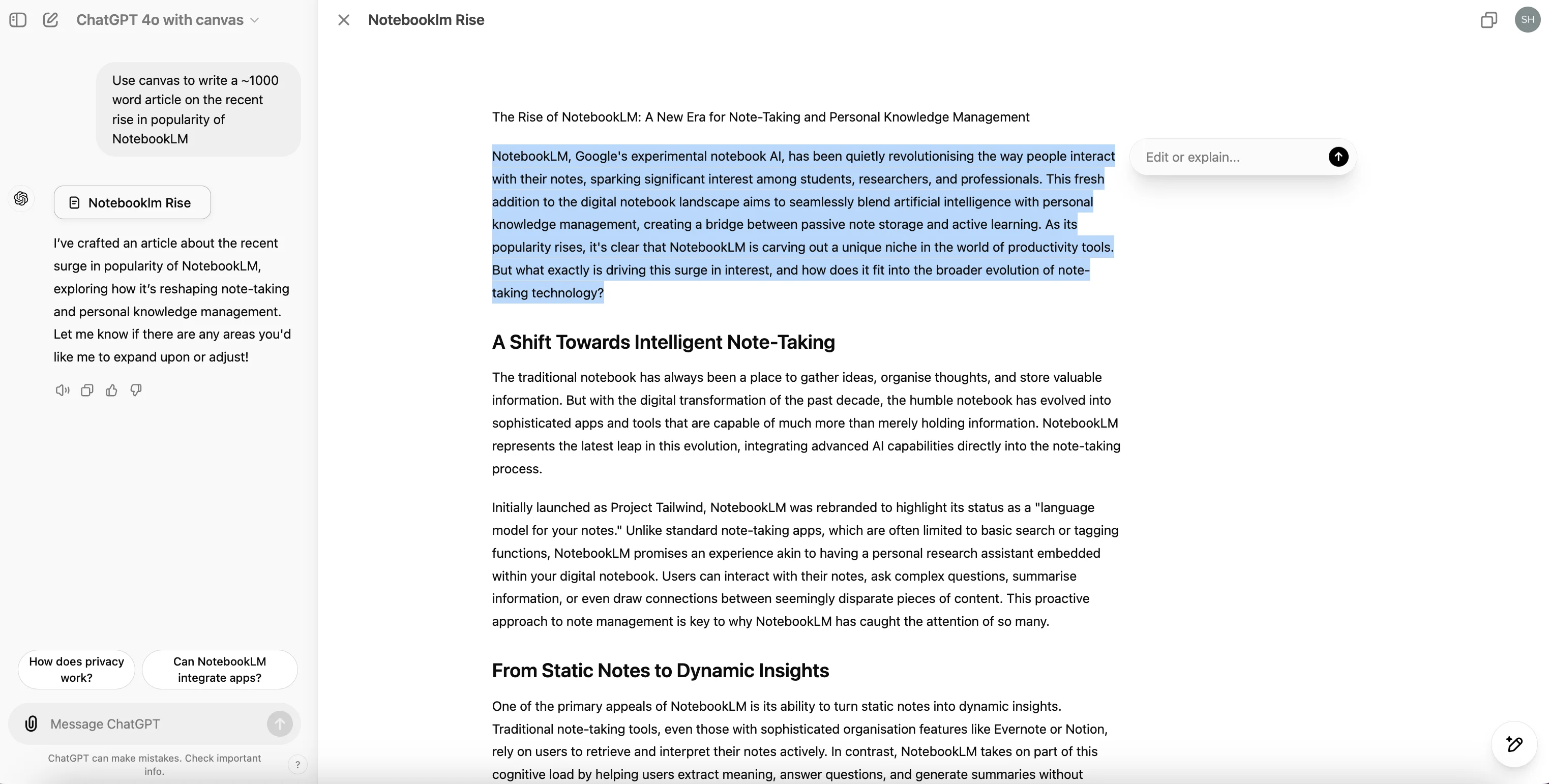
Here’s a quick walkthrough of the editing features for writing in Canvas:
Canvas for coding
My fellow (far more technical) team members at Ben’s Bites have gone giddy for Canvas’ coding functionality. So while I’m not a coder myself, I think it’s something of a big deal.
Just like a canvas for writing, you can edit the code generated in the Canvas window. And there are AI-assisted shortcuts too. Users can quickly review code, add logs and comments, and fix bugs. You can also port the canvas-generated code to another language, at the touch of a button.
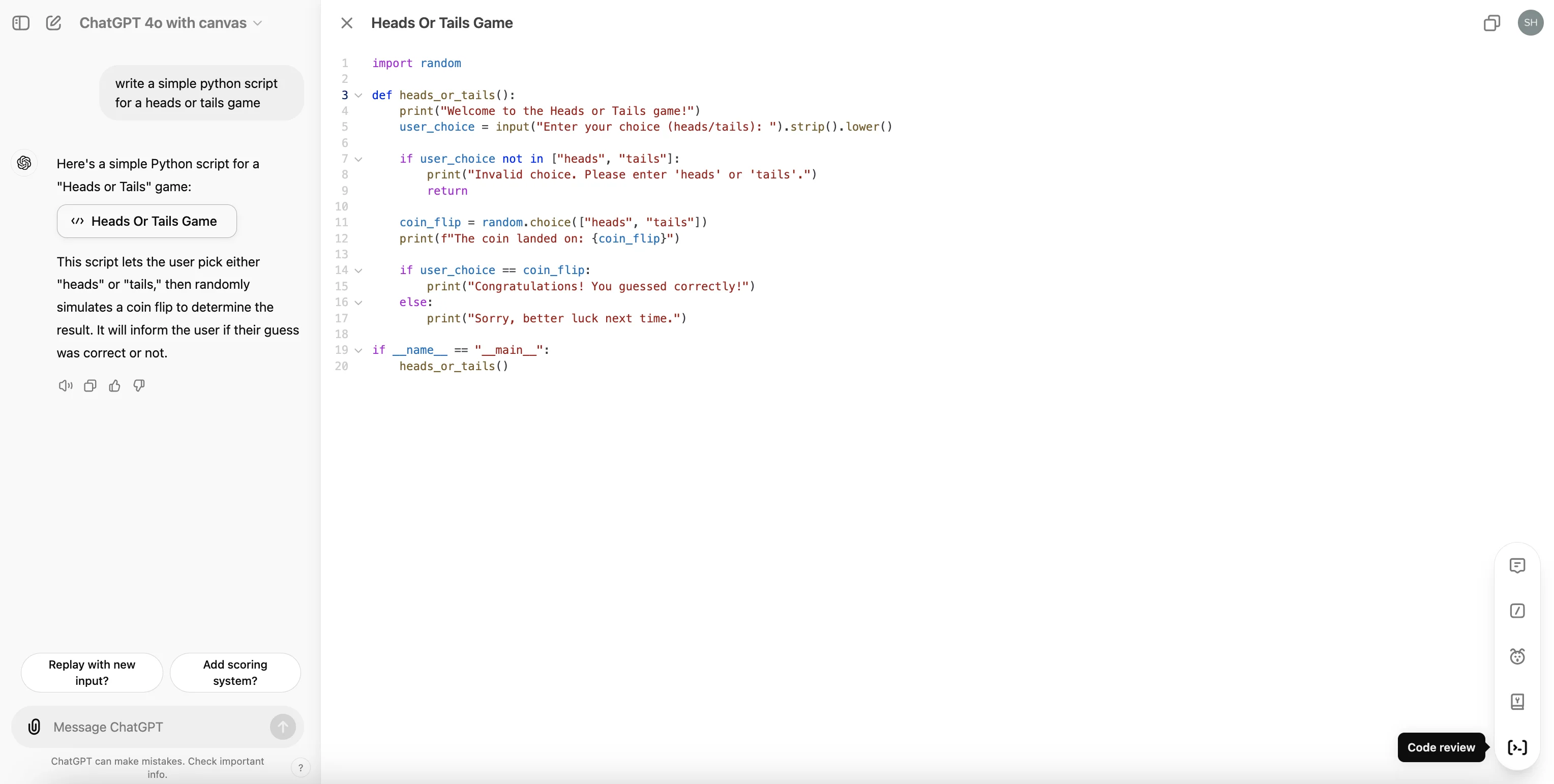
One drawback is that, right now, users will have to copy-paste the code - you can’t run the code and see a preview within the canvas (one area Claude excels). But it feels like a natural progression that OpenAI will likely release in the not-too-distant future.
How was Canvas created?
The canvas feature is powered by OpenAI's latest model, GPT-4o.
Depending on the nature of a user request, ChatGPT knows when to open a response in a canvas or keep it in a standard chat. To develop this nuanced functionality, the OpenAI team had a novel approach. They used the o1-preview model to generate huge amounts of synthetic data that simulated many different potential user interactions with Canvas.
This approach trained the AI to:
- Recognise when to activate the canvas
- Determine appropriate document adjustments
- Provide context-aware assistance
Note: users concerned about their uploaded content being used for model training can opt out by disabling the "model training" option in their settings.
Availability and rollout
It looks like a somewhat measured approach to the rollout of the canvas feature:
- Currently rolling out in beta for ChatGPT Plus and Team subscribers
- Enterprise and Edu customers are expected to receive access within a week
- Fully functional on desktop; mobile users limited to viewing for now - I’d guess that OpenAI is prioritising a robust desktop experience before expanding to mobile interfaces
- Plans to make canvas available to all free users once out of beta
What’s the bigger picture here?
The introduction of canvas signals a pivotal moment in AI development. We’re at the start of a new shift that’s moving beyond traditional chatbot interfaces. There’s a growing desire for more natural and intuitive human-AI collaboration (crazy to think the rudimental first version of ChatGPT blew everyone’s minds away less than 2 years ago!).
By enabling users to work alongside AI in a shared digital space, canvas is part of this movement. Anthropic launched Claude Artifacts this summer, too. The AI chat leaders are without doubt pushing the boundaries of what's possible in AI-assisted tasks.
The fact that canvas can also make nuanced decisions on what to edit or amend outside of its prompt constraints hints at the broader industry goal of creating "agentic" AI systems - autonomous digital assistants that can understand context, make decisions, and carry out tasks with minimal human intervention.
“I think 2025 is gonna be the year that agentic systems finally hit the mainstream.”
That’s Daniel Levine’s take - he’s a product lead at OpenAI.
As this technology continues to advance, the distinction between AI assistance and active collaboration will probably become increasingly blurred. It’s a progression that opens up exciting new possibilities for human-AI interaction across various domains, from writing and coding to even more complex creative and analytical tasks.
ChatGPT canvas is just the beginning of what will certainly be a transformative era in how we work alongside artificial intelligence.
Does this signal the death of the AI chatbot? Not yet. But one thing’s for sure: wherever OpenAI goes, the rest follow. I’m excited to see what other developments canvas spawns.
This post was written by Shanice.