Analyse Reddit trends with AI
Identify the latest trends, topics, and themes going viral on Reddit with AI.
2025-01-16
AI is really good at analyzing large data sets. Thanks to modern AI tools, you only need to ask a natural language prompt to explore vast amounts of information.
GummySearch lets you do this with Reddit content. It helps you find what's trending and what people are talking about in different Reddit communities that matter to you.
We'll show you how to use this tool to track AI trends on Reddit. This is especially useful if you're a marketer or work on product teams. You can discover popular topics your audience cares about, get ideas for new features, and see what people are saying about topics that matter to your business.
Steps we’ll take in this tutorial:
- Build custom Reddit audiences by keyword
- Search for patterns, themes, and topics in custom audiences
- Perform advanced searches
You’ll need:
- GummySearch Pro account (day passes are available for trials)
Let’s get into it!
Build custom Reddit audiences by keyword
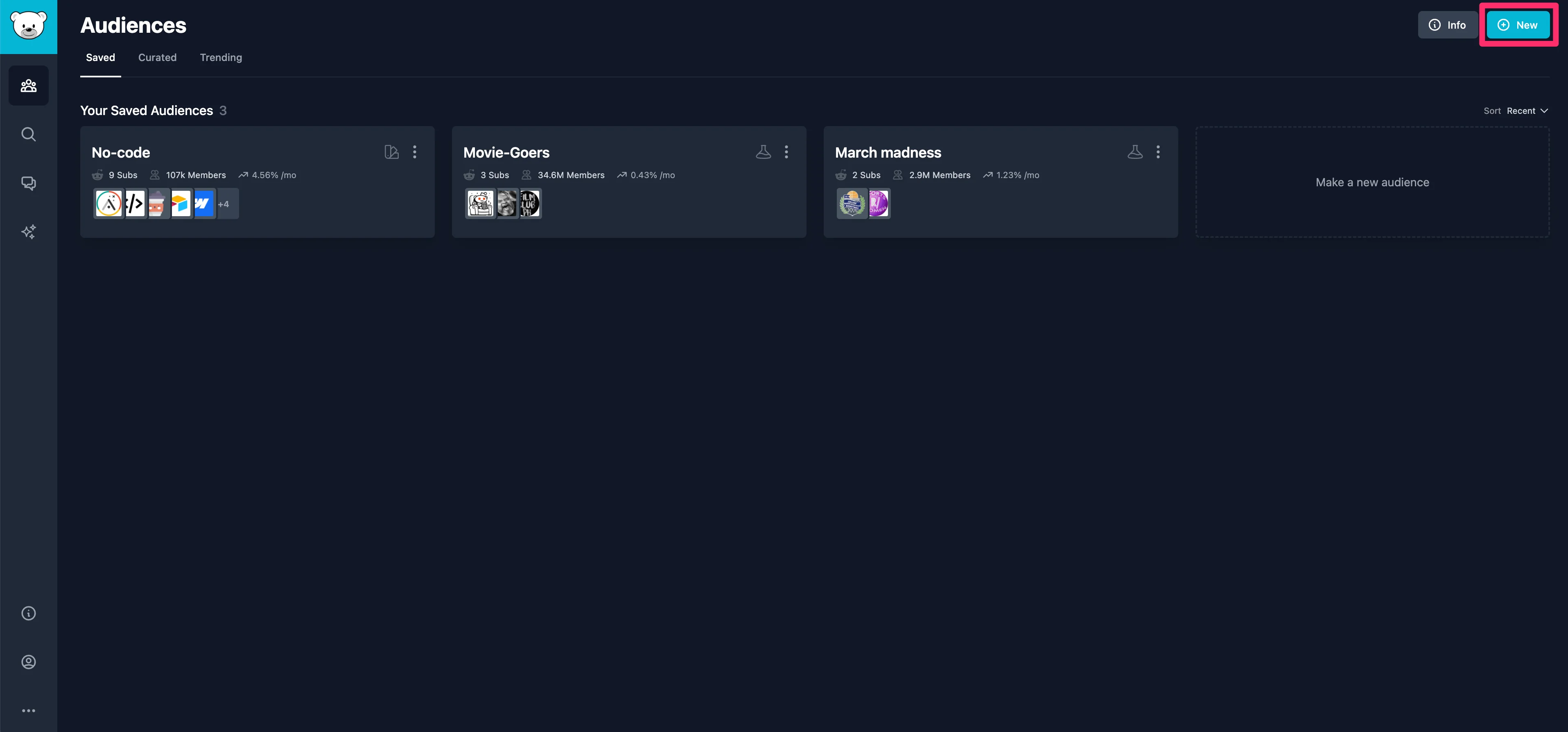
To get started, click the “New” button in the top left corner of your GummySearch audiences dashboard. This will kickoff the process of creating a new custom audience in GummySearch.
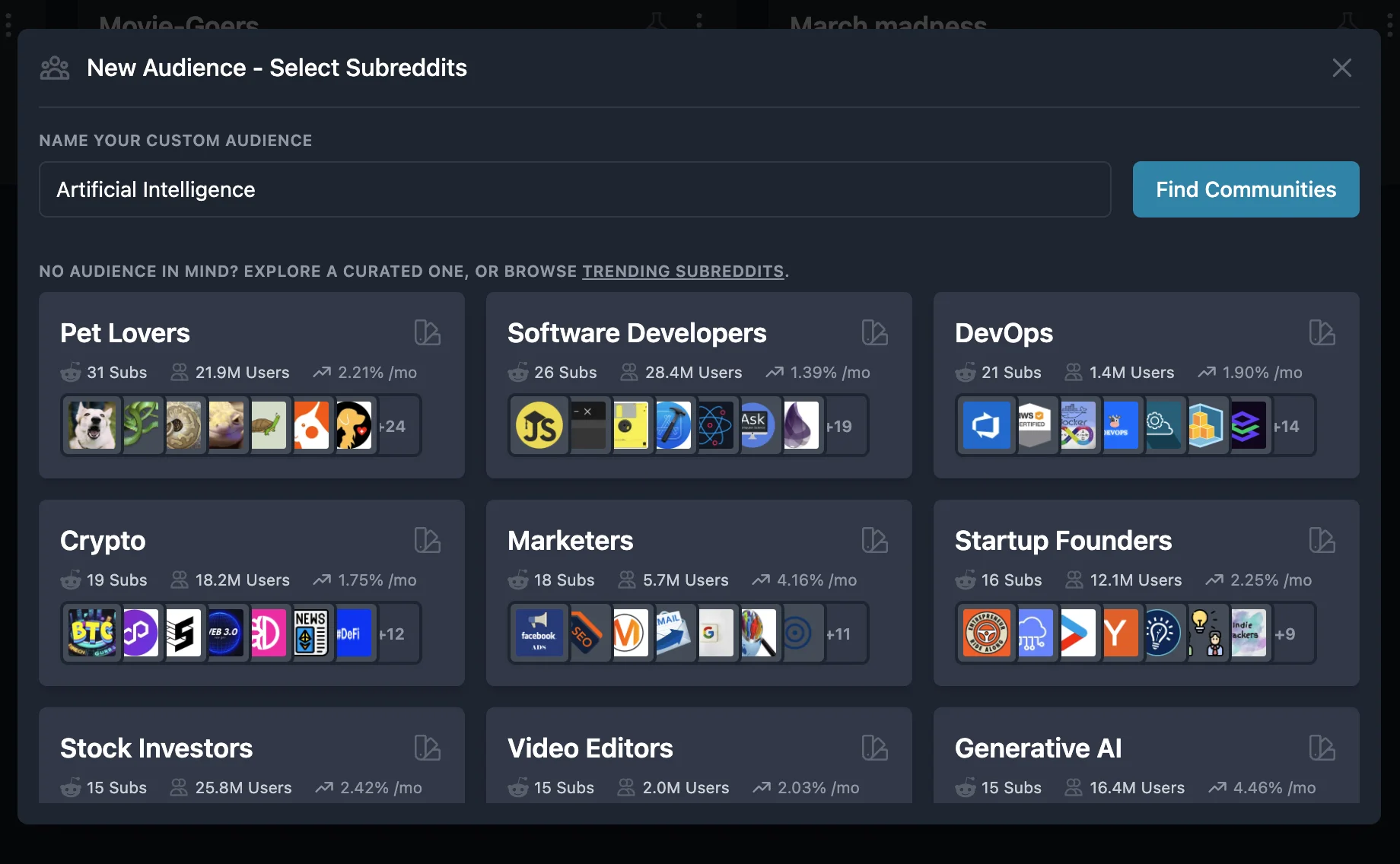
In the resulting pop-up window, enter the first keyword you want to target and select the subreddits you want to include in your audience. In this example, we’re going to build an audience around the keyword “Artificial Intelligence”.
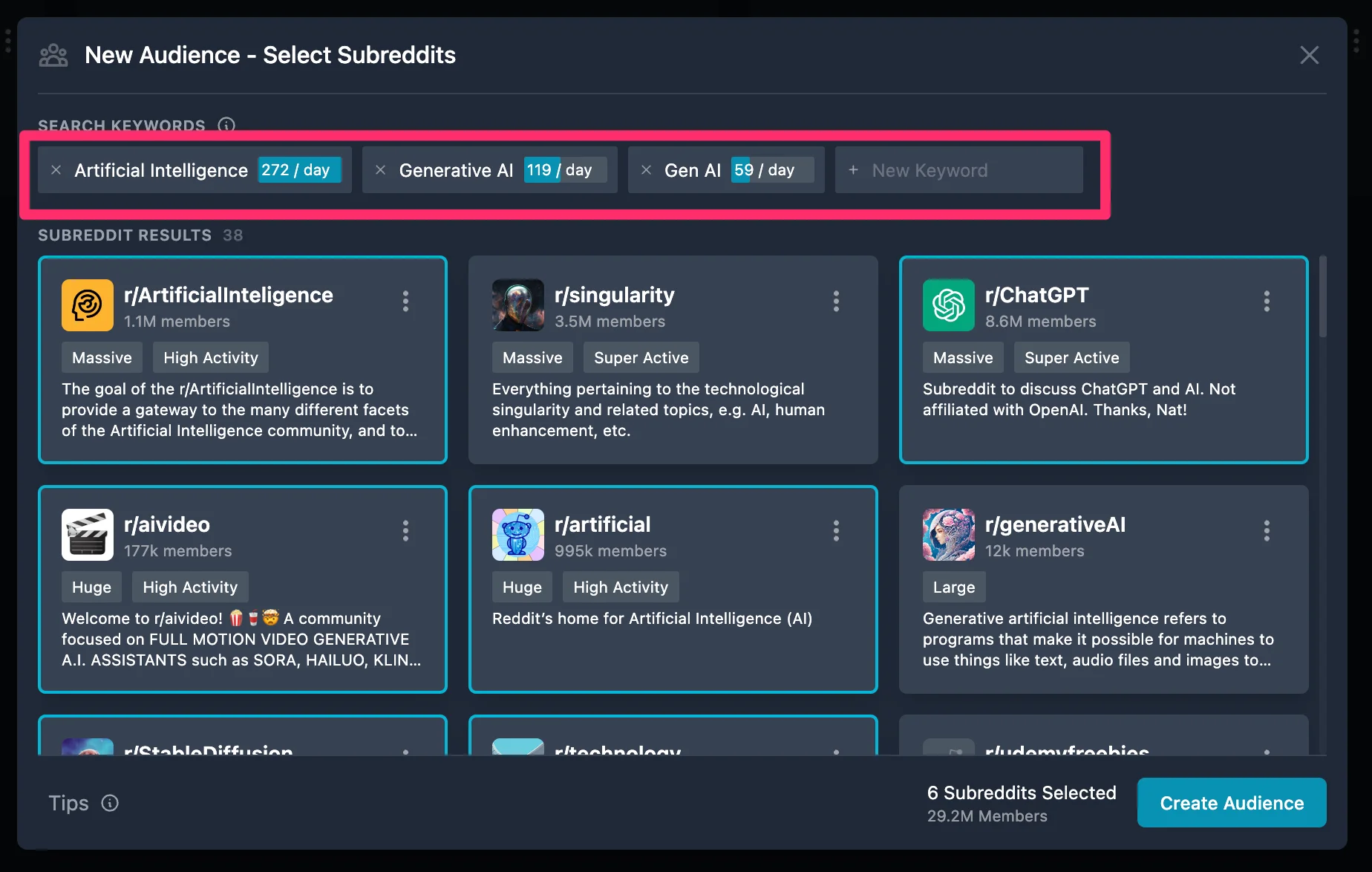
After you’ve added one keyword, in the top bar of the pop-up window, continue to add more niche and targeted keywords. This will bring up more subreddits you can select to add to your audience. When you’re happy with all of the subreddits you’ve selected, click the “Create Audience” button.
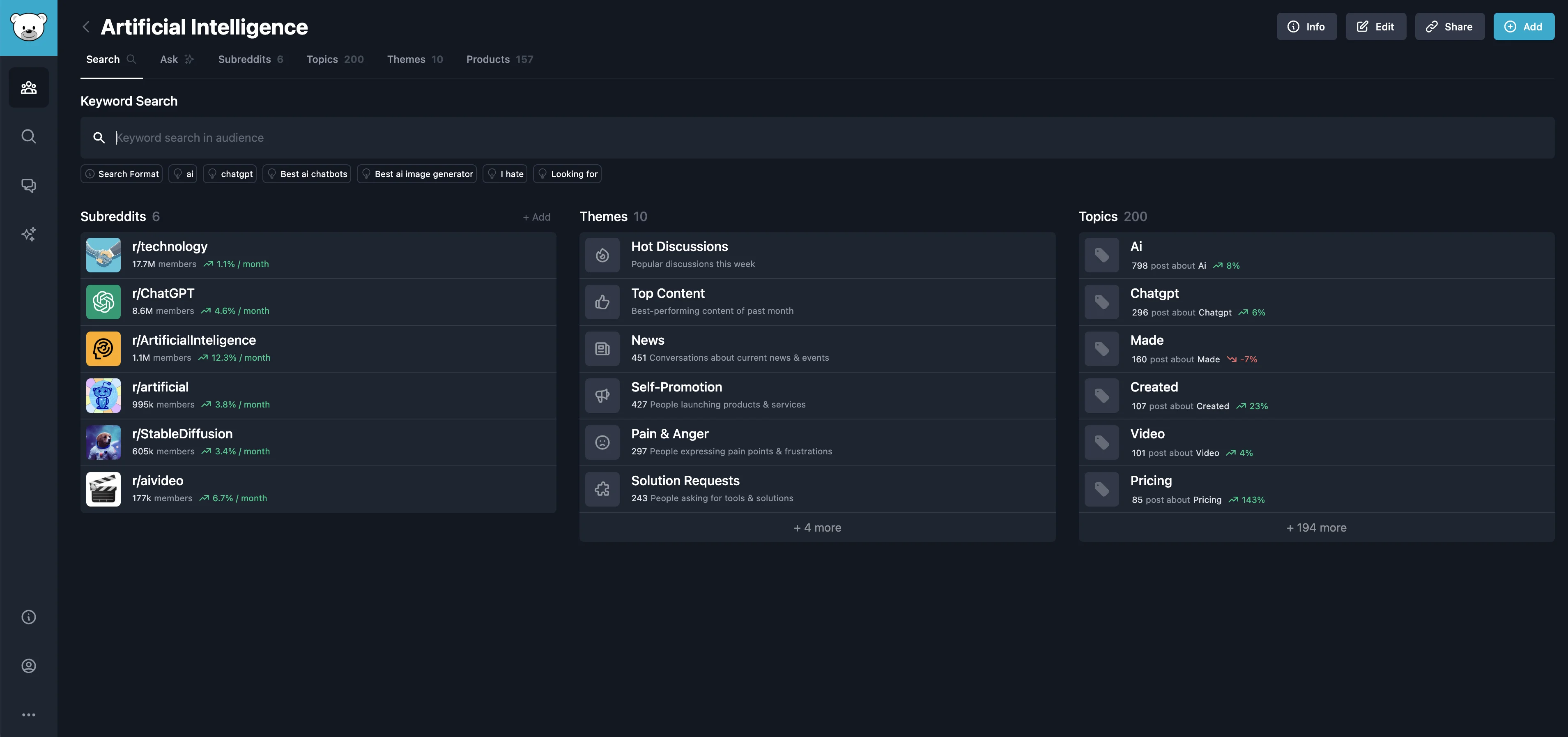
Search for patterns, themes, and topics in custom audiences
Now that we have our initial custom audience built, we can start querying this database of Reddit content with GummySearch’s AI tools. To get started, we’ll do a keyword search in the search box at the top of the page.
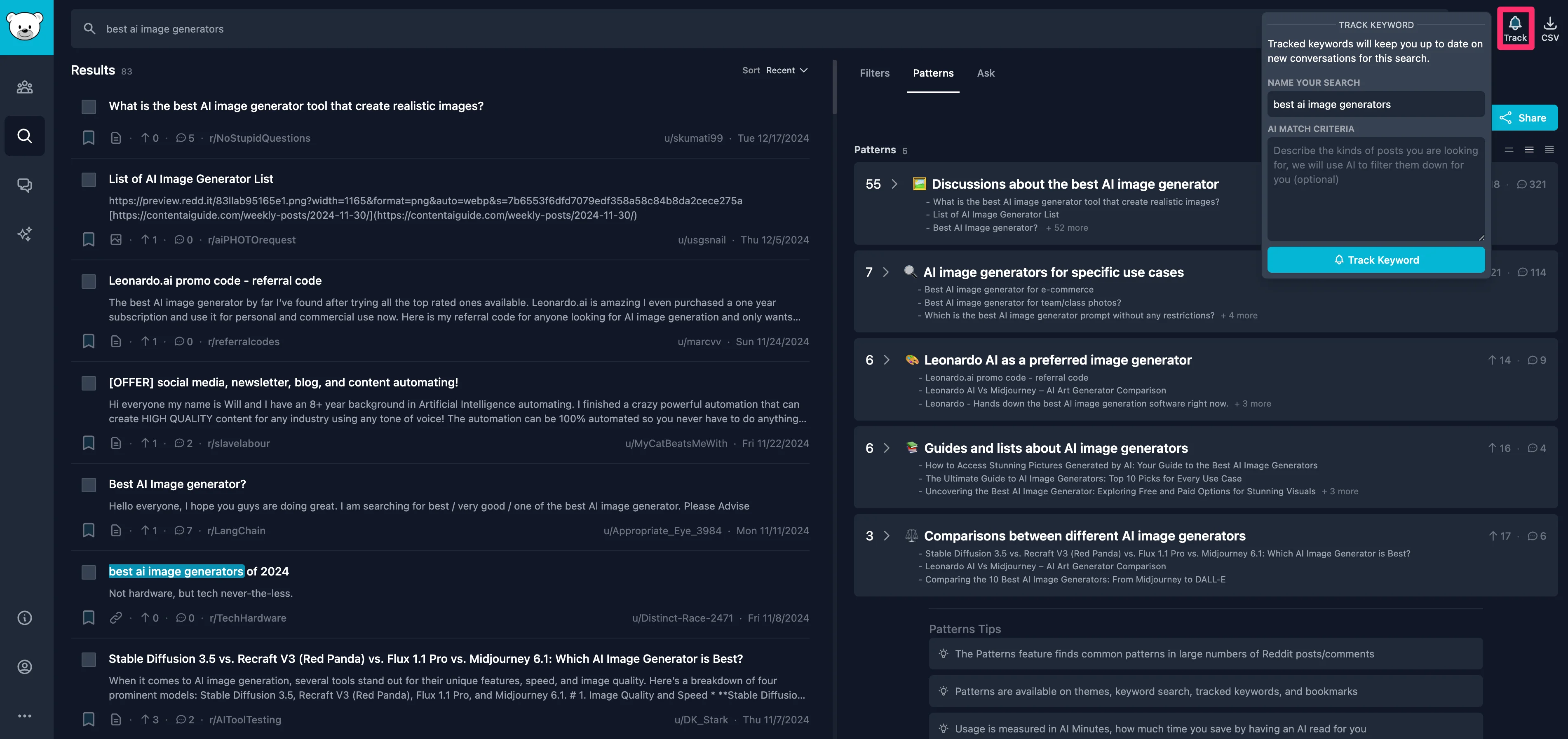
For our example, we’re going to search for discussions on the “best AI image generators.” Once you enter a keyword query, a side panel will open with all discussions on the topic across your custom audience.
Sample Prompt:
Best ai image generator.
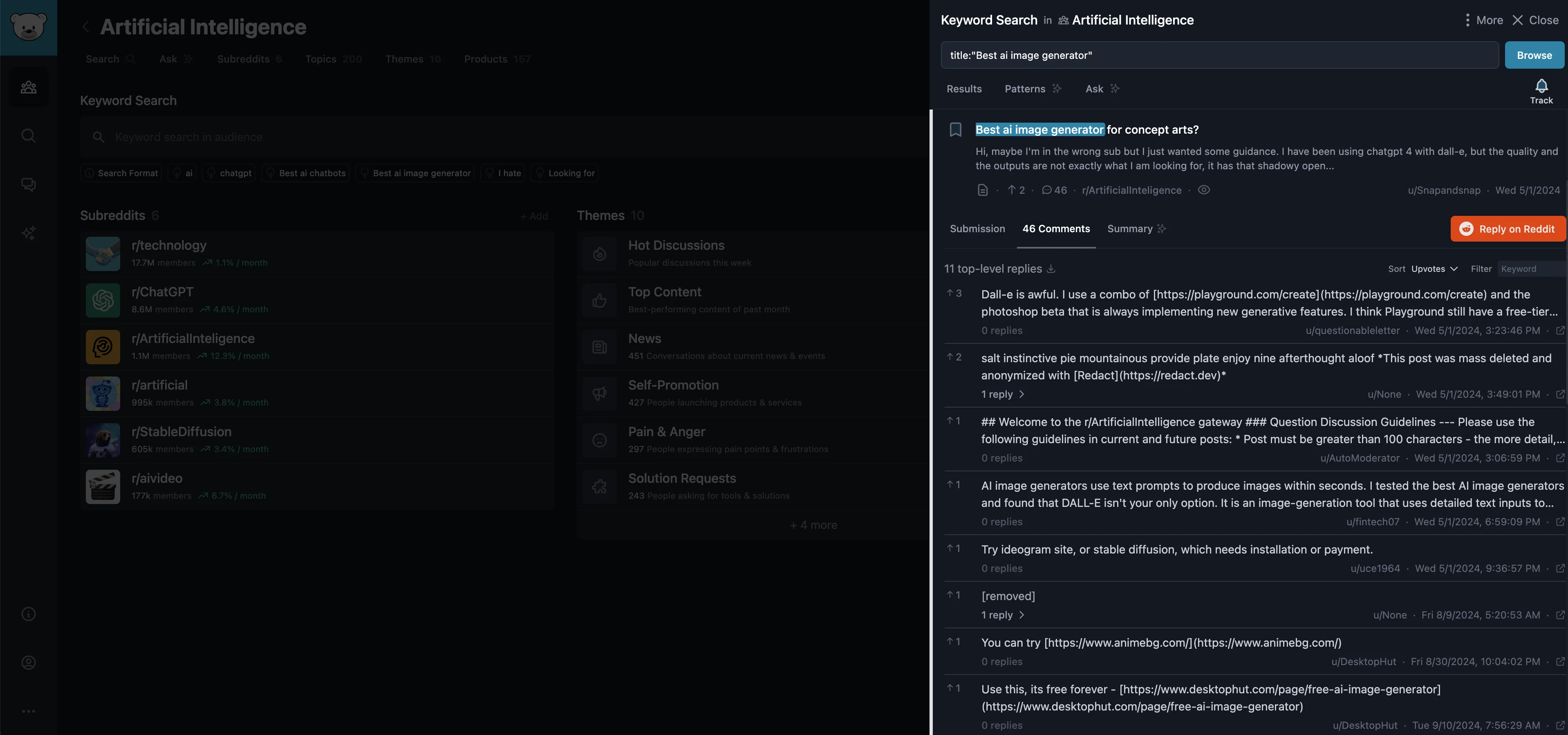
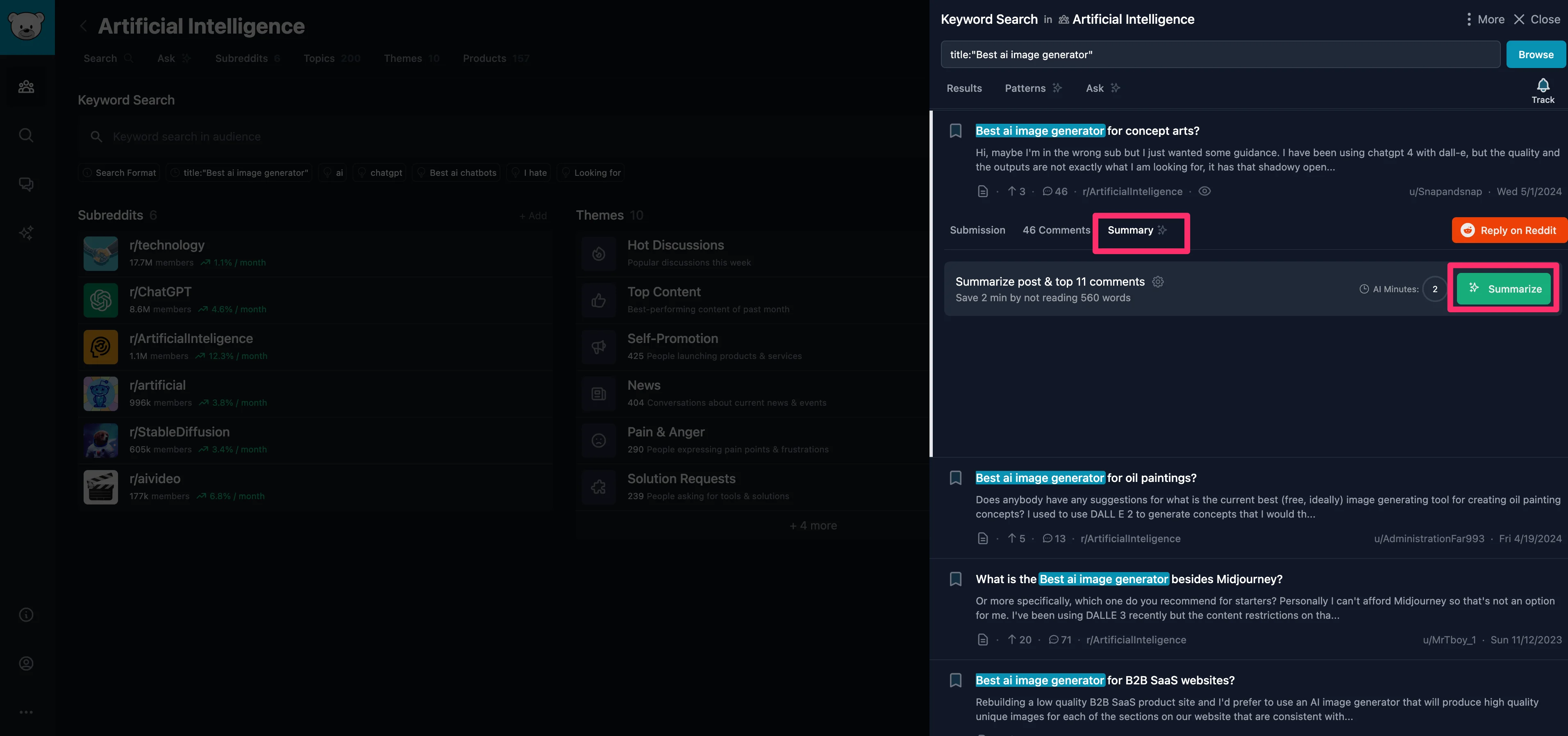
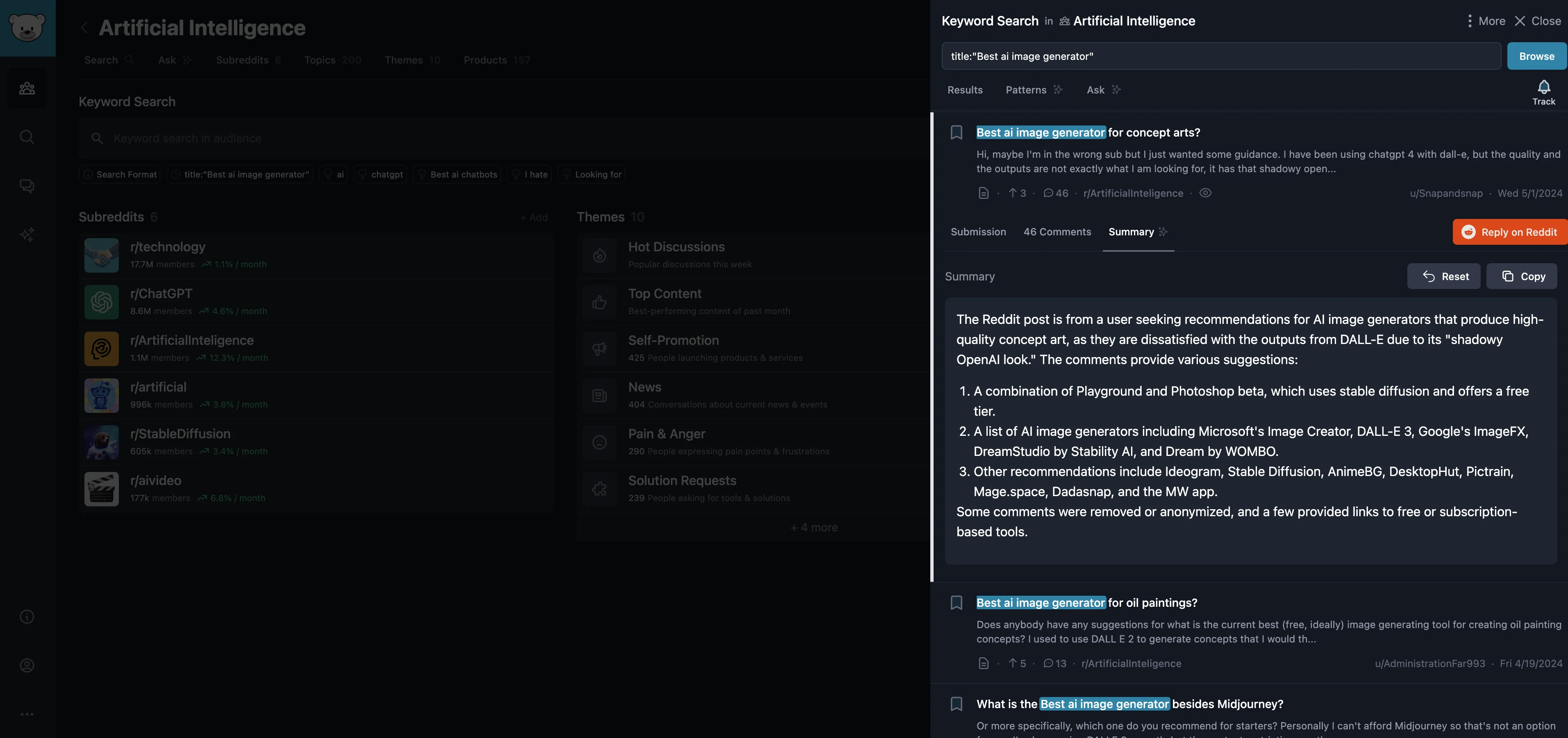
You can click into any of the threads to read the comments, but even more powerfully, you can click the “Summary” tab to summarize a thread's discussion.
GummySearch will output a concise summary of the discussion.
In addition to keyword search, you can explore themes across your custom audience by clicking the “Themes” tab at the top of the page.
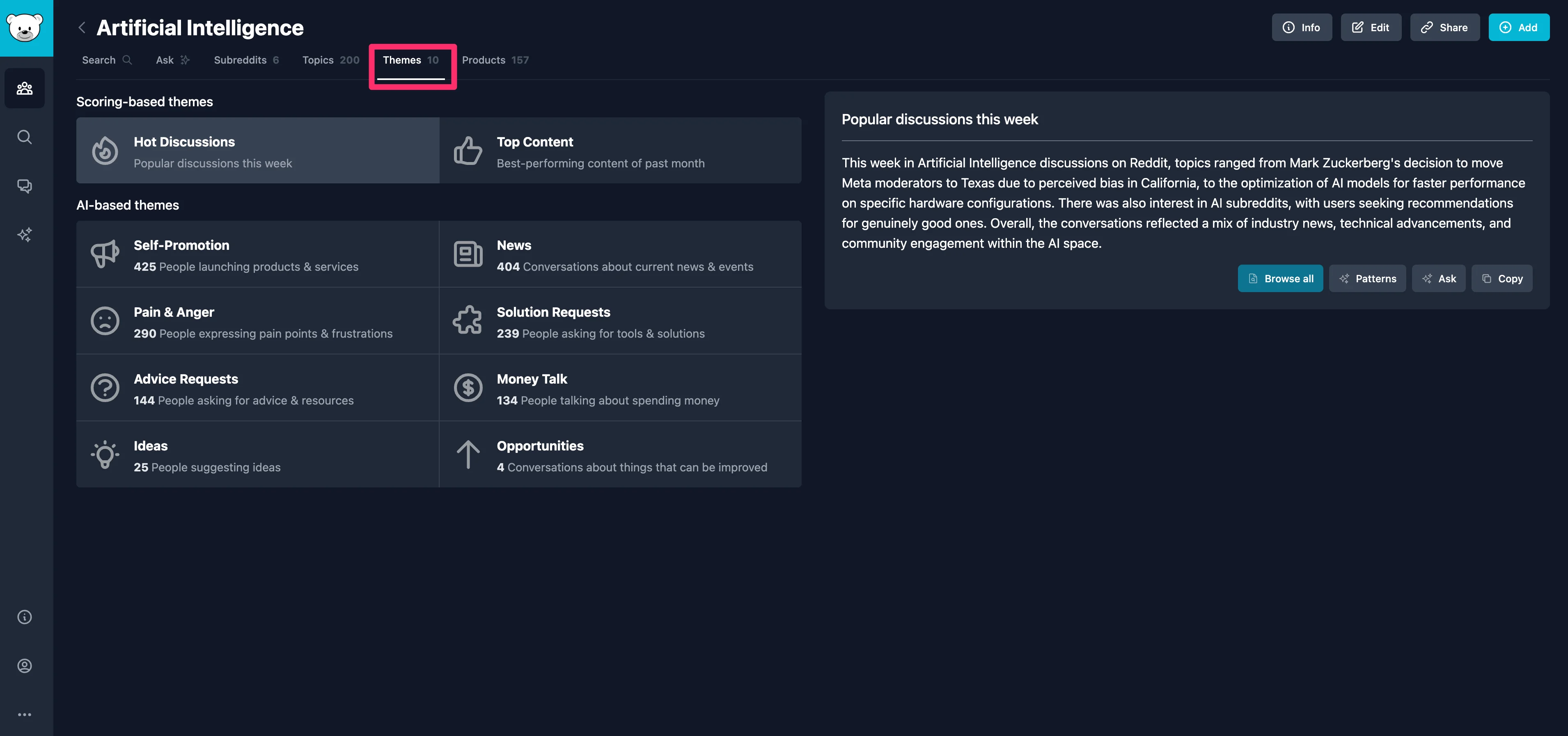
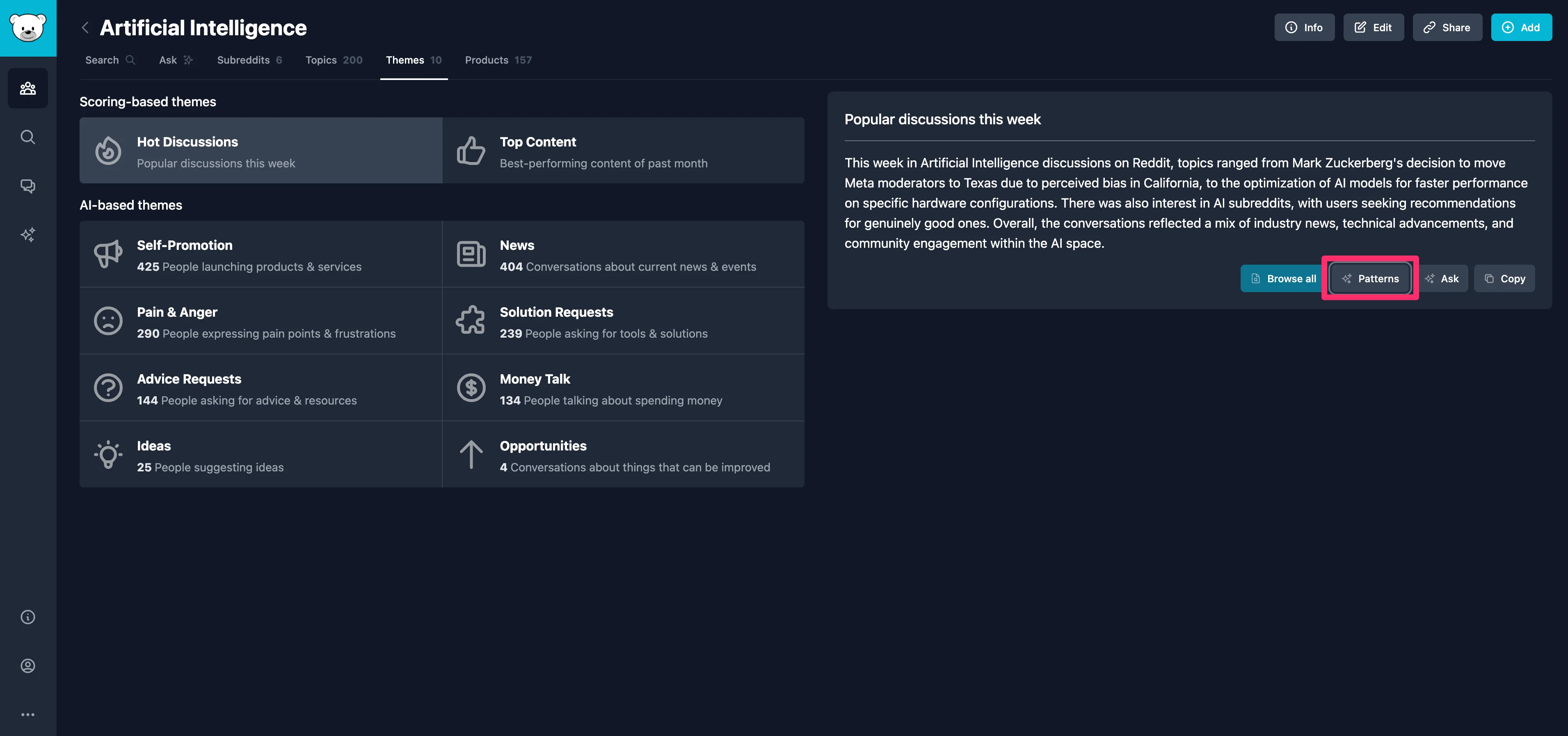
GummySearch has predefined categories you can click through. The default category is “Hot Discussions,” which surfaces the most popular discussions within your custom audience for the past week. On any of these themes, you can click the “Patterns” button to dive into deeper patterns within that specific theme.
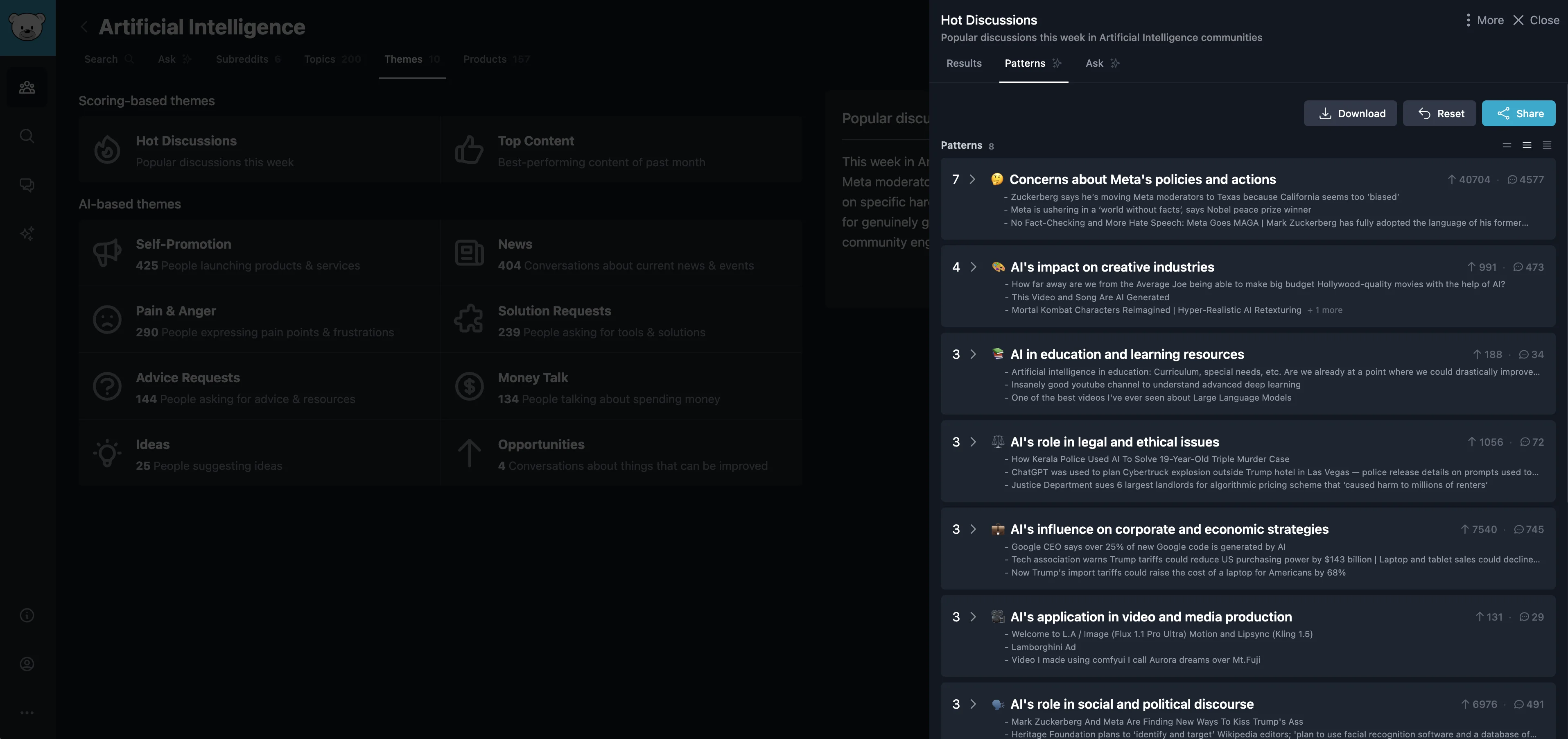
For example, in the “Hot Discussions” theme, we see patterns around Meta’s policies, AI’s impact on creative industries, AI in education, and many more topics.
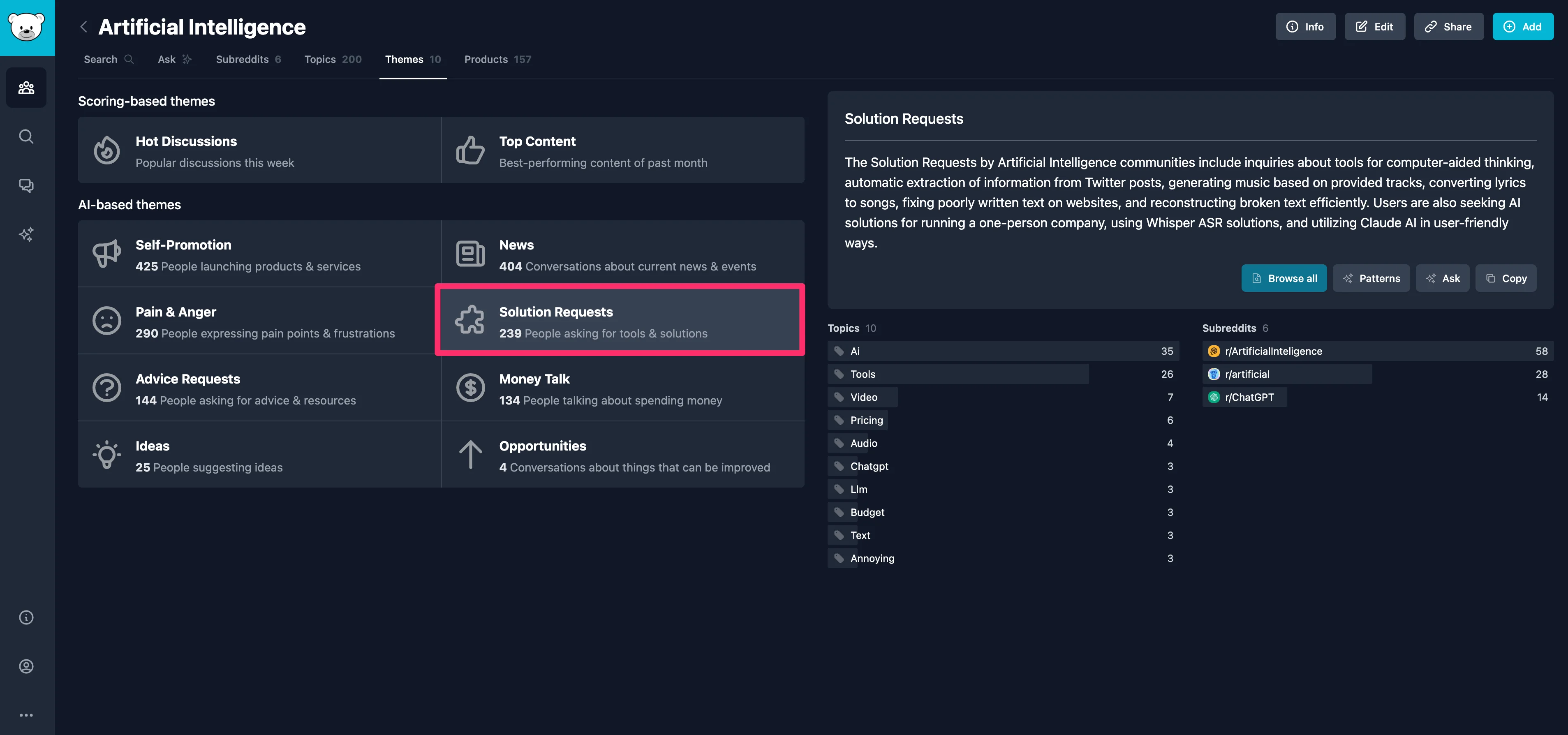
Jumping back into themes, one we find particularly helpful to marketers or product managers is the “Solution Requests” theme. This is content from your audience where they are explicitly asking for solutions.
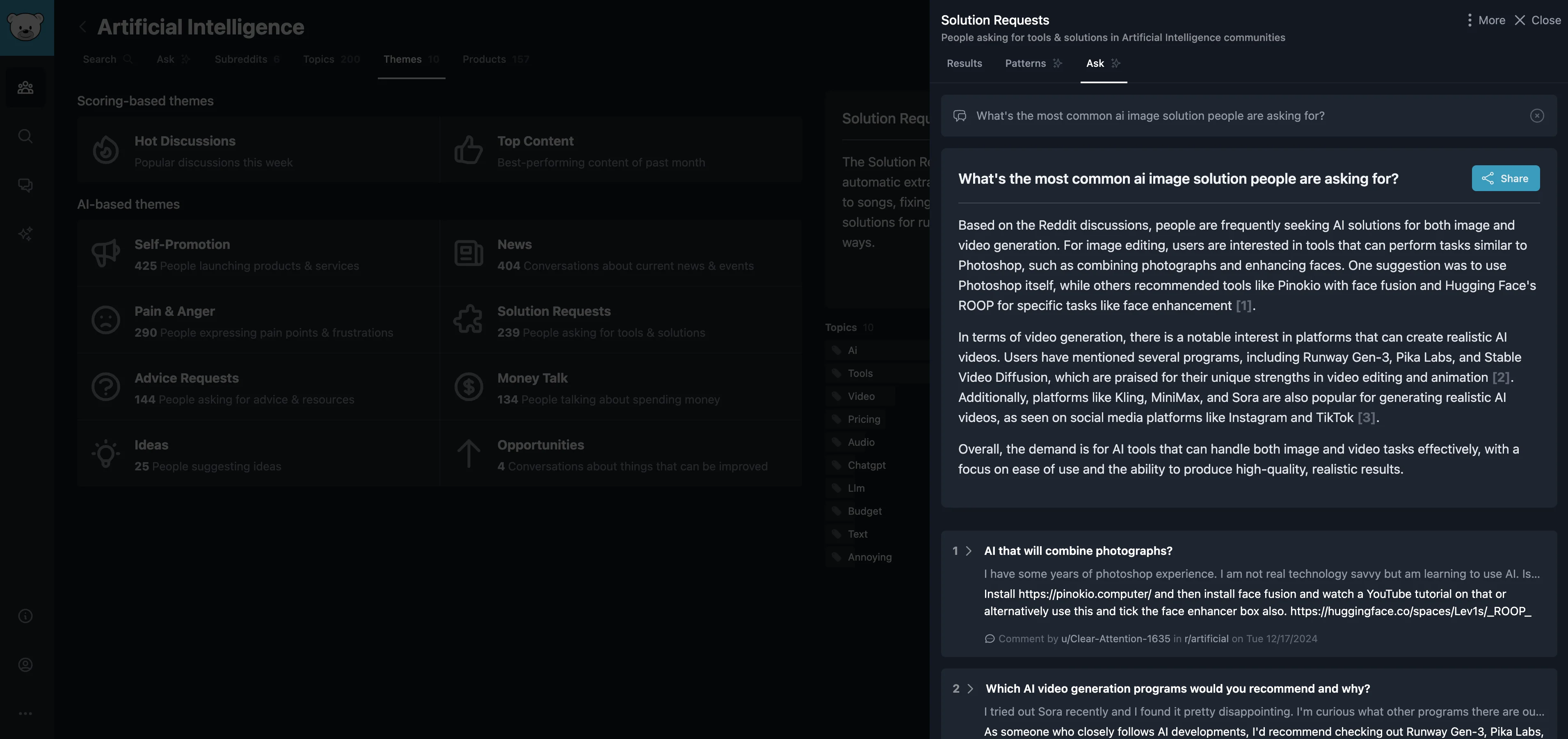
In addition to looking for patterns, you can also “Ask” a specific question about a theme. Click the “Ask” button to do this. In this example, we’ll ask for the most common AI image solution people are asking for.
Sample Prompt:
What's the most common ai image solution people are asking for?
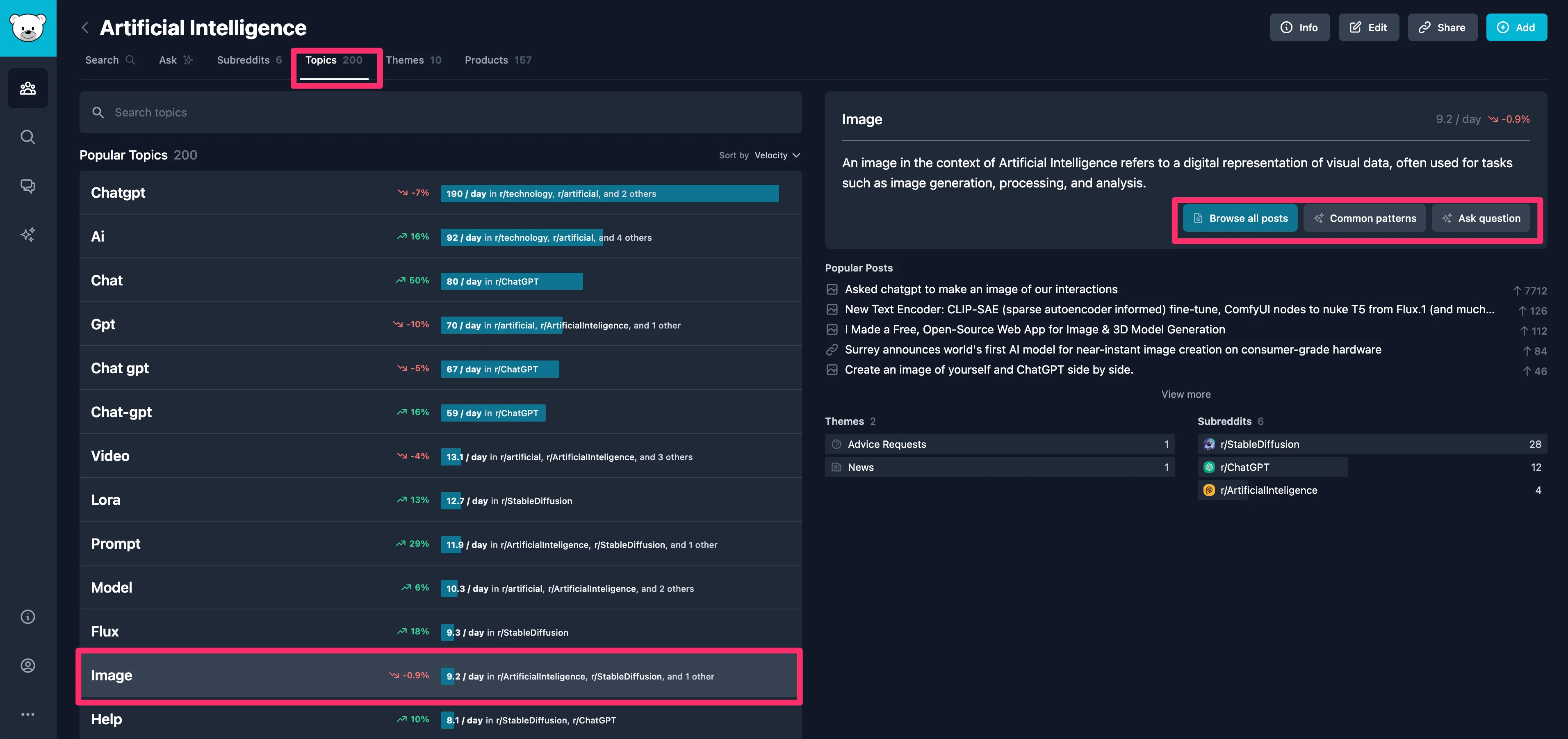
Finally, outside of themes, you can explore topics in your GummySearch audience as well. To do this, click on the “Topics” tab at the top of the page. Topics are keywords that have the highest volume of conversation. Similar to themes, you can click on any topic and then deep dive into common patterns and ask questions for further exploration.
Perform advanced searches
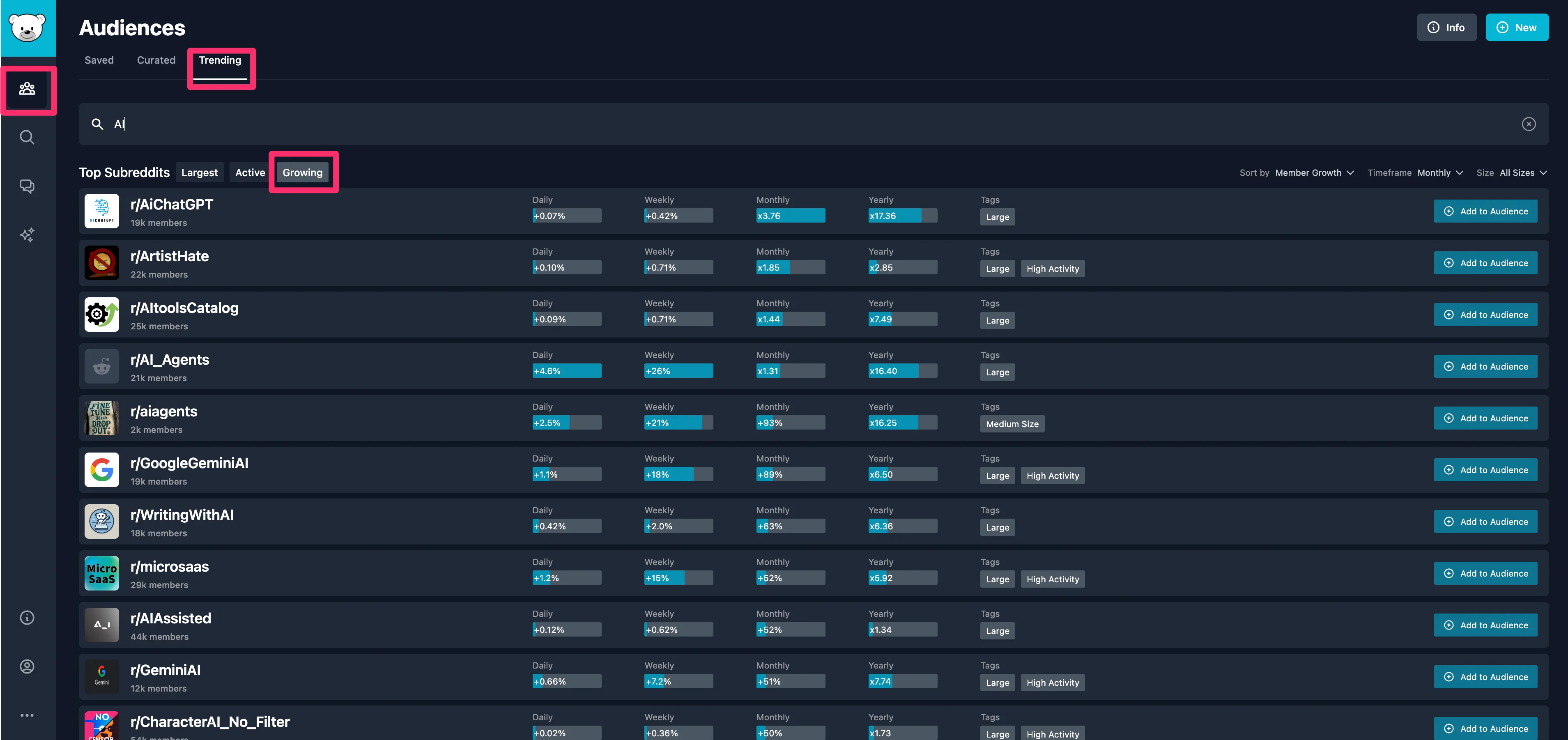
You can perform some advanced searches outside your custom audiences, too. First, within the “Audiences” tab, you can see the top subreddits for specific keywords. To do this, enter a keyword into the search bar. We recommend clicking on the “Growing” sub-tab to find more niche subreddits that have the highest member growth velocity.
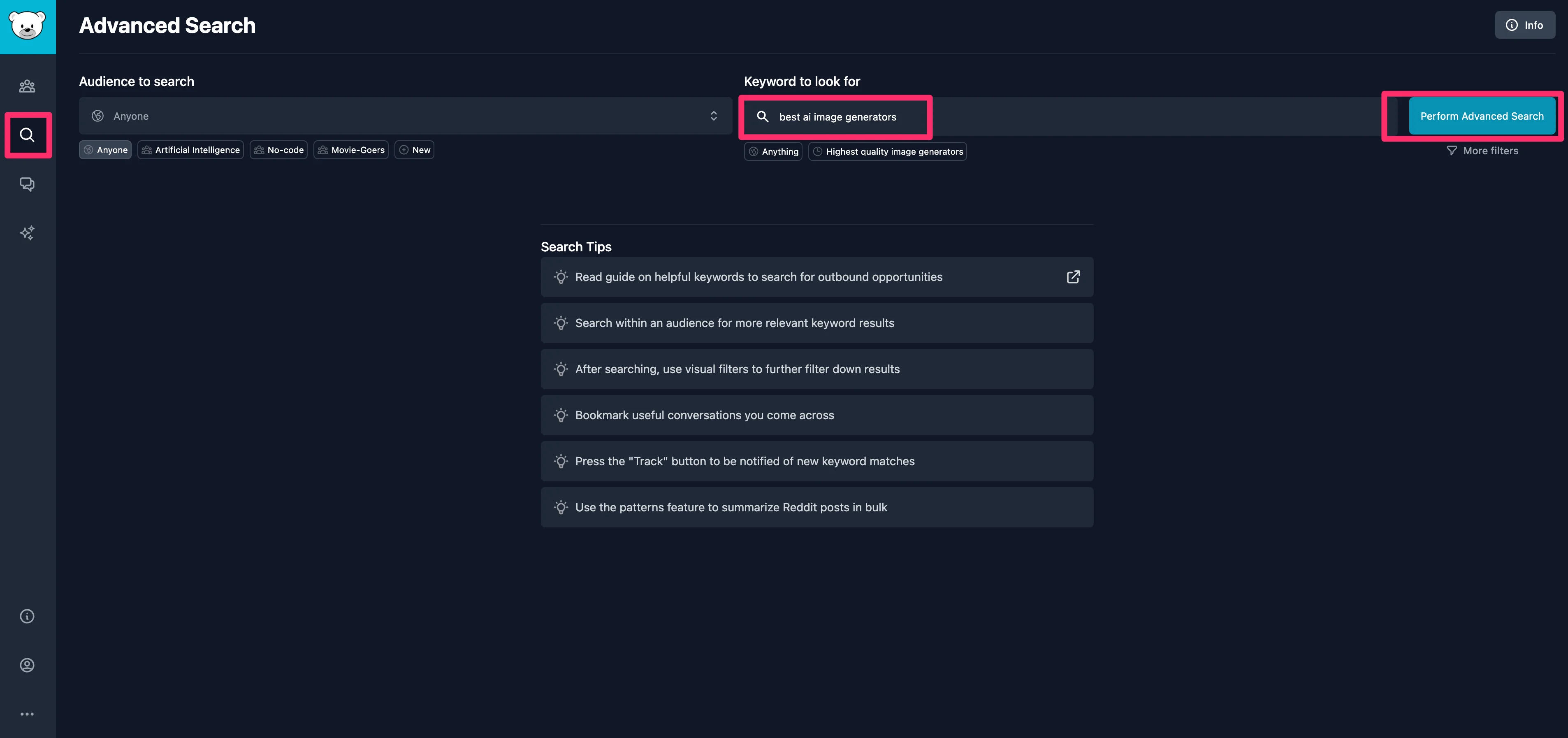
In addition to finding new audiences, you can perform advanced searches across all of Reddit. To do this, click the “Advanced Search” tab in the left-side navigation. Then, select the “Anyone” audience and enter a keyword to search.
On the left side of the page, top matching Reddit threads will appear, and on the right side of the page, you can deep dive into those threads to find patterns and ask specific questions.
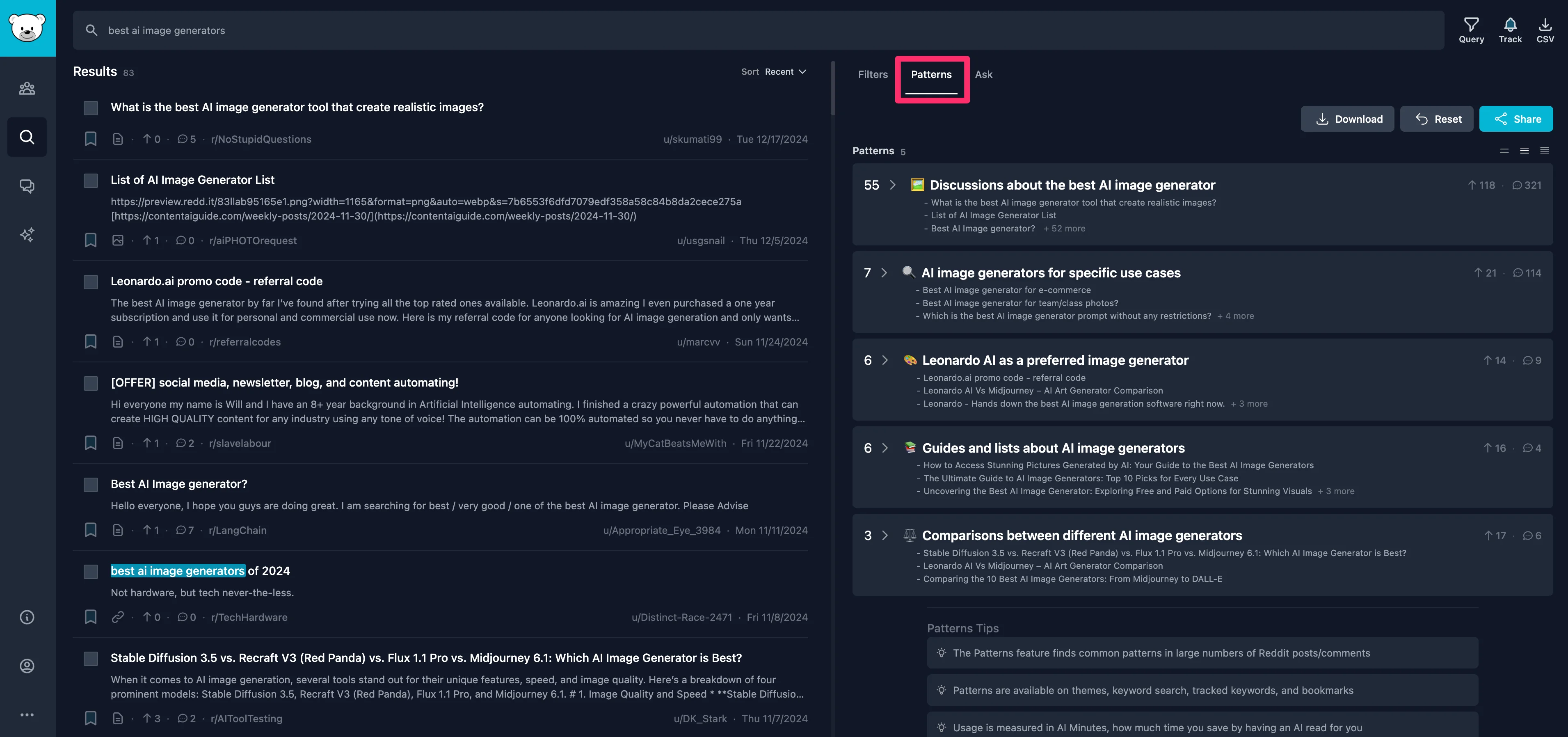
Finally, for any of your advanced searches, you can track them by clicking the bell icon in the top right corner of the page. This will save the query so you can come back and explore it further in the future and have new content added to the query.
Nice work! You now have a solid understanding of how to use GummySearch to mine the rich content of Reddit for insights.
This tutorial was created by Garrett.