Build and use your brand style guide in Notion
Learn how to use Notion AI for analyzing your brand voice and generating consistent business content.
2024-11-29
Welcome to the third lesson of our course on Using Notion AI for business workflows.
Creating consistent, brand-aligned content across all your marketing channels can be a time-consuming challenge, especially when working with multiple team members or content creators. While traditional brand style guides help maintain consistency, they often fail to actively guide the content creation process.
In this tutorial, you'll learn how to:
- Create a brand style guide using Notion AI
- Apply your brand style to existing content
- Generate new content aligned with your brand voice
- Use Notion AI for diverse content needs
Let's dive in.
Step 1: Creating a brand style guide
We'll use Notion AI to analyze your existing content and generate a detailed brand style guide, serving as the cornerstone for all future content creation.
Open your Notion workspace and in the sidebar, open Notion AI chat interface.
Now, gather your brand's existing content that best represents your voice and style. This could include documentation, blog posts, project notes, or other written materials. It’s best if this content already lives inside Notion so you can reference it directly. If it doesn’t, you can upload PDFs or paste text directly into your chat with the AI.
With your content pages identified, let's use this prompt for Notion AI to analyze this content:
Analyze the content in @[Notion page name] and identify the unique characteristics of our brand's writing style. Focus on tone, voice, commonly used phrases, sentence structure, and any other distinctive elements. Provide a detailed list of observations.
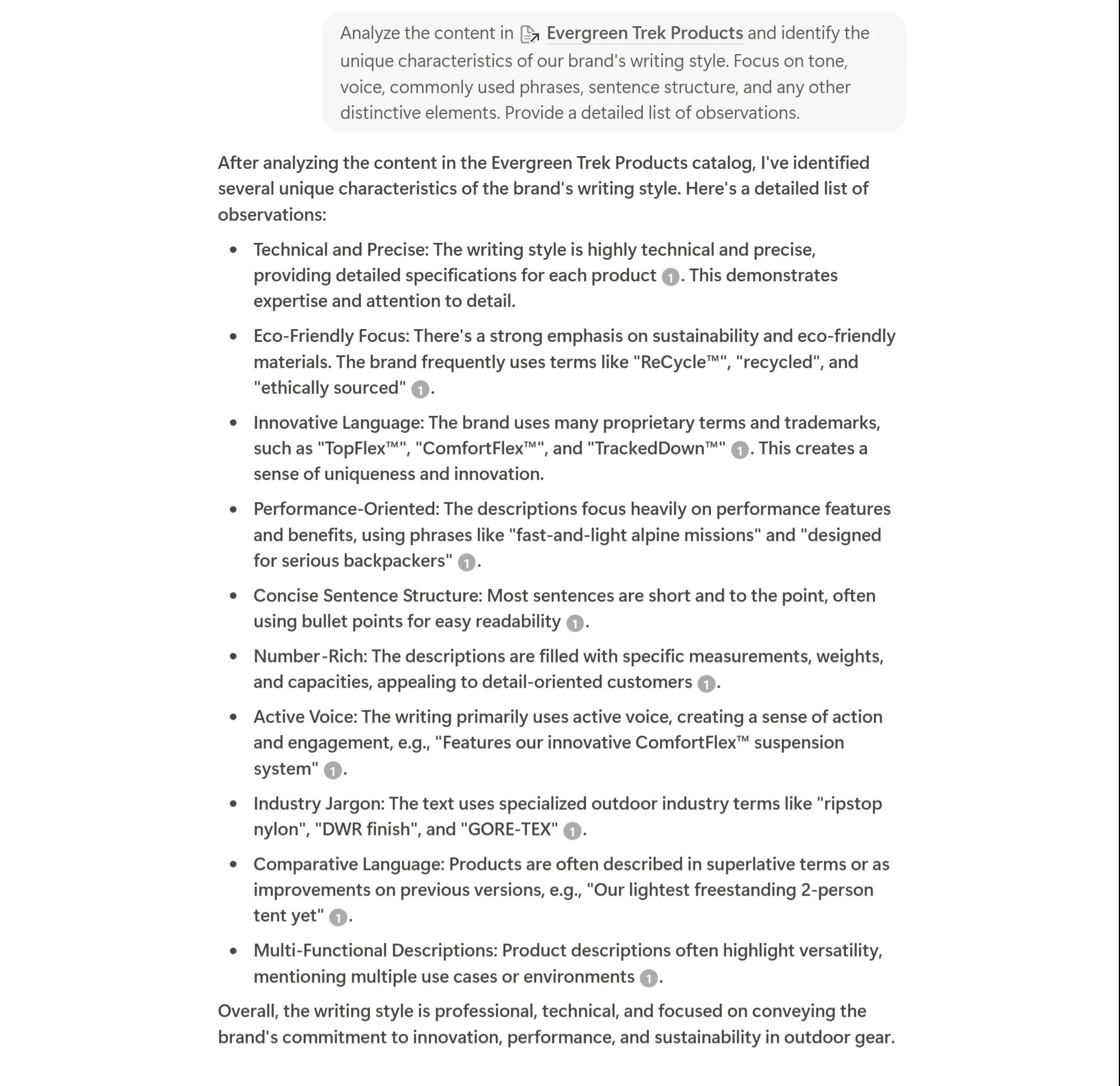
After Notion AI completes its analysis, you'll see a list of observations about your brand's writing style. Take a moment to read and review these insights.
Step 2: Refining the brand style guide
Now that we have a list of observations about your brand's writing style, let's transform these insights into a structured brand style guide. We'll use Notion AI in the same chat to organize and expand upon its initial observations.
This time, we're asking the AI to turn its observations into a proper guide. Use the below prompt:
Based on the observations you've made about our brand's writing style, please create a comprehensive brand voice and style guide. Include sections on tone, voice, sentence structure, word choice, and any other relevant aspects. Provide specific examples and guidelines for content creators to follow.
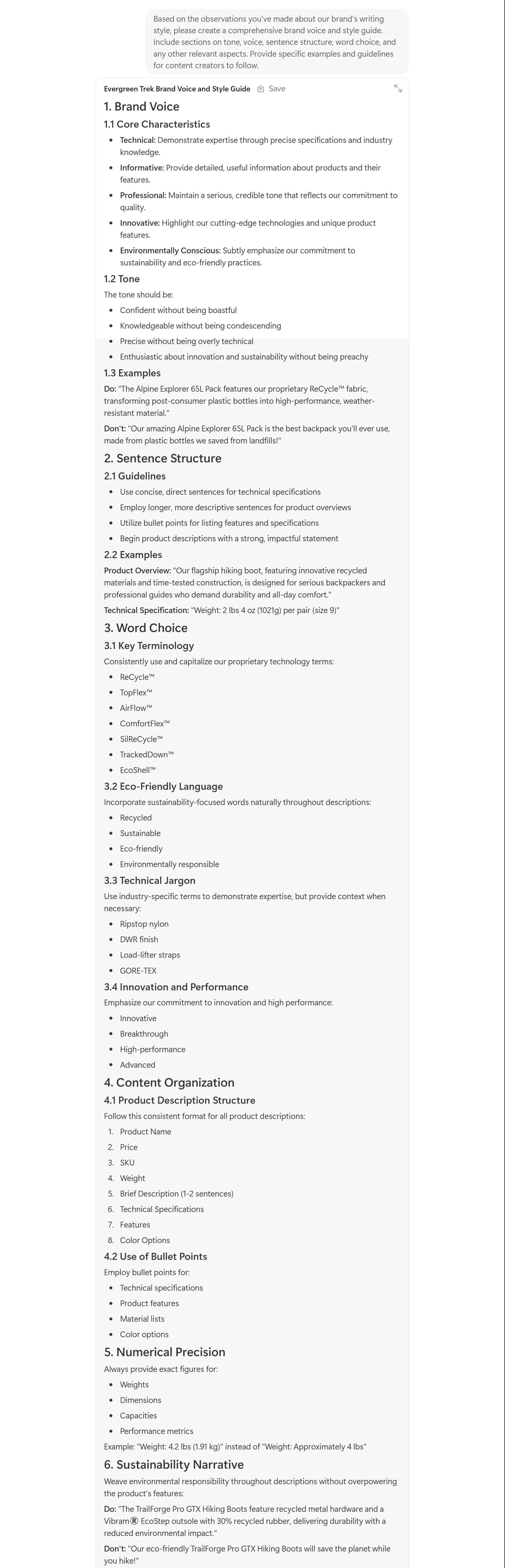
Once Notion AI has finished generating the guide, take a moment to review it. You'll see that it has transformed the initial observations into actionable guidelines for your content creators.
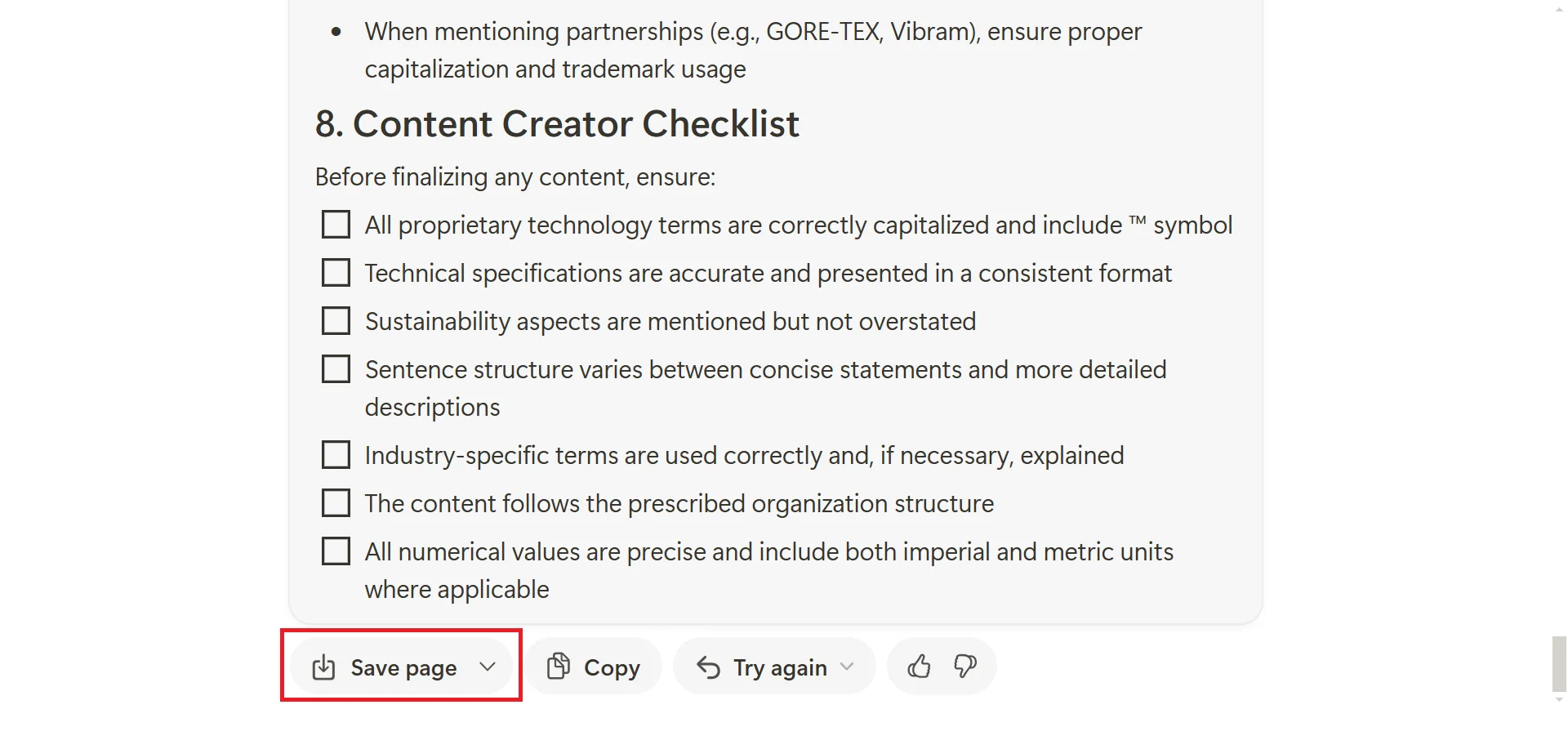
Now that we have this well-structured guide, let's save it as a dedicated page in your Notion workspace. Look for the "Save page" button near the bottom of the chat and save the page.
With your new Brand Style Guide page created, take some time to review and refine the AI-generated content. While Notion AI captures and organizes your brand voice, you may want to make some adjustments to ensure it perfectly aligns with your vision.
Step 3: Applying the brand style guide
With your brand style guide in place, let’s put it into action. Notion offers several ways to use this guide in your content creation process. Let’s start by refining an existing piece of content using your new style guide.
Open a page in your Notion workspace that contains some content that needs editing, like a draft blog post, product description, or any other piece of written content.
Let's use Notion AI to refine this content. Select the text you want to improve - you can highlight a paragraph, a section, or even the entire page. Once you've made your selection, you'll see a small popup menu appear. Click the "Ask AI" option in this menu.
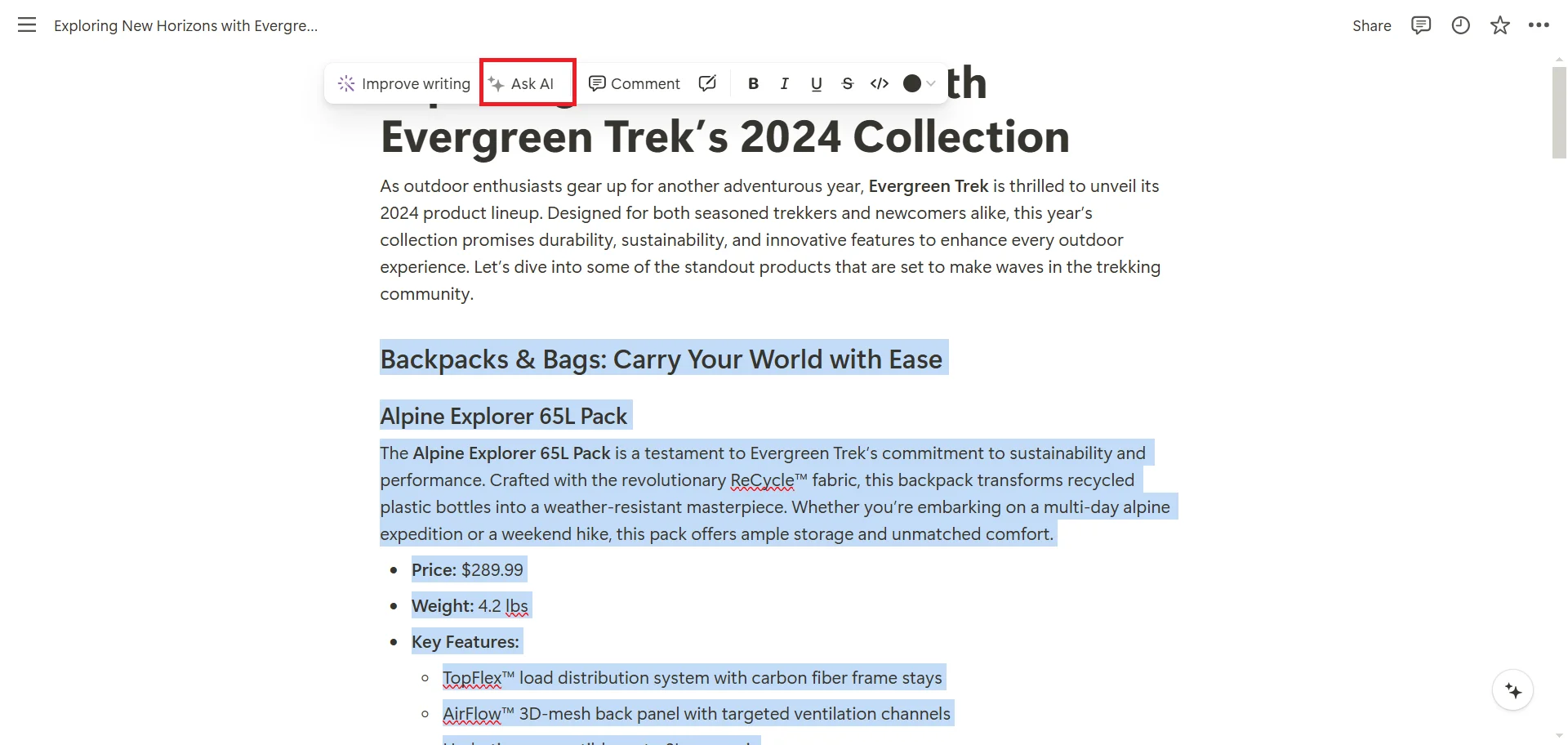
A new chat bar will appear on your screen. This is where we'll input our prompt for Notion AI. In the prompt field, type the following:
Rewrite this text according to our brand style guide @[your style guide page]
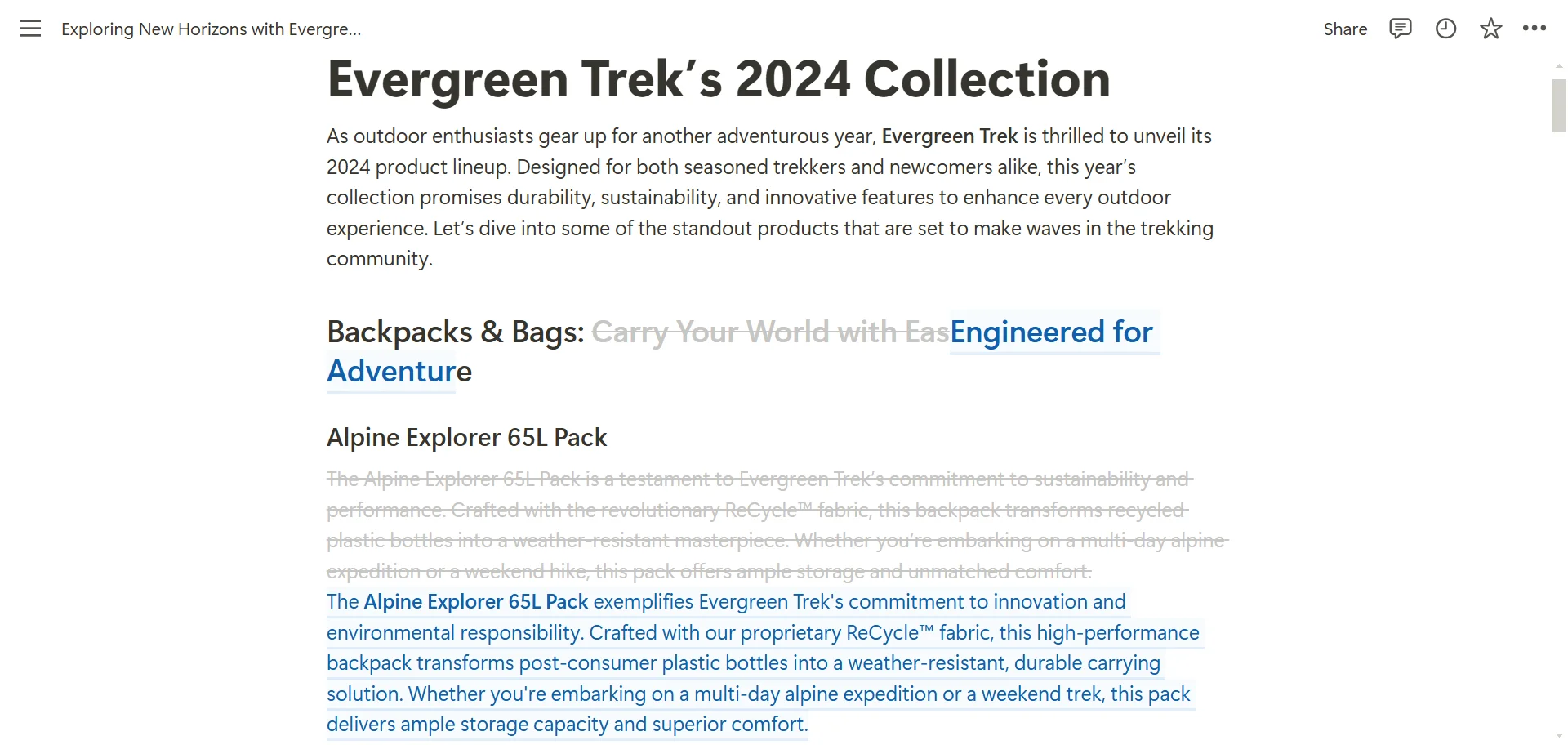
Notice how we're using the @ symbol followed by the name of your style guide page. This tells Notion AI to directly reference the guidelines we've established. As you type, you'll see Notion suggest pages that match what you're typing. Select your brand style guide page from this list.
If you're satisfied with the changes, you can click the "Accept" button at the bottom of the sidebar to update your original content with this new, brand-aligned version. If you're not entirely happy with the result, don't worry - we can refine it further.
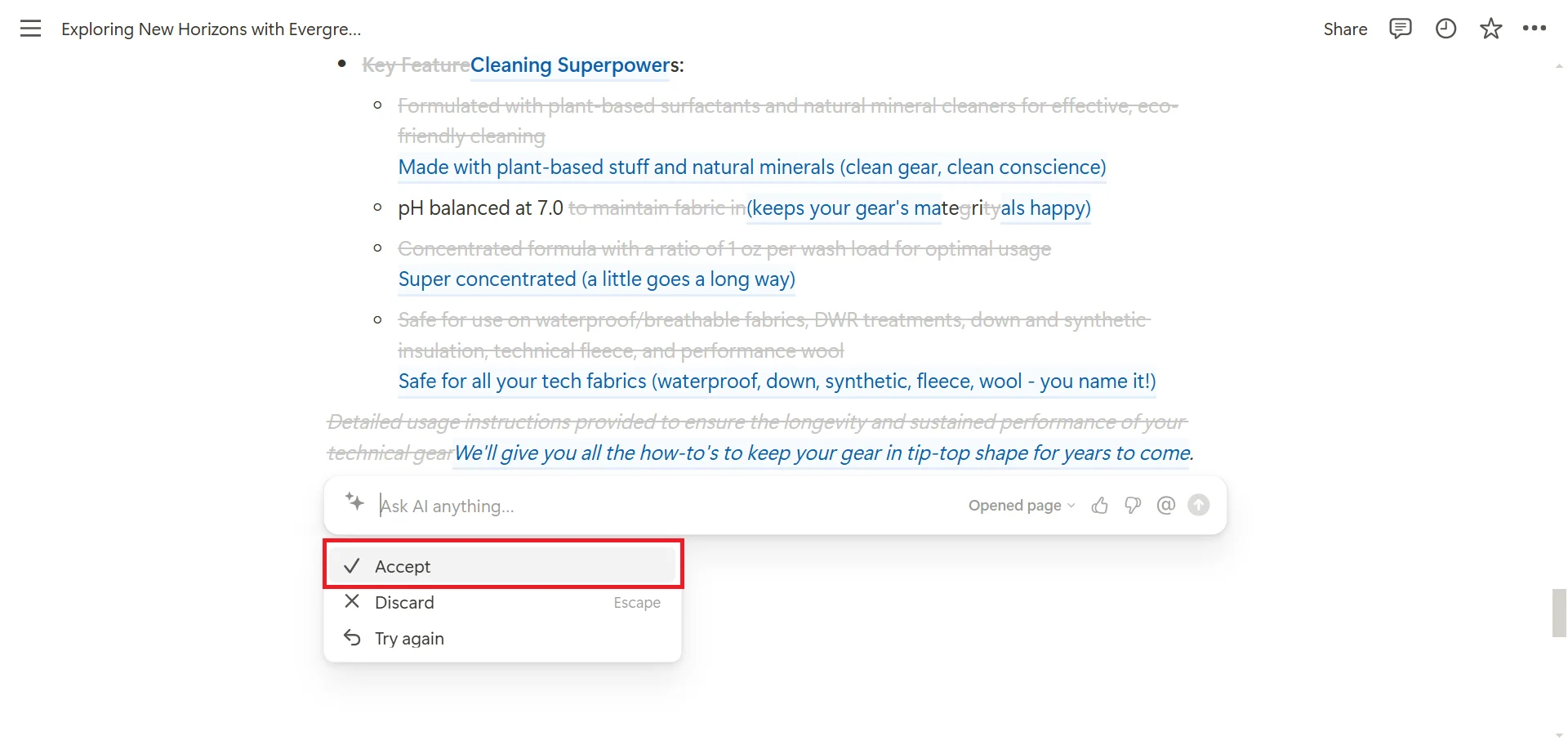
Let's say the revised text is close to what you want, but it still needs some tweaking. You can ask Notion AI to make further adjustments. In the chat box, you could use a prompt like this:
The revised text is close, but it still feels a bit too formal. Can you adjust it to be slightly more conversational while still maintaining our brand voice?
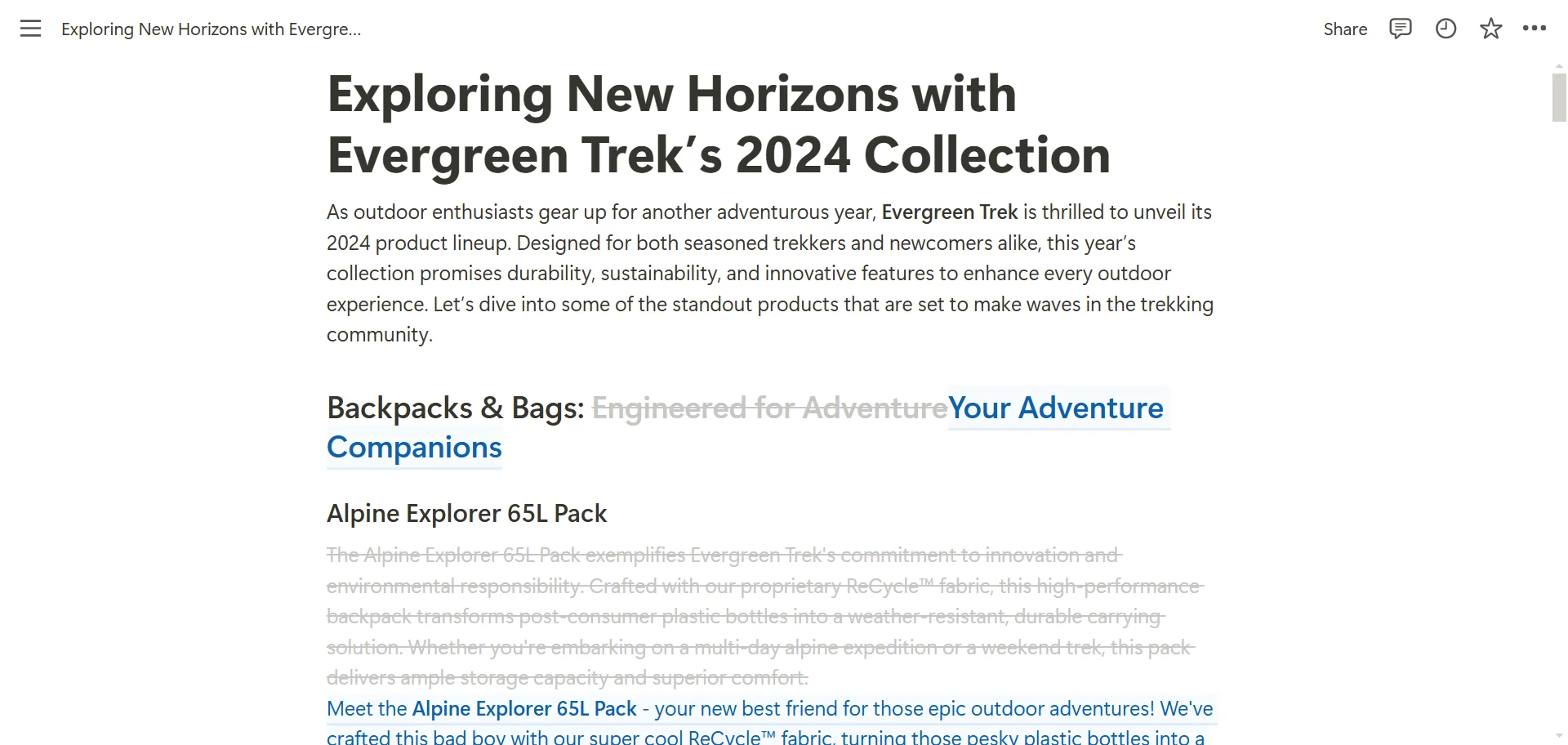
Use Notion AI as a collaborative partner in your content creation process, using its capabilities to enhance and streamline your workflow. With the passage of time, you may uncover other additions to match your brand style more accurately.
Step 4: Generating new content with your brand style
Now, let’s create new content from scratch in your brand style guide. Start by navigating back to the Notion AI chat in the sidebar. We’re going to begin a new conversation here, focusing on creating fresh content that adheres to your brand style guide.
In the chat window, we need to provide context about the content we want to create. Let's say we need to write a blog post announcing a new product launch. Type the following prompt:
I need to write a blog post announcing our new product launch. The post should be approximately 300 words long and include key features, benefits, and a call to action. Please generate this content using our brand style guide. @[Your Style Guide Page] and reference the new product details from @[your product overview page]
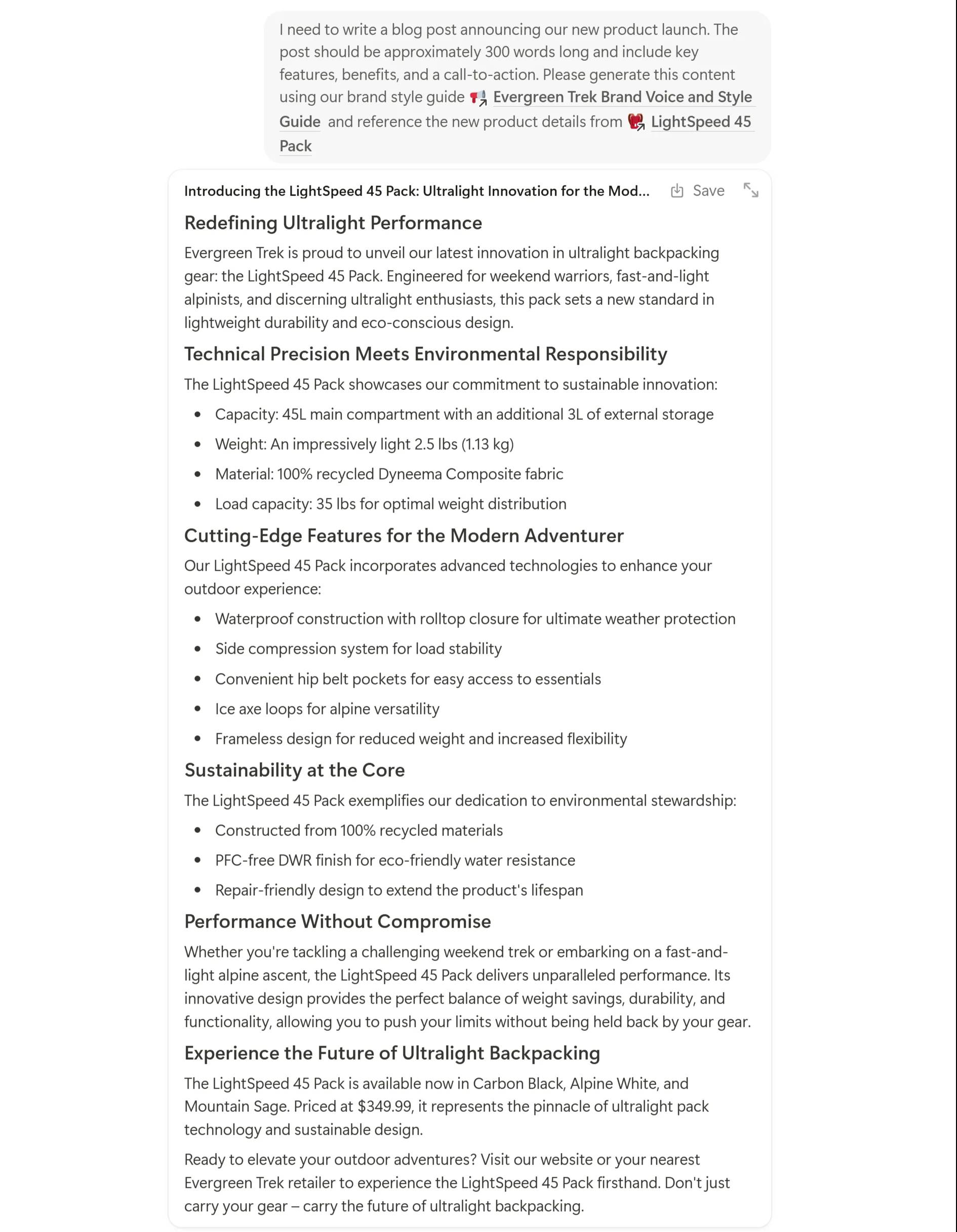
Just like before, we're linking directly to the style guide page to ensure Notion AI has all the necessary information about your brand voice. Hit enter and let Notion AI work its magic.
While this AI-generated draft is an excellent starting point, remember it's just a starting point. You'll likely want to make some adjustments or add specific details that only you would know about your product.
This process of using Notion AI to generate a first draft can save you hours of work. Instead of starting with a blank page, you now have a structured, brand-aligned piece of content to work with. You can focus your energy on refining and personalizing the content rather than building it from scratch.
More content you can create with Notion AI
Notion AI's capabilities extend beyond basic content creation and editing. Let's explore how we can use these content creation features inside Notion for various business needs.
- Company knowledge document: Create a comprehensive document to store all the basic information about your company's vision, mission, and team members' roles and responsibilities. This can serve as a reference for future chats when you need specific company information.
- Brainstorming content ideas: Make separate pages inputting your previously created content and any other specifics about particular types of content you want to focus on. Use prompts linking these different pages to generate new content ideas.
- Social media content: Utilize your brand style and tone guidance to create social media posts, announcements, and other short-form content. You can refine existing content or generate new posts aligned with your brand voice.
- Email newsletters: Draft email newsletters announcing company updates, product launches, or upcoming events. Notion AI can help maintain consistency in tone and style across your email communications.
- FAQs: Create a list of frequently asked questions and their answers, all written in a tone that matches your brand style guide.
For each of these use cases, you can create different pages in your Notion workspace. This organization allows you to store relevant information and examples for each content type, which Notion AI can reference when generating or refining content.
To implement these use cases:
- Prepare the necessary documents (company knowledge, content examples, social media strategy, newsletter templates, product information, etc.) in your Notion workspace.
- When working on a specific content type, navigate to the relevant page or open the Notion AI chat in the sidebar.
- Link your brand style guide and any other relevant documents using the "@" symbol in your prompt.
Encourage your team to experiment with different prompts and approaches. Someone might discover a particularly effective way of structuring a prompt that yields great results. You could create a space in your Notion workspace where team members can share these insights and successful prompts.
As your brand evolves, make sure to update your style guide accordingly. Your brand voice might shift subtly over time as your company grows or enters new markets. Regularly revisiting and refining your style guide ensures that Notion AI always has the most up-to-date information about your brand voice.
In the next tutorial, we’ll use Notion AI to analyze documents and extract insights, streamlining your approach to proposals, reports, and documentation.
This tutorial was created by Tanmay.