Compare LLM Models
Learn how to use Chatbot Arena to test the leading LLM models.
2024-11-13
In this tutorial, you'll learn how to use Chatbot Arena to test the leading LLM models to get experimental and community data on what’s the best model for your various use cases.
Chatbot Arena is an open-source platform for evaluating AI through human preference. It was developed by researchers at UC Berkeley SkyLab and LMSYS. It’s a powerful, free tool that allows you to:
- Compare different models side-by-side
- View a categorical leaderboard of models by use case
- And direct message over 70 of the leading models to help you find the best one for your needs
Chatbot Arena offers the ability to test proprietary models like OpenAI’s GPT-4o and Anthropic’s Claude Sonnet 3.5, as well as open-source models like Meta’s Llama-3.1 and Mistral-Large.
Whether you're building an AI-powered product or looking for the ideal chatbot for your workflow, Chatbot Arena can help you streamline your model decision-making process and allow you to give back to the open-source AI community at the same time.
Steps we’ll follow in this tutorial:
- Review leading LLM models by category
- Chat with any leading LLM model
- Compare two models side-by-side
- Blind-test models
Review leading LLM models by category
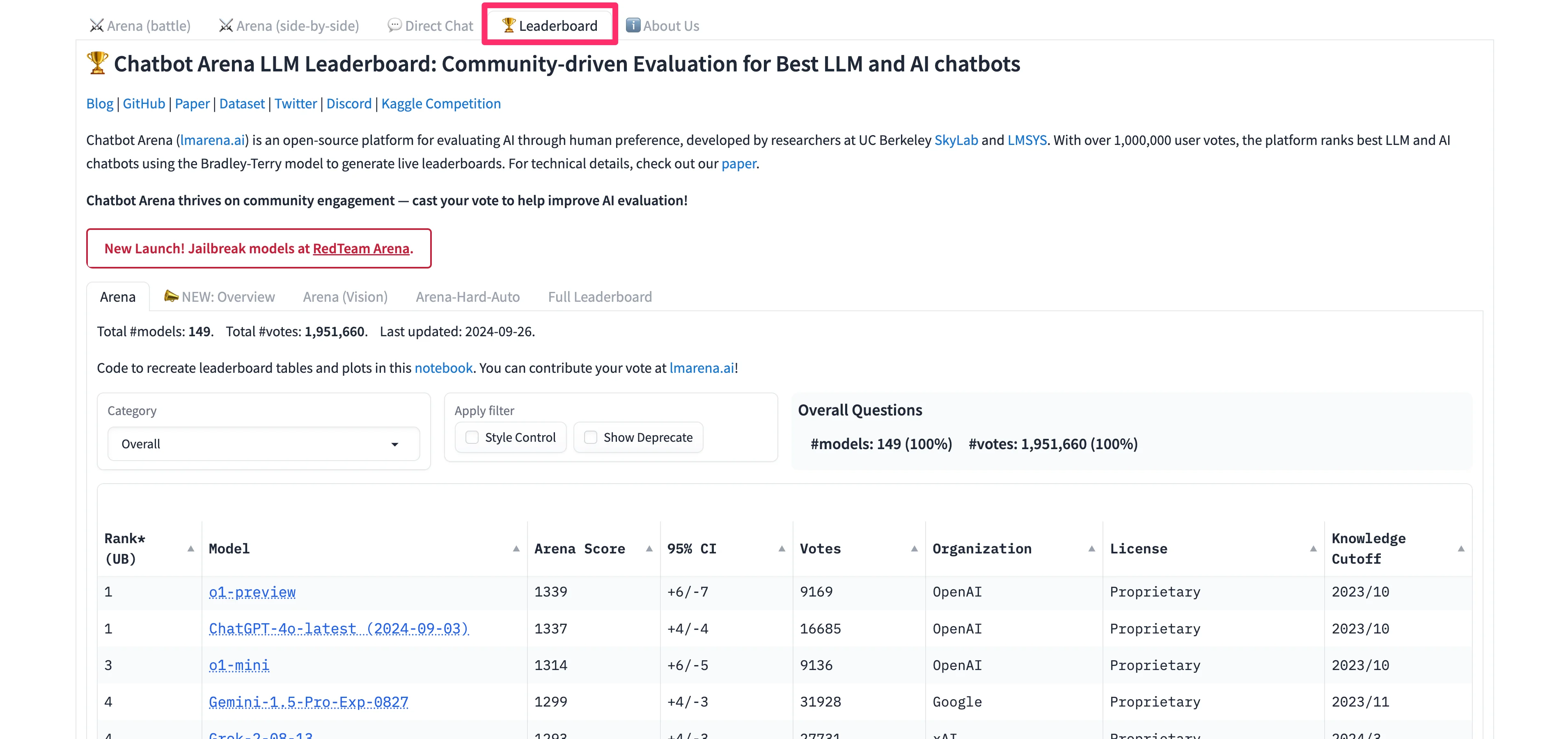
Navigate to the Chatbot Arena website to get started. We’ll begin with reviewing the LLM model leaderboard to get a sense of which models are the best at certain categories of tasks. To do this, click on the “Leaderboard” tab in the top navigation.
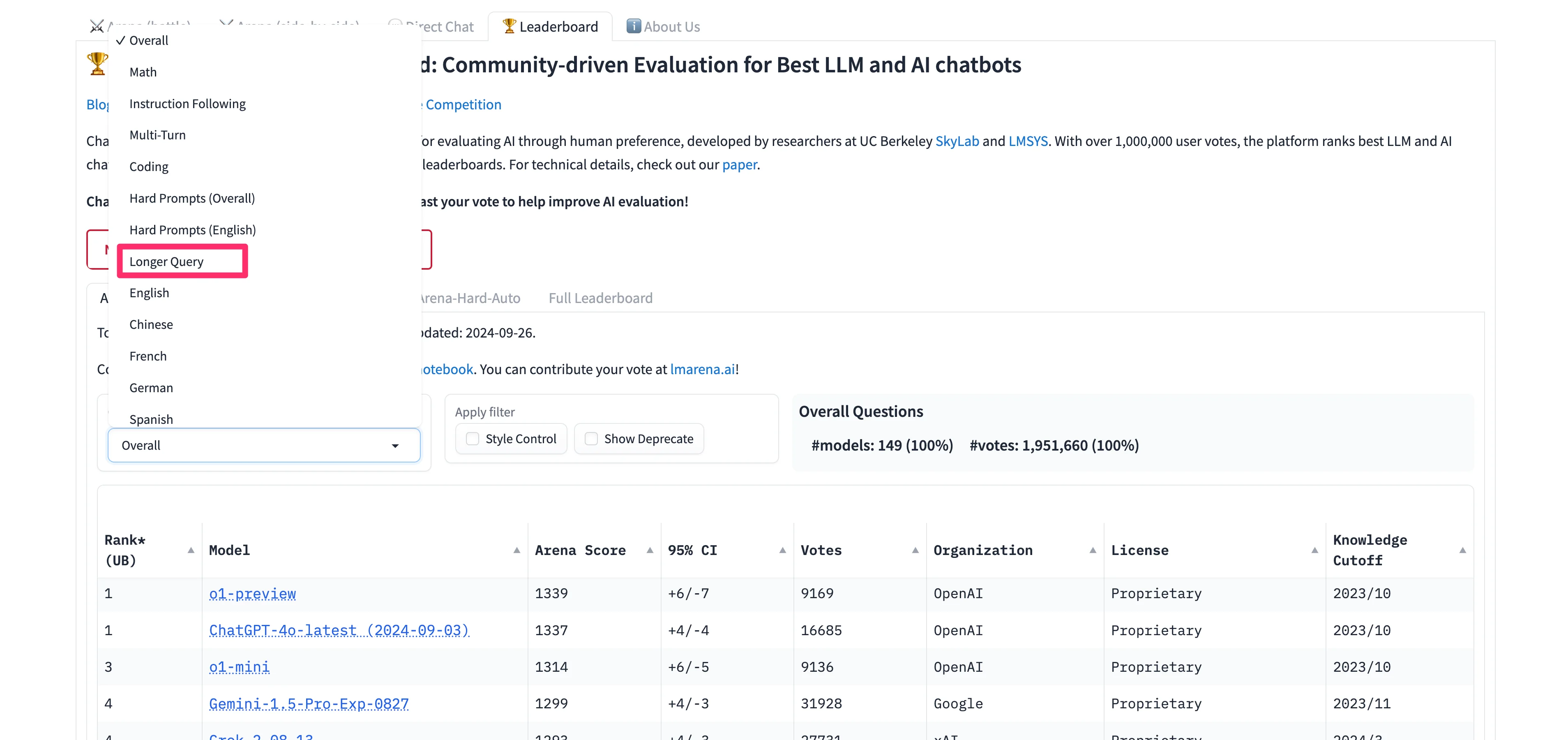
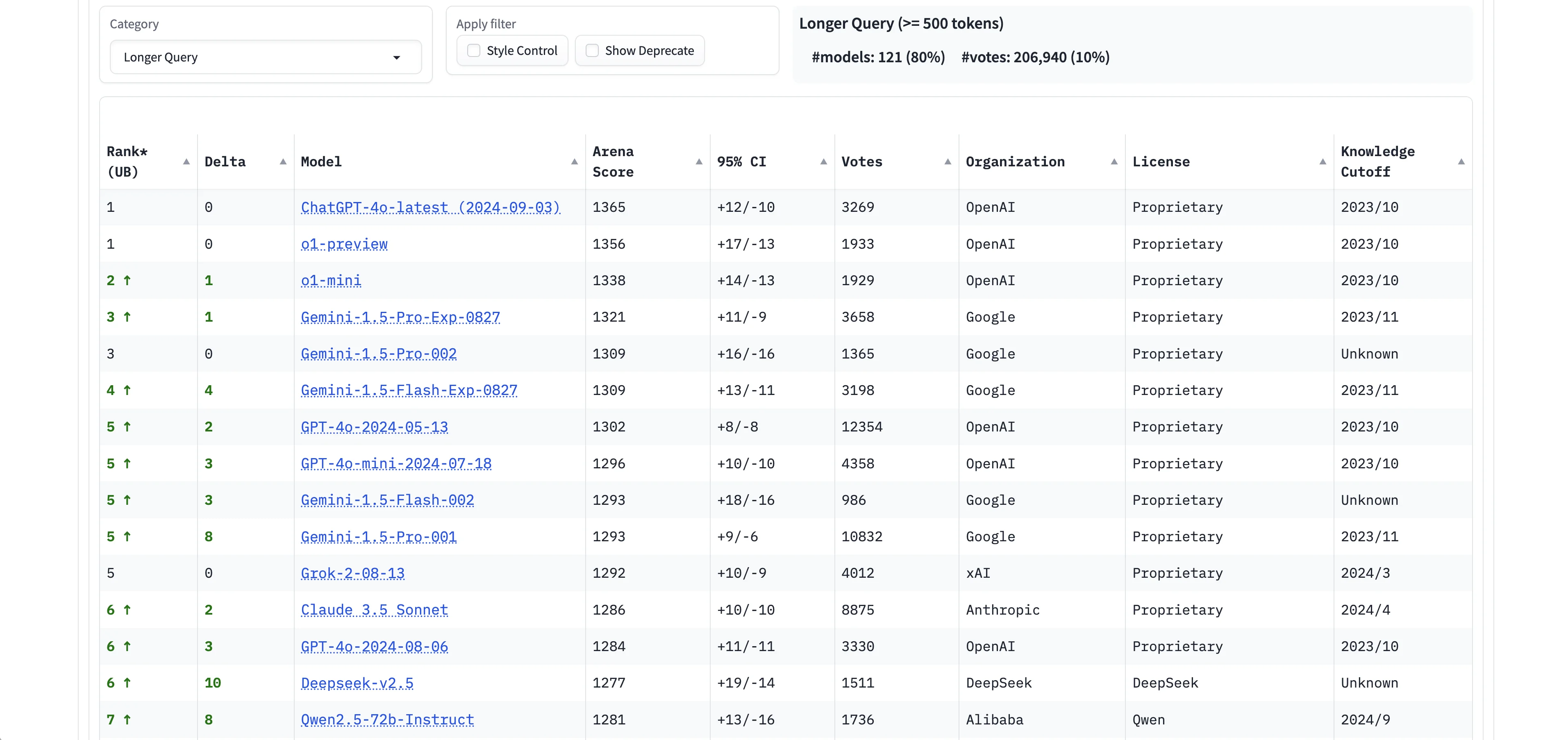
To filter the leaderboard by a specific use case, click the “Category” dropdown filter. In this example, we’ll first filter by “Longer Query,” to see which models have the best performance for longer queries.
Unsurprisingly, OpenAI’s latest models are at the top of the list. But more surprisingly, Google’s models dominate the rest of the top 10 spots for this specific category of task. Anthropic’s most performant model, Claude 3.5 Sonnet, isn’t even in the top 10 — ranking below xAI’s Grok-2 for this use case.
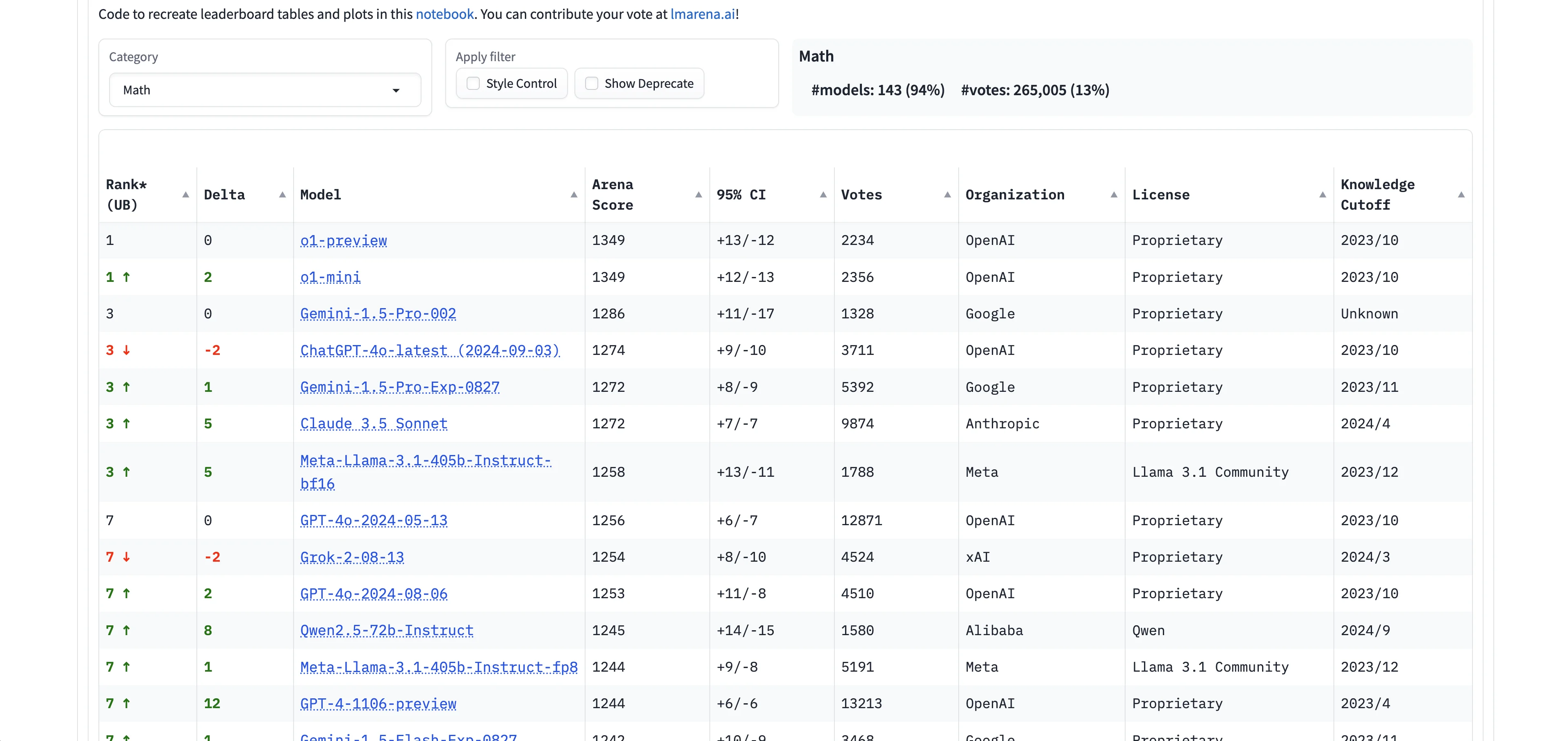
Next, we’ll update the Category filter to “Math” now to see the top models for this task type.
Chat with any leading LLM model
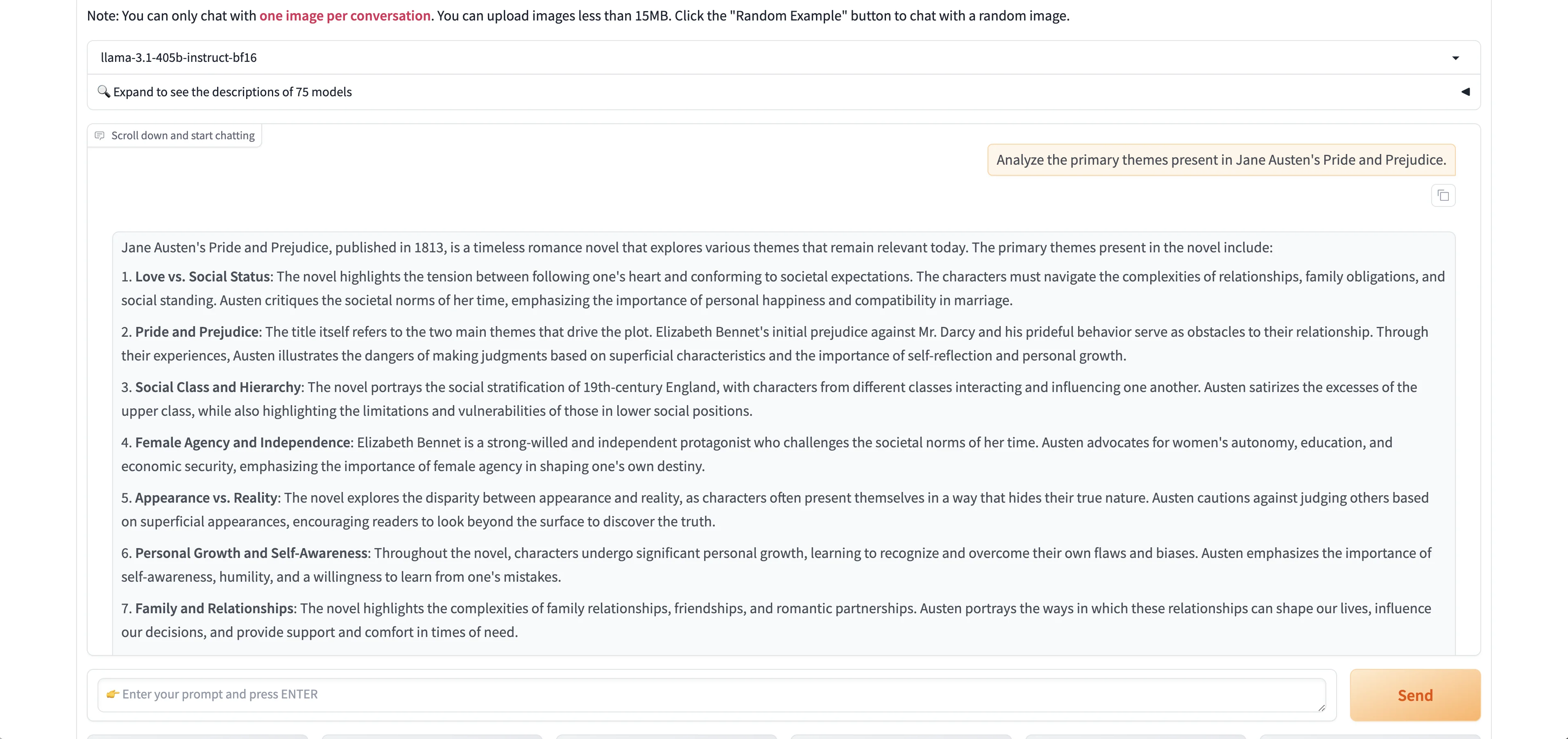
Now that we have a sense of the model leaders for specific tasks, we can directly chat with them in Chatbot Arena to get a better sense of their performance with specific prompts. To do this, click the “Direct Chat” tab in the top navigation.
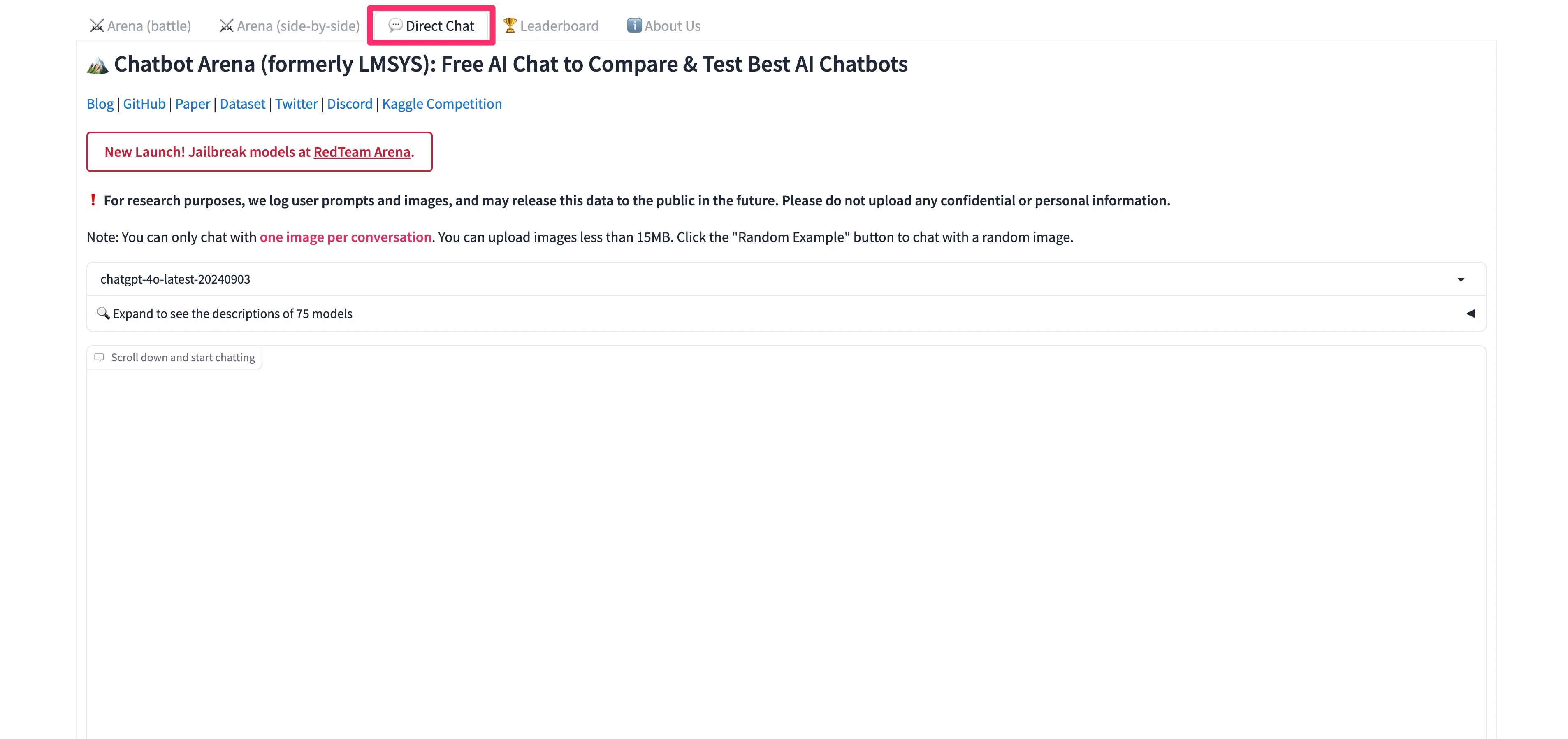
In the dropdown menu above the response display, you can search and select the model you want to test.
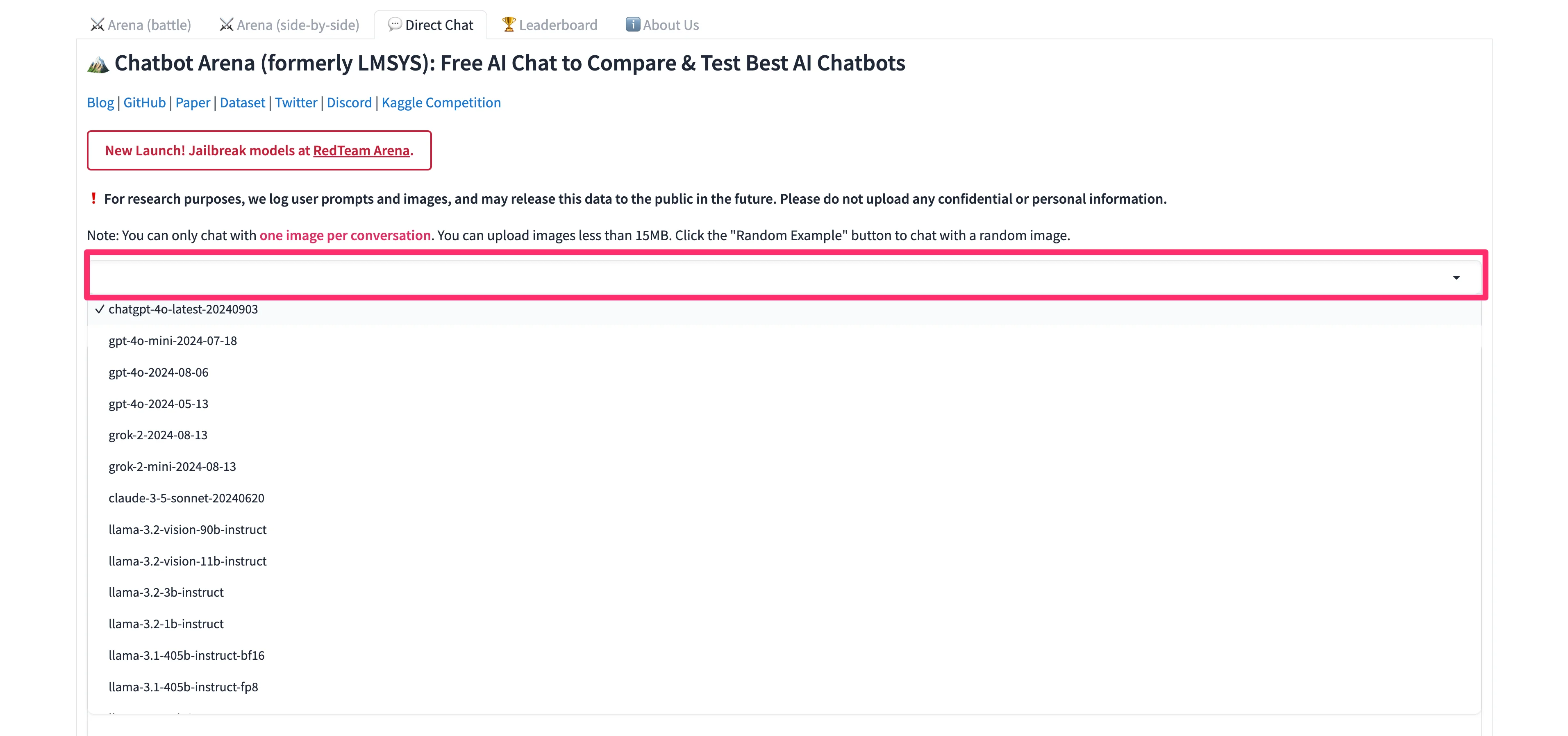
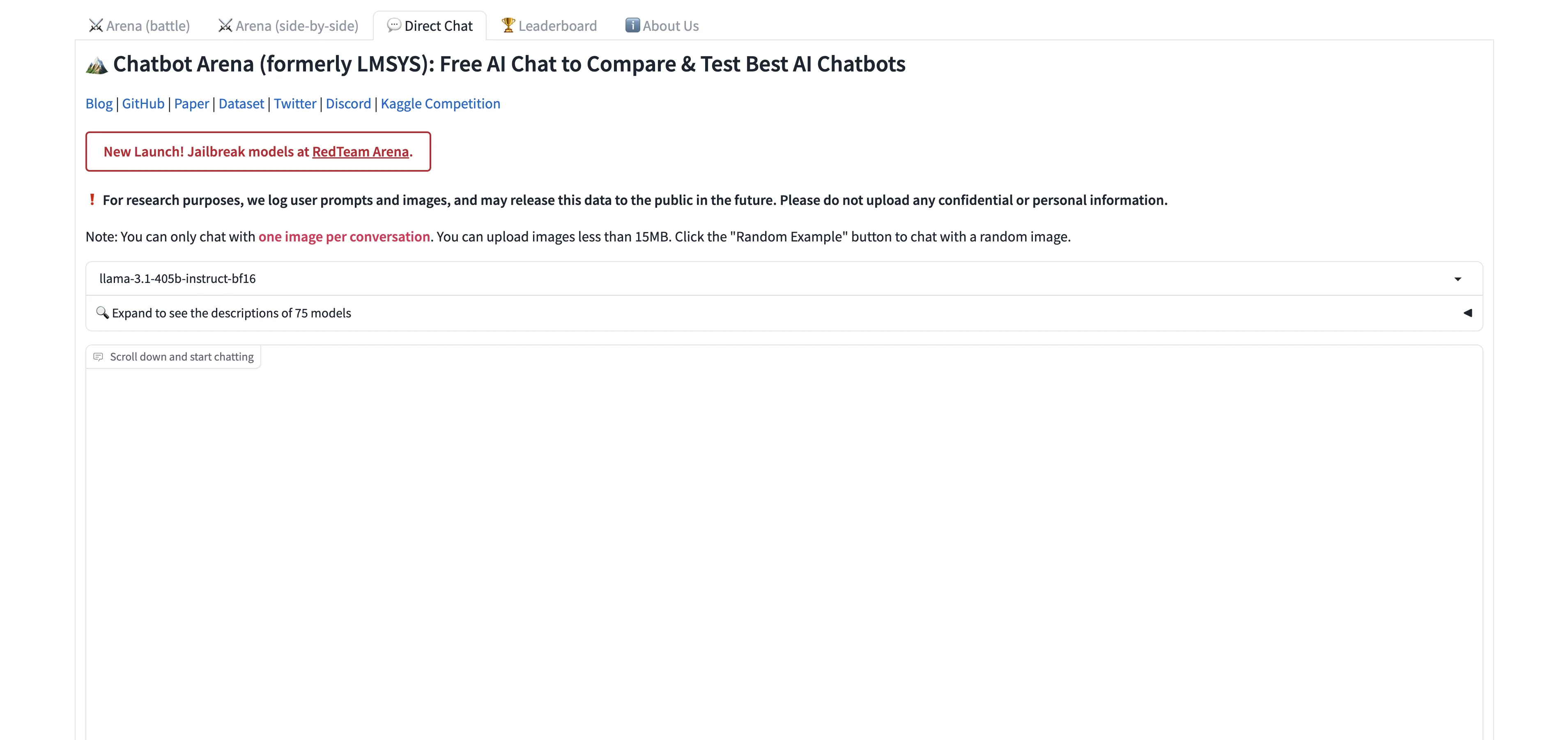
We’re going to go with Meta’s Llama-3.1 405b parameter model.
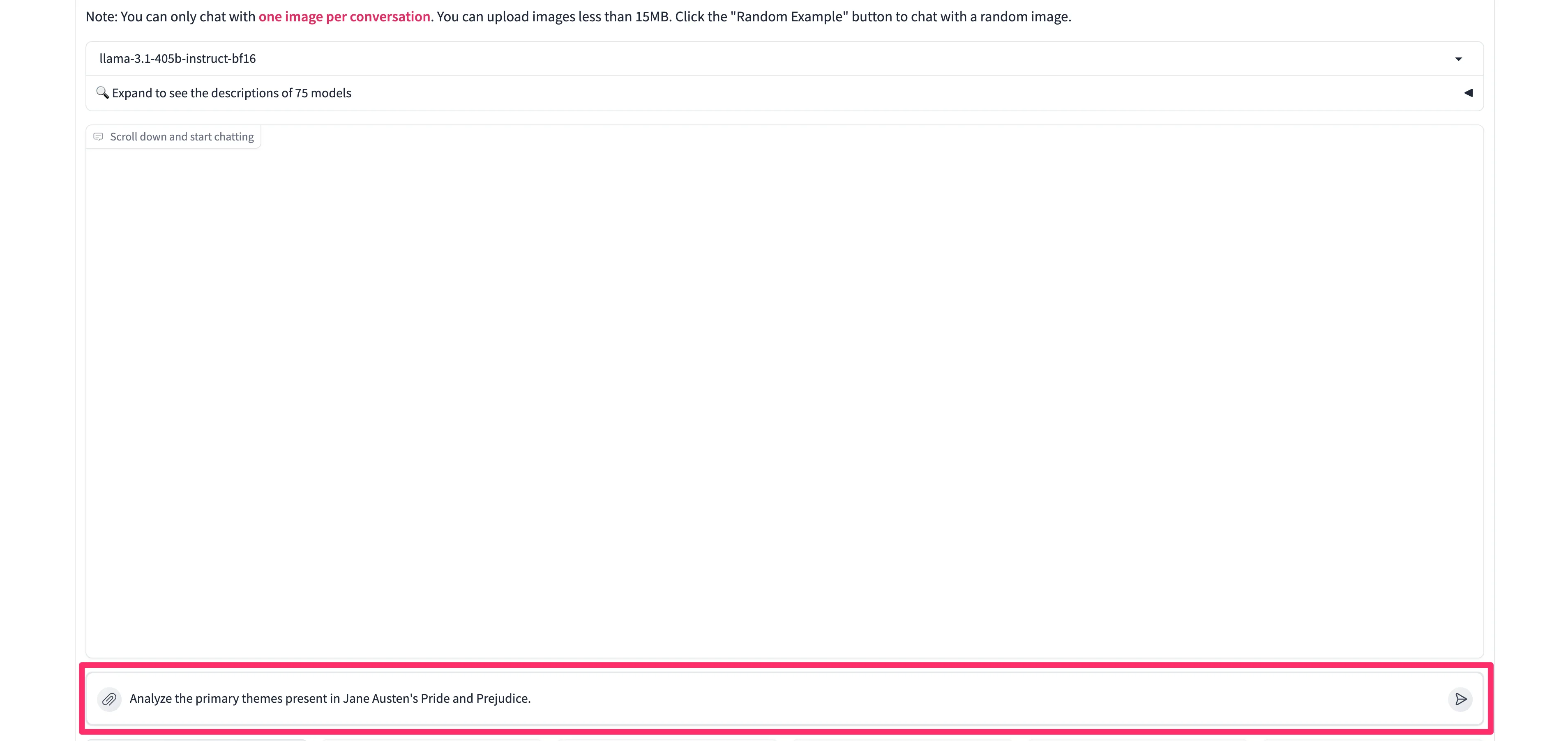
We’re going to prompt Llama-3.1 with a generic summarization and analyses prompt.
Sample Prompt:
Analyze the primary themes present in Jane Austen's Pride and Prejudice.
The model will respond in the text response window.
Compare two models side-by-side
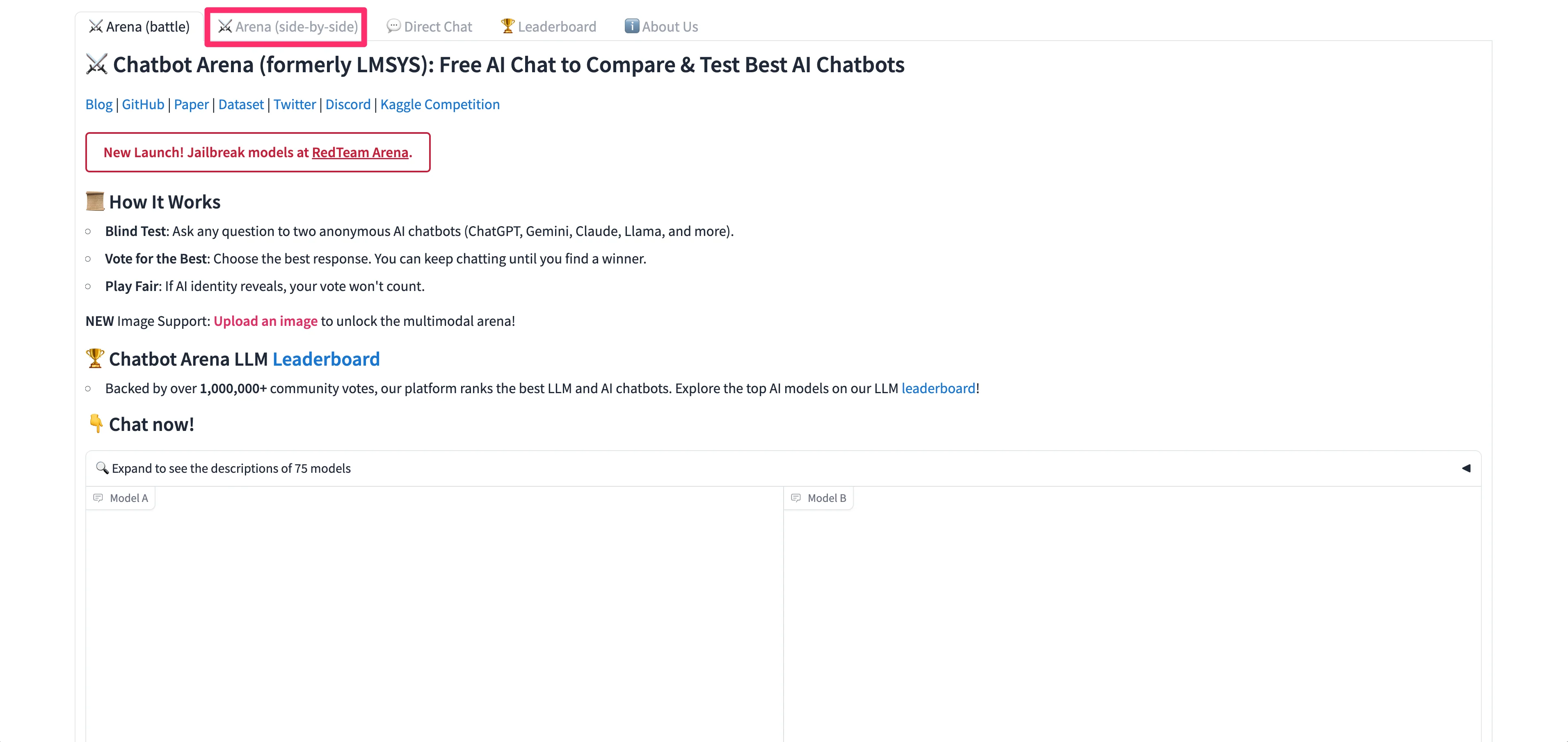
Now that you’ve got a handle on how to direct message models 1-on-1, we can start comparing models side-by-side, which is one of the most helpful and powerful features of Chatbot Arena. To do this, click on the “Arena (side-by-side)” tab in the top navigation.
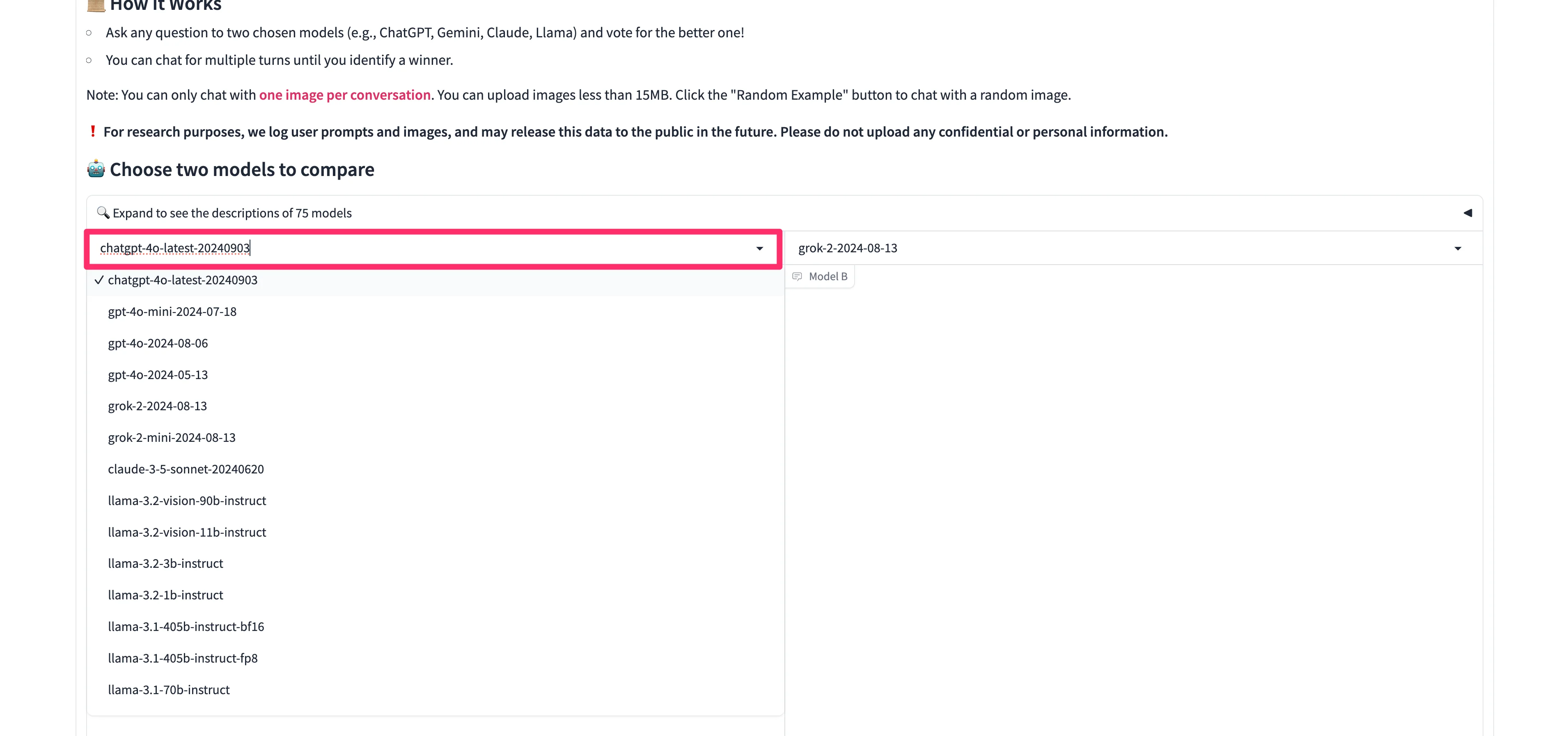
On the resulting page, we can now select two models to compare. We’ll start with GPT-4o vs. Claude Sonnet 3.5. To select the models, click on the dropdown list and type/select the first model you want to compare. Then, do the same thing on the other chat window dropdown.
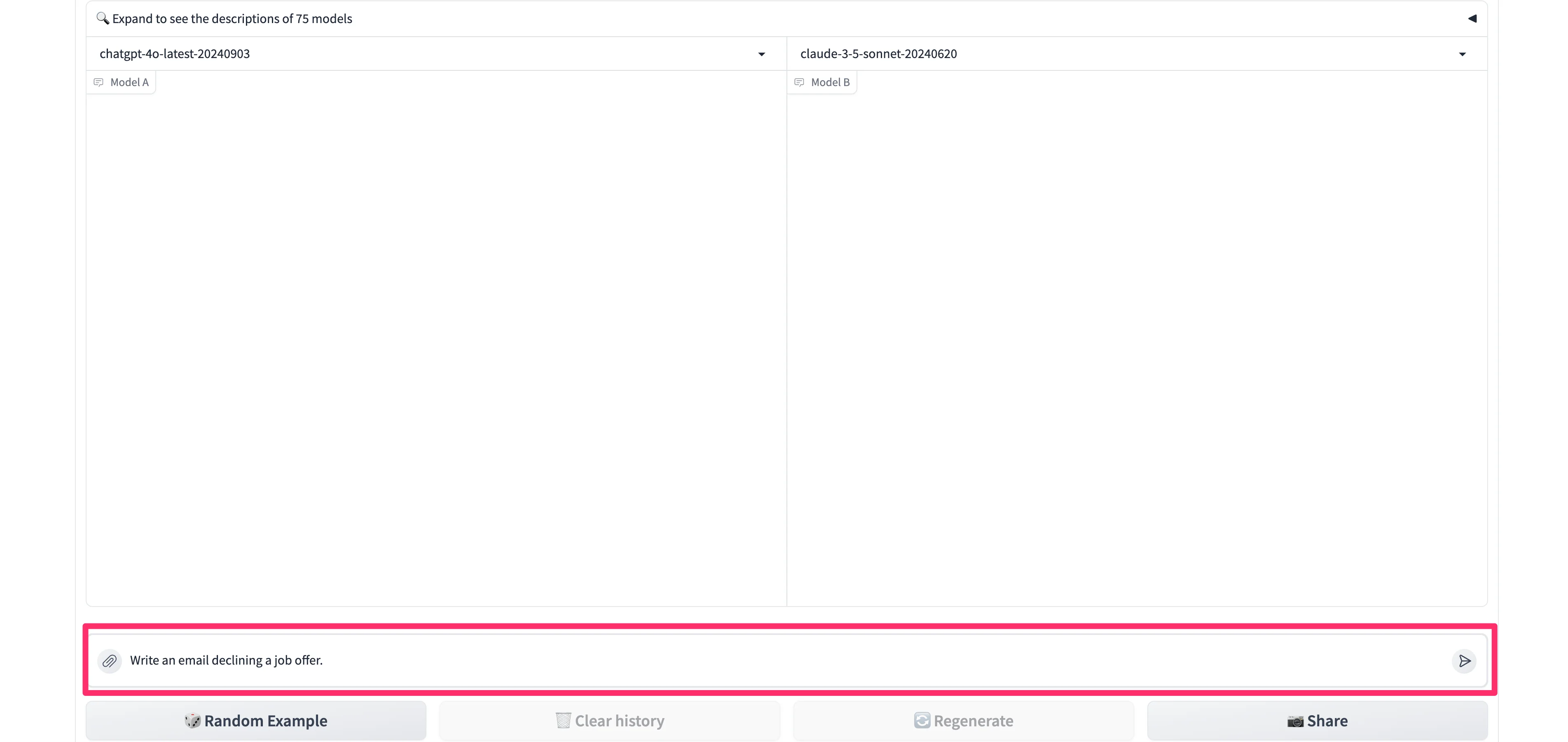
When both models are selected, we can start our comparison with a single prompt.
Sample Prompt:
Write an email declining a job offer.
The models will generate their responses side-by-side.
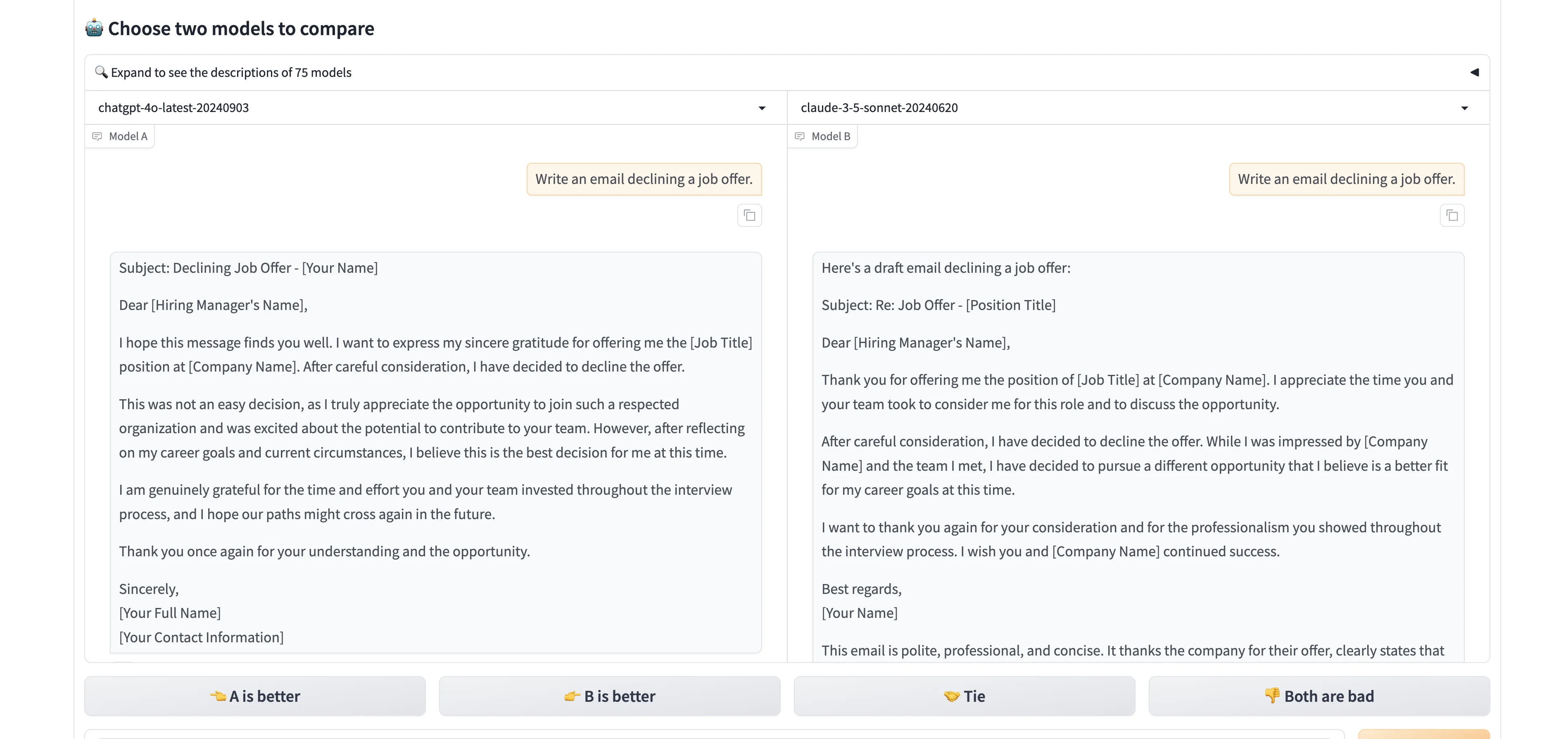
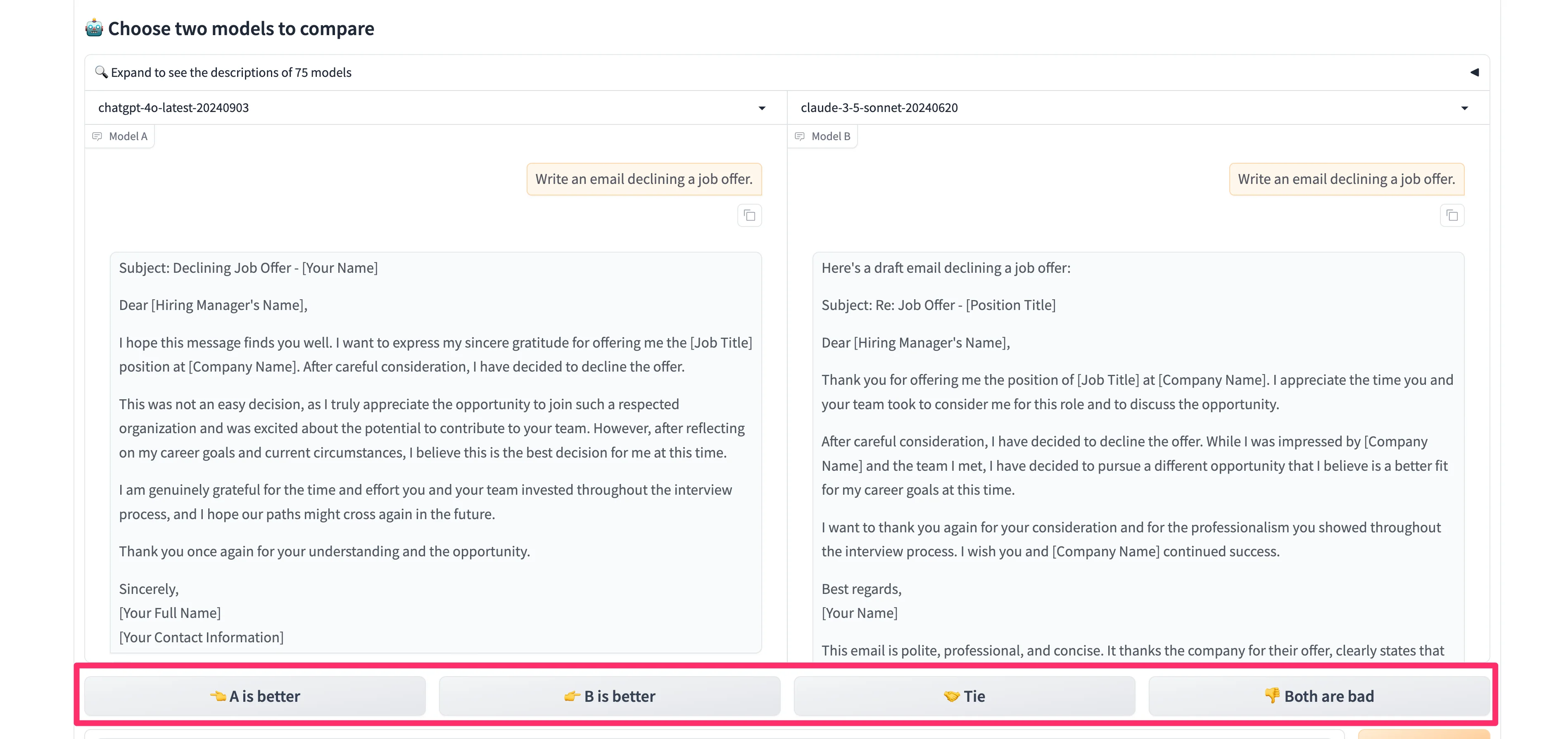
Chatbot Arena lets you provide feedback on which response is better.
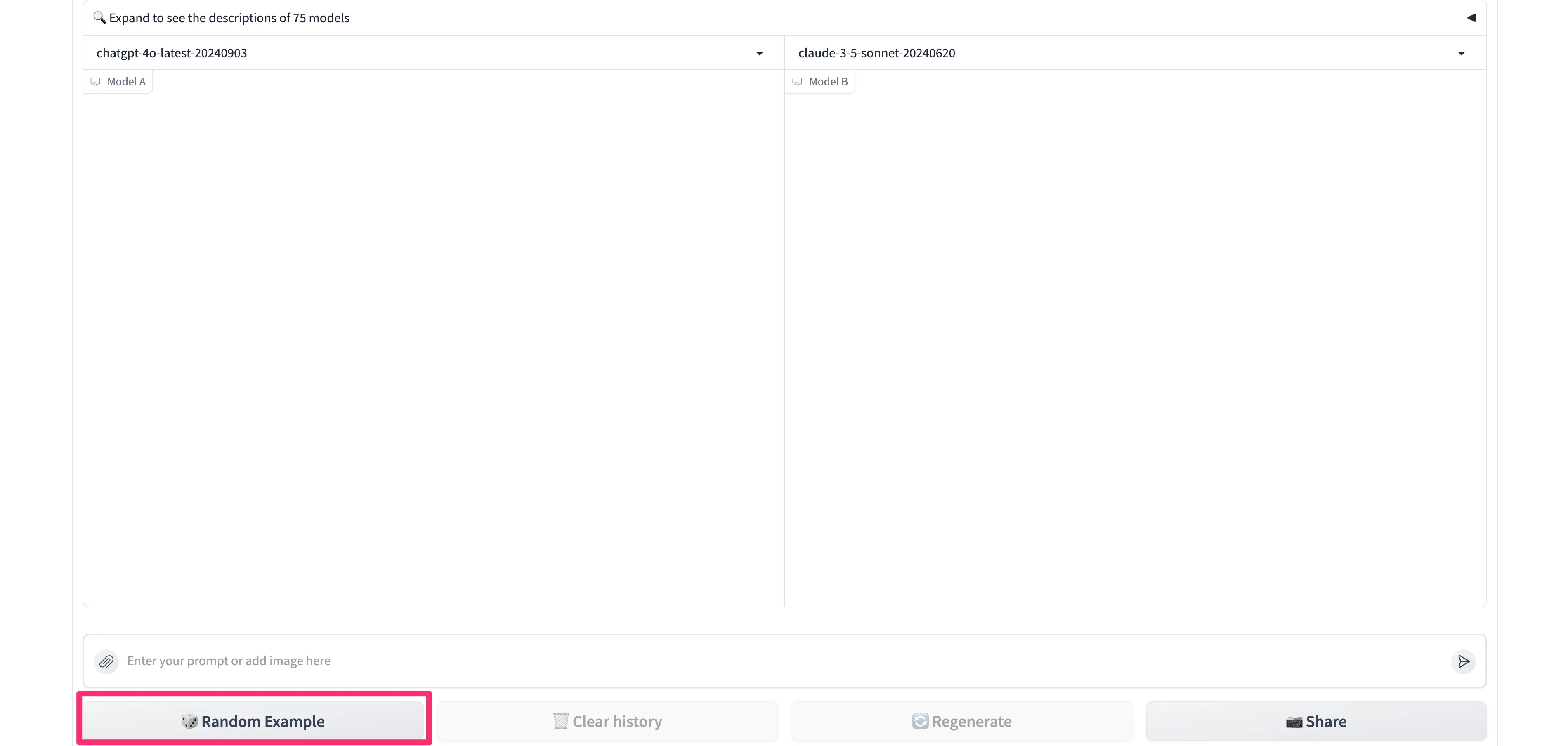
You can also use random prompt examples provided by Chatbot Arena to test the models. To do so, click the “Random Example” button at the bottom of the page.
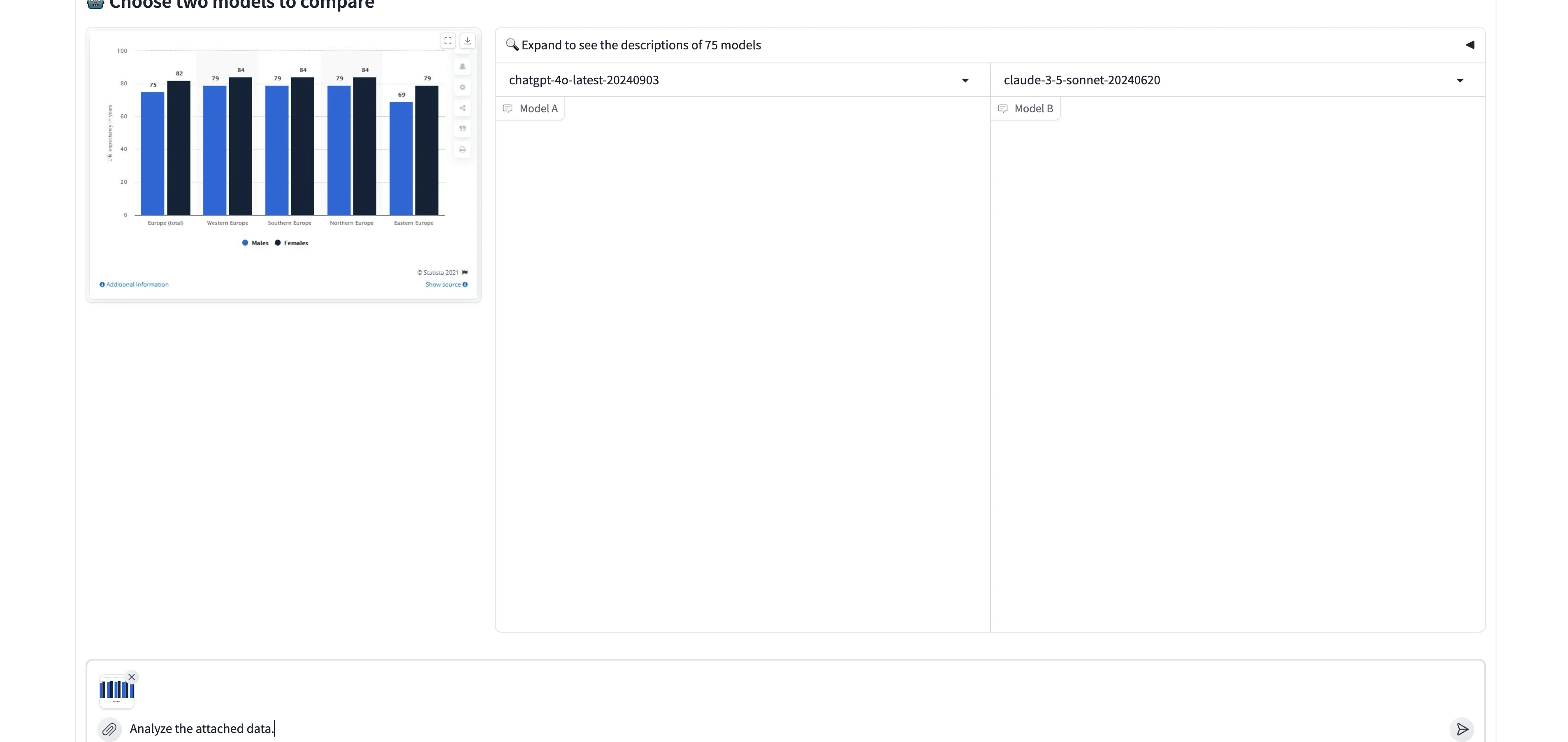
Chatbot Arena will provide an image that you can pair with a prompt. In this example, it’s a bar chart image — we’ll ask the two models to analyze the data.
Sample Prompt:
Analyze the attached data.
Again, they’ll output a side-by-side response to the prompt.
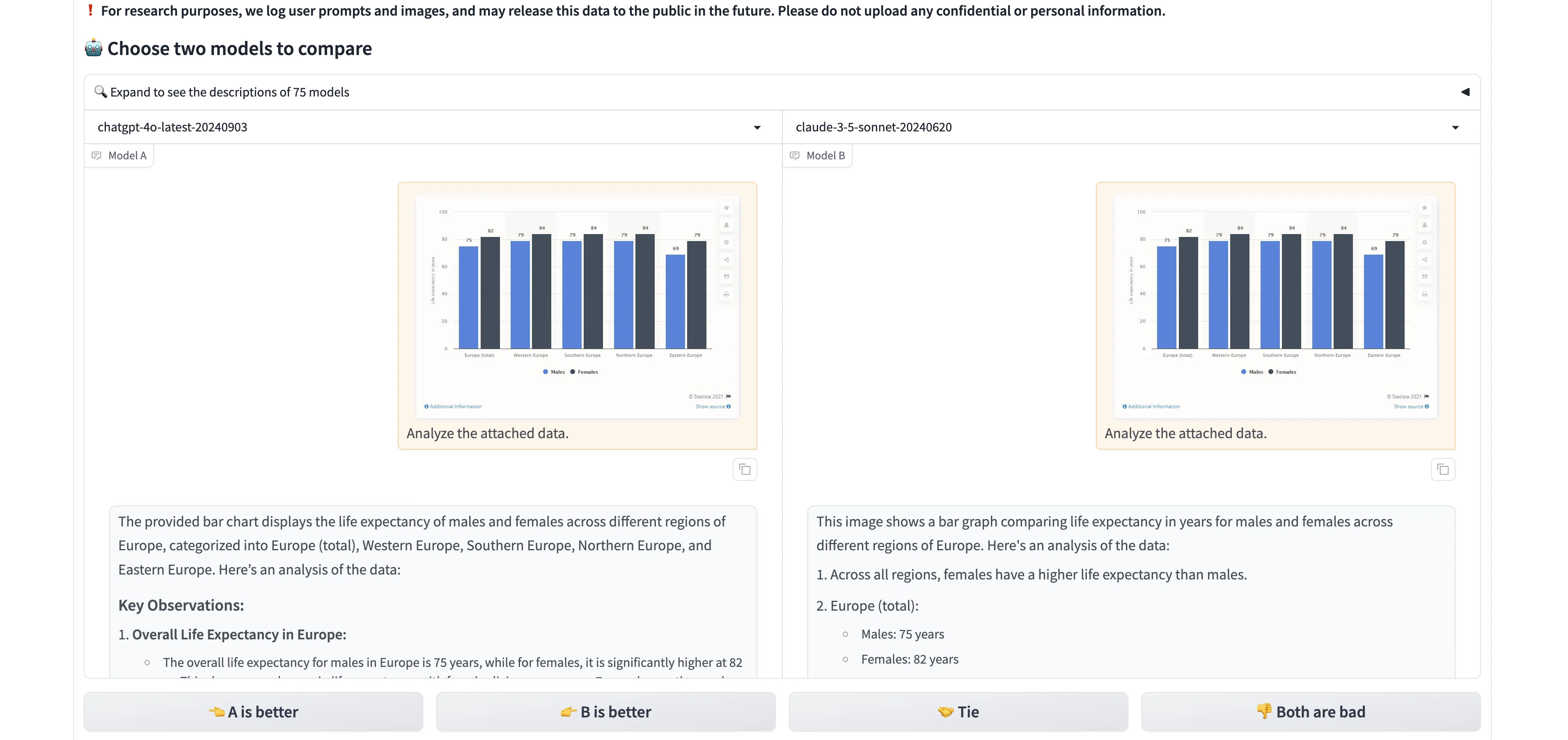
This side-by-side comparison is incredibly helpful if you're building a product with a specific type of prompt built in, or if you're looking for the best AI product chatbot for a certain workflow. It allows you to see the nuances in how different models interpret and respond to the same prompt.
Blind-test models
Finally, we can blind-test models in the “Arena (battle)” tab. This feedback does get included in the Chatbot Arena LLM Leaderboard — a fun way you can give back to the open-source AI community!
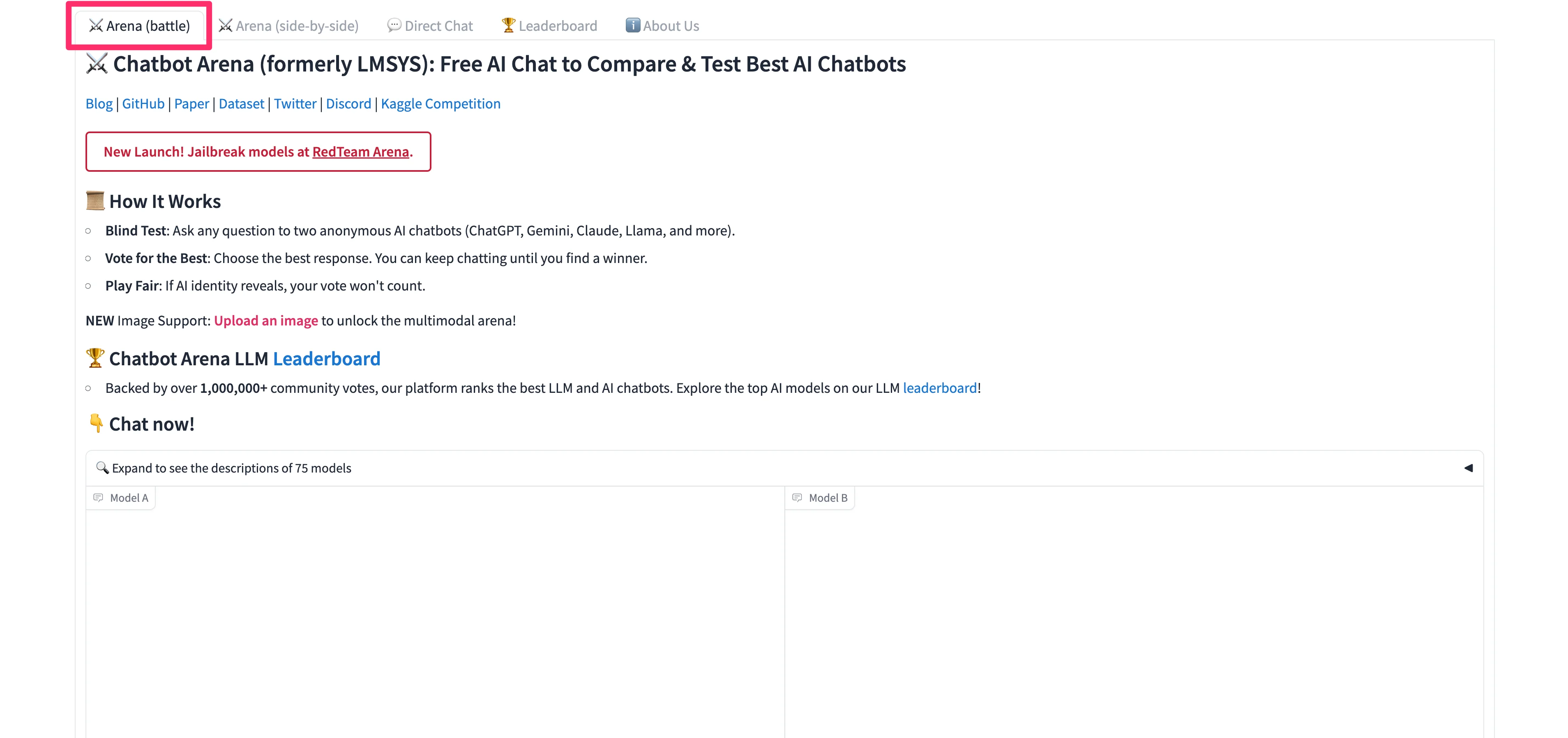
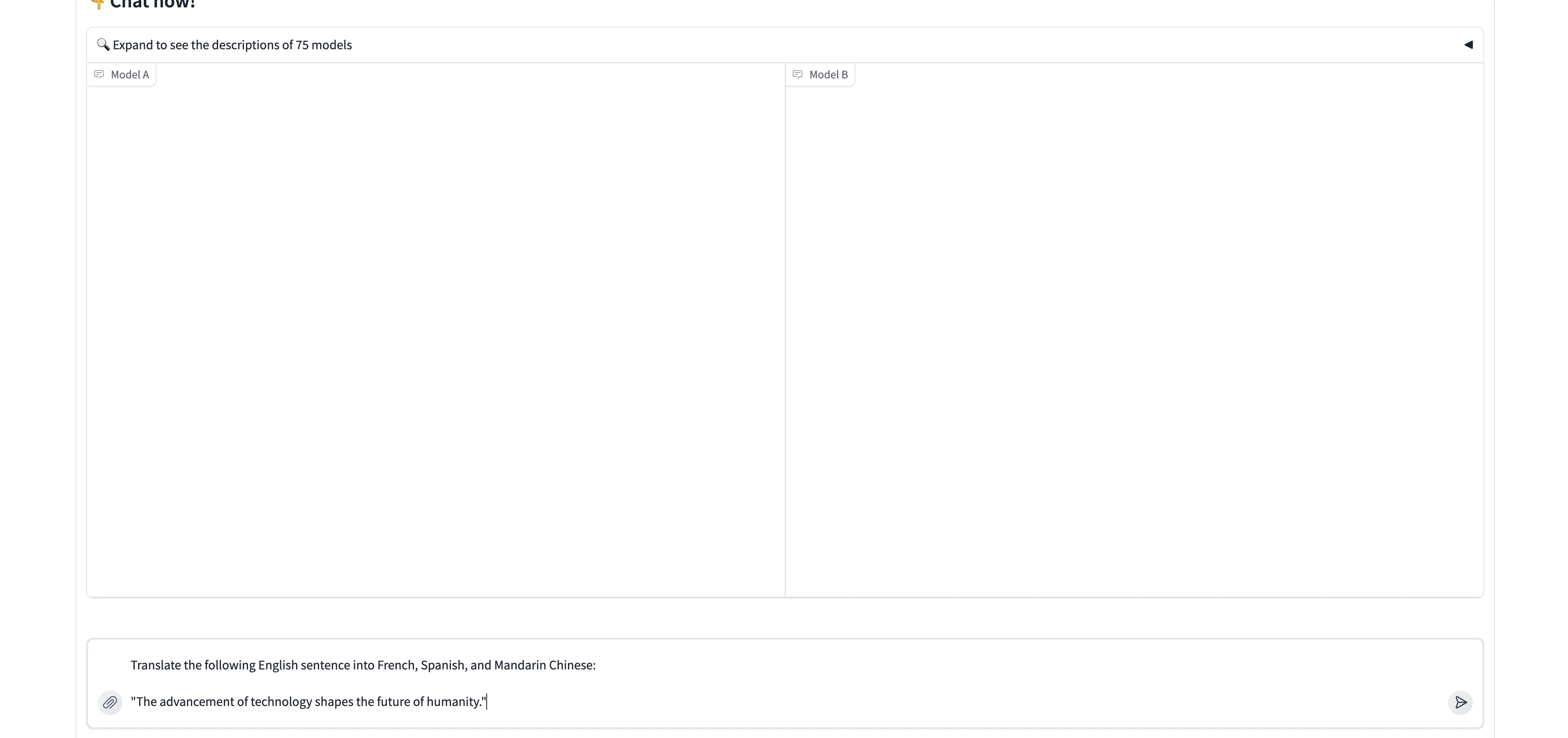
To blind-test the models, enter a prompt into the input field on the page.
Sample Prompt:
Translate the following English sentence into French, Spanish, and Mandarin Chinese:
"The advancement of technology shapes the future of humanity."
The models will respond, only this time, you will not know what models are on either side of the response window. You can vote for the best response below the generations.
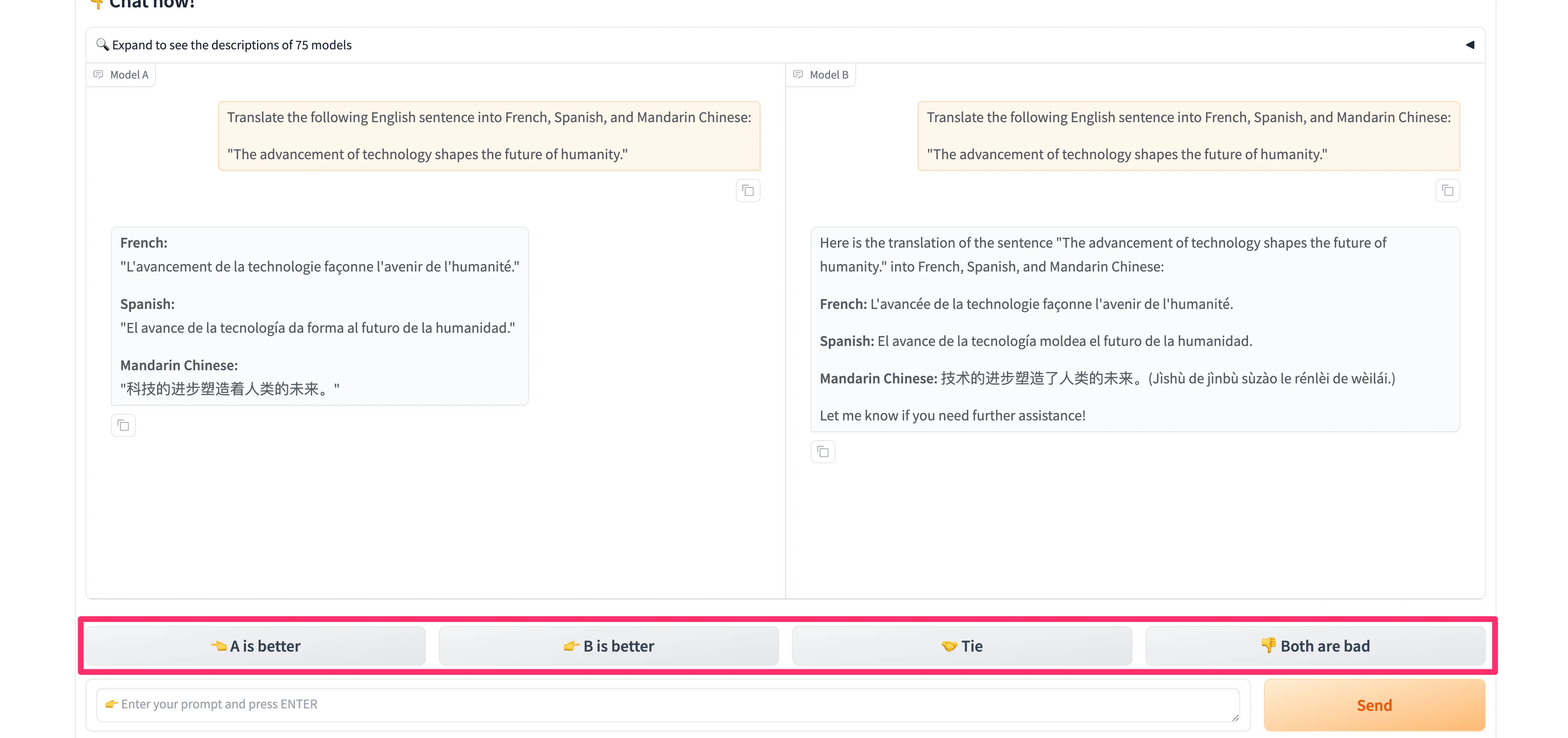
And that’s it! You now know how to use Chatbot Arena to test the leading LLM models. Have fun experimenting, voting, and learning with this wonderful tool.
This tutorial was created by Garrett.