Crafting an effective creative brief with ChatGPT
Craft powerful creative briefs using AI to align design teams with campaign goals.
2024-11-13
A well-crafted creative brief is essential for guiding your design team or agency towards producing campaign assets that align with your goals. In this tutorial, we'll leverage ChatGPT to develop a comprehensive creative brief that communicates your vision clearly and effectively.
In this tutorial you'll learn how to:
- Generate a structured creative brief template
- Develop and refine key components of your brief
- Incorporate visual inspiration and technical specifications
- Create a reusable template for future campaigns
Step 1: Generate a creative brief template
Start by asking ChatGPT to provide a structure for your creative brief.
Prompt:
Please provide a comprehensive structure for a creative brief, including all essential components. Format it as a numbered list.


Review the structure provided and make any necessary adjustments based on your specific needs.
Step 2: Develop the initial brief draft
Now, let's use this structure to create your brief. Prompt ChatGPT with your campaign ideas:
I'm developing a creative brief for [campaign/product/service]. Using the structure you provided, please ask me relevant questions to fill in each section of the brief. After I answer, generate the first draft of the brief.


Answer ChatGPT's questions about your campaign. For complex ideas, consider using voice dictation in the mobile app for more natural responses.
Step 3: Refine key components
With your initial draft complete, let's refine crucial elements:
a) Campaign goals and metrics:
For this campaign, our primary goal is [your goal]. What specific, measurable metrics should we track to gauge success?

ChatGPT will recommend various metrics that you can pick and choose from to measure your campaign’s performance.
b) Creative suggestions:
Please generate 10 unique and compelling tagline ideas for our campaign. Also, add a note encouraging the agency to explore additional options.

c) Design specifications:
Create a table of media specifications for all marketing channels we'll use, including file types and sizes.


Step 4: Incorporate visual inspiration
To communicate your visual preferences effectively, share some ads you like.
I've found several advertisements that align with our desired style. How can I best describe these visuals in the brief to guide our agency's creative direction?
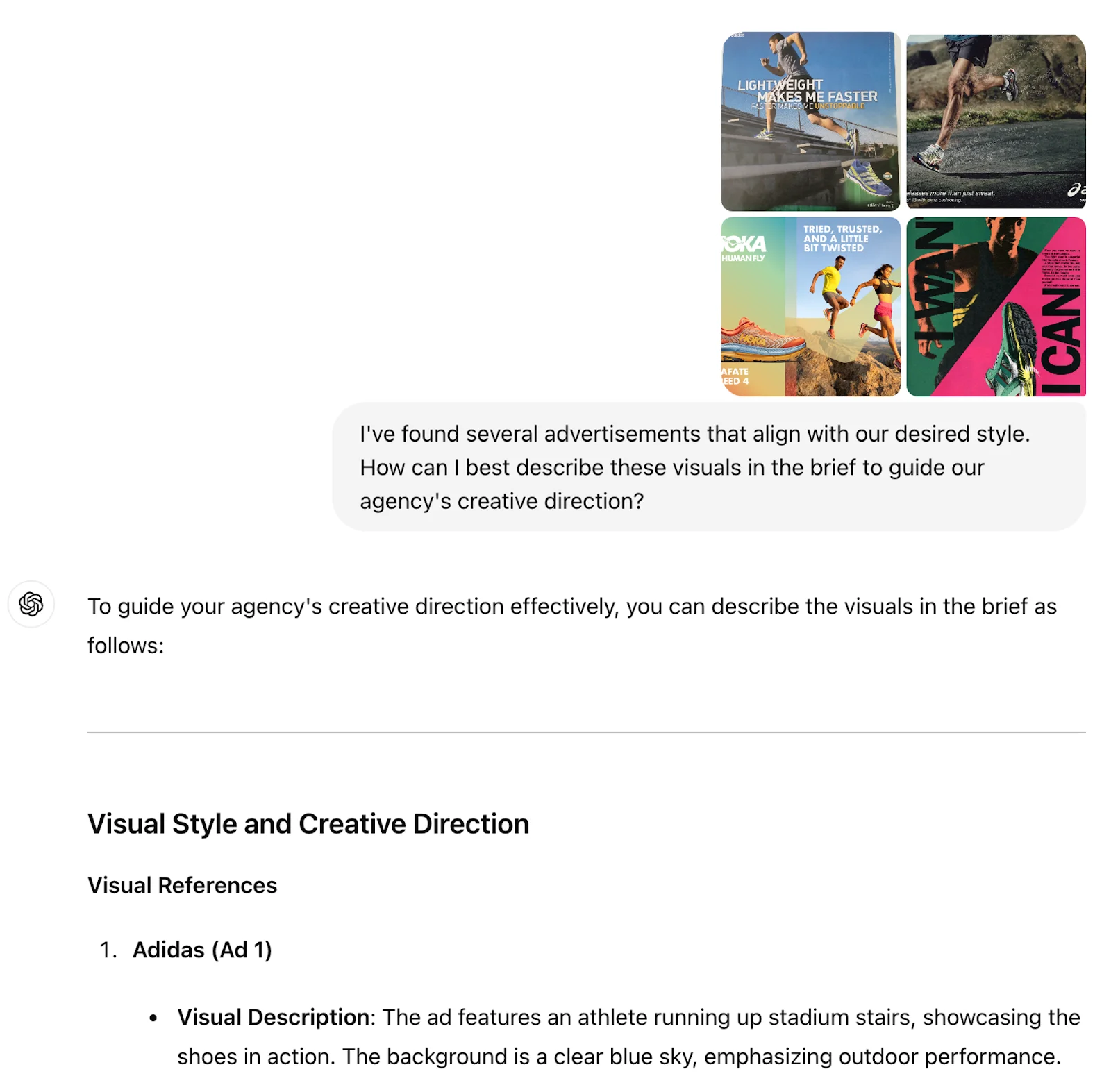

Follow ChatGPT's advice to articulate your visual inspiration clearly within the brief.
Step 5: Review and iterate
Before finalizing your brief, get more feedback from stakeholders.
What are some key questions I should ask stakeholders to ensure this brief accurately represents our campaign goals and brand identity?


Use ChatGPT's suggestions to gather feedback from your team and refine the brief accordingly.
Step 6: Generate the final brief
Once you've incorporated all feedback and refinements, create an updated version of your creative brief.
Please generate an updated version of our creative brief, incorporating all the changes and additions we've discussed.


Step 7: Create a reusable template
To streamline future brief creation, get a template with instructions.
Based on our finalized brief, please create a template that I can use for future campaigns. Include placeholder text and brief instructions for each section.

You've now created a comprehensive creative brief and a reusable template for future campaigns. This approach ensures clear communication with your design team or agency, aligning creative output with your campaign objectives.
Remember to review and adapt your brief as needed throughout the campaign development process. Clear, ongoing communication is key to achieving your desired results.
This tutorial was created by Jonah.