Create a complete brand identity package with Midjourney
Learn how to design a complete brand identity package with Midjourney.
2024-12-09
Welcome to the final lesson of our Create stunning images with Midjourney course!
We've covered a wide range of features and techniques offered by Midjourney on its latest web interface. Now, it's time to put our knowledge into practice by creating a complete brand identity package for a fictional company.
In this lesson, we'll walk through the process of developing various brand assets for "Wristly," an online store selling digital health bands. We'll use Midjourney in conjunction with other AI tools to create a cohesive brand identity, demonstrating how to apply the concepts and techniques we've learned throughout this course.
Let's dive in and create the following brand assets for Wristly:
- Logo design
- Product mockup
- Social media post design
- Abstract patterns for marketing materials
- Digital avatar for brand representation
Let’s dive in.
1. Logo design
We'll start by creating a minimalistic logo for Wristly. Before we jump into Midjourney, let's use Claude to generate a color palette recommendation. This step helps us establish a consistent visual language for our brand from the very beginning.
Here's the prompt we'll use with Claude:
I'm creating a brand identity for a company called [COMPANY NAME] that sells [PRODUCT/SERVICE DESCRIPTION]. Please suggest a color palette of [NUMBER] colors that conveys a sense of [BRAND ATTRIBUTES]. For each color, provide the hex code and a brief explanation of its significance in the palette.
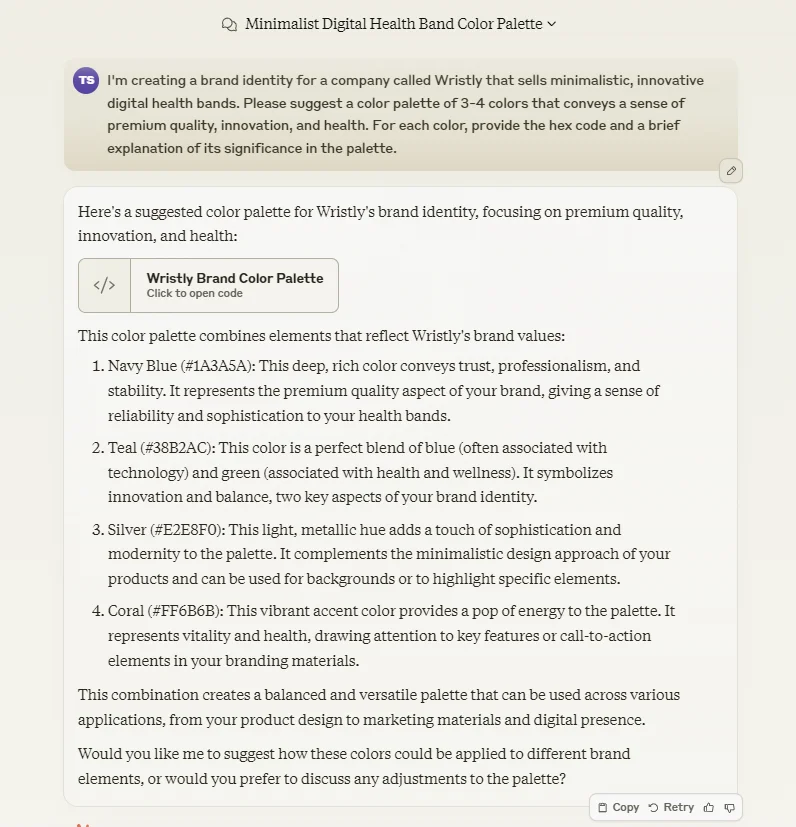
Claude provided us with this thoughtful color palette:
- Navy Blue (#1A3A5A): Conveys trust, professionalism, and stability.
- Teal (#38B2AC): Symbolizes innovation and balance, blending technology (blue) with health and wellness (green).
- Silver (#E2E8F0): Adds sophistication and modernity, complementing the minimalistic design approach.
- Coral (#FF6B6B): Provides a vibrant accent, representing vitality and health. Useful for drawing attention to key features or call-to-action elements.
Now that we have our color palette, let's create a prompt for Midjourney to generate our logo design. Remember, we want to keep our prompts concise yet descriptive, following the structure we've learned throughout this course. We'll also incorporate the hex codes to guide Midjourney's color choices, although it's important to note that the AI may not strictly adhere to these colors.
Prompt for generating the logo:
A minimalist logo for a digital health band company. The design features an abstract, flowing wristband shape that forms a subtle 'W'. Use a color palette of navy blue #1A3A5A, teal #38B2AC, silver #E2E8F0, and coral #FF6B6B. The logo should have clean lines and a modern feel, with the teal color most prominent. Place the logo on a white background for clarity. --v 6.1 --q 2 --ar 1:1
This prompt provides specific details about the logo's shape, color usage, and overall style. By mentioning the flowing wristband shape and the subtle 'W', we're guiding Midjourney towards a design that's both abstract and relevant to our brand.
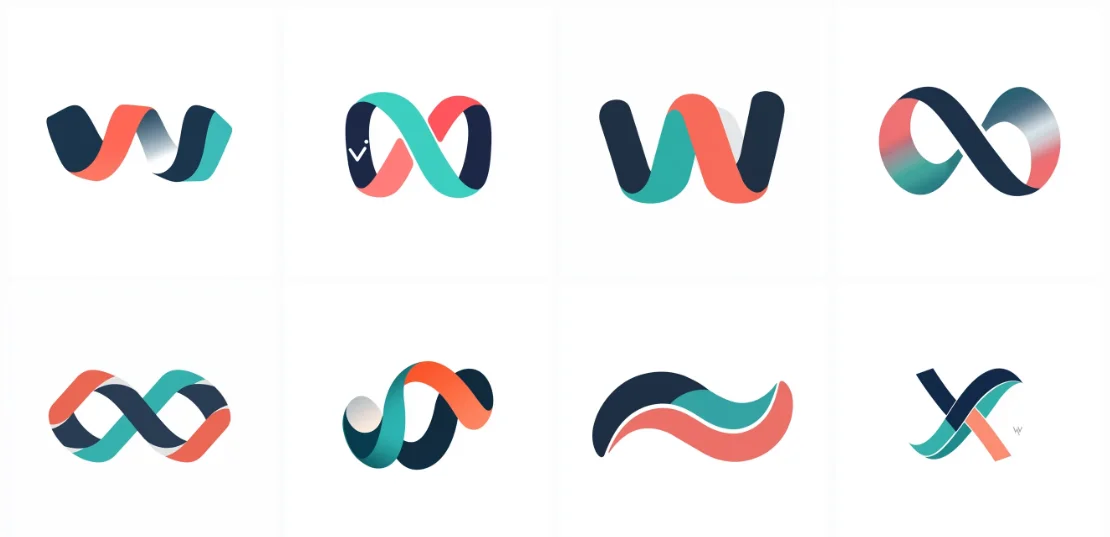
Midjourney has created some sleek, abstract logos that captures the essence of Wristly's brand. The flowing lines suggest a wristband while forming a subtle 'W', and the color palette conveys the brand's values of trust, innovation, and health.
2. Product mockup design
With our logo in hand, let's move on to creating a mockup for the Wristly health band. This step is crucial for visualizing how our product might look in real life. Remember, while this mockup can provide great inspiration for product development, the final design would require input from professional product designers.
A photorealistic mockup of a sleek digital health band. The thin, elegant band is primarily navy blue (#1A3A5A) with teal (#38B2AC) accents. It features a small, high-resolution display showing health data in silver (#E2E8F0) and coral (#FF6B6B) colors. The band is worn on a diverse model's wrist in a modern, well-lit setting. Capture a close-up view that highlights the band's premium materials and seamless design. Include subtle reflections and shadows for added realism. --v 6 --s 500 --q 2 --ar 3:2
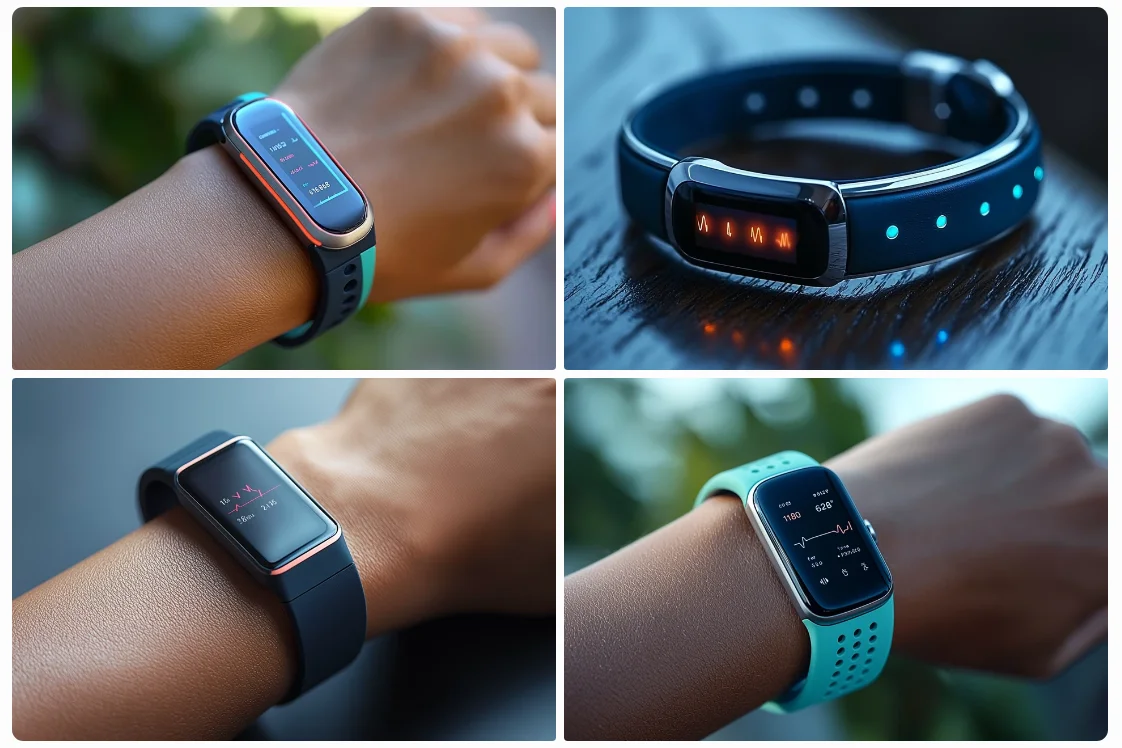
Look at how Midjourney has interpreted our prompt to create a realistic mockup of the Wristly health band. The design looks sleek and modern, fitting well with our brand aesthetic. This kind of visualization can be incredibly helpful in the early stages of product development, allowing us to iterate quickly on design concepts.
3. Social media post design
Now, let's create a design for a social media post that showcases our Wristly health band. We want something eye-catching that highlights the product's features and benefits. Here's our prompt:
An Instagram post featuring the Wristly health band. Show a person jogging in a vibrant park setting, with the band clearly visible on their wrist. The image should have an energetic, healthy vibe. Use a color scheme dominated by navy (#1A3A5A) and teal (#38B2AC). The overall style should be modern and aspirational, appealing to health-conscious consumers. --v 6 --s 600 --q 2 --ar 1:1
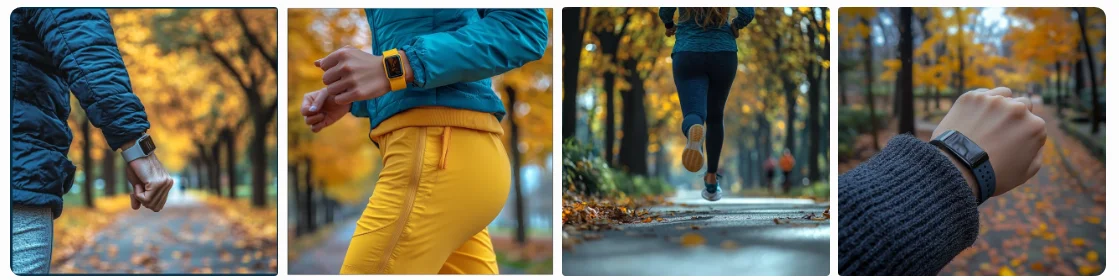
While this image provides an excellent starting point, remember that you'd want to refine this further in a graphic design tool. You might add your logo, insert appropriate text, or adjust the composition slightly. But having this AI-generated base saves significant time in the initial design phase and provides a professional-looking foundation for your social media content.
4. Abstract patterns for marketing materials
Now, let's create abstract patterns that can be used across various marketing materials to reinforce Wristly's brand identity:
An abstract, seamless pattern inspired by health and technology themes. Wristly's brand colors: navy blue (#1A3A5A), teal (#38B2AC), silver (#E2E8F0), and coral (#FF6B6B). The design should be minimalist and geometric, with flowing lines that suggest the form of a wristband. Include small circular elements.. The pattern should be balanced and not too busy, suitable for use as a background in various marketing materials. Ensure the design is tileable for seamless repetition. --v 6.1 --s 700 --q 2 --ar 16:9"
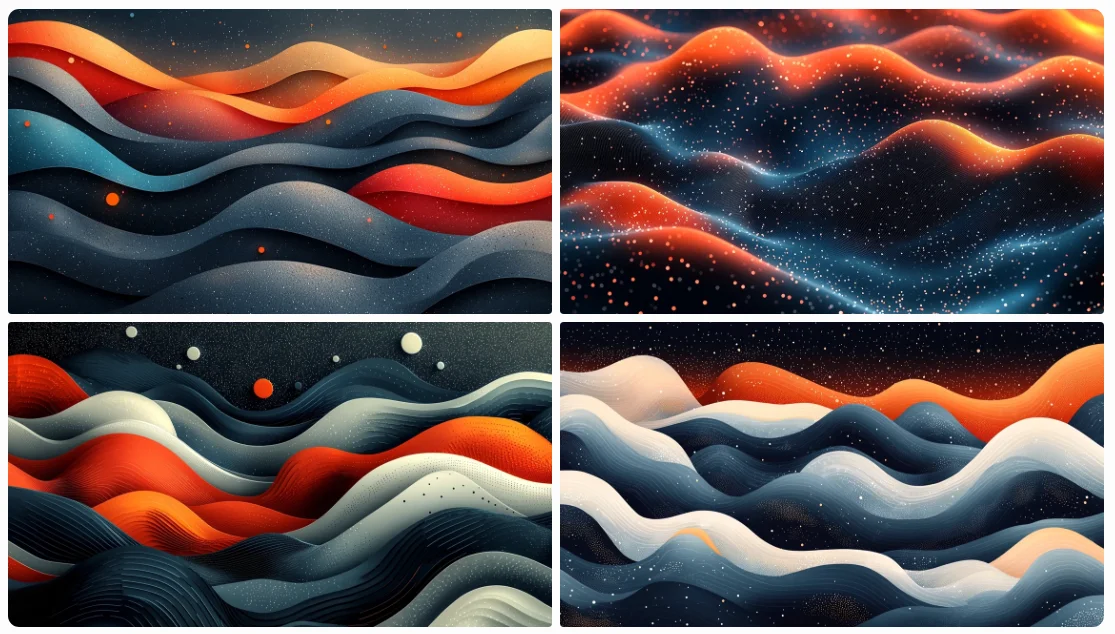
The resulting pattern incorporates elements that reflect Wristly's focus on health monitoring, while using the brand's color palette. This versatile design can be used as a background for presentations, website headers, packaging, or other marketing materials.
5. Digital avatar for brand representation
Finally, let's create a digital avatar that can represent the Wristly brand across various marketing materials. We'll aim for a realistic, professional image that can be used for face swapping or as a character reference in future prompt.
Prompt for Midjourney:
A highly realistic portrait of a professional woman in her early 30s, ideal for representing a health tech brand. She has a warm, approachable smile and confident posture. Her appearance is diverse and relatable. She's wearing a sleek, modern outfit in navy blue (#1A3A5A) with teal (#38B2AC) accents, complementing Wristly's brand colors. Capture her from the shoulders up, facing slightly to the side but making eye contact with the camera. --v 6.1 --s 250 --q 2 --ar 3:4
This prompt provides detailed instructions about the avatar's appearance, expression, and overall feel. By specifying the age range, clothing colors, and lighting, we're guiding Midjourney to create an image that aligns with Wristly's brand identity.
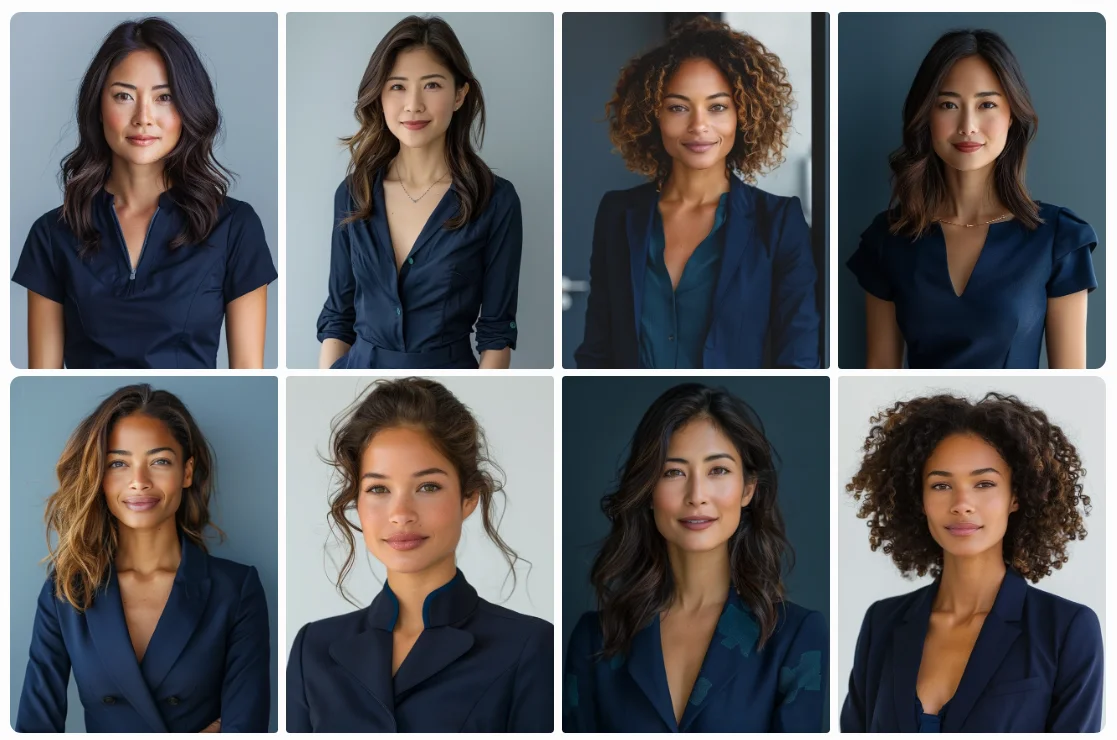
The resulting image gives us a professional and approachable digital avatar that can represent the Wristly brand.
This image can be used as a face ID in Insight Face or as a character reference in future Midjourney prompts to maintain consistency across your marketing materials.
And that's it! You've mastered Midjourney's advanced features, from text integration to anime-style creation and face swapping. You can now create professional-quality visuals for any business scenario.
Congratulations on completing the Create stunning images with Midjourney course. Pat yourself on the back. You're now equipped with the skills to take your visual content to the next level. Keep experimenting and creating – we can't wait to see what you'll come up with next!
This tutorial was created by Tanmay.