Create a GTM brief and presentation for your team
Craft compelling GTM presentations and briefs with ChatGPT for successful product launches.
2024-11-13
A critical component of launching a new product is your go-to-market (GTM) plan. Your GTM plan discusses how to allocate company resources towards the successful introduction of your product. But once you’ve created your GTM plan, you need to communicate it out to the stakeholders involved. Often, this involves everyone from the product development team right through to marketing, sales, and customer support. Depending on the product being launched, it may also require executive team involvement too.
In this tutorial, you will learn how to:
- Develop a go-to-market presentation
- Create a comprehensive GTM brief
- Effectively communicate your plan across the organization
Step 1: Develop the Presentation
To effectively communicate with stakeholders, you'll need two key artifacts: a presentation and a brief.
Let's start with the presentation. First, familiarize ChatGPT with your GTM plan using a prompt like this:
Below/Attached is a go-to-market plan for [product/service] targeting [target audience]. We’re going to communicate the plan with stakeholders. It will involve a presentation and a single-page brief that we will distribute after the presentation. Start by sharing an outline for the presentation. Spend more time and focus on elements of the plan that involve stakeholders, and less time on the other elements. Before creating the full presentation, I will provide feedback and approve.
[Attach or paste your go-to-market plan]
.webp)
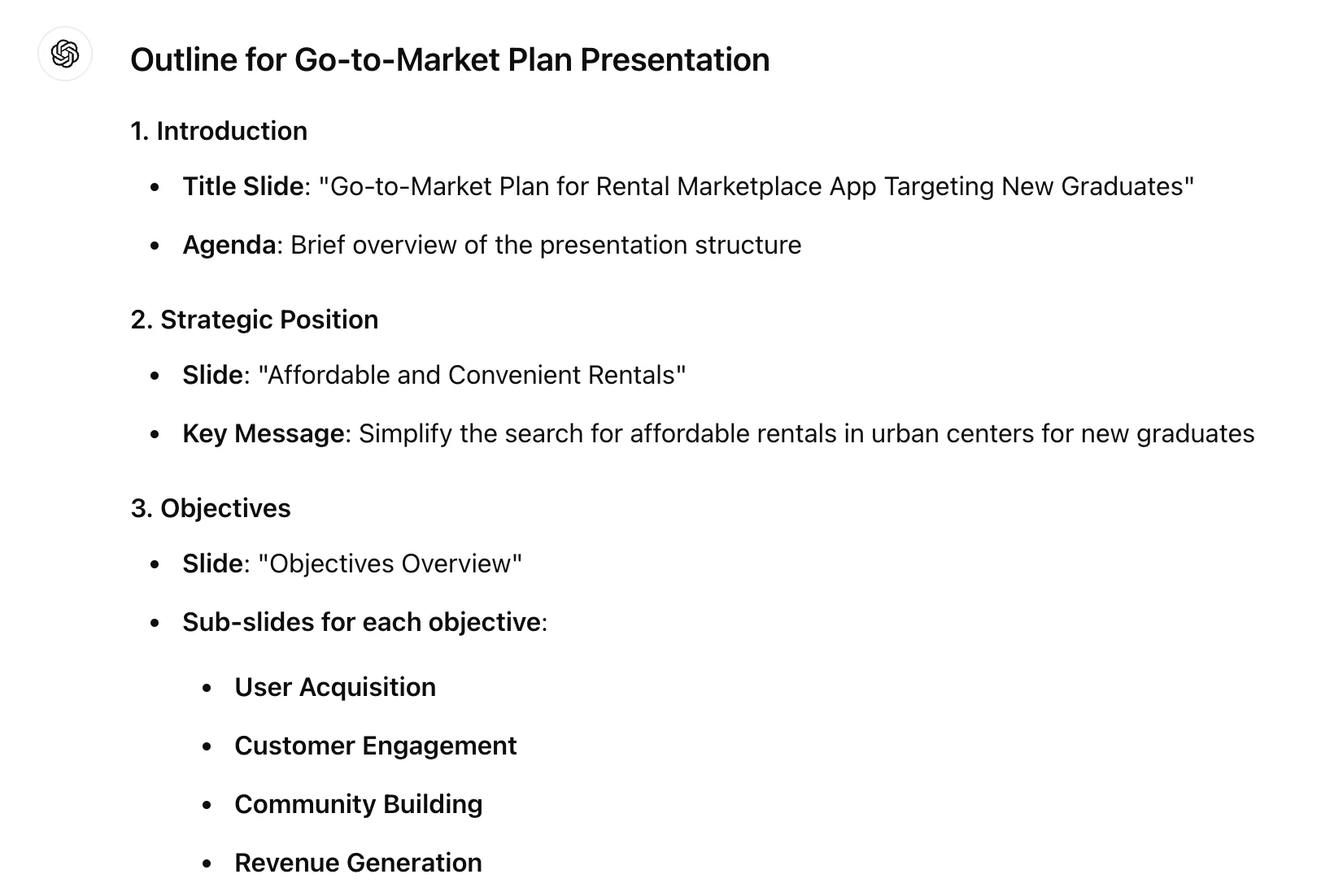
ChatGPT will generate a presentation outline based on your GTM plan. Provide any necessary feedback at this point.
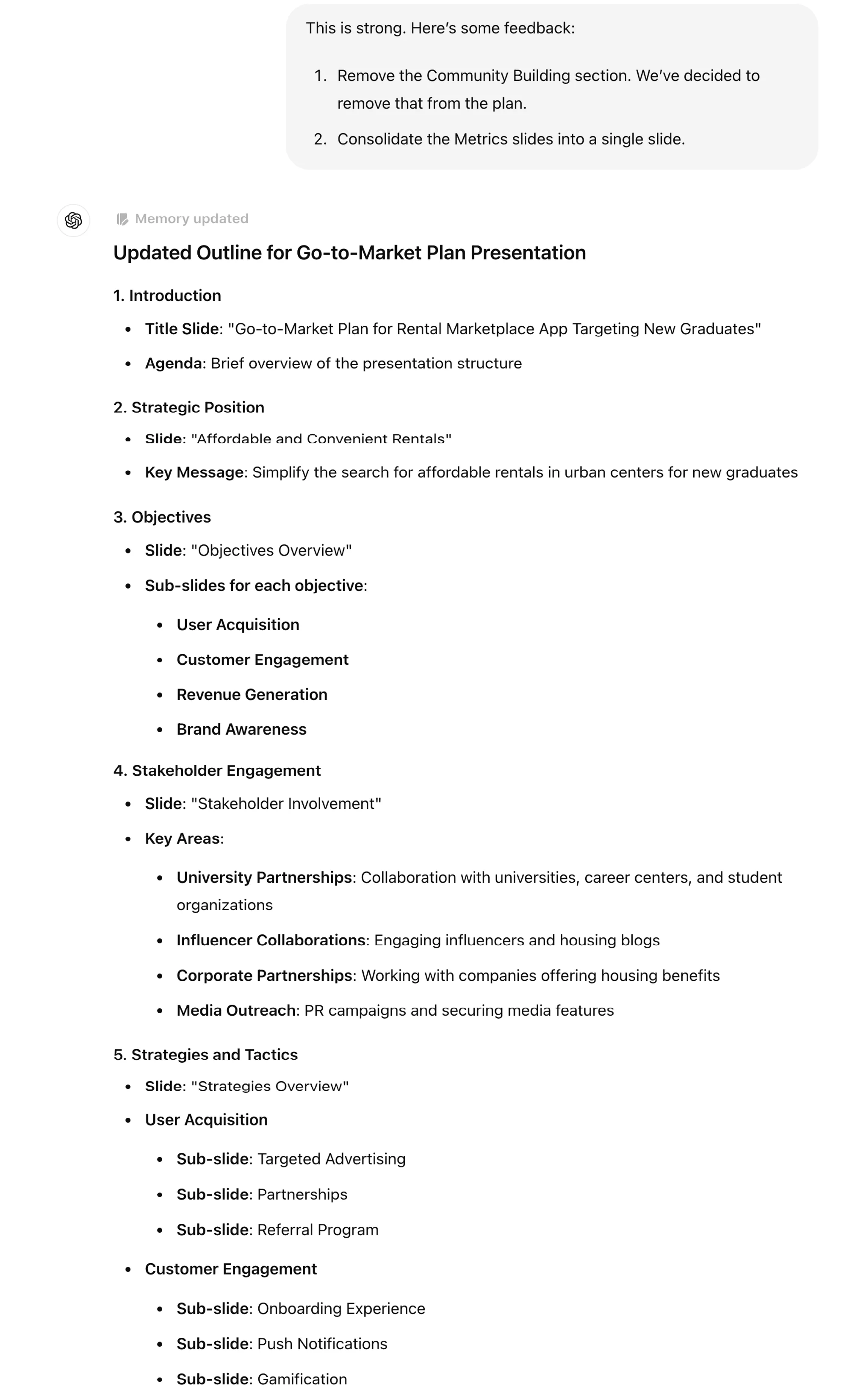
This is strong. Here’s some feedback:
1. Remove the Community Building section. We’ve decided to remove that from the plan.
2. Consolidate the Metrics slides into a single slide.
.webp)
Once you're satisfied with the outline, ask ChatGPT to create VBA code to generate PowerPoint slides. VBA stands for Visual Basic for Applications, which is a basic coding language that Microsoft products like Excel and PowerPoint can read and produce new files from.
Approved. Convert this outline into VBA code so I can create PowerPoint slides.
.webp)
Once you have the VBA code, you can open a new PowerPoint presentation, go to Tools > Macro > Visual Basic Editor.
.webp)
Click on the multi-color icon in the top left. It will open a window where you can then paste in the code that ChatGPT produced for you.
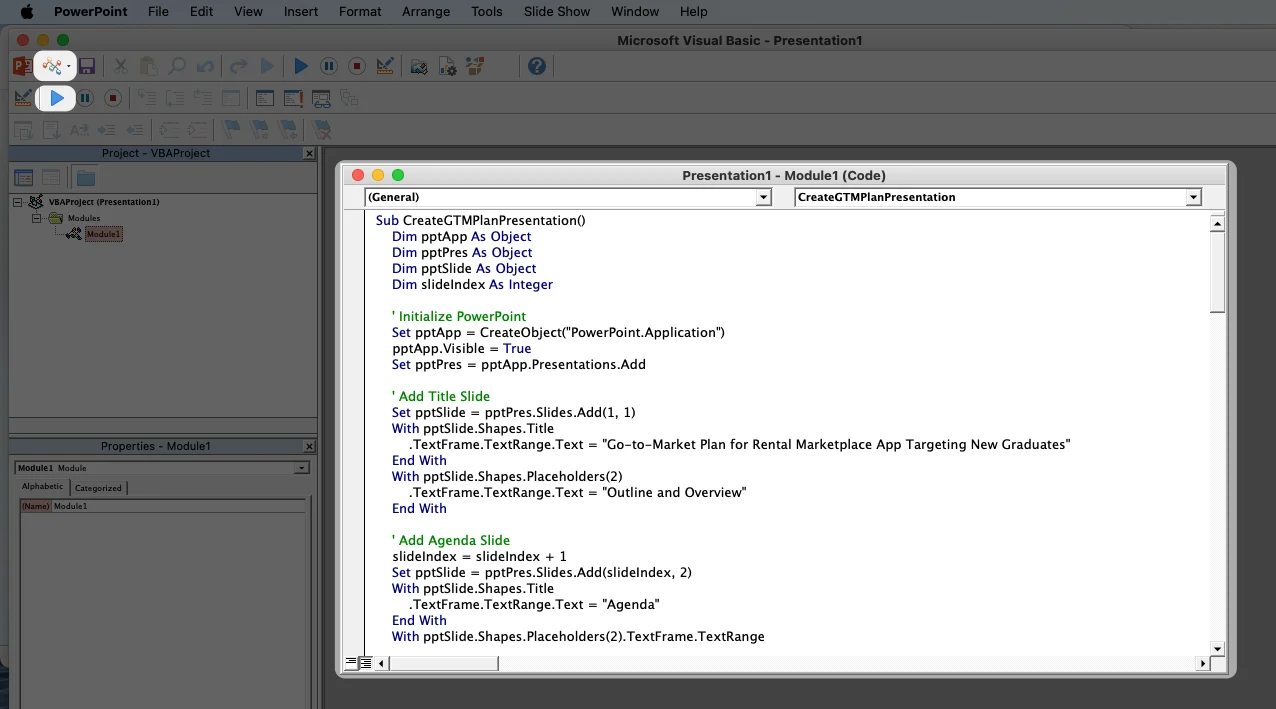
Finally, click the Play button in the top left corner and a new PowerPoint presentation will appear instantly.
.webp)
This is not a presentation-ready slide deck, but it will save you a few minutes creating slides from scratch. From here, you can apply a design, expand on specific points, and add visuals.
Step 2: Create the GTM Brief
After your presentation, you can circulate a brief that shares high-level details about the plan. This will be used to keep all stakeholders informed.
Prompt:
Based on the go-to-market plan, create a summarized GTM brief to circulate to the team after the presentation. Write the brief in full sentences, only using bullet points where necessary. Put an emphasis on timeline.
.webp)
ChatGPT will generate a concise, informative brief that highlights the essential elements of your GTM plan.
Step 3: Communicating across the organization
With your go-to-market plan, presentation, and brief prepared, it’s time to execute your communication plan.
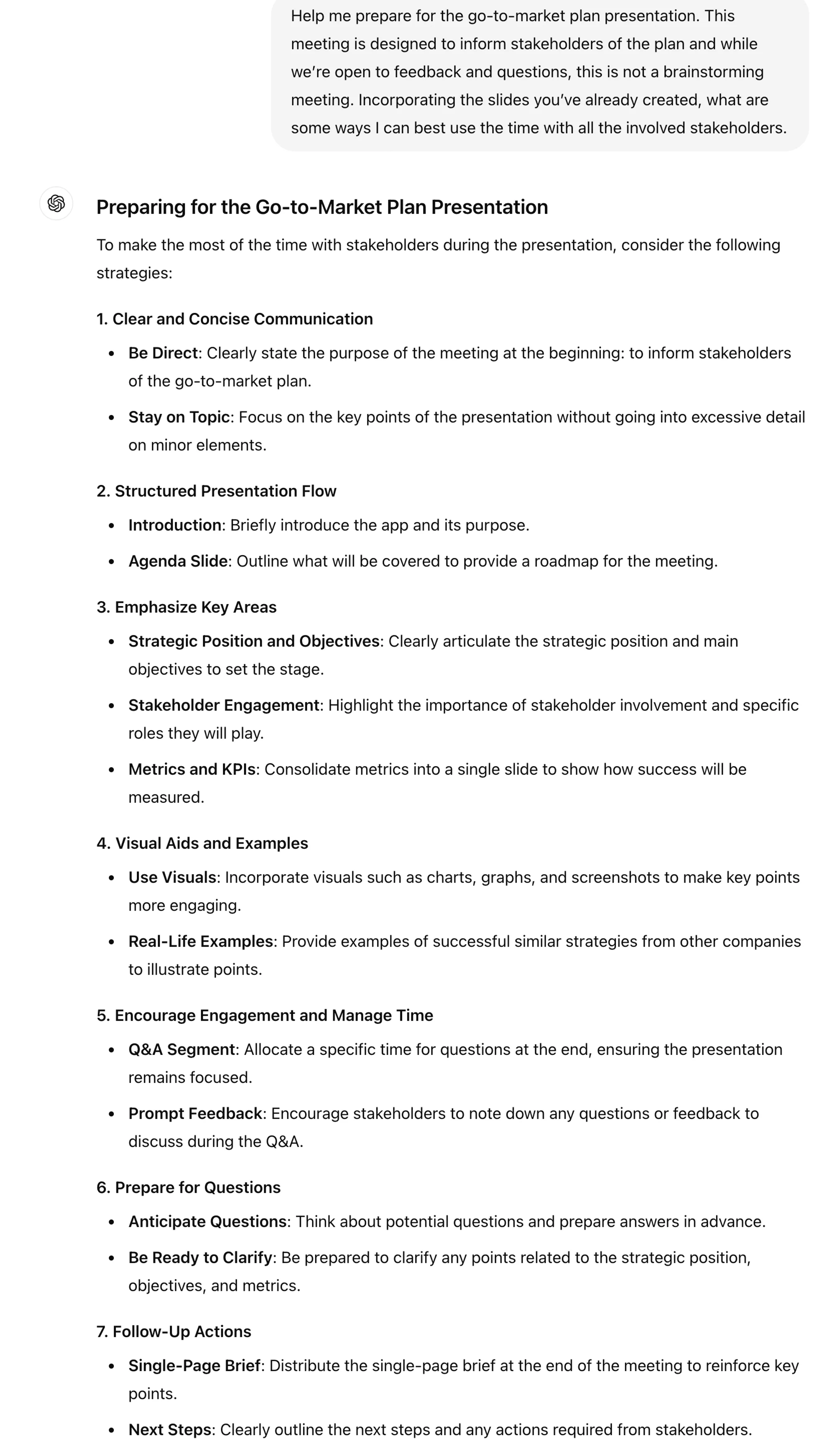
When preparing for your presentation, ask ChatGPT for advice on making the most of your time with stakeholders:
Help me prepare for the go-to-market plan presentation. This meeting is designed to inform stakeholders of the plan and while we’re open to feedback and questions, this is not a brainstorming meeting. Incorporating the slides you’ve already created, what are some ways I can best use the time with all the involved stakeholders.
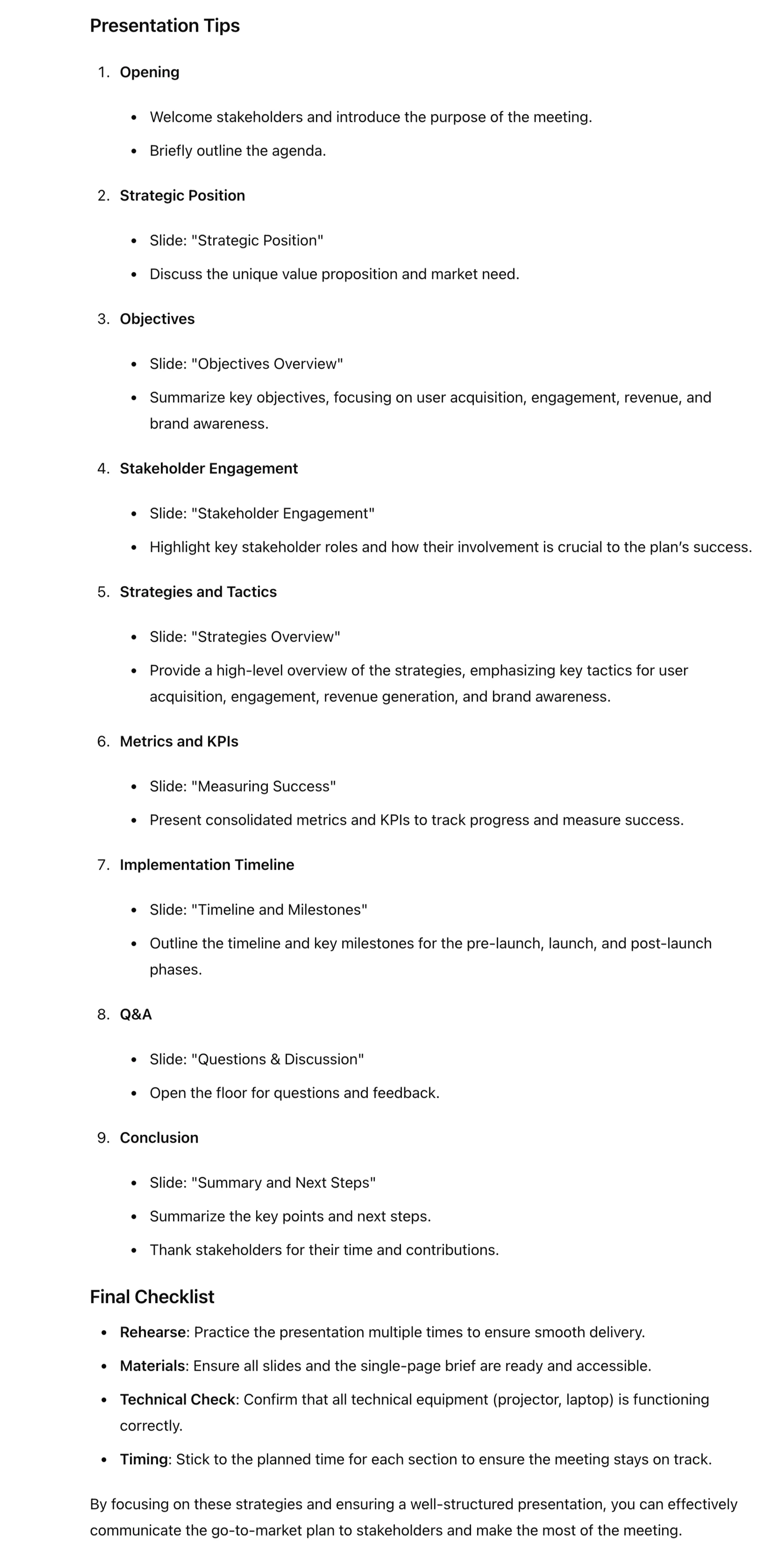
ChatGPT can also help you prepare for questions that might come up in during the discussion. Ask for a list of questions to anticipate but also request basic answers that you can start with. Of course, you’ll want to refine the answers to reflect your project accurately but they’re a great starting point so you come off polished and prepared.
What are some questions I should anticipate? Offer brief 1-2 sentence replies to each of the questions.
.webp)
Congratulations, your team is briefed and ready to bring your product to market!
This tutorial was created by Jonah.