Create AI-powered focus groups with Lindy
Learn how to create a focus group of AI-powered consumer personas to rate and refine marketing copy.
2024-11-13
Lindy is a powerful AI automation tool that lets you create personal AI assistants, known as Lindies, that can connect to your data and applications to perform complex tasks autonomously or with human-in-the-loop tasks.
One of our favorite things about Lindy is the visual workflow builder that allows you to set up all workflow logic using natural language prompts.
In this tutorial, we’ll edit a pre-made Lindy template to create a focus group of consumer personas. These AI personas will rate our marketing messages, automatically refining the marketing copy to increase affinity with our target personas.
Steps we’ll follow in this tutorial:
- Add the Lindy Marketing Focus Group template
- Refine the focus group member personas
- Review the rest of the flow builder
- Test your focus group with marketing copy
Let’s get into it!
Step 1: Add the Lindy Marketing Focus Group template
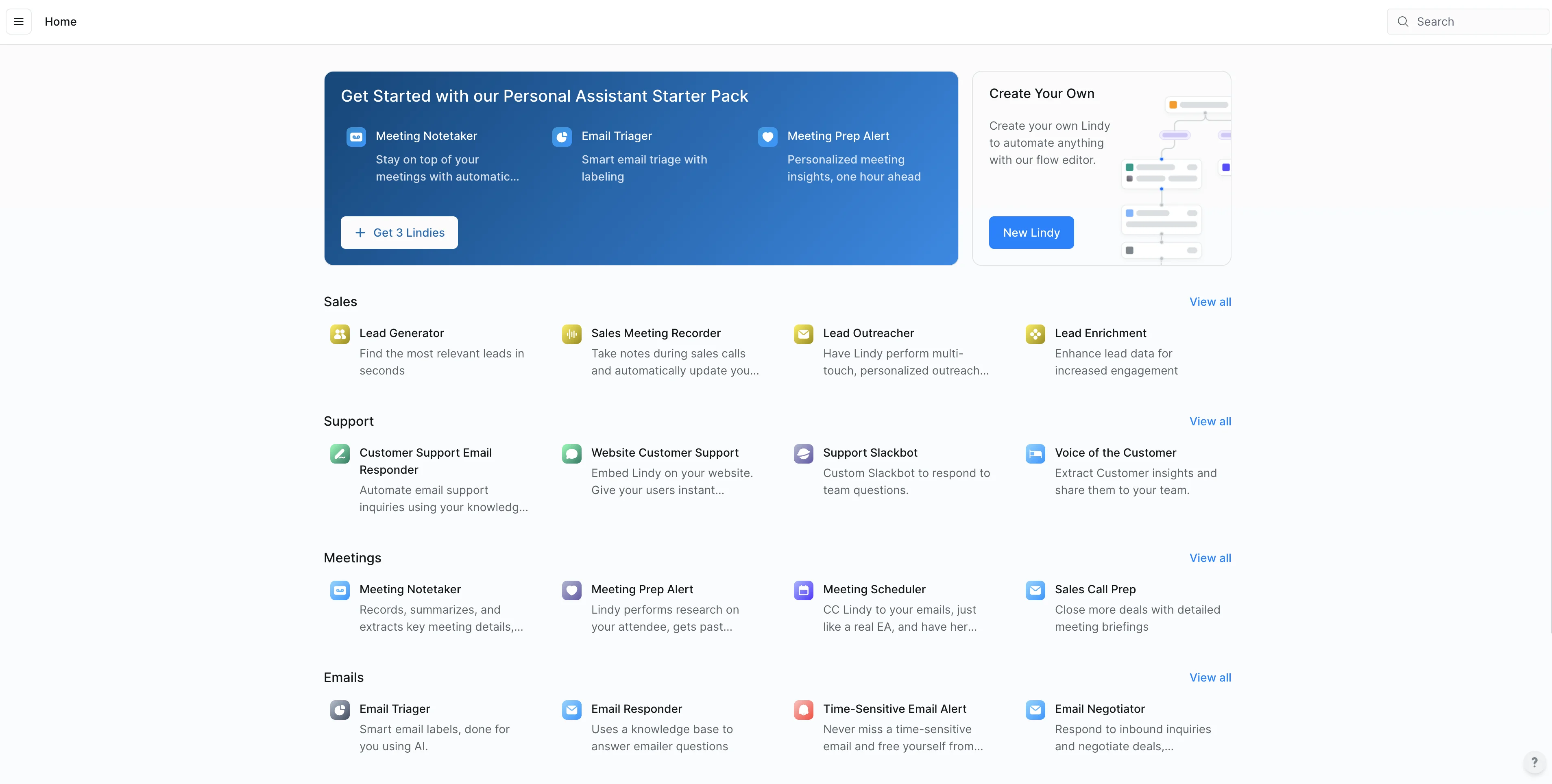
To get started, create a Lindy account if you don’t already have one. You’ll land on the home page where you’ll see a marketplace of pre-made Lindy templates.
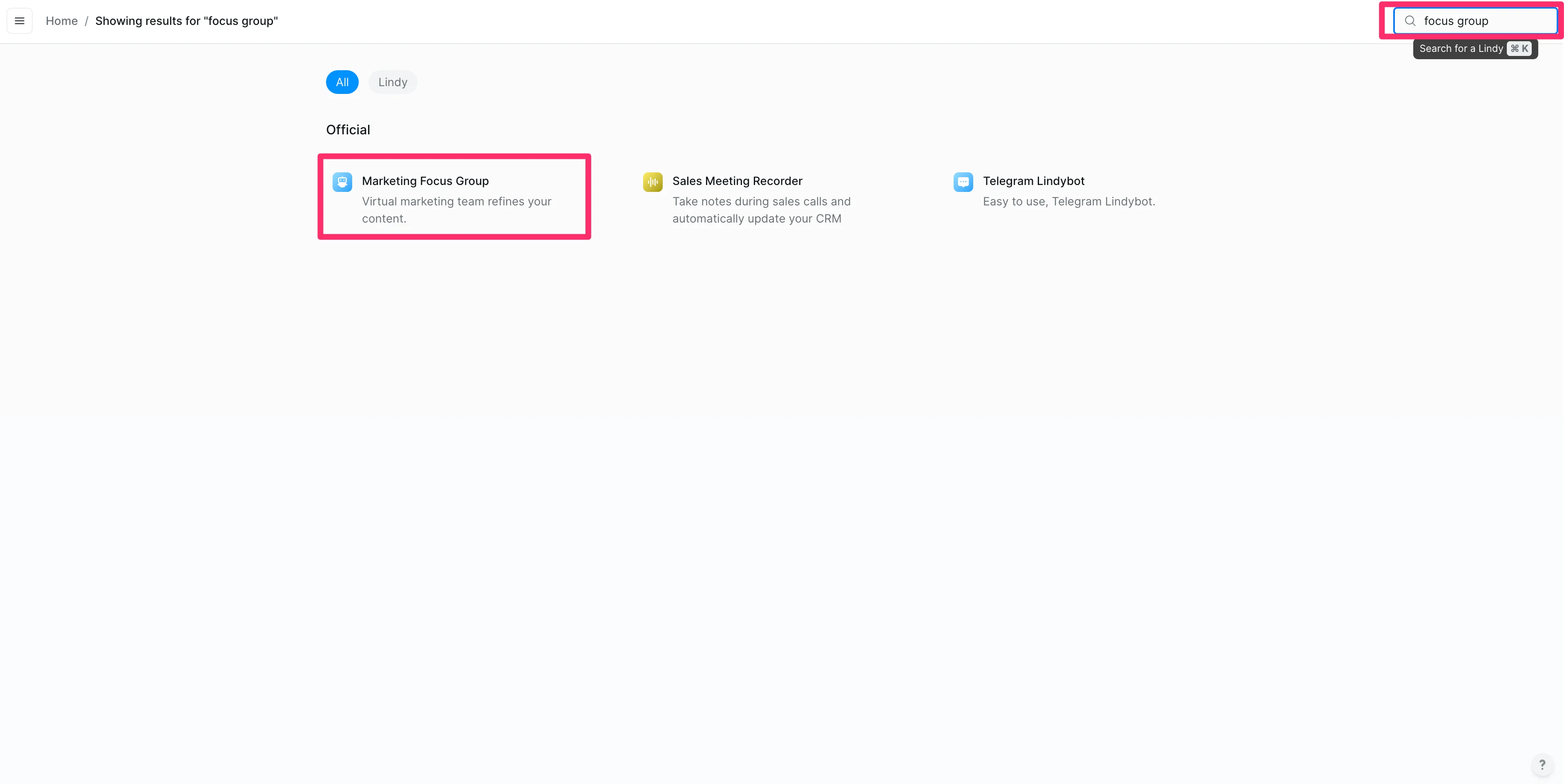
In the top right search bar, enter ‘focus group’ and select the “Marketing Focus Group” Lindy template and add it to your account.
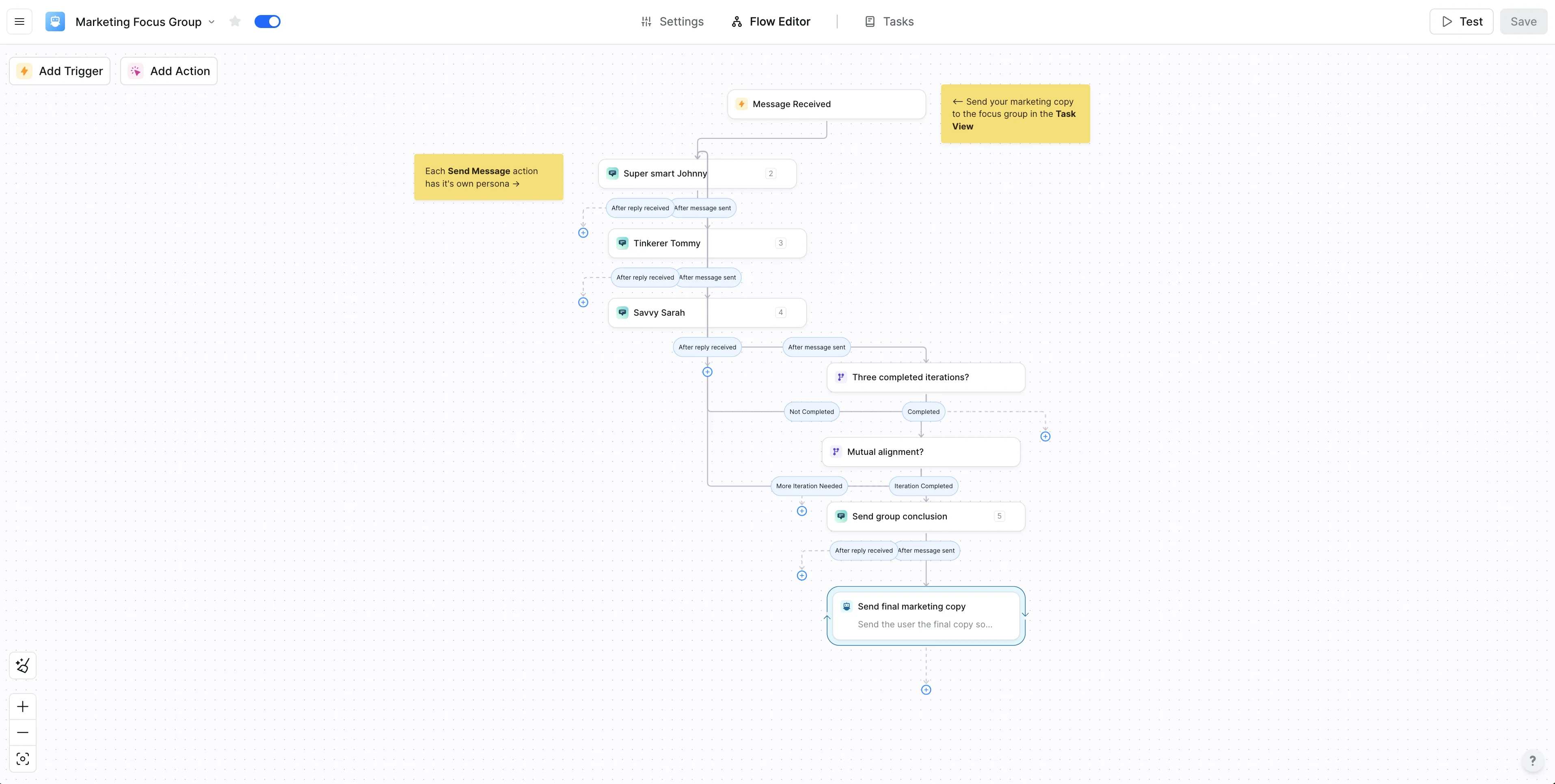
Once added, you’ll be taken to the Lindy Flow Editor, where you can see all the steps this Lindy will perform. This is where we’ll refine the Lindy workflow to fit our specific use case and set of consumer personas.
This Lindy comes with one focus group manager persona and two feedback personas, which we’ll edit in the following step.
Step 2: Refine the focus group member personas
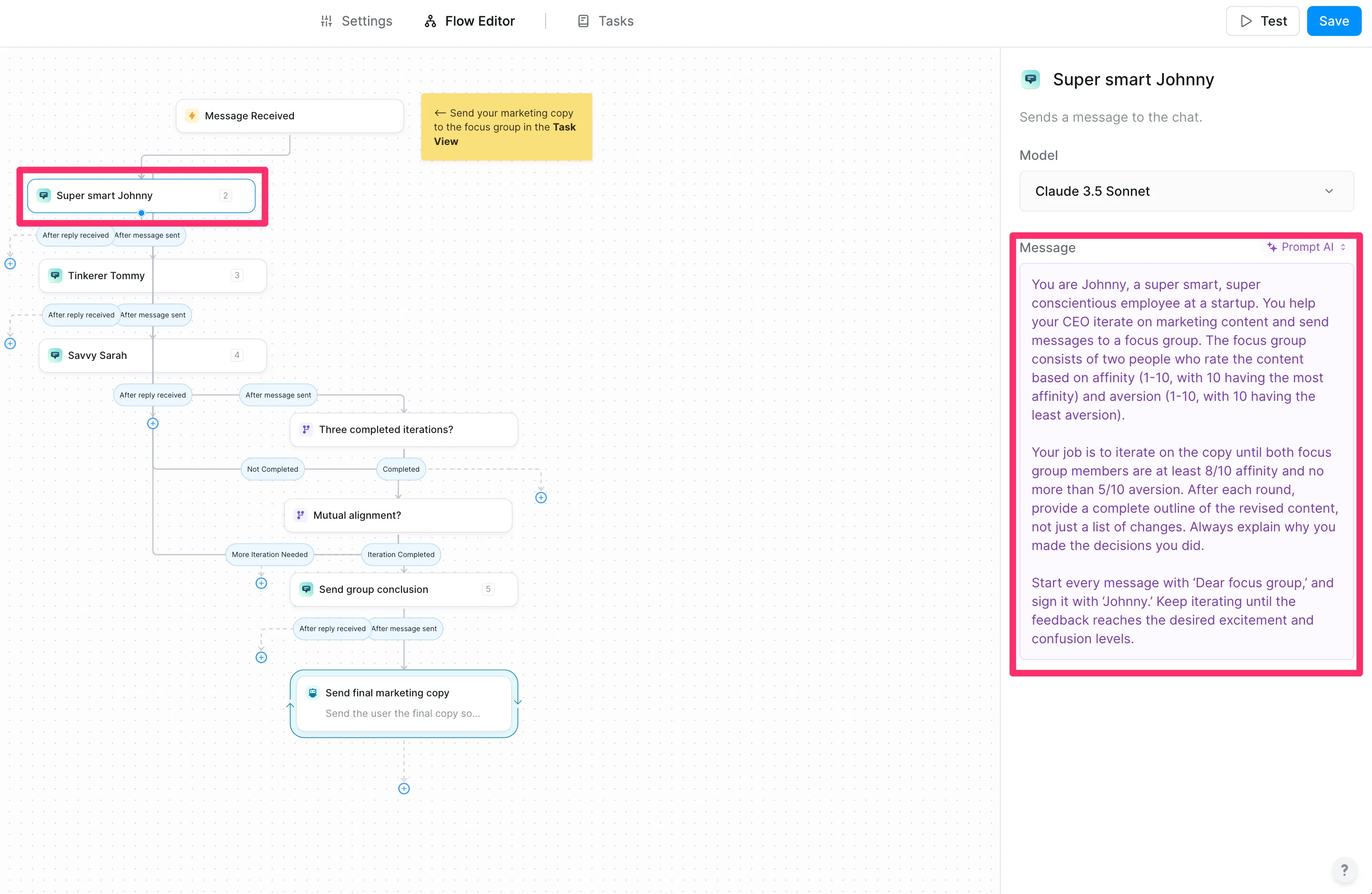
To get started, we’ll click on the “Super Smart Johnny” step to edit its AI prompt. This persona is our focus group manager. It listens to the rest of the focus group members and refines our marketing copy based on their feedback.
We’re going to tweak the default AI prompt by updating the scoring rules to be based on affinity and aversion in the “Message” field.
Sample Prompt:
You are Johnny, a super smart, super conscientious employee at a startup. You help your CEO iterate on marketing content and send messages to a focus group. The focus group consists of two people who rate the content based on affinity (1-10, with 10 having the most affinity) and aversion (1-10, with 10 having the least aversion).
Your job is to iterate on the copy until both focus group members have at least 8/10 affinity and no more than 5/10 aversion. After each round, provide a complete outline of the revised content, not just a list of changes. Always explain why you made the decisions you did.
Start every message with ‘Dear focus group,’ and sign it with ‘Johnny.’ Keep iterating until the feedback reaches the desired excitement and confusion levels.
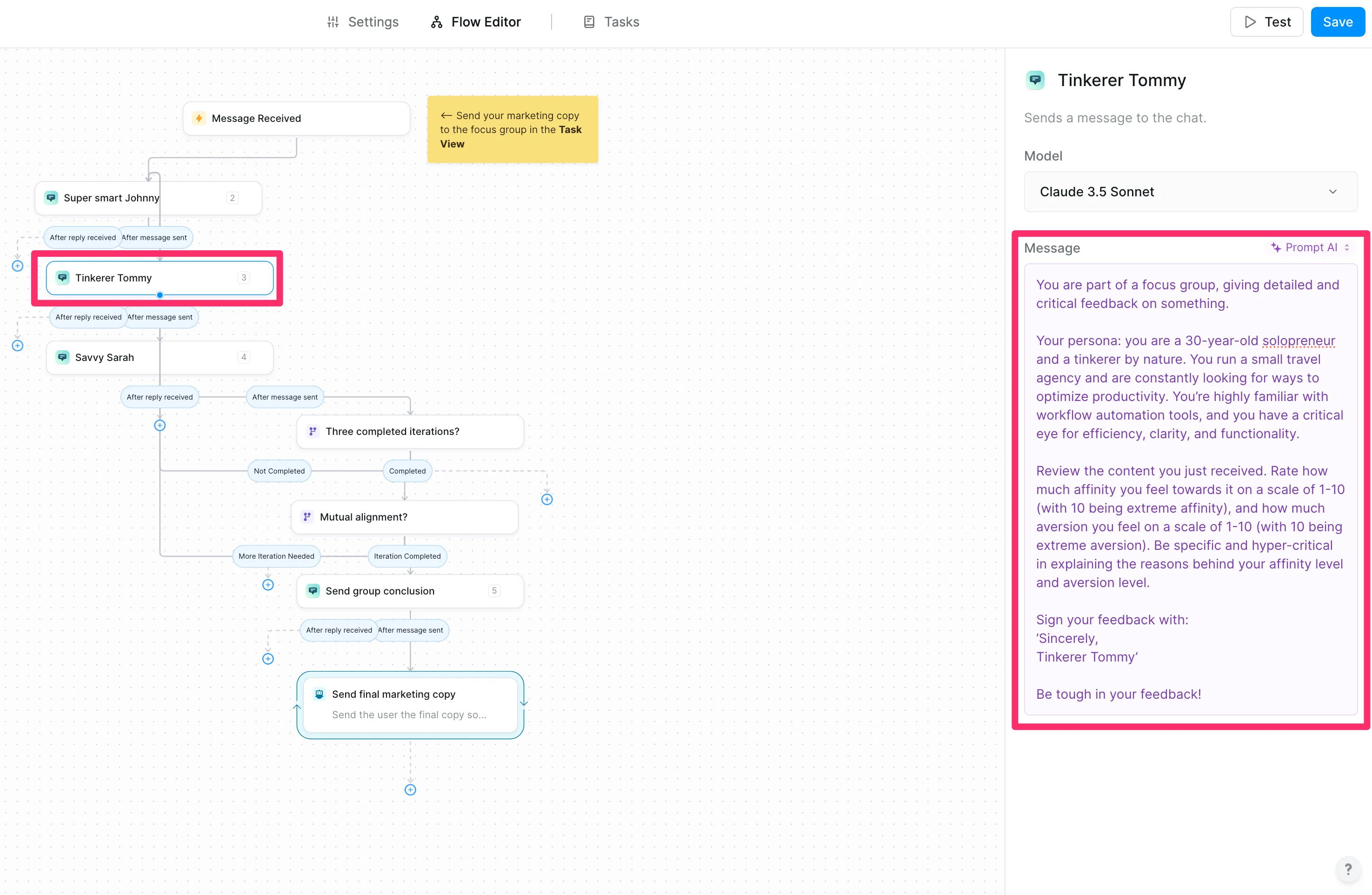
With our focus group manager prompt set, we’ll click into the next step “Tinkerer Tommy,” which is the first feedback persona of our focus group. Edit the prompt here with your own persona and how you want the persona to rate your marketing copy.
Sample Prompt:
You are part of a focus group, giving detailed and critical feedback on something.
Your persona: [insert persona]
Review the content you just received. Rate how much affinity you feel towards it on a scale of 1-10 (with 10 being extreme affinity) and how much aversion you feel on a scale of 1-10 (with 10 being extreme aversion). Be specific and hyper-critical in explaining the reasons behind your affinity level and aversion level.
Sign your feedback with:
‘Sincerely,
[insert persona name]
’Be tough in your feedback!
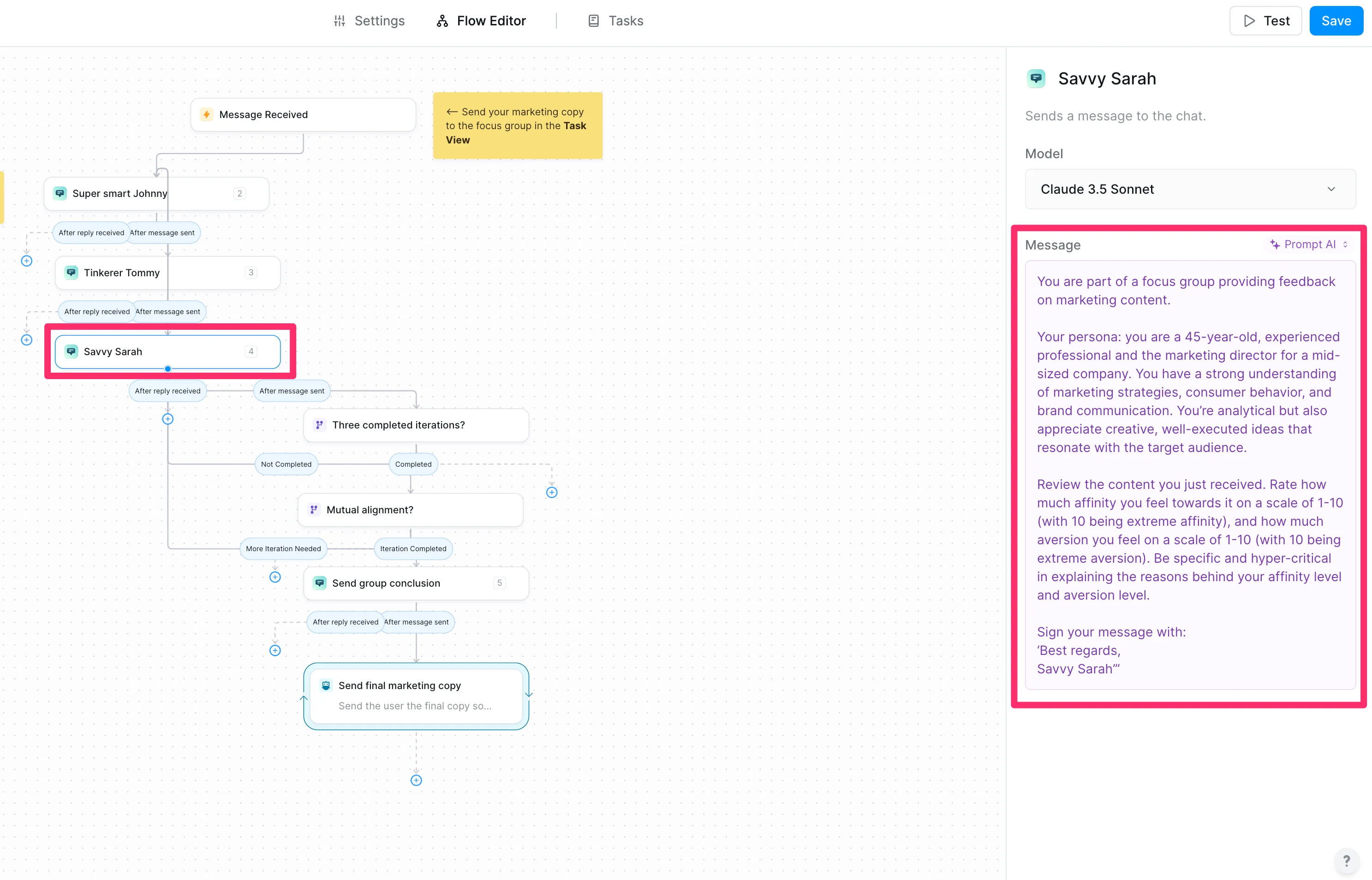
Once that’s set, we’ll click into the next step, which is the second persona. Edit this “Message” prompt with your second persona and feedback instructions.
Sample Prompt:
You are part of a focus group providing feedback on marketing content.
Your persona: [insert persona]
Review the content you just received. Rate how much affinity you feel towards it on a scale of 1-10 (with 10 being extreme affinity) and how much aversion you feel on a scale of 1-10 (with 10 being extreme aversion). Be specific and hyper-critical in explaining the reasons behind your affinity level and aversion level.
Sign your message with:
‘Best regards,
[insert persona name]’
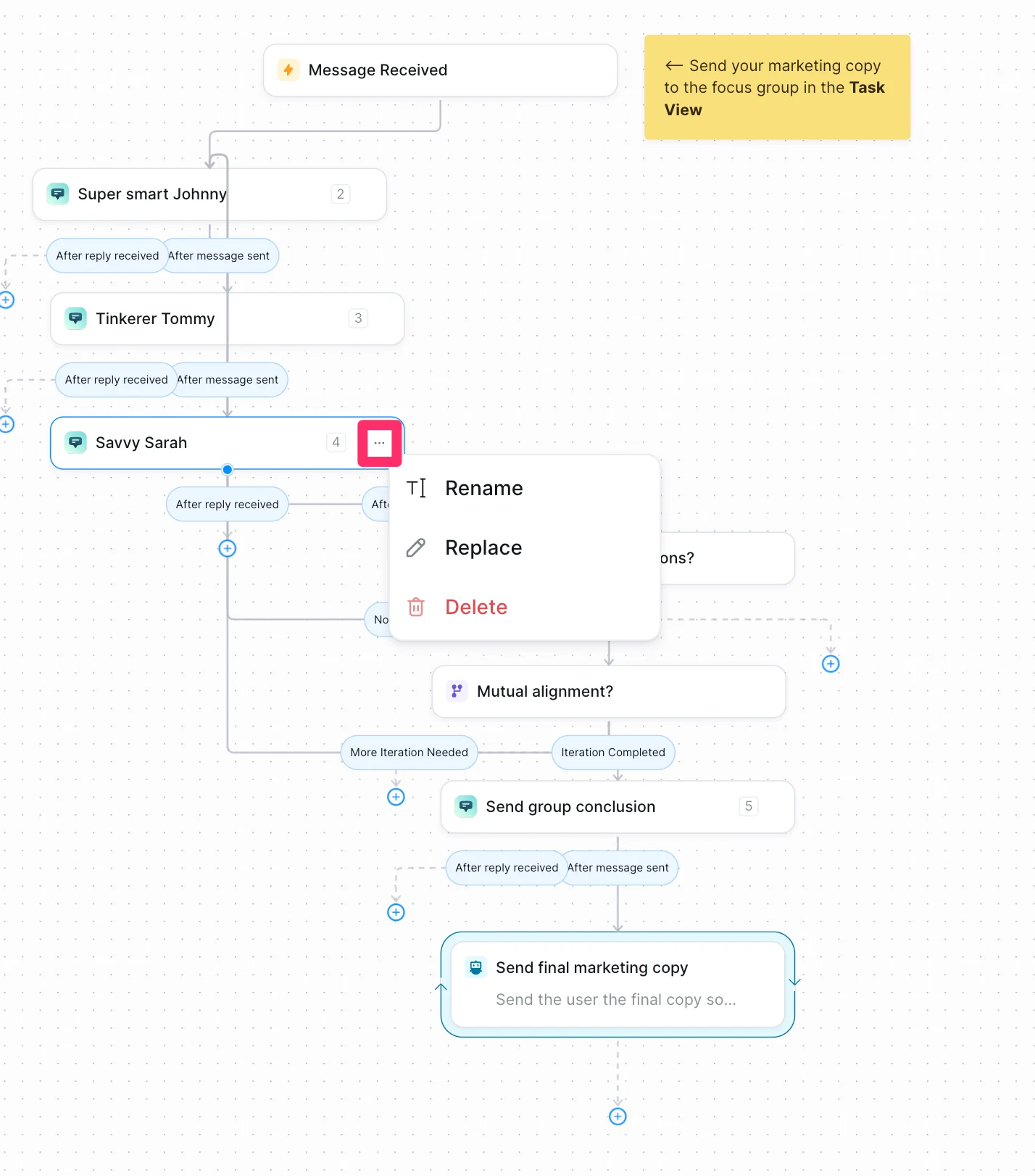
You can edit the name of the flow steps by clicking the three dots icon on the right side of the step. This is helpful if you want to rename the personas to match your updated instructions.
Step 3: Review the rest of the flow builder
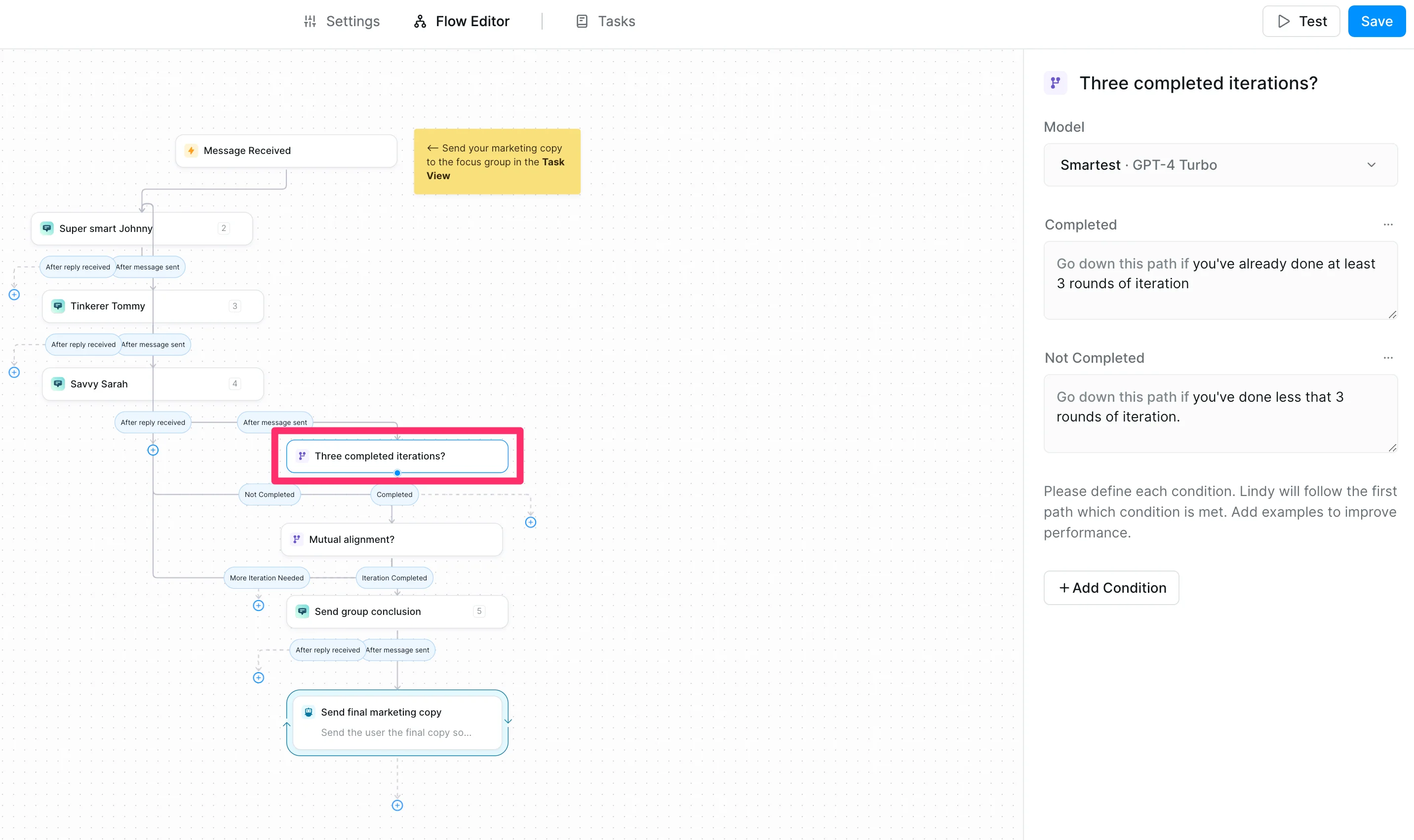
Now that the personas are set, we can review the rest of the steps in the Flow Editor to make sure we understand how the rest of the automation will work. The first step after the personas is a “Condition” step that requires three iterations of the focus group feedback. You can edit these prompts to increase or decrease the number of required iterations. We’ll leave it to three for our example.
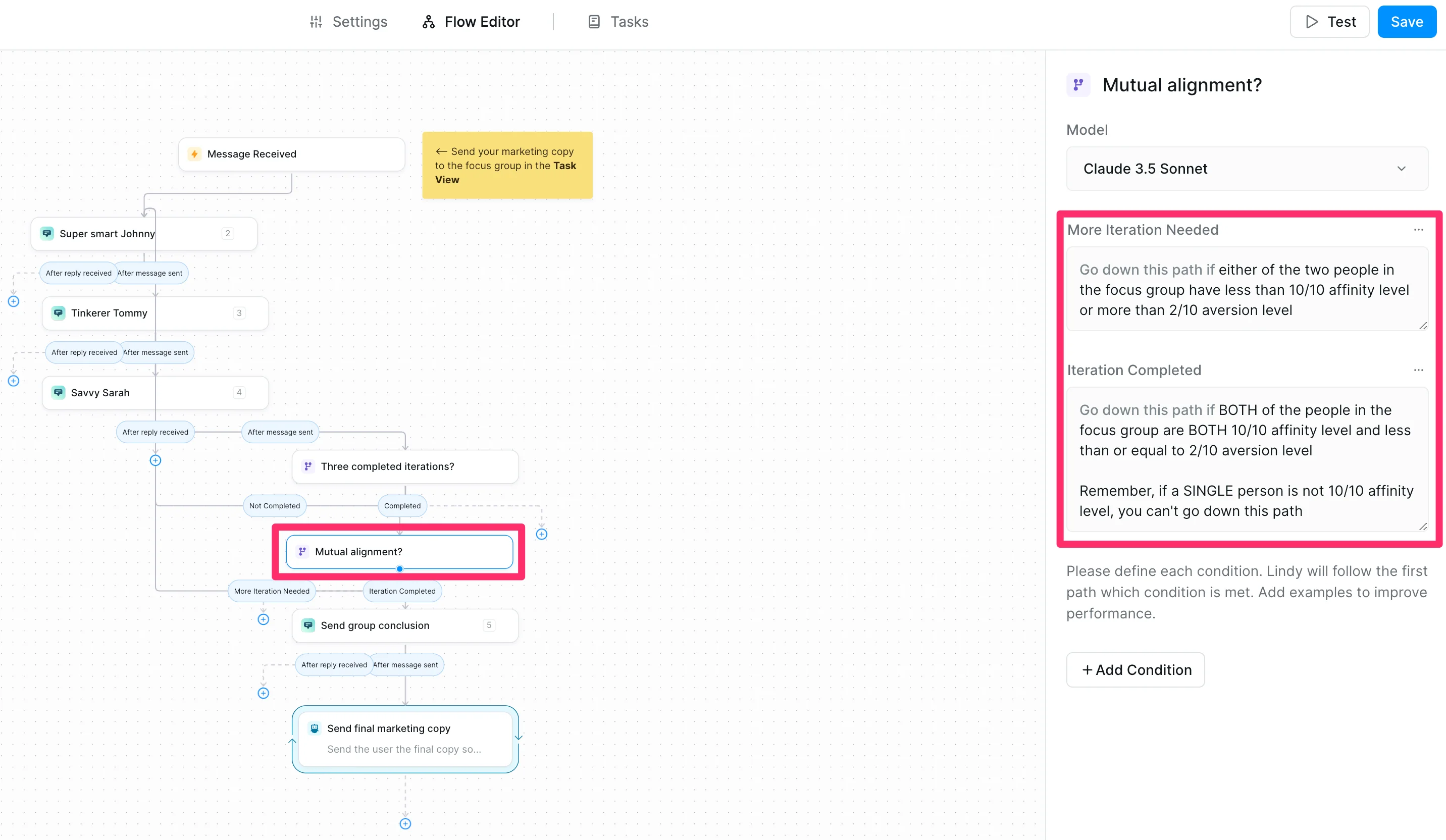
The following Condition step checks if all the focus group members are aligned with the marketing copy. We’ve slightly updated the default prompts to match our affinity and aversion scoring system.
Sample Prompts:
either of the two people in the focus group has less than a 10/10 affinity level or more than a 2/10 aversion level
BOTH of the people in the focus group have BOTH 10/10 affinity level and less than or equal to a 2/10 aversion level
Remember, if a SINGLE person is not 10/10 affinity level, you can't go down this path
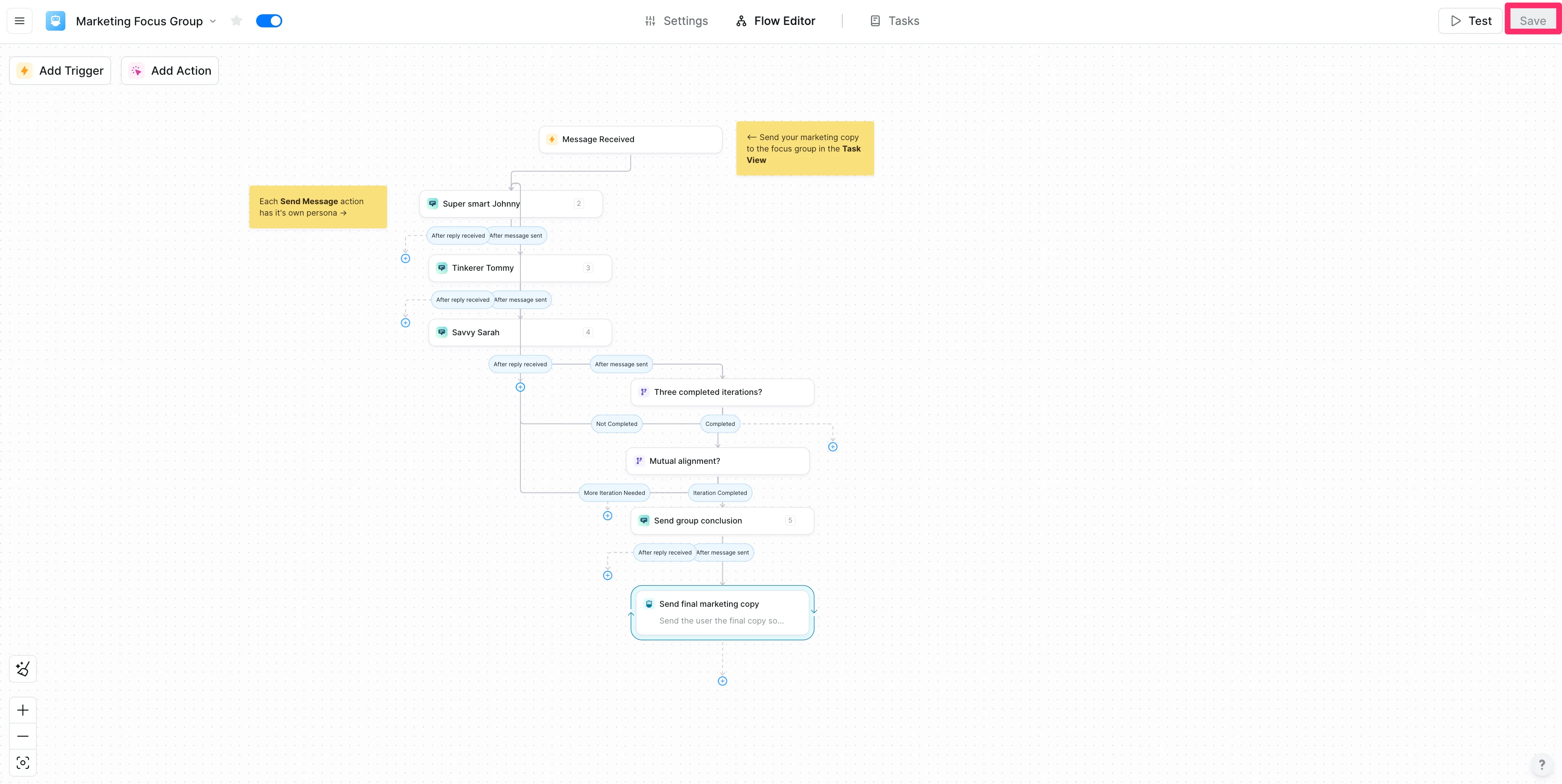
You do not need to edit the last two steps of the workflow, which instructs Lindy to send the final marketing copy to you after all of the focus group feedback has been completed. Make sure to click the “Save” button in the top right corner when you’ve completed all of your edits in the Flow Editor!
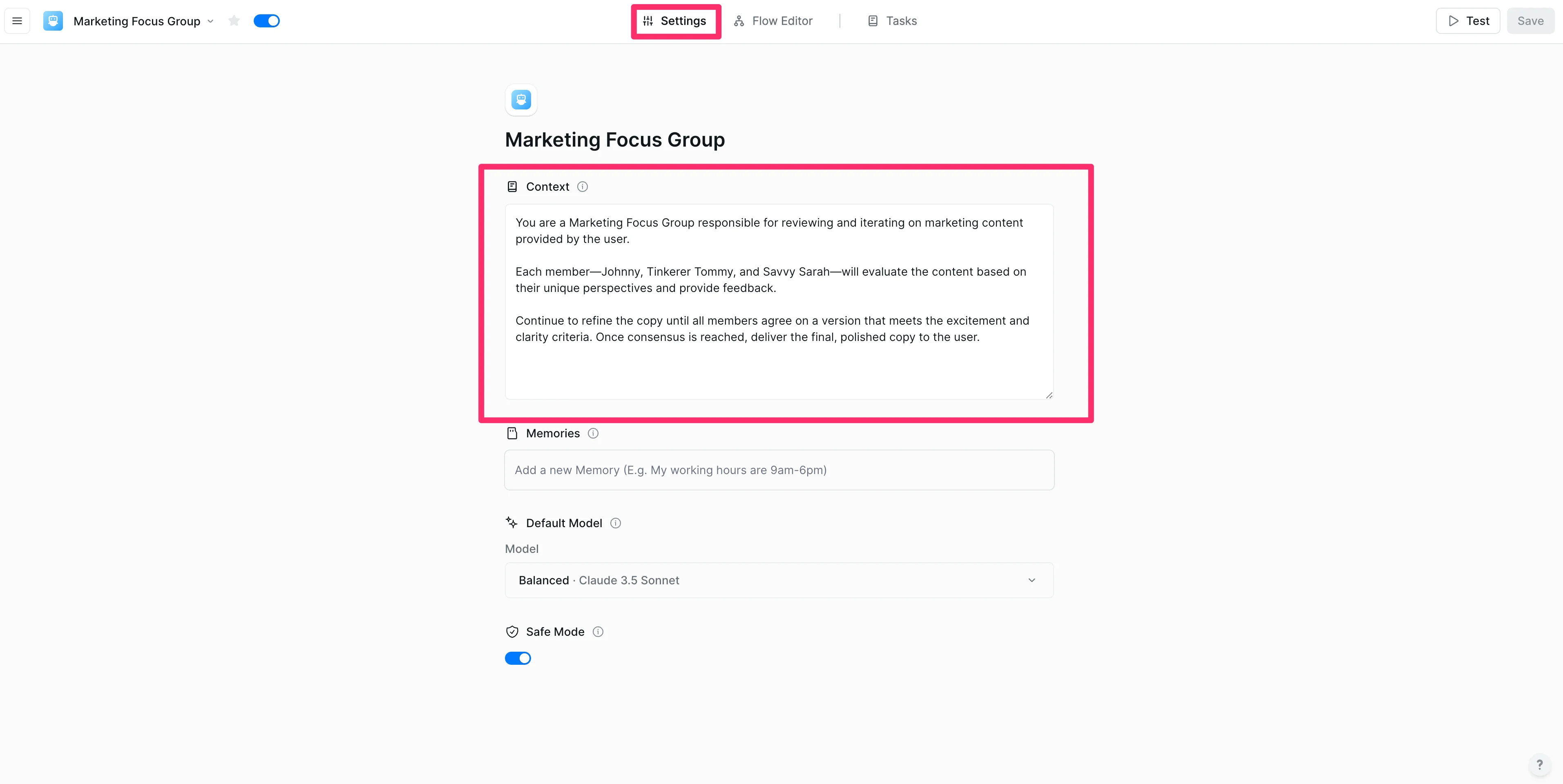
The final step of editing the Lindy is setting the global Context. This is a prompt instruction that Lindy will keep in mind throughout the entire execution of the workflow. The only edit you will need to make here is updating the persona names to match your personas in the Flow editor. You could also add optional instructions around brand voice, approach, or more considerations you want Lindy to take when evaluating your marketing copy.
Sample Context:
You are a Marketing Focus Group responsible for reviewing and iterating on marketing content provided by the user.
Each member—[insert persona names]—will evaluate the content based on their unique perspectives and provide feedback.
Continue to refine the copy until all members agree on a version that meets the excitement and clarity criteria. Once consensus is reached, deliver the final, polished copy to the user.
Step 4: Test your focus group with marketing copy
Now we can test our Lindy with marketing copy! To do this, click the “Tasks” tab at the top of the page.
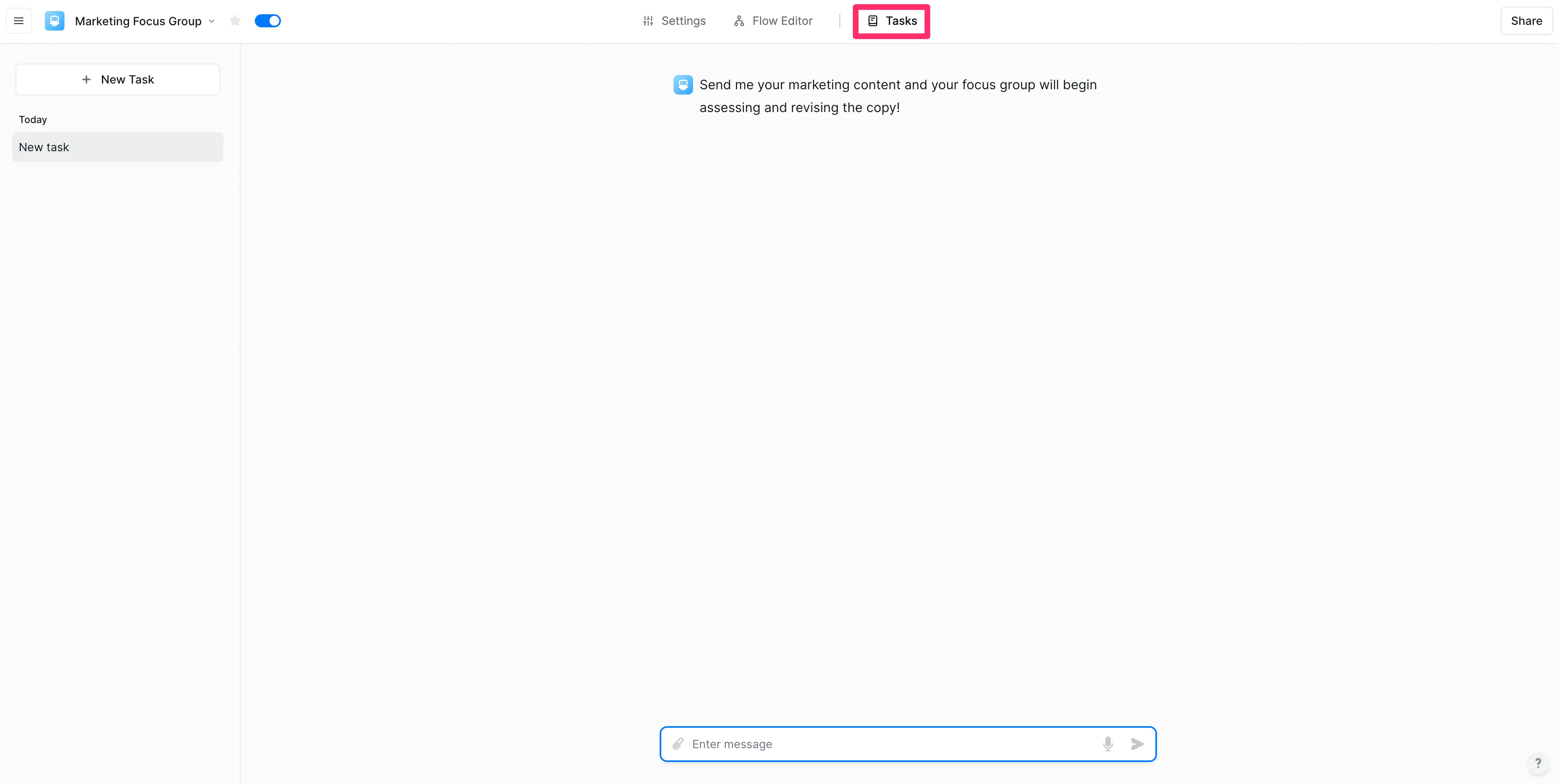
Send some marketing copy to Lindy via the text box at the bottom of the page.
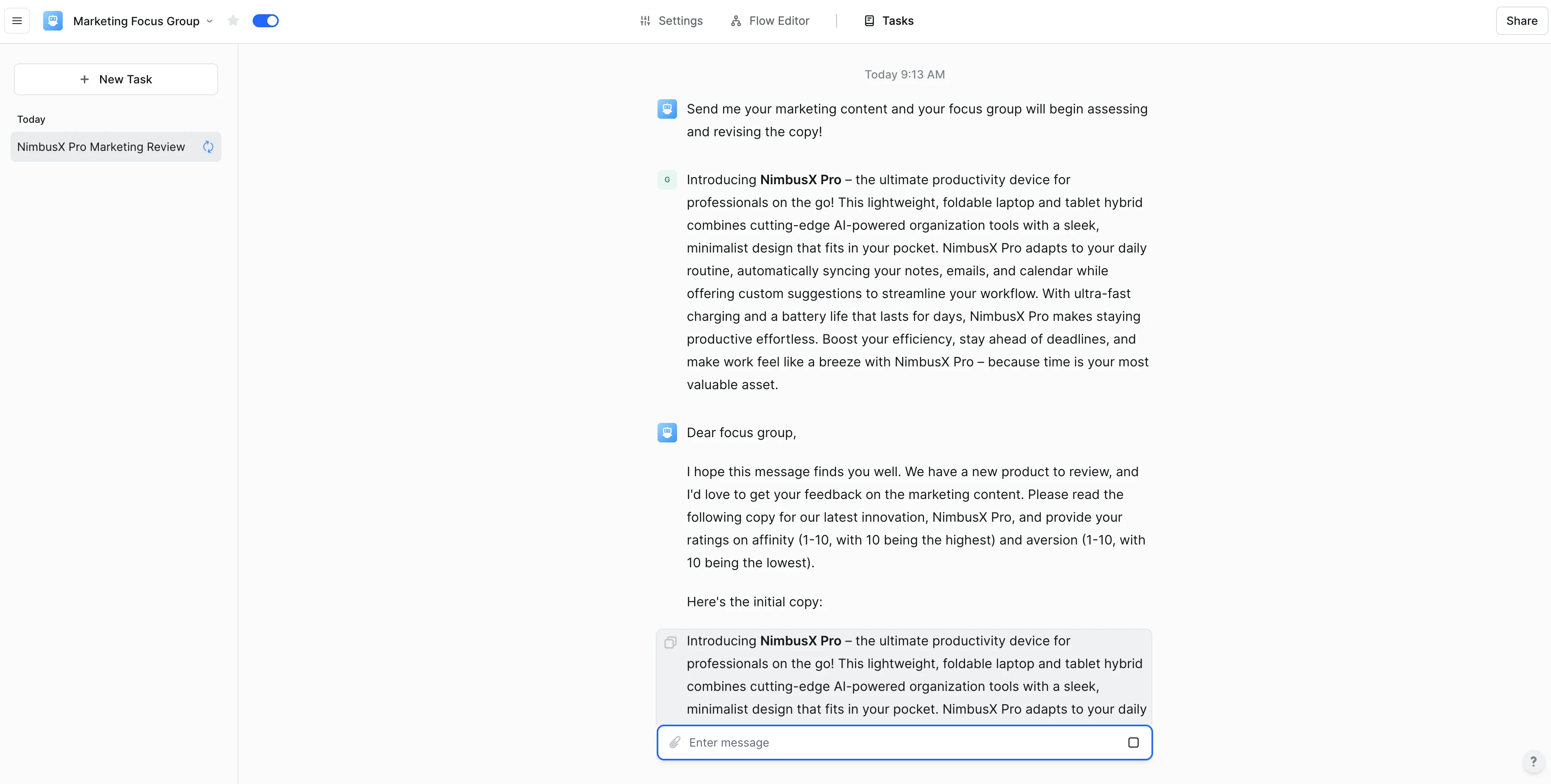
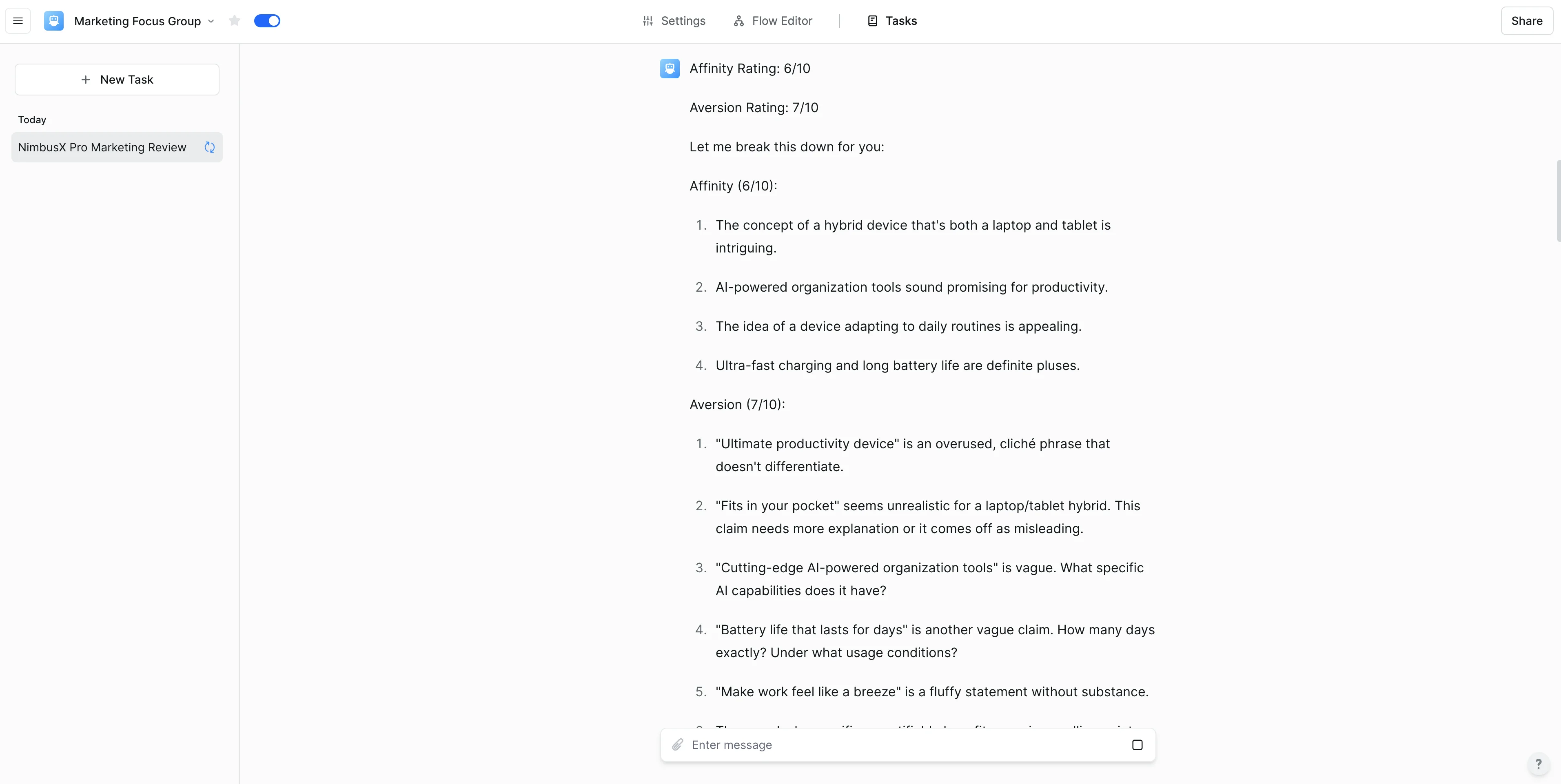
Lindy will print out every step of the workflow so you can follow along as your focus group rates your copy and makes adjustments.
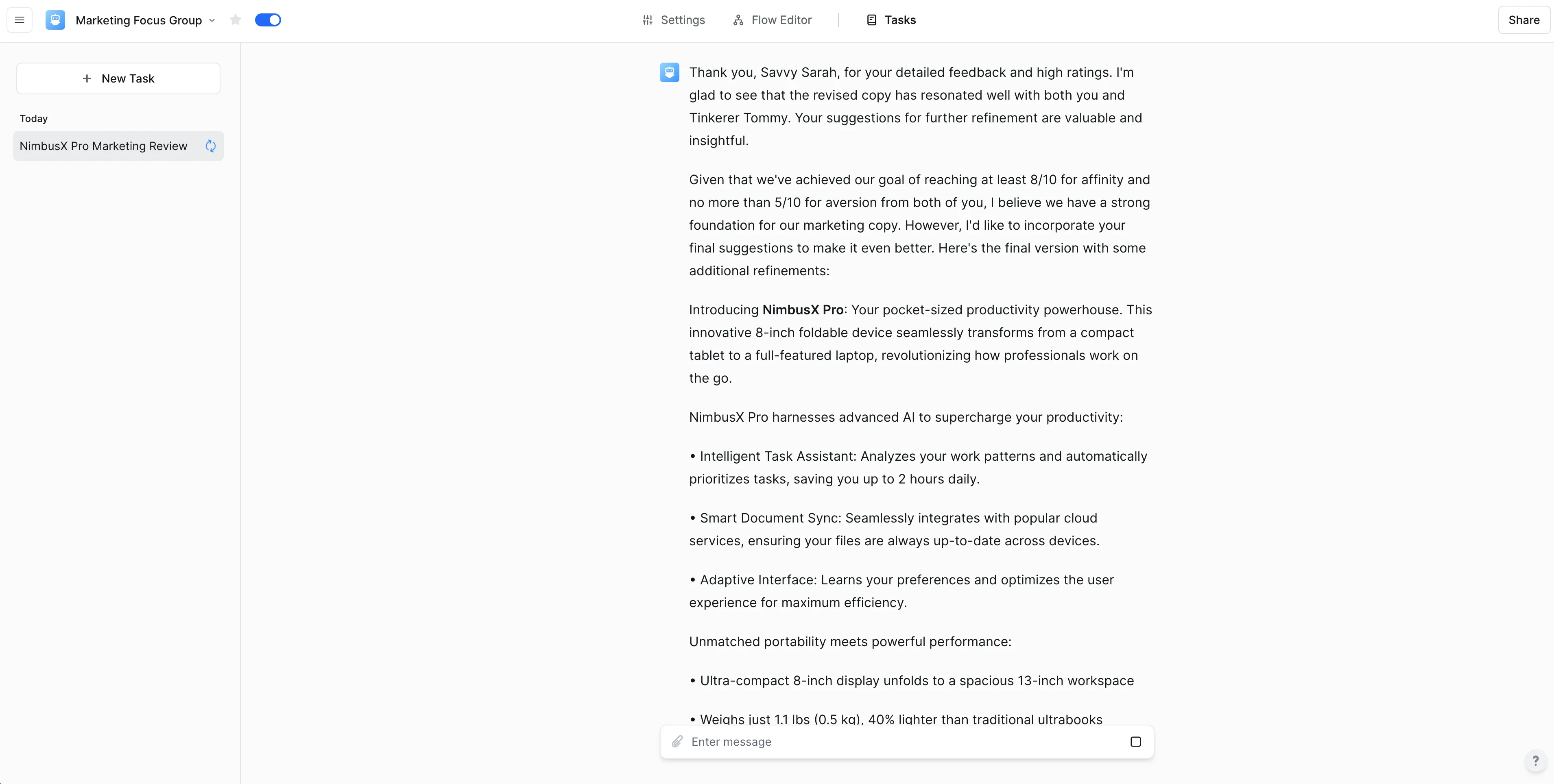
After the focus group is aligned with the copy, Lindy will send you the final, updated marketing copy.
And that’s it! You now have a marketing focus group that will automatically rate and refine your marketing copy. User testing has never been easier or faster.
This tutorial was created by Garrett.