Create cookie policies for your website
Develop detailed compliant cookie policies tailored to your website’s specific usage with ChatGPT
2024-12-12
Creating a comprehensive cookie policy is essential for any website owner looking to build trust with users and comply with data protection regulations. This tutorial will guide you through the process of crafting a clear, informative, and legally compliant cookie policy using ChatGPT as your assistant.
In this tutorial, you will learn how to:
- Identify and categorize your website's cookies
- Explain the purpose and functionality of each cookie type
- Detail how users can manage their cookie preferences
- Outline the implications of accepting or rejecting cookies
- Compile a comprehensive, user-friendly cookie policy
You’ll need:
- ChatGPT
- A tool or software for identifying cookies on your website
Let's get to it.
Step 1: Identify and categorize your website's cookies
The first step in creating a comprehensive cookie policy is to identify and categorize all the cookies used on your website. This forms the foundation of your policy and ensures you're transparent about your data collection practices.
Start by conducting an audit of your website's cookies. You can use browser developer tools or specialized cookie scanning software for this purpose. Once you have a list, we'll use ChatGPT to help categorize them.
Prompt ChatGPT with:
I've identified the following cookies on my website [Your Website Name]:
[List 5-10 cookies you've found, including their names and any information you have about them]
Please categorize these cookies into common types (e.g., necessary, functional, analytical, marketing) and provide a brief explanation of each category's purpose. Format the response as a table with columns for Cookie Name, Category, and Purpose.
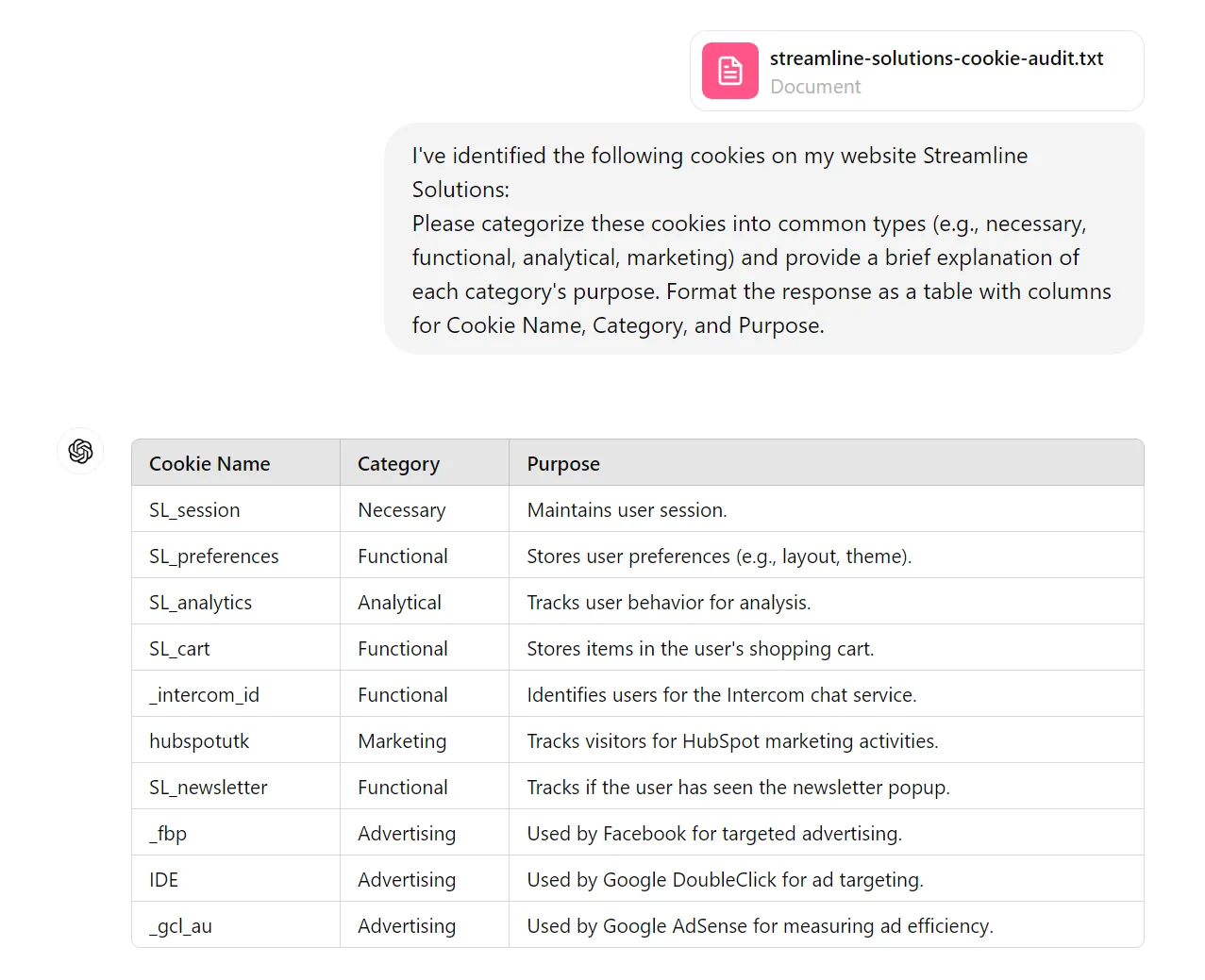
Review the categorization provided by ChatGPT and make any necessary adjustments based on your knowledge of your website's functionality. This categorized list will serve as the basis for explaining your cookie usage to your site visitors.
Step 2: Explain the purpose and functionality of each cookie type
Now that we have categorized our cookies, let's dive deeper into explaining their purposes and functionalities. This step is crucial for transparency and helping users understand why you use cookies and how they impact the browsing experience.
We'll use ChatGPT to generate detailed explanations for each cookie category, which we can then refine to fit our specific use case.
We’ll use this prompt:
Based on the cookie categories we identified (necessary, functional, analytical, marketing), please provide a detailed explanation of each category's purpose and functionality. Include:
1. What these cookies do
2. Why they are used
3. How they impact the user's experience
4. Any potential privacy implications
Format each category's explanation as a separate paragraph, starting with the category name in bold.
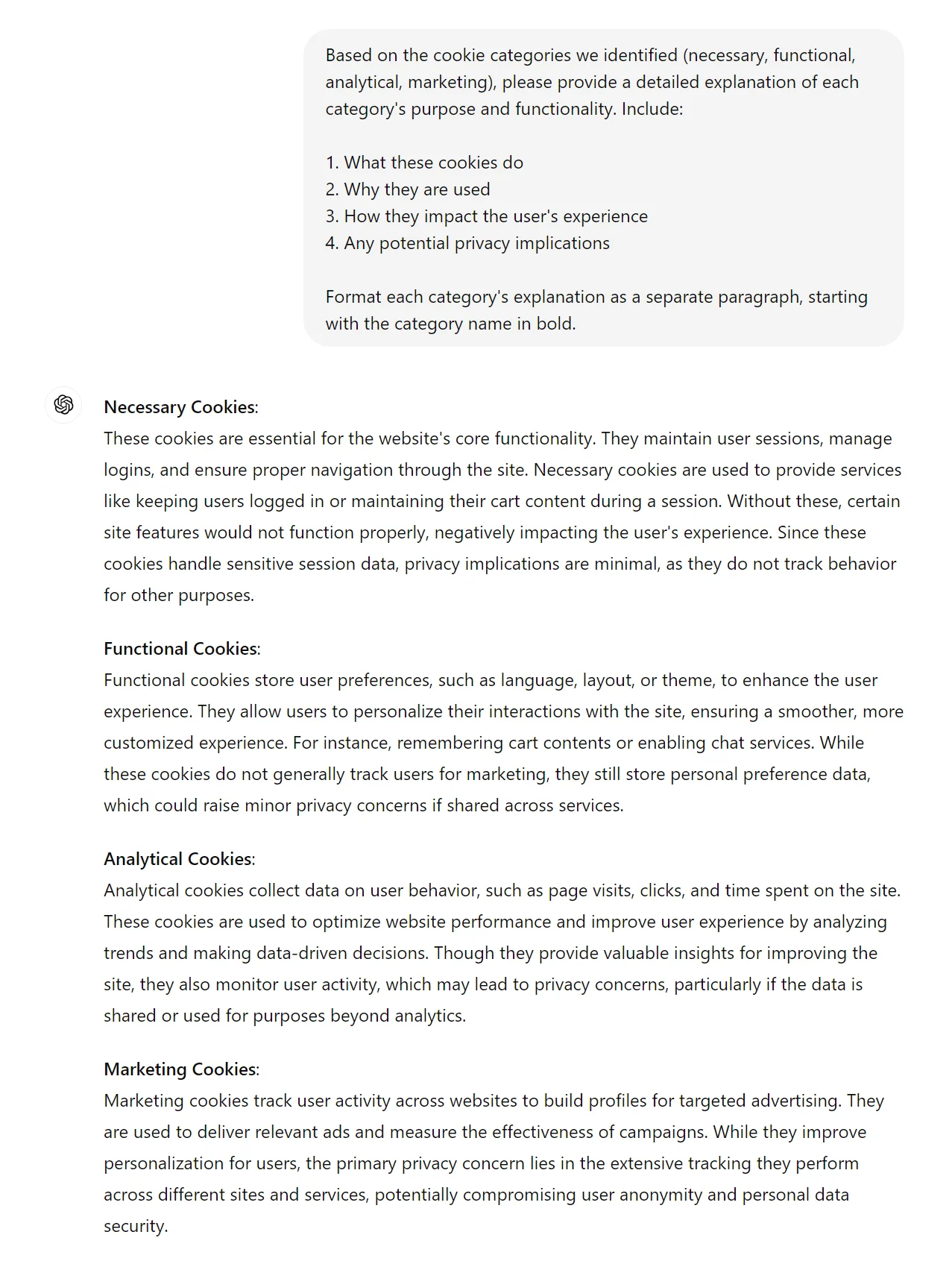
Pay special attention to any third-party cookies you might be using, as these often require more detailed explanations.
Step 3: Detail how users can manage their cookie preferences
An essential part of any cookie policy is informing users about how they can manage their cookie preferences. This step is crucial for compliance with data protection regulations and for empowering users to control their privacy settings.
We'll use ChatGPT to generate a comprehensive guide on cookie management options, which we can then tailor to our specific website setup.
Use this prompt:
Please create a guide on how users can manage their cookie preferences. Include information on:
1. How to accept or reject cookies
2. How to change cookie settings in common browsers (Chrome, Firefox, Safari, Edge)
3. How to delete cookies
4. The implications of disabling cookies
5. How to use any cookie consent management tool on the website (if applicable)
Format this as a series of clear, step-by-step instructions under appropriate subheadings.
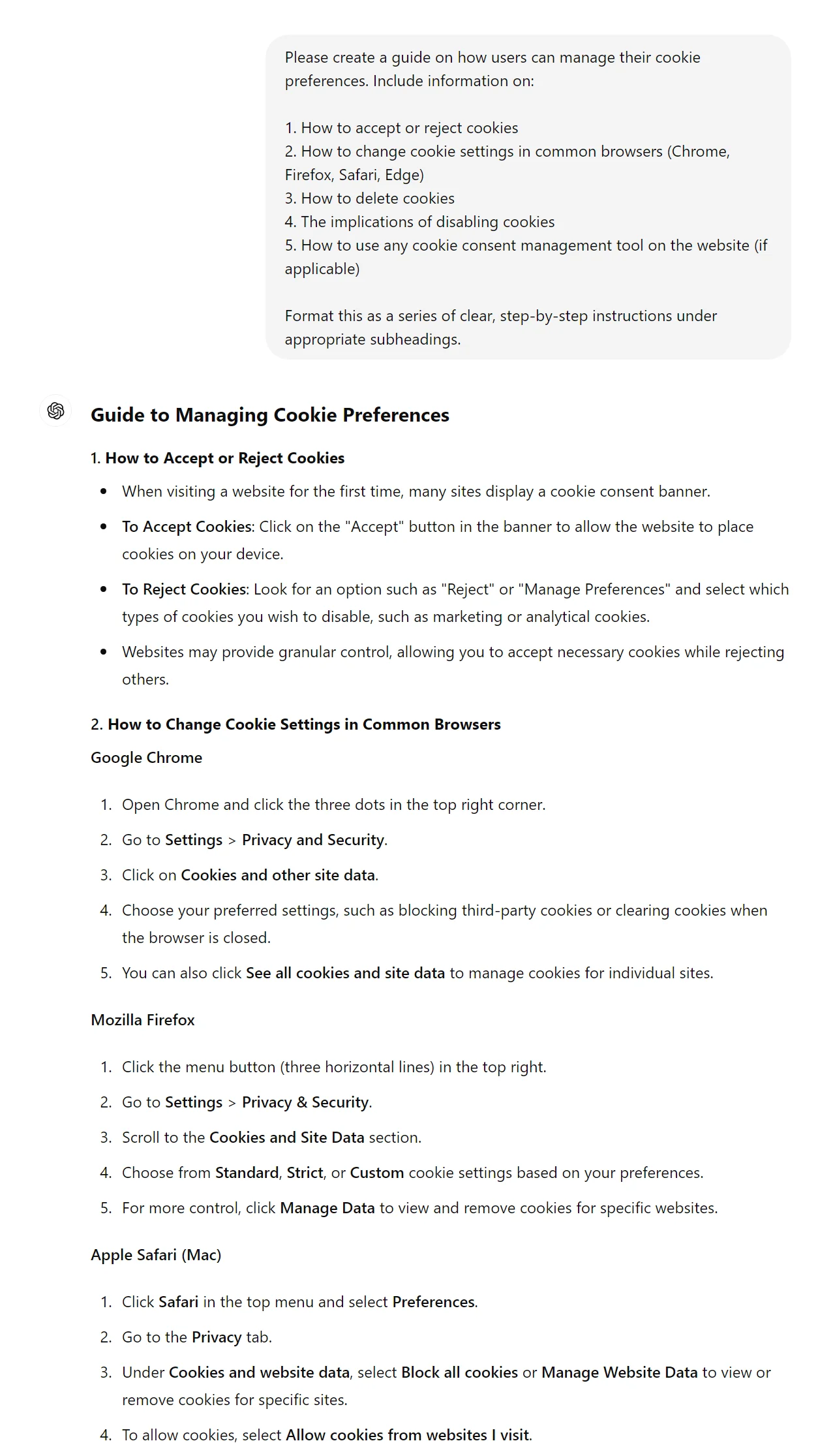
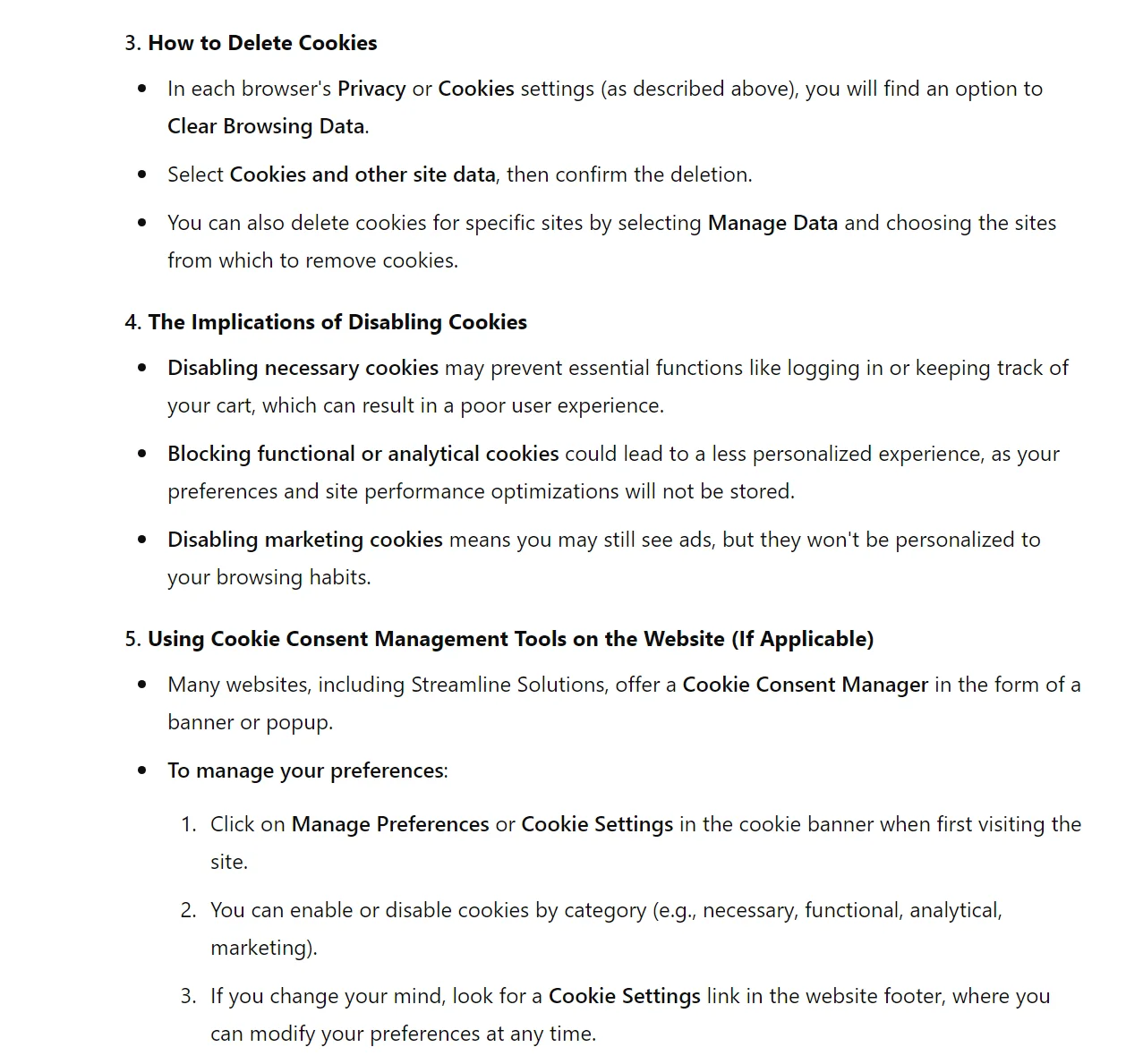
Review the guide provided by ChatGPT and customize it to match your website's specific cookie management options. If you use a cookie consent management tool, be sure to include detailed instructions on how to use it.
Step 4: Outline the implications of accepting or rejecting cookies
To ensure users make informed decisions about their cookie preferences, it's important to clearly explain the implications of accepting or rejecting different types of cookies. This step will help users understand the trade-offs between functionality and privacy.
We'll use ChatGPT to generate a balanced explanation of these implications, which we can then refine to fit our specific website features.
Prompt:
Please create a detailed explanation of the implications of accepting or rejecting cookies on a website. Include:
1. The benefits of accepting cookies
2. The drawbacks of accepting cookies
3. The consequences of rejecting all cookies
4. The impact of rejecting specific types of cookies (based on the categories we identified earlier)
Format this as a series of pros and cons for accepting and rejecting cookies, followed by a brief paragraph on finding the right balance.
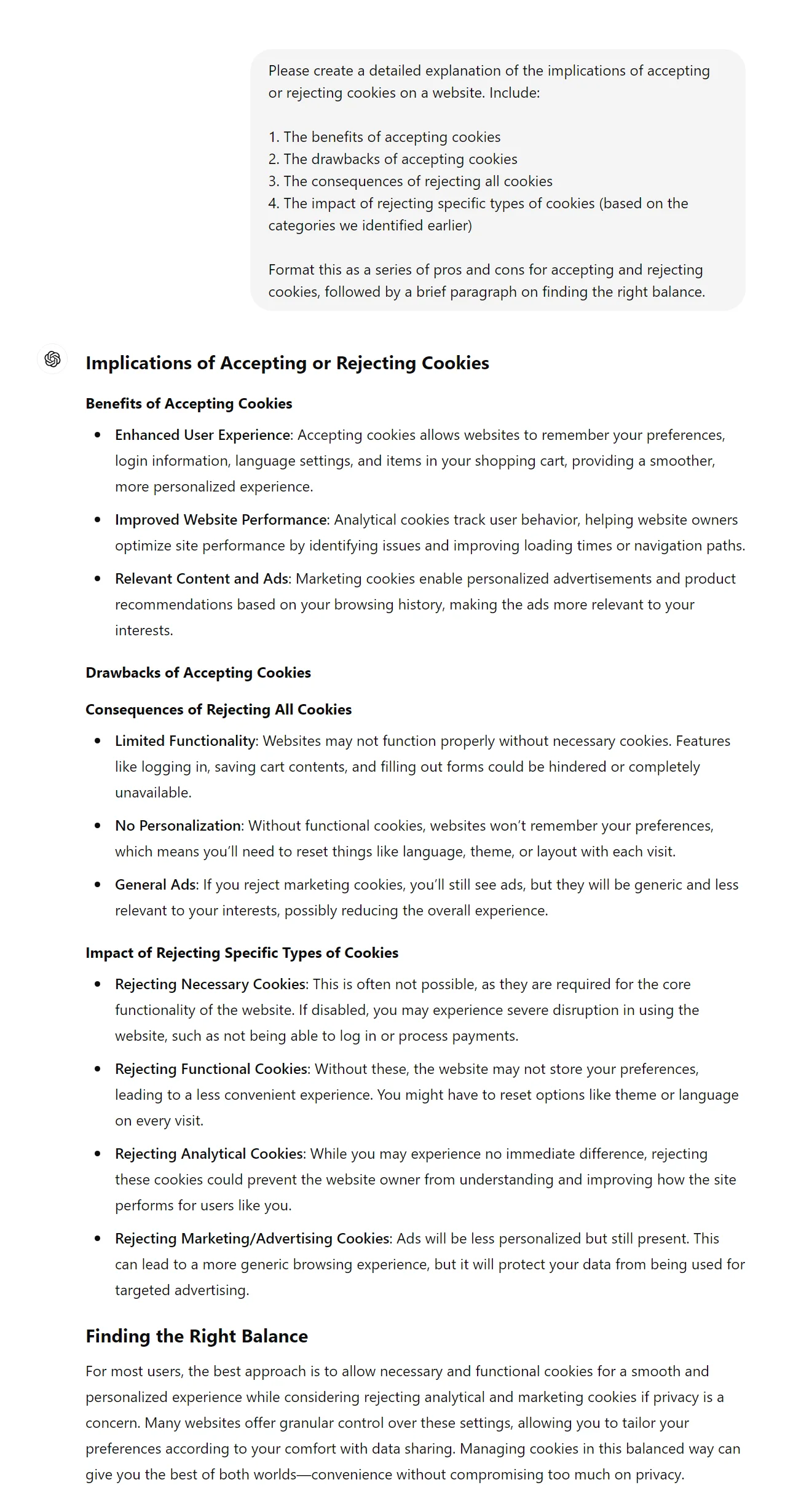
Review the explanation provided by ChatGPT and customize it to accurately reflect the specific features and functionalities of your website that rely on cookies. Be sure to highlight any critical functions that may be impaired if cookies are rejected.
Step 5: Compile the comprehensive cookie policy
Now that we have all the necessary components, it's time to compile everything into a cohesive, user-friendly cookie policy. We'll use ChatGPT to help structure all the information we've gathered into a well-organized document.
Prompt:
Please compile a comprehensive cookie policy using all the information we've gathered in the previous steps. Include the following sections:
1. Introduction (briefly explain what cookies are and why we use them)
2. Types of cookies we use
3. Purpose and functionality of each cookie type
4. How to manage cookie preferences
5. Implications of accepting or rejecting cookies
6. Updates to this policy
7. Contact information for questions or concerns
Format this as a complete, ready-to-use cookie policy document. Use clear headings, subheadings, and bullet points where appropriate to improve readability.
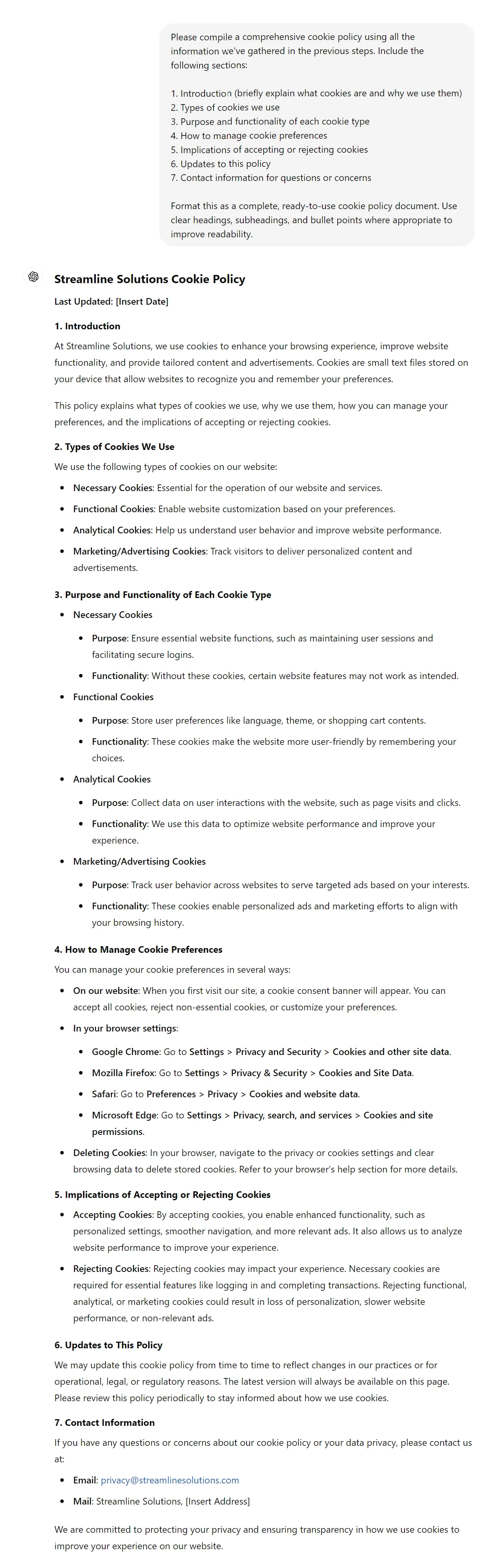
Review the compiled cookie policy carefully, making sure all the information is accurate and relevant to your website.
You've successfully created a comprehensive cookie policy using ChatGPT. This policy not only helps you comply with data protection regulations but also builds trust with your users by being transparent about your data collection practices.
Regularly review and update it to reflect any changes in your website's cookie usage or relevant regulations. Keep it easily accessible on your website, typically linked in the footer or privacy center.
By following this process, you've created a cookie policy that is informative, user-friendly, and tailored to your specific website. This level of transparency and detail will go a long way in building trust with your users and demonstrating your commitment to data privacy.
This tutorial was created by Tanmay.