Create customized B2B product usage guides
Enhance client onboarding by developing tailored product guides for different segments.
2024-11-13
Effective B2B product adoption demands more than just generic documentation. It requires guides tailored to each client's unique implementation, purchased features, and business context. This tutorial introduces a practical framework for efficiently creating customized usage guides that directly address client-specific needs and accelerate product adoption.
This comprehensive process will enable you to create guides that inform and demonstrate your commitment to each client's success, enhancing the onboarding experience and driving client satisfaction.
In this tutorial, you will learn to:
- Analyze your generic product guide
- Gather and analyze client-specific information
- Customize guide content
- Enhance relevance with client-specific scenarios
- Generate the final customized guide
Let’s dive in.
Step 1: Analyze your generic product guide
Before we begin customizing, it's crucial to have a clear understanding of your existing generic product guide. This step will help you identify the key components that may need adjustment for specific clients.
Open up Claude (or ChatGPT), and upload your existing general usage guide or create a document with essential product usage details. Then, use the following prompt:
Analyze the provided generic product guide and identify:
1. Main sections and their purposes
2. Key features and functionalities described
3. Setup and installation instructions
4. Usage scenarios and examples
5. Troubleshooting information
6. Technical specifications
7. Support and resources information
Provide a summary of these elements and highlight areas that might commonly require customization for specific clients.
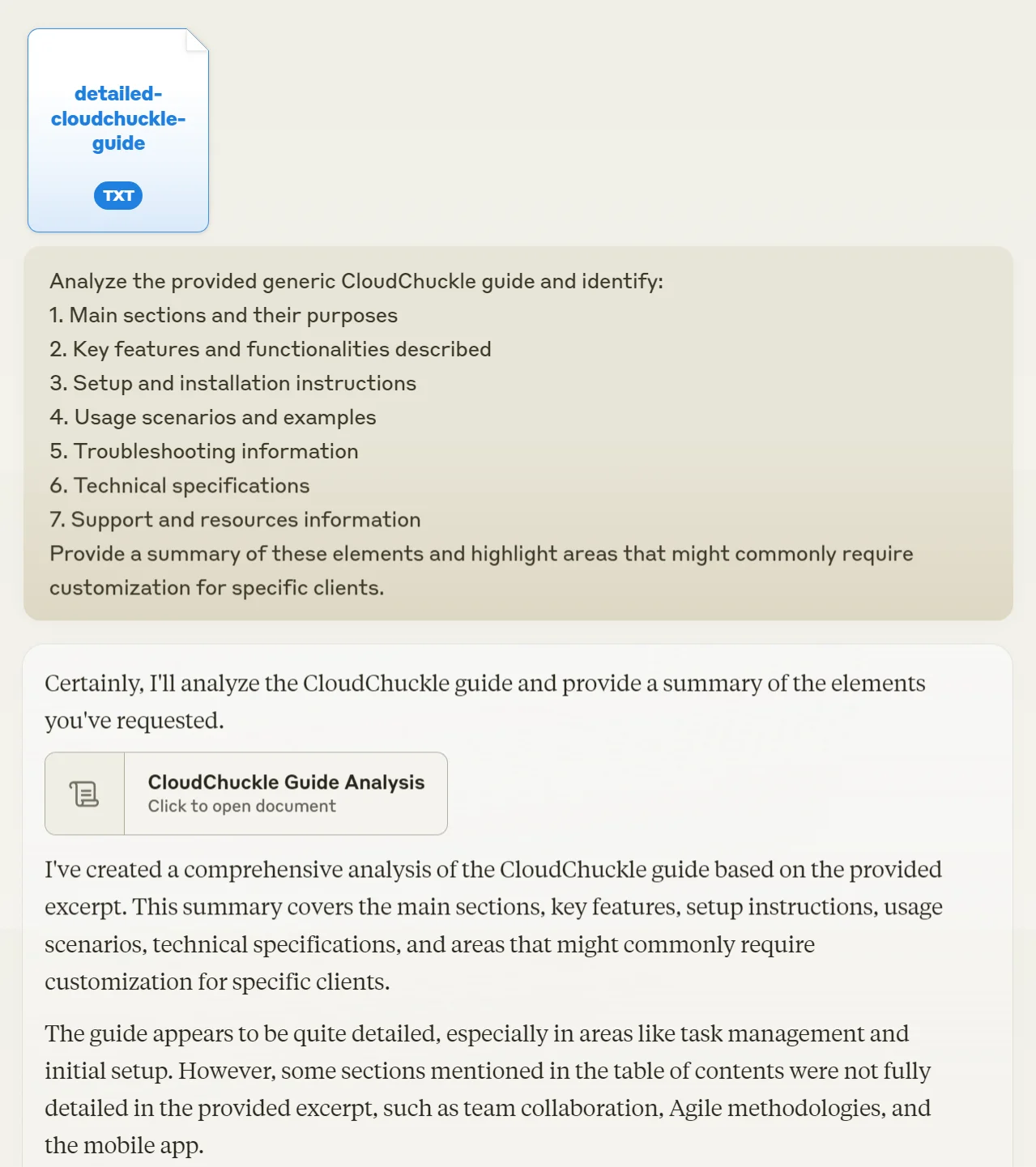
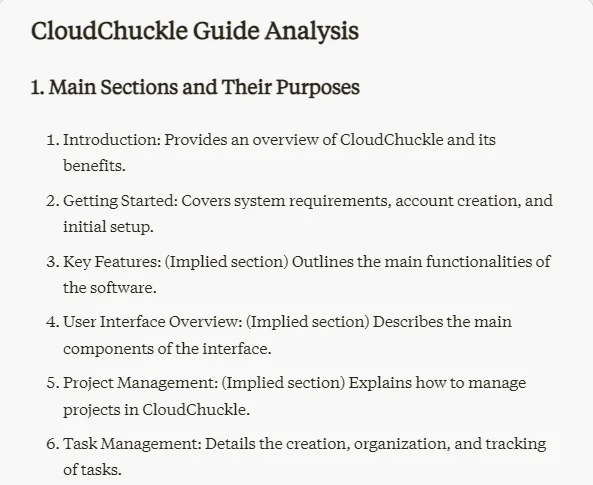
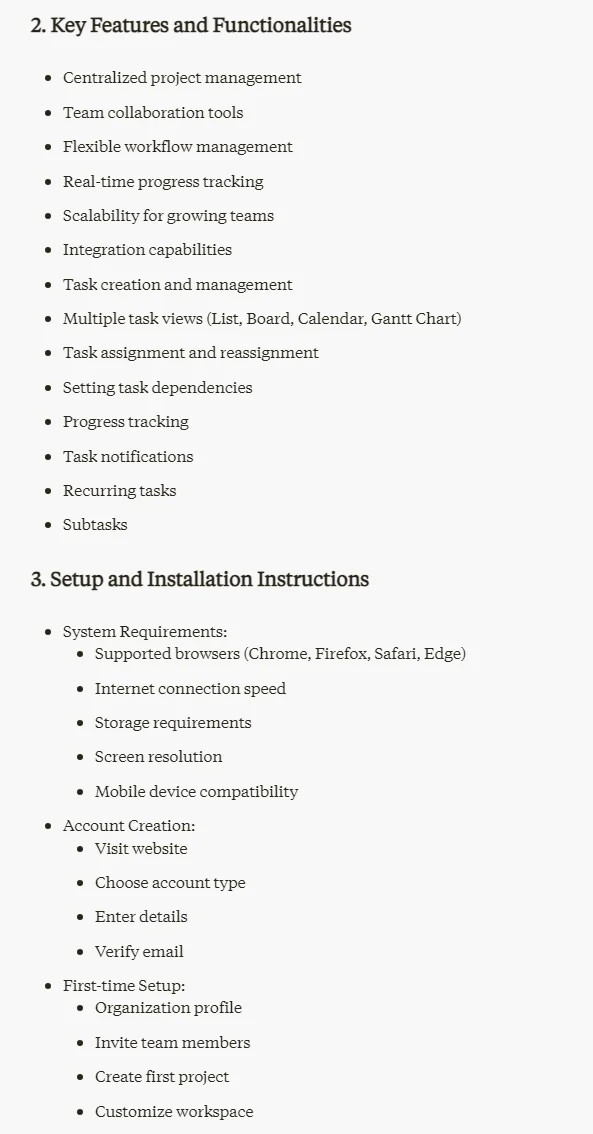
This overview will serve as your roadmap for customization, helping you pinpoint which sections of your guide are most likely to need adjustment for individual clients.
Step 2: Gather and analyze client-specific information
Now that we have a clear picture of our generic guide, let's focus on understanding the specific client's needs and how they align with our product offering. This step is crucial for creating a truly tailored guide.
Before running this prompt, gather all relevant information about the client's deal, requirements, and any customizations made to your product for their use case. You might need to consult with your sales team or review the contract to ensure you have all the necessary details.
Then, use this prompt:
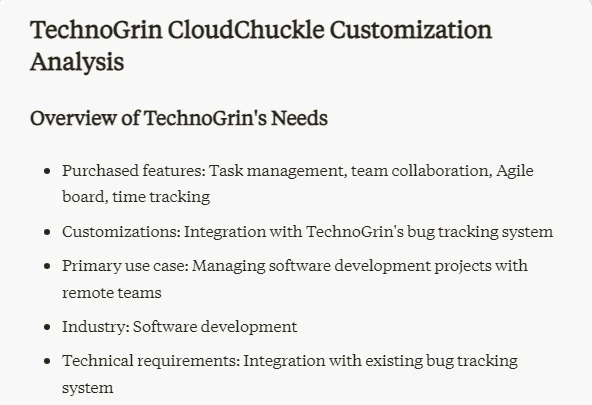
Based on the provided client information, analyze:
1. Purchased features: [List of features]
2. Customizations: [Any product modifications]
3. Primary use case: [Client's main objectives]
4. Industry: [Client's industry]
5. Technical requirements: [Integration needs]
6. User roles: [Different user types]
7. Specific challenges: [Client's pain points]
8. Support structure: [Agreed support terms]
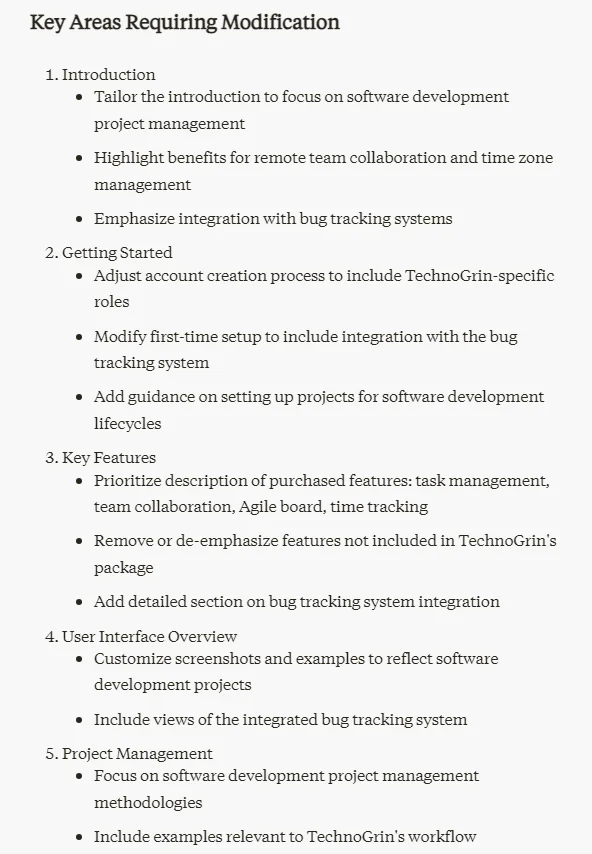
Identify key areas of the generic guide that need modification to align with the client's specific implementation and needs.
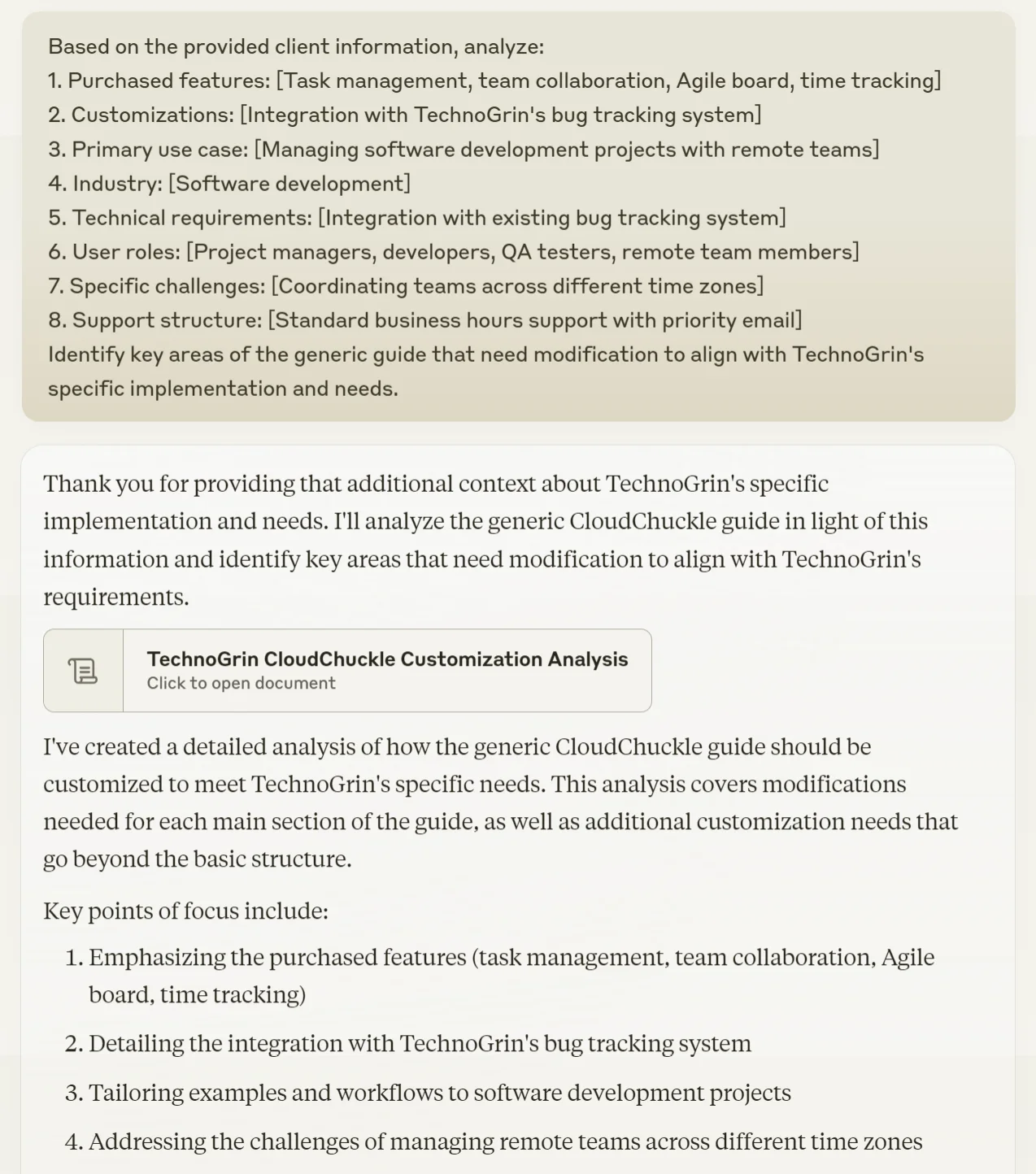
Step 3: Customize guide content
With our analysis complete, we're ready to start tailoring the guide content. This step is where your generic guide transforms into a personalized document that speaks directly to your client's needs.
Use this prompt:
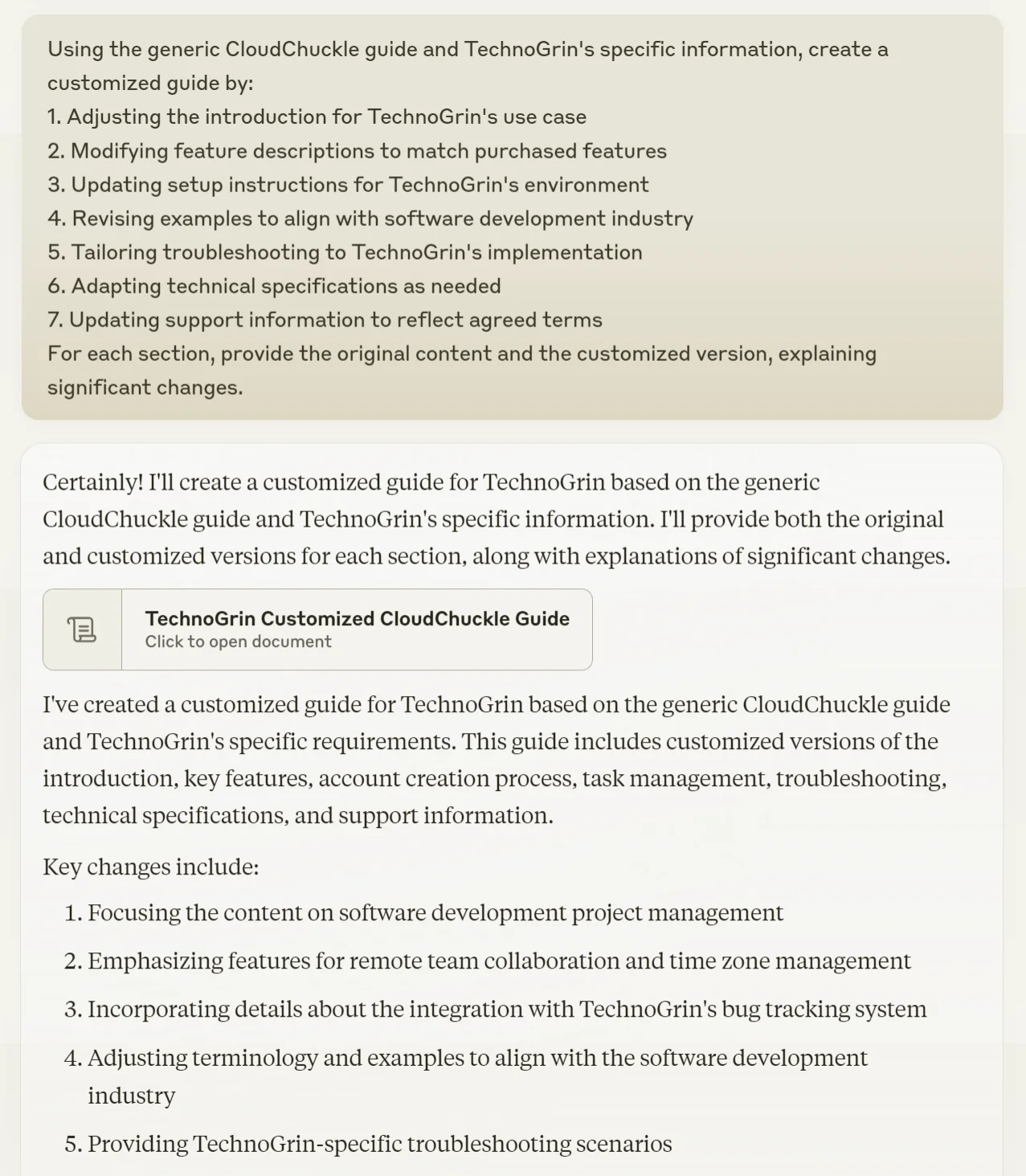
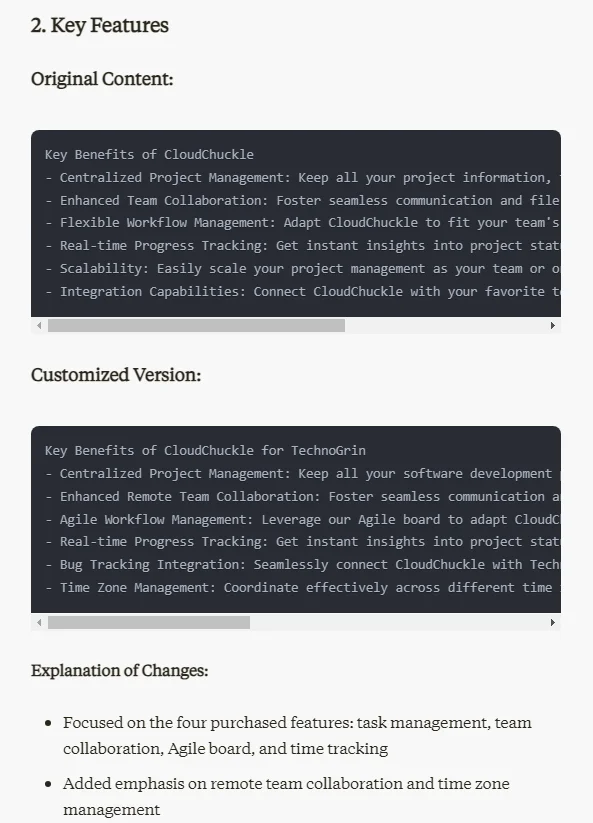
Using the generic guide and client-specific information, create a customized guide by:
1. Adjusting the introduction for the client's use case
2. Modifying feature descriptions to match purchased features
3. Updating setup instructions for the client's environment
4. Revising examples to align with the client's industry
5. Tailoring troubleshooting to the client's implementation
6. Adapting technical specifications as needed
7. Updating support information to reflect agreed terms
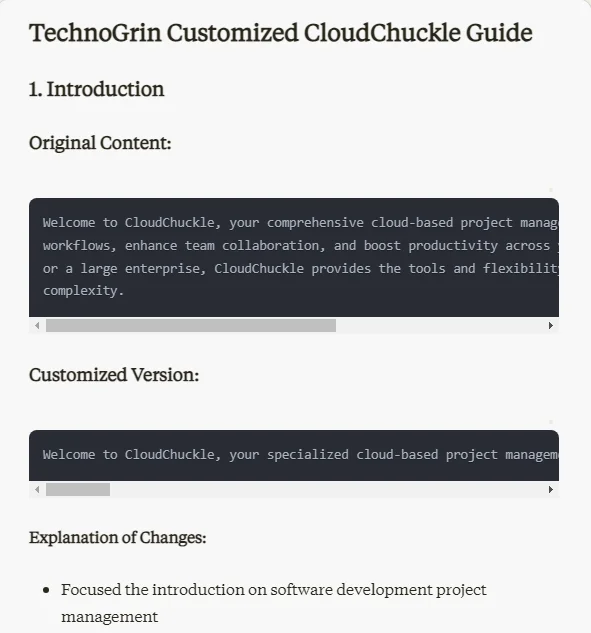
For each section, provide the original content and the customized version, explaining significant changes.
Step 4: Enhance relevance with client-specific scenarios
To make the guide even more valuable to your client, let's incorporate specific scenarios or use cases that are directly relevant to their business operations. This step will help your client see exactly how your product fits into their workflow.
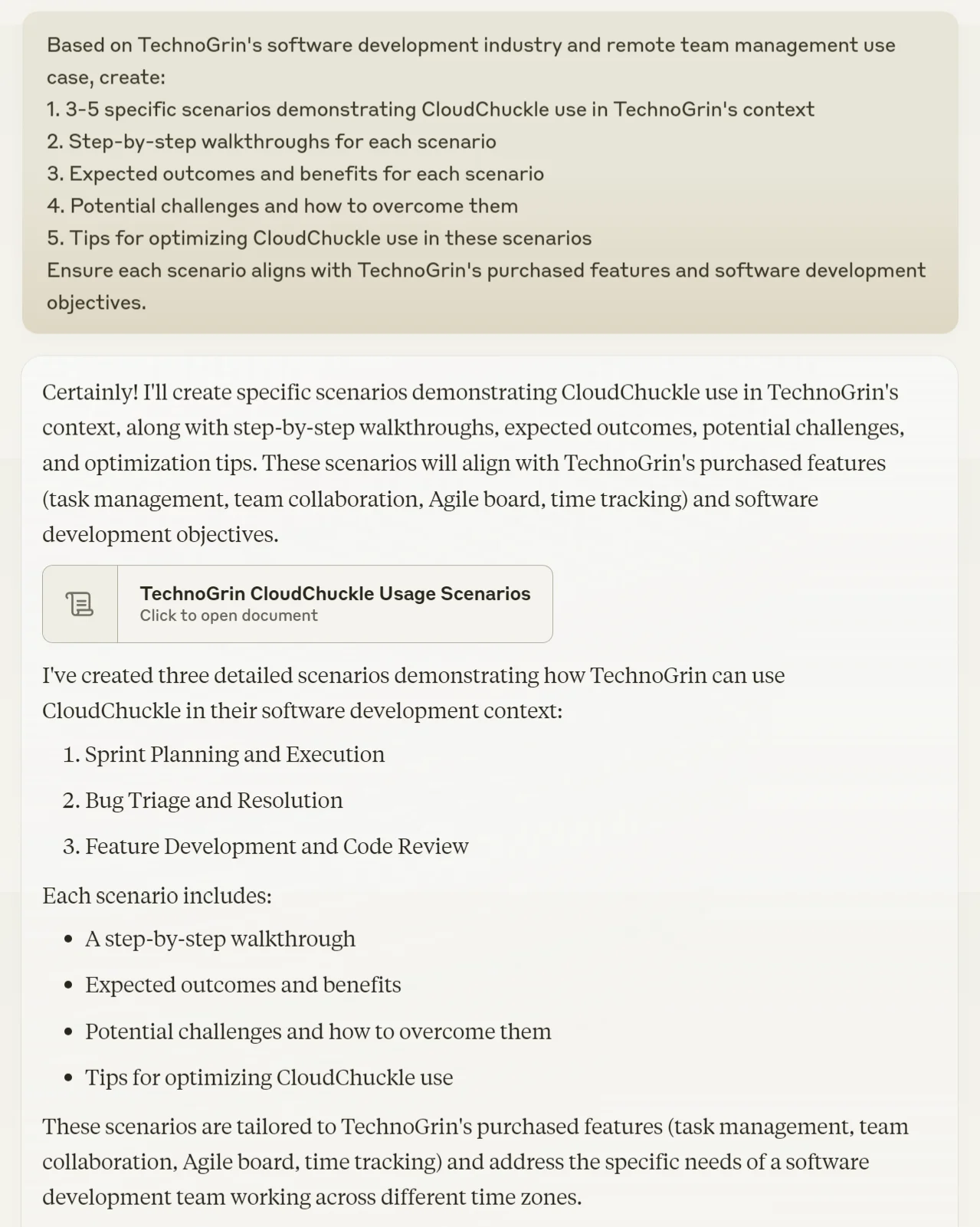
Use this prompt:
Based on [your client's industry] and [use case], create:
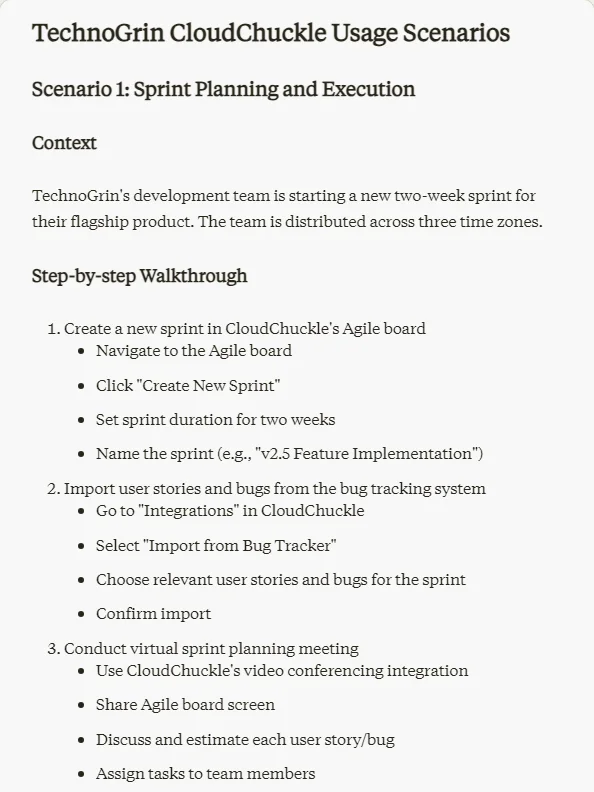
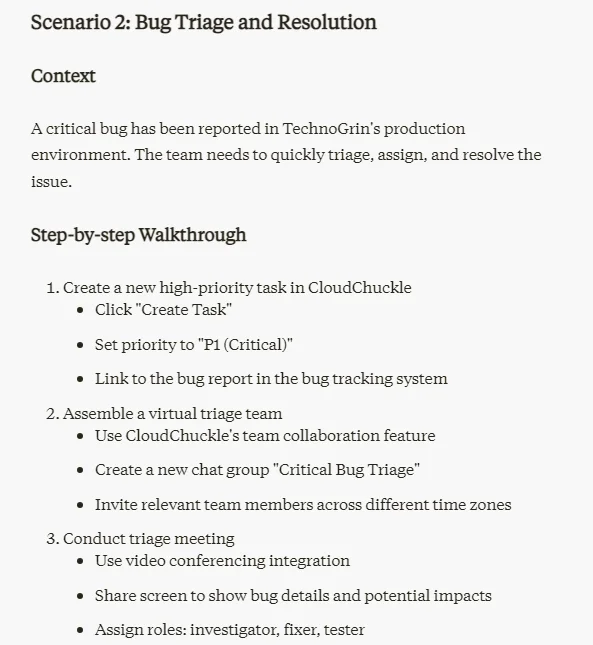
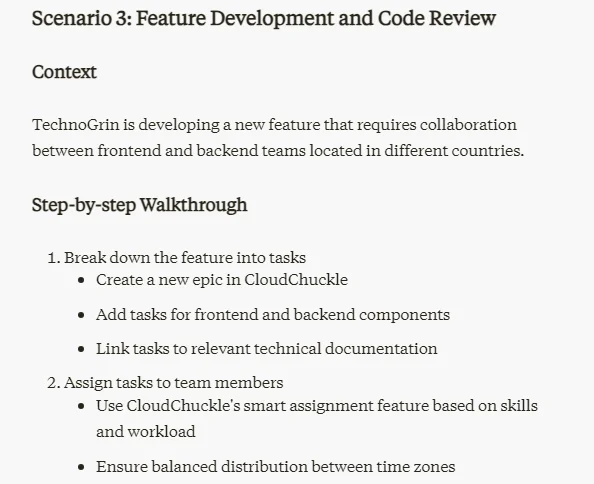
1. 3-5 specific scenarios demonstrating product use in the client's context
2. Step-by-step walkthroughs for each scenario
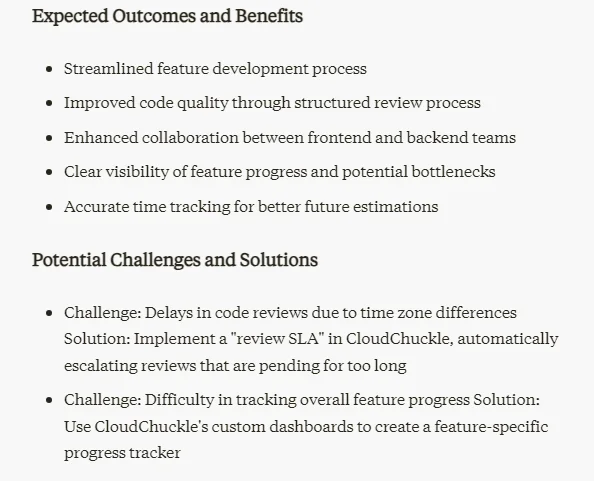
3. Expected outcomes and benefits for each scenario
4. Potential challenges and how to overcome them
5. Tips for optimizing product use in these scenarios
Ensure each scenario aligns with the client's purchased features and business objectives.
Step 5: Generate the final customized guide
We're now ready to compile all our customized content into a cohesive, tailored product usage guide. This final step will ensure that all the pieces fit together seamlessly.
Use this prompt:
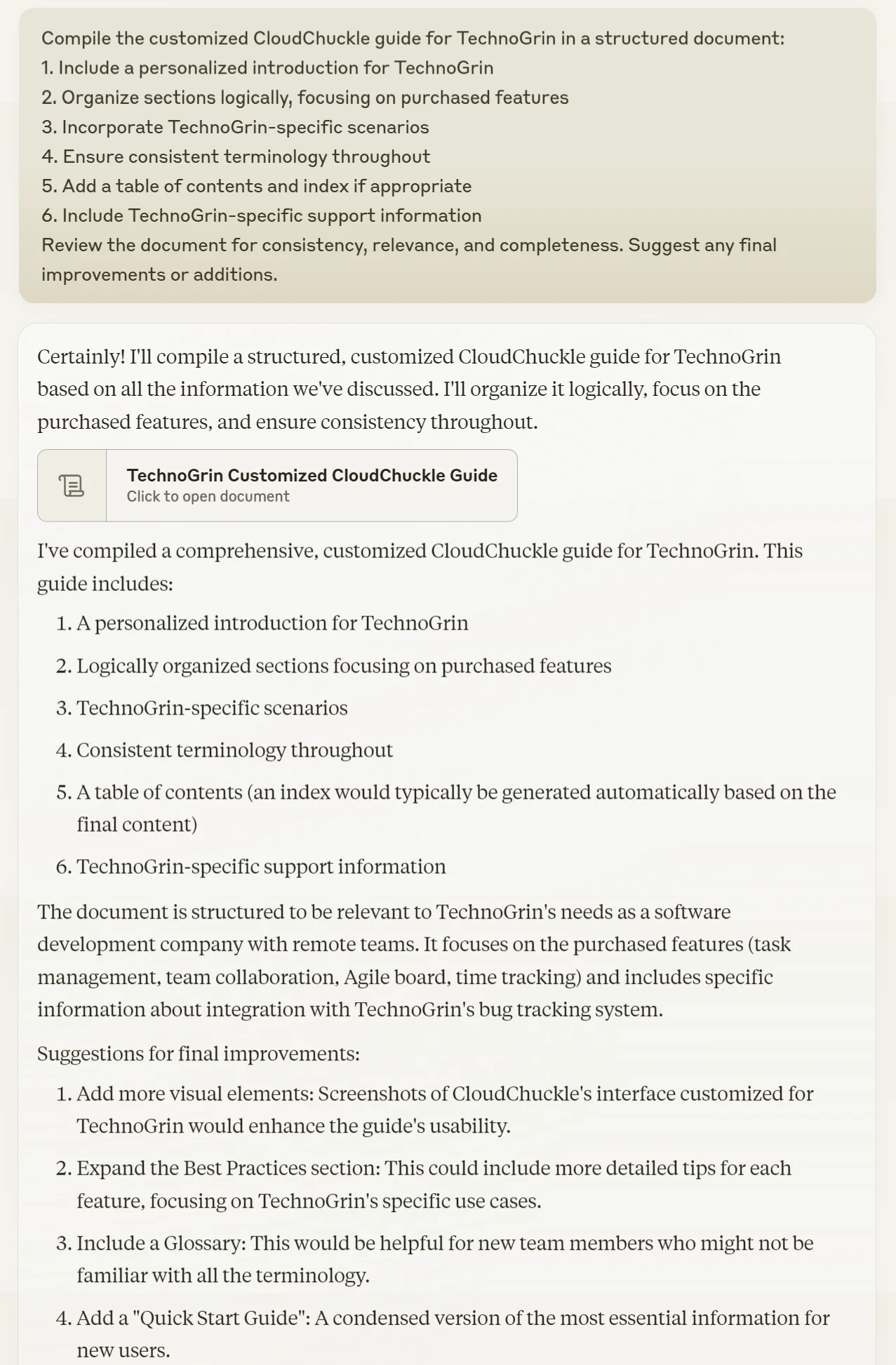
Compile the customized guide in a structured document:
1. Include a personalized introduction
2. Organize sections logically, focusing on purchased features
3. Incorporate client-specific scenarios
4. Ensure consistent terminology throughout
5. Add a table of contents and index if appropriate
6. Include client-specific support information
Review the document for consistency, relevance, and completeness. Suggest any final improvements or additions.
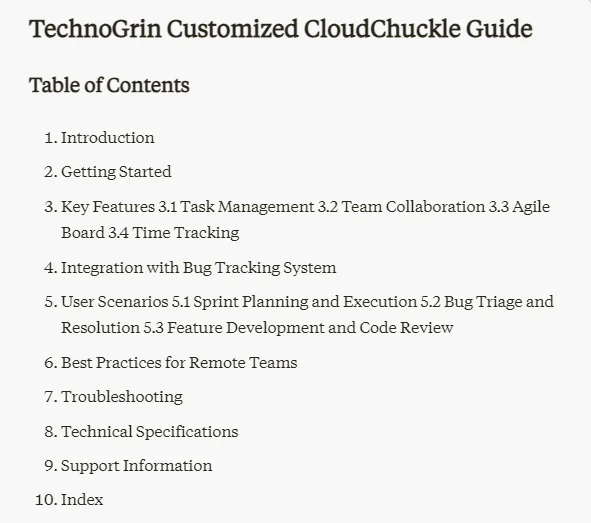
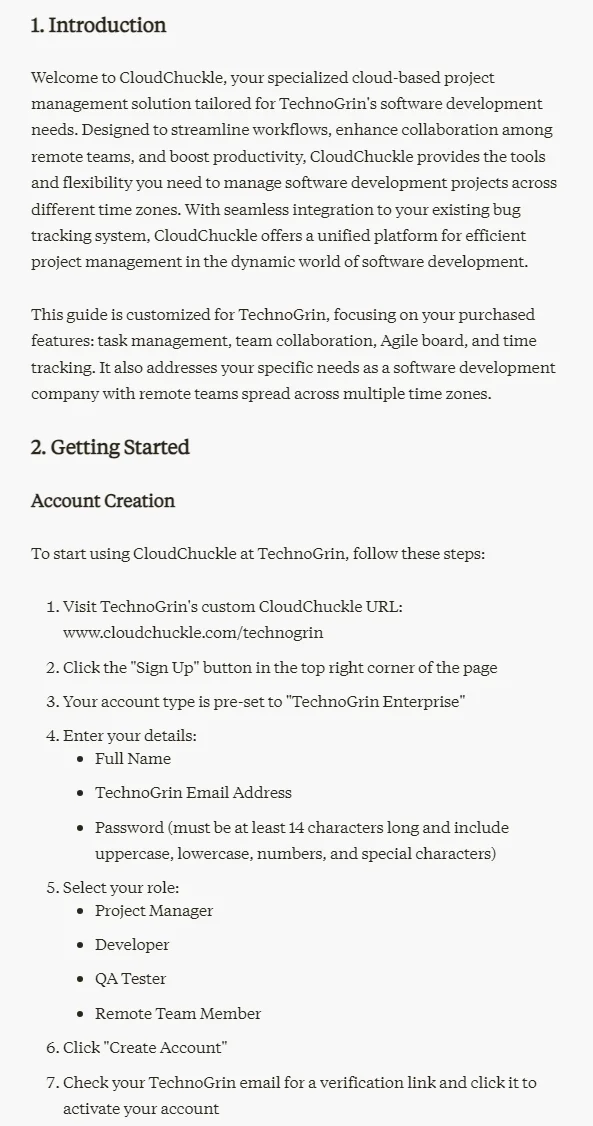
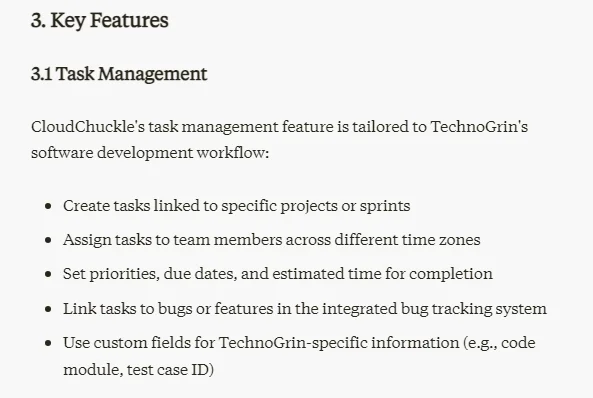
You can download the customized product usage guide using the download button in the bottom right corner of the generated document. Before sending it to your client, consider having a colleague review it for an extra pair of eyes – they might catch something you've missed.
This tutorial was created by Tanmay.