Create HR-related docs, resources, and policies
Learn the prompting process to go from HR policy requirements to written documents with Claude.
2024-12-09
Welcome to the second part of our Implementing AI into HR Processes course.
This tutorial will show you how to go from a policy requirement to a written document using Anthropic’s Claude chatbot. Specifically, we’ll be creating a remote work policy, but you can apply the same steps to other HR-related policy docs.
Steps we’ll follow in this tutorial:
- Draft and refine policy outlines
- Generate policy content
- Generate policy document
As mentioned, this process can be applied to create a variety of policy documents. Below are some examples of HR policies we've created using this method. Click on any of the below tutorials to dive deeper into these specific use cases.
- Equal Employment Opportunity (EEO) Policy
- Employee Handbook
- Performance Reviews
- Dismissal Process
- Employment Contract
Let’s dive in and create our first HR document - a remote work policy - together with Claude.
Draft and refine policy outlines
To start, we’ll ask Claude to create an outline of our policy, and we’ll also provide Claude with some brief context about our company to have the policy tailored to our business.
Sample Prompt:
I need help drafting a [insert type of policy]. Can you help me create an outline for this policy? For background on my company, my company is a [insert a brief description of your business type, size, and industry].
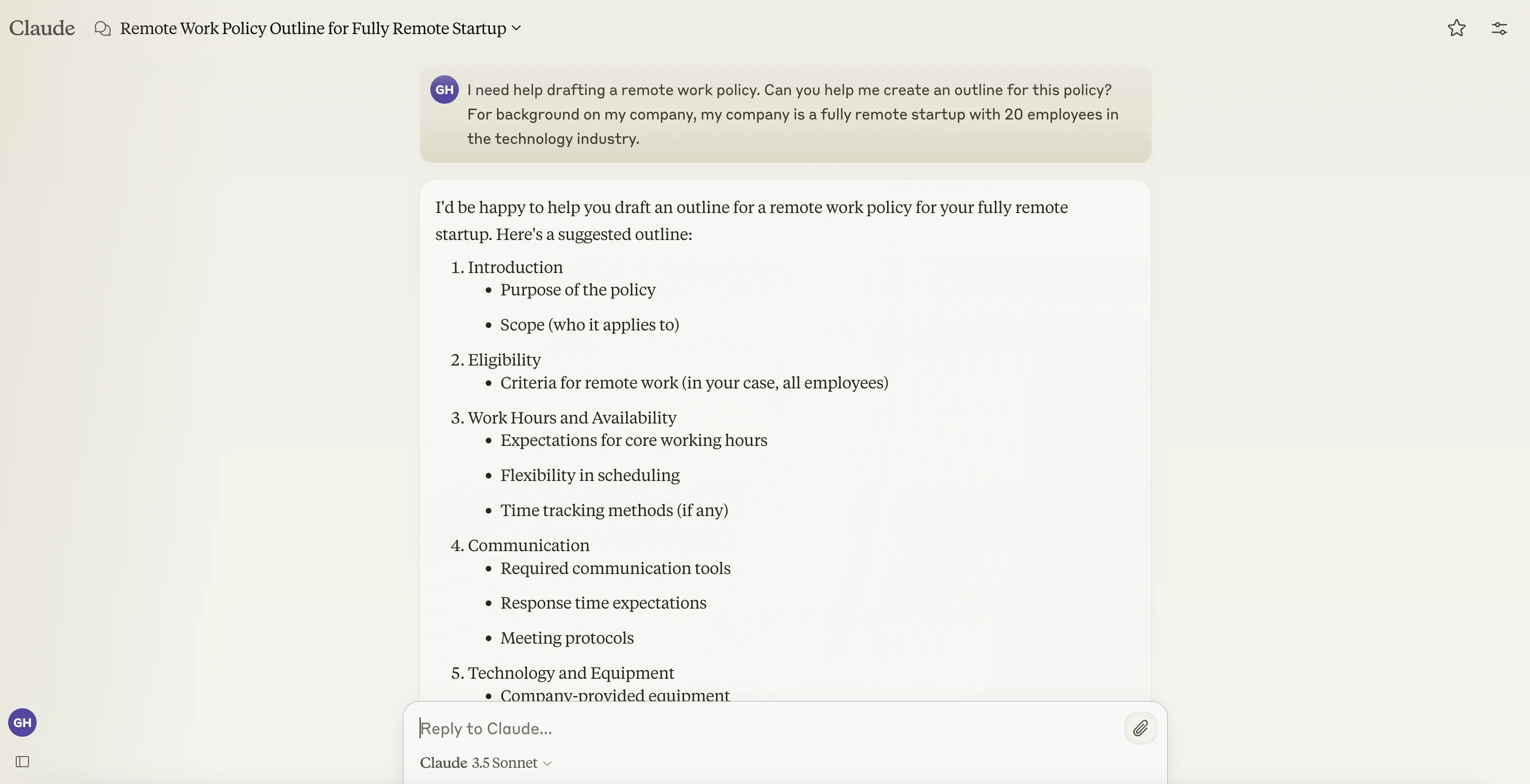
We can now review the initial outline and ask Claude to refine it based on updates we want to make. For instance, we’re going to remove the “Performance Expectations” section.
Sample Prompt:
Can you [insert edit] the section on [insert content area]?
.webp)
Generate policy content
Now that we have a satisfactory outline of the policy, we can request a full draft from Claude.
Sample Prompt:
Based on this outline, can you draft a full [type of policy]? Please keep it concise but comprehensive.
.webp)
Generate policy document
As a final step, you can ask Claude to help you turn this into a distribution-ready document.
Sample Prompt:
The content looks great now. Can you format it in a professional policy document style with clear headings and subheadings? Also, please add a footer with 'Last Updated: [Current Date]' and 'Page X of Y' notation.
.webp)
Now that we have our remote work policy in a formatted document, we can share it in a few ways. We can:
- copy and paste the content into a knowledge base like Confluence, Notion, or Google Docs,
- publish it live directly in Claude and share it with our team (not ideal for this use case as it will be accessible to anyone on the internet), or
- download the content for later use.
All of these options are accessible in the bottom right corner of the Artifact preview.
.webp)
We’re going to download the document, as we’re going to upload it to a shared Claude Project in the next tutorial, allowing anyone on your team with Claude access to chat with the document to ask questions on your newly created remote work policy.
This tutorial was created by Garrett.