Create lesson plans and syllabi
Partner with ChatGPT to develop lesson plans and syllabi for your classroom lessons.
2024-12-05
Welcome to the second lesson in our AI for Educators course!
In this lesson, you’ll learn how to use ChatGPT and its newer canvas feature to create tailored syllabi and lesson plans for your classes. We’ll work with various prompts, GPT models, and third-party content (like academic calendars, curriculum documents, and more) to make lesson planning faster than ever.
Steps we’ll follow in this tutorial:
- Outline the components of a syllabus and lesson plan
- Create a syllabus tailored to your needs
- Plan your syllabus according to your academic calendar
- Create lesson plans
Tools needed:
Let’s get into it!
Outline the components of a syllabus and lesson plan
To get started, we’ll head over to ChatGPT and start a new thread. Rather than immediately asking for a syllabus and lesson plan for our course material, we can use a meta-prompt to ask ChatGPT to outline the key components of a lesson plan and syllabus.
Sample Prompt:
What are the components of a prompt I should use to create lesson plans and syllabi for teachers?
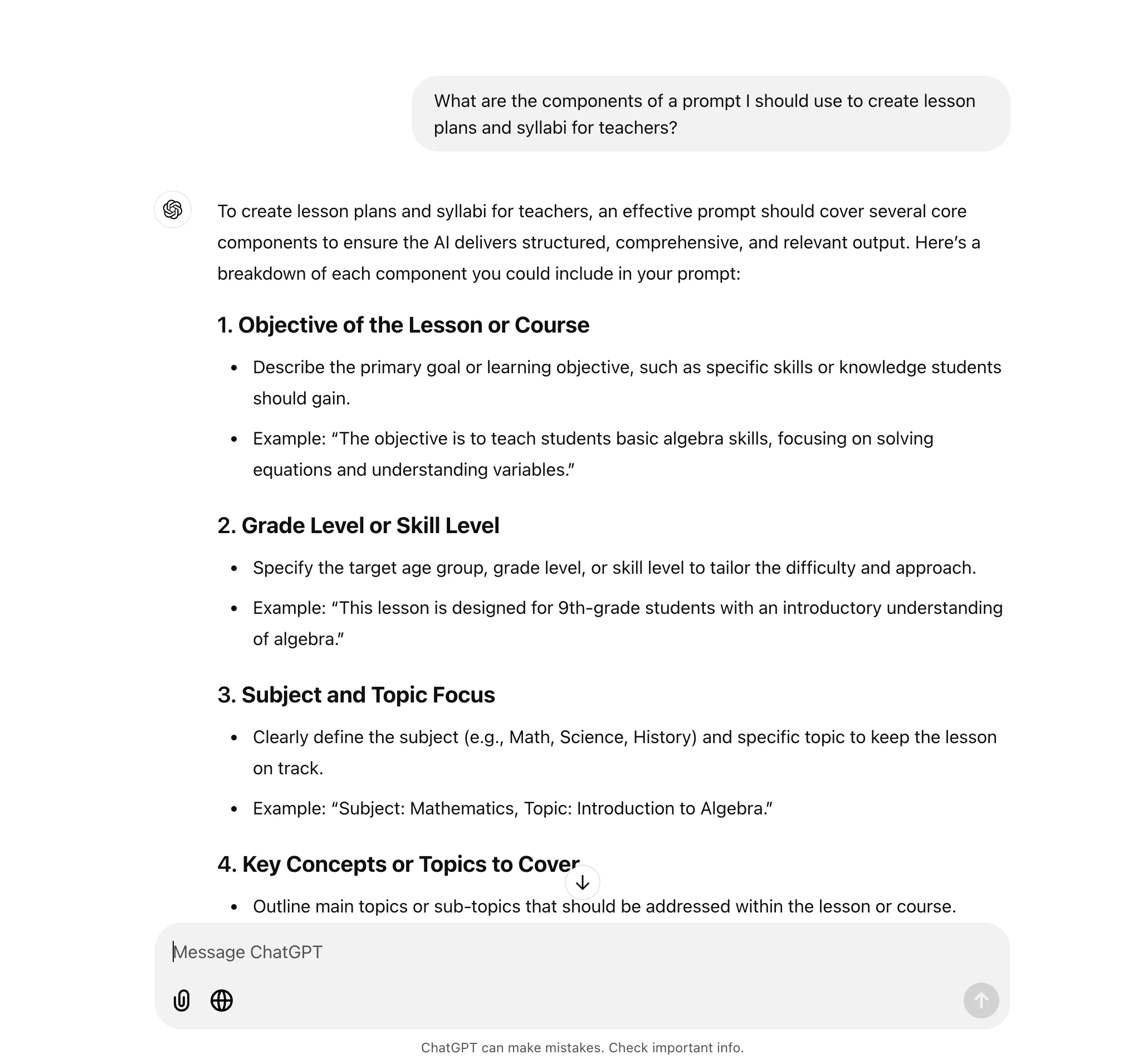
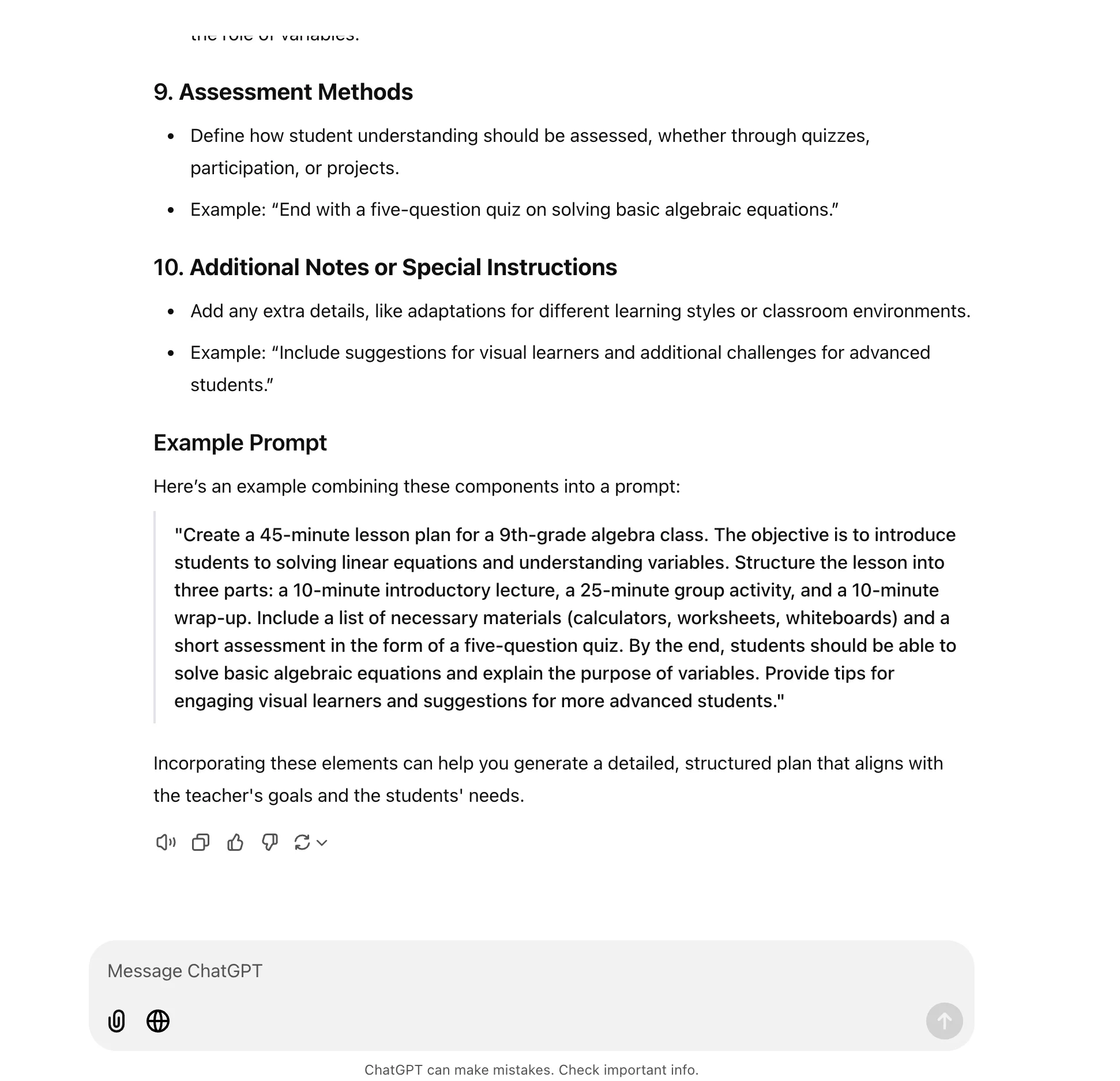
ChatGPT will not only provide all the components we should take into consideration for creating a syllabus and lesson plan but even provide an example prompt we can edit for our purposes.
Create a syllabus tailored to your needs
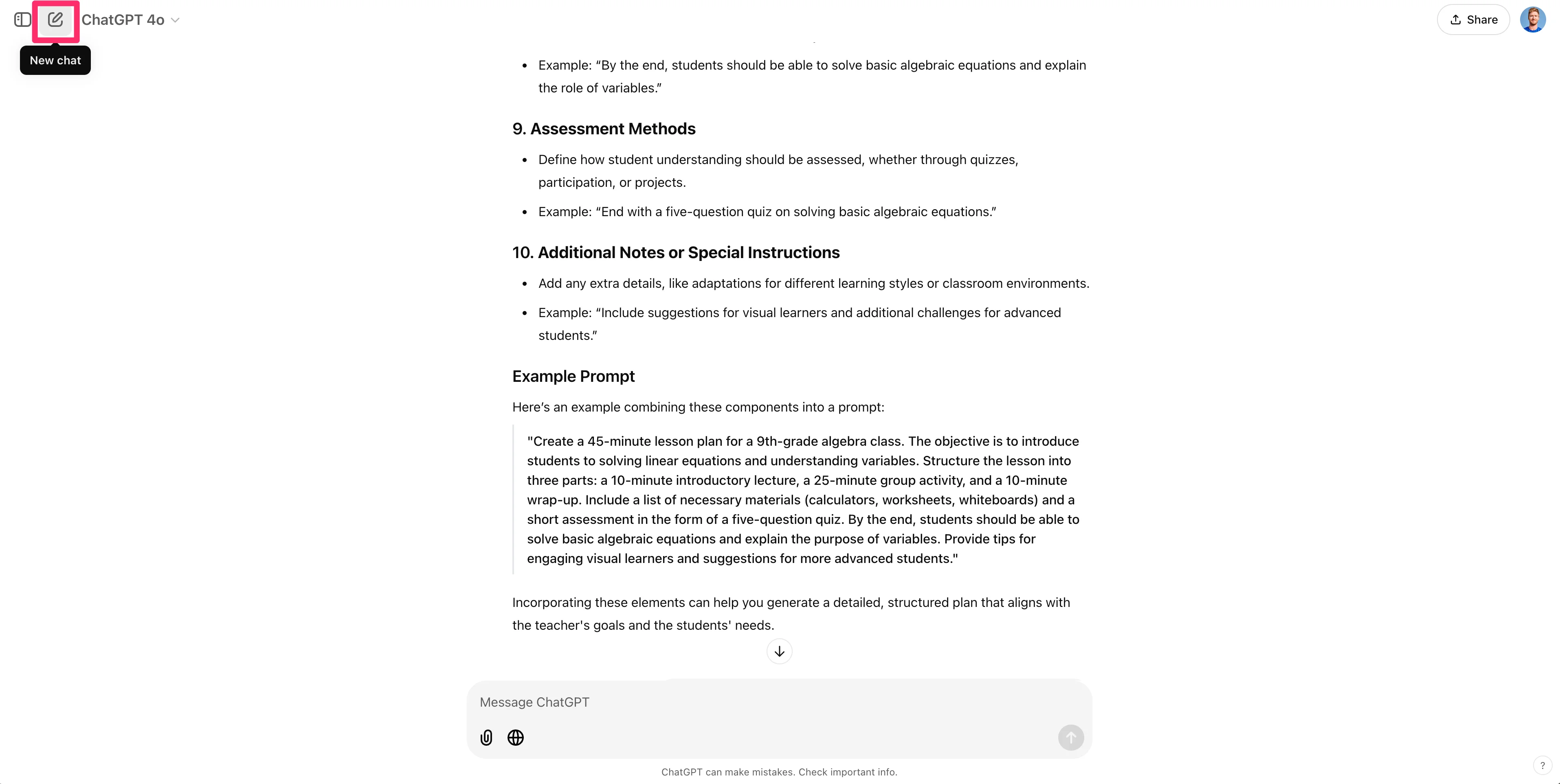
Now, we can get started on creating our class syllabus. Rather than following up in the same thread, we’re going to create a new thread in ChatGPT so that we can use the new canvas feature for our syllabus and lesson plans. To do this, click the “New chat” button in the top left corner of the page.
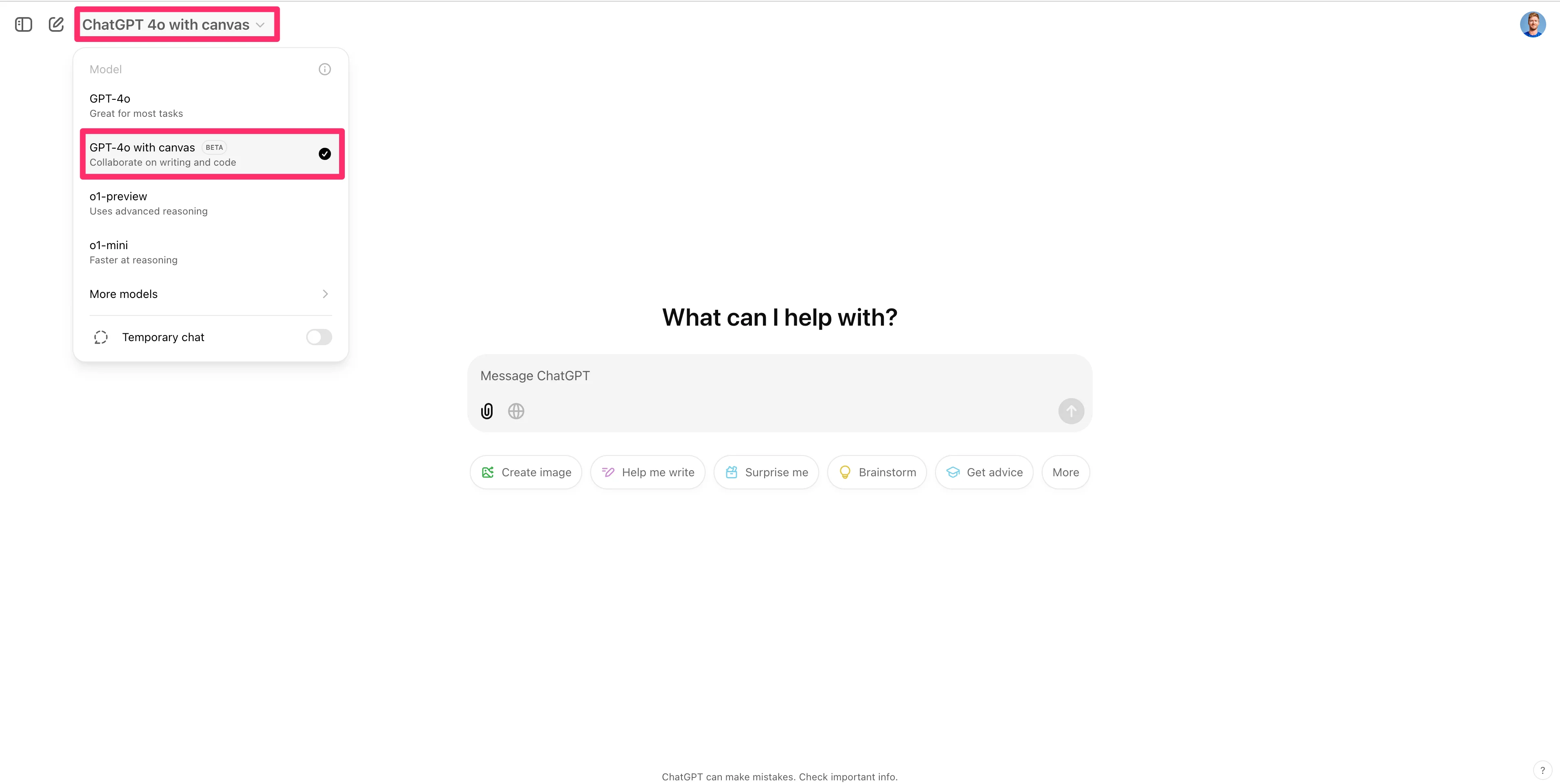
In the new thread, click the model dropdown and select “GPT-4o with canvas.”
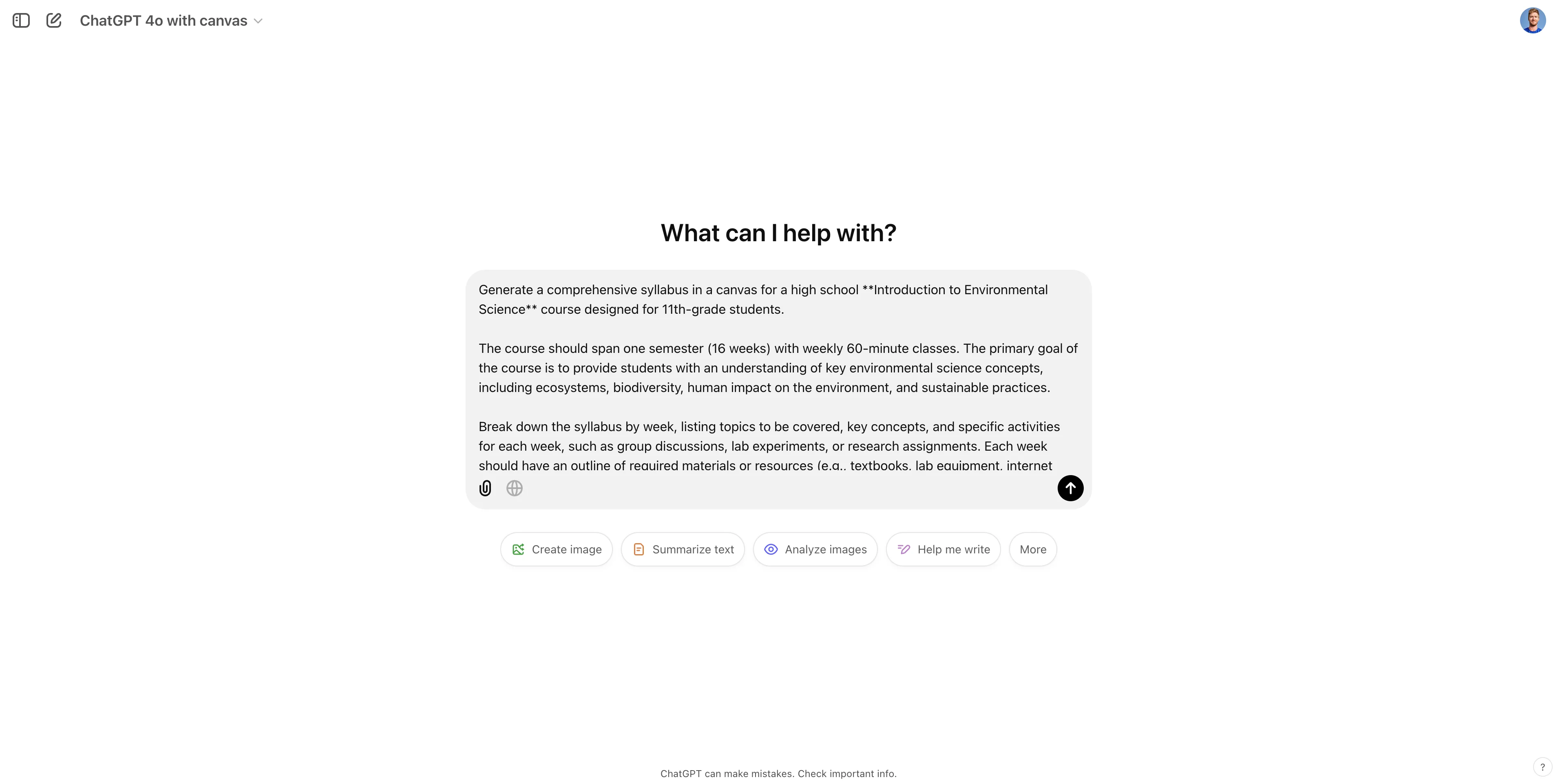
In this new thread, we’ll provide a large prompt to ChatGPT (based on the example prompt provided from our earlier chat) with the specifics of our course and curriculum, requesting it to generate a course syllabus. Make sure to edit all the components of this prompt to fit your needs.
Sample Prompt:
Generate a comprehensive syllabus in a canvas for a high school Introduction to Environmental Science course designed for 11th-grade students.
The course should span one semester (16 weeks) with weekly 60-minute classes. The primary goal of the course is to provide students with an understanding of key environmental science concepts, including ecosystems, biodiversity, human impact on the environment, and sustainable practices.
Break down the syllabus by week, listing topics to be covered, key concepts, and specific activities for each week, such as group discussions, lab experiments, or research assignments. Each week should have an outline of required materials or resources (e.g., textbooks, lab equipment, internet access for research).
Include measurable learning outcomes for the course, such as the ability to analyze ecosystem components, understand human environmental impact, and propose sustainable practices. Additionally, incorporate assessment methods throughout the semester, such as quizzes, participation in discussions, lab reports, a midterm project, and a final exam.
At the end of the syllabus, provide guidance on how students with different learning styles can engage with the material (e.g., visual aids for visual learners, discussions for auditory learners) and recommendations for students who may want to explore advanced topics.
Here is an example of the syllabus structure:
- Week 1: Introduction to Environmental Science - Overview of course objectives and expectations, introduction to ecosystems.
- Week 2: Basics of Ecology - Understanding species interactions, food chains, and food webs, with a small group activity to map a local ecosystem.
Design the syllabus with a balanced focus on theoretical knowledge and practical application, encouraging students to think critically about environmental issues in their communities.
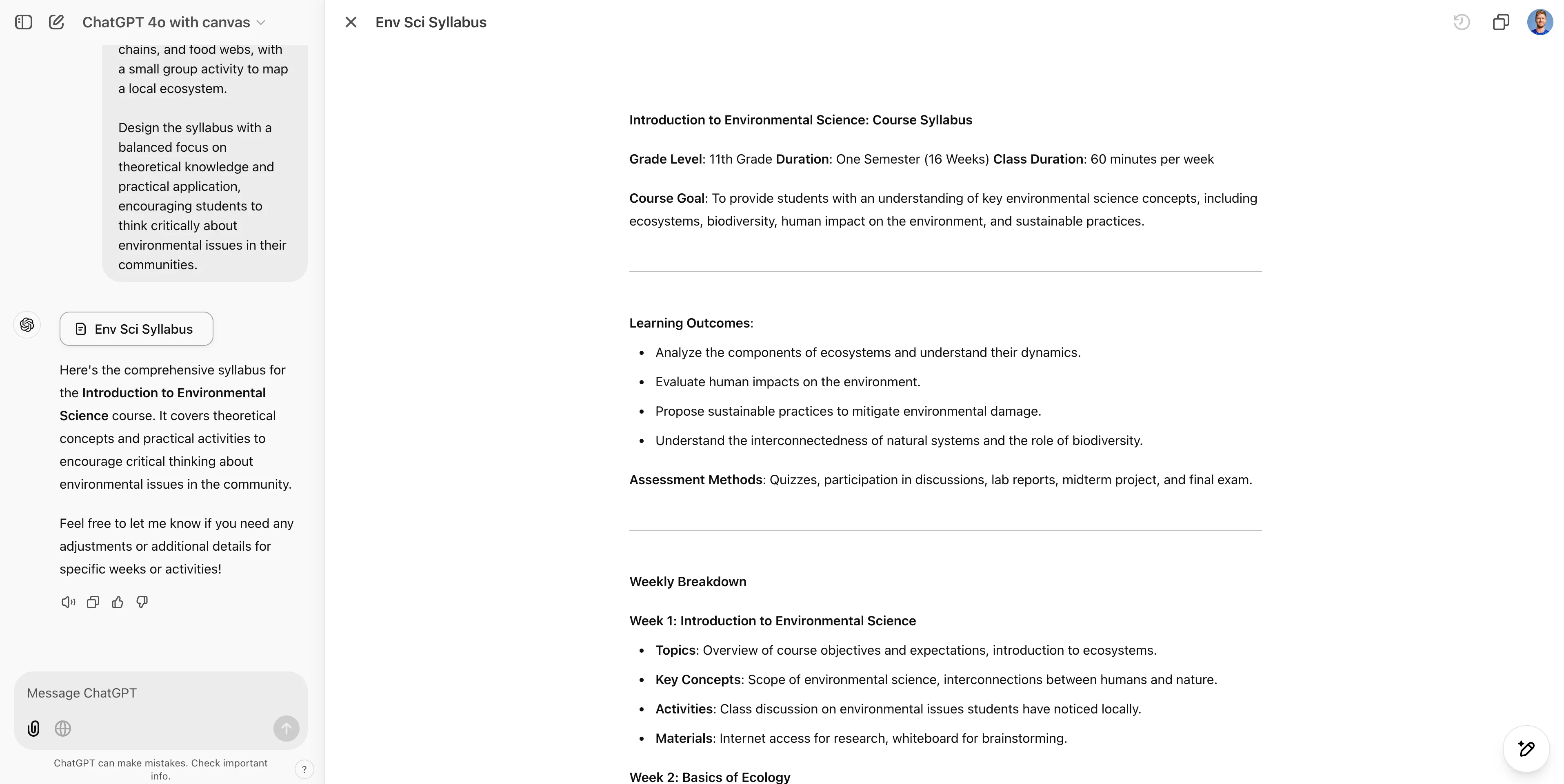
After you submit the request, you’ll be taken to the ChatGPT canvas experience, where ChatGPT will generate a syllabus for your course.
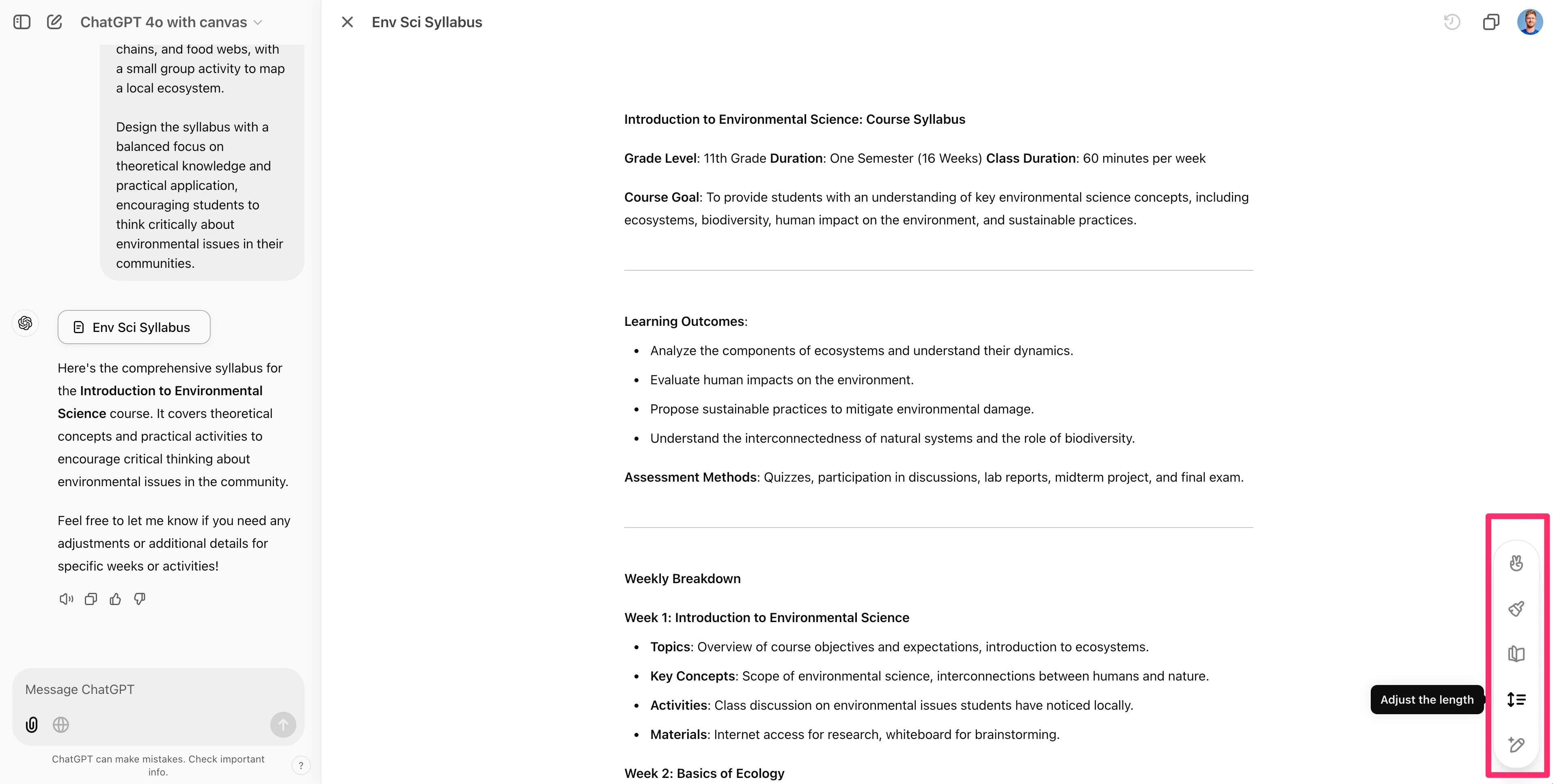
In the bottom right corner of the page, you can use preset tools to adjust the length of the syllabus, update the reading level, add emojis, and more.
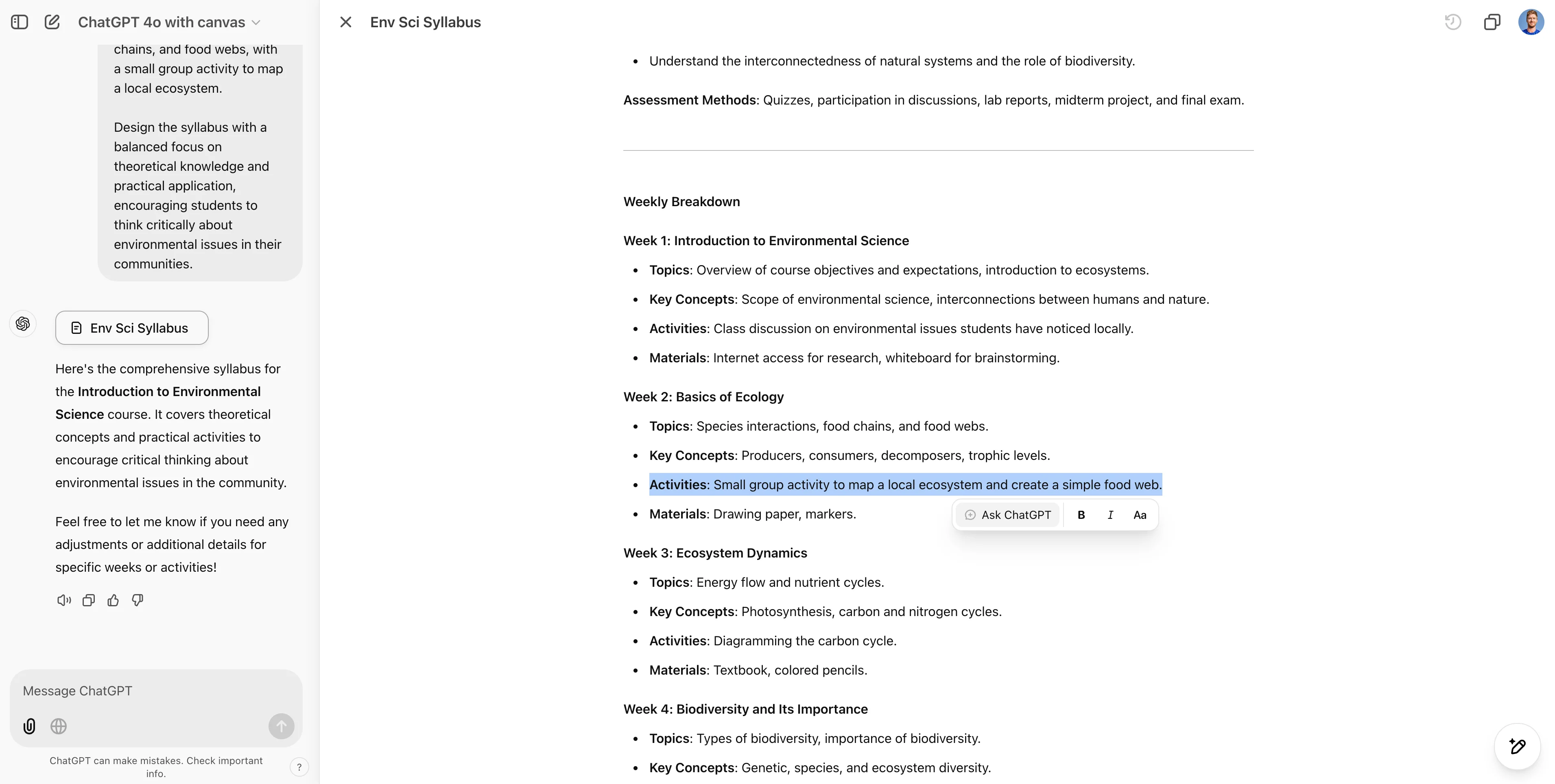
If you want to refine or follow up on a specific item with ChatGPT within the syllabus, you can highlight any text and click the “Ask ChatGPT” button to do so.
Plan your syllabus according to your academic calendar
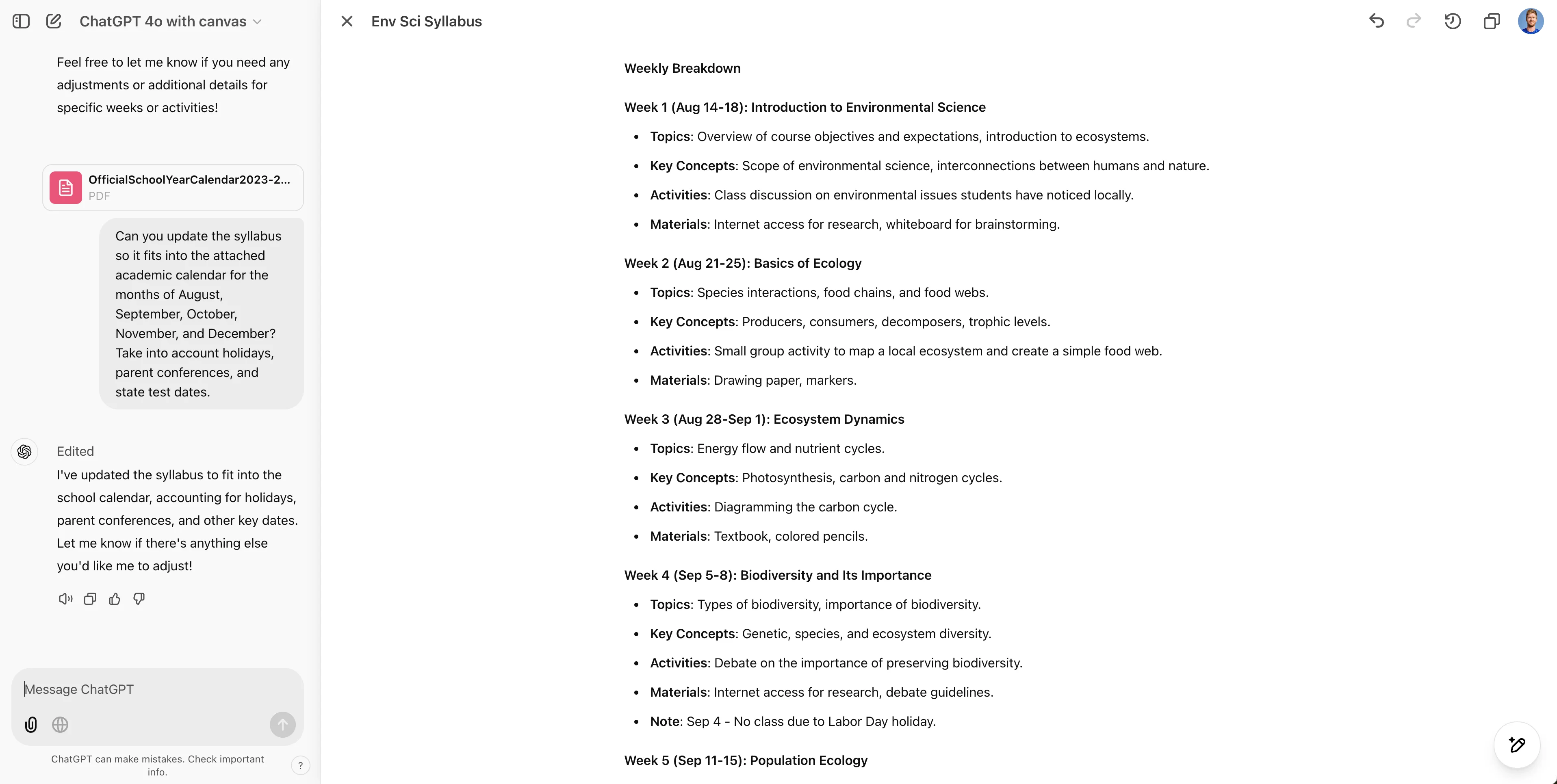
In addition to editing specific components of the syllabus, we can use the chat input at the bottom left side of the screen to prompt ChatGPT to make additional updates to our syllabus. In this example, we want to refine the syllabus so it fits within our specific school academic calendar. To do this, we’ll provide a prompt and attach a PDF of our academic calendar so that the syllabus is adjusted to fit within various time constraints.
Sample Prompt:
Can you update the syllabus so it fits into the attached academic calendar for the months of August, September, October, November, and December? Take into account holidays, parent conferences, and state test dates.
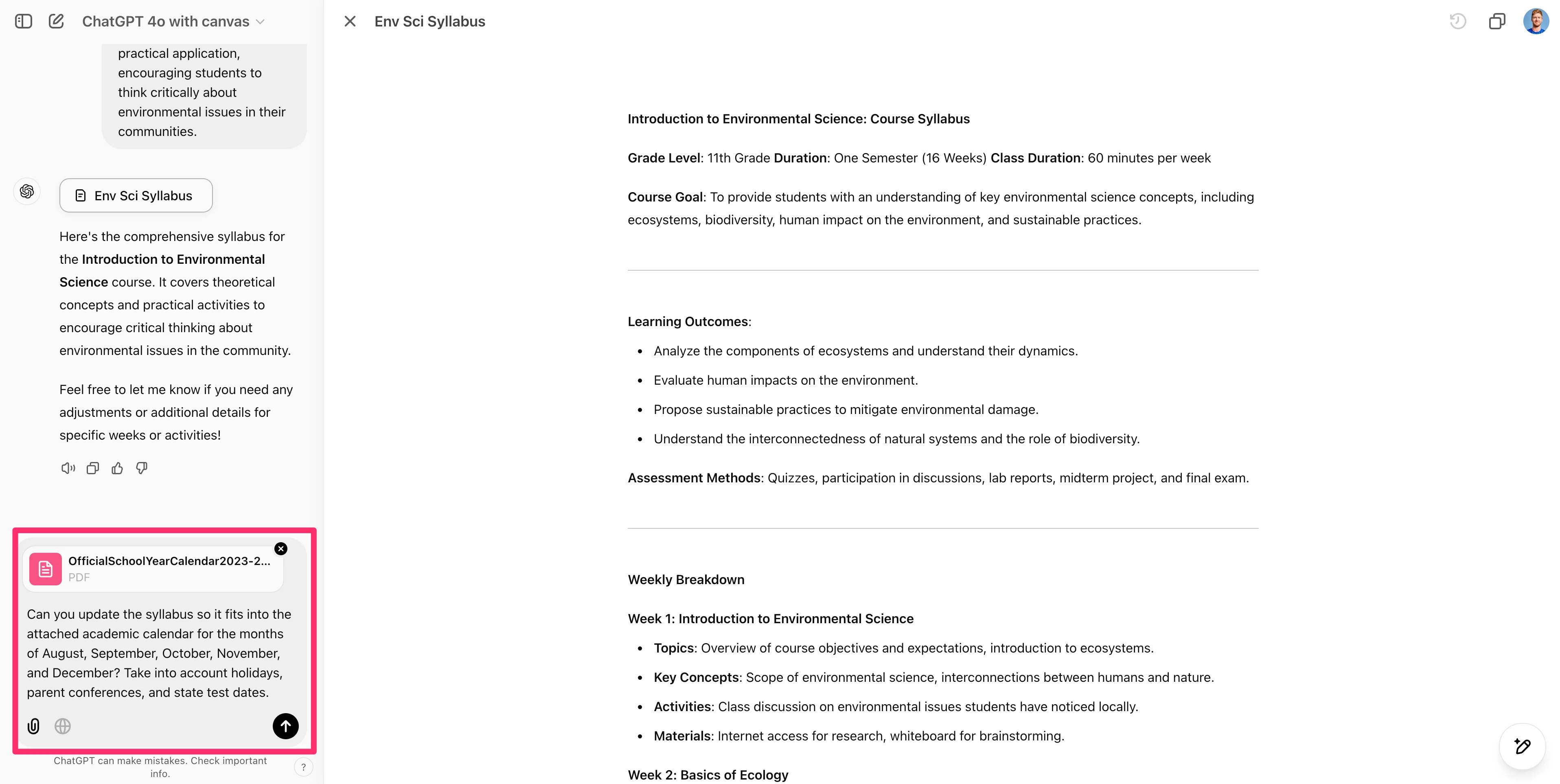
ChatGPT will update the canvas content with specific dates within the syllabus so it matches your academic calendar.
Create lesson plans for your syllabus
Now that we have our completed class syllabus, we can start creating lesson plans for our course. To do this, we’re going to create a new canvas within this same ChatGPT thread. To create a new canvas, click the “X” button by the title of the canvas.
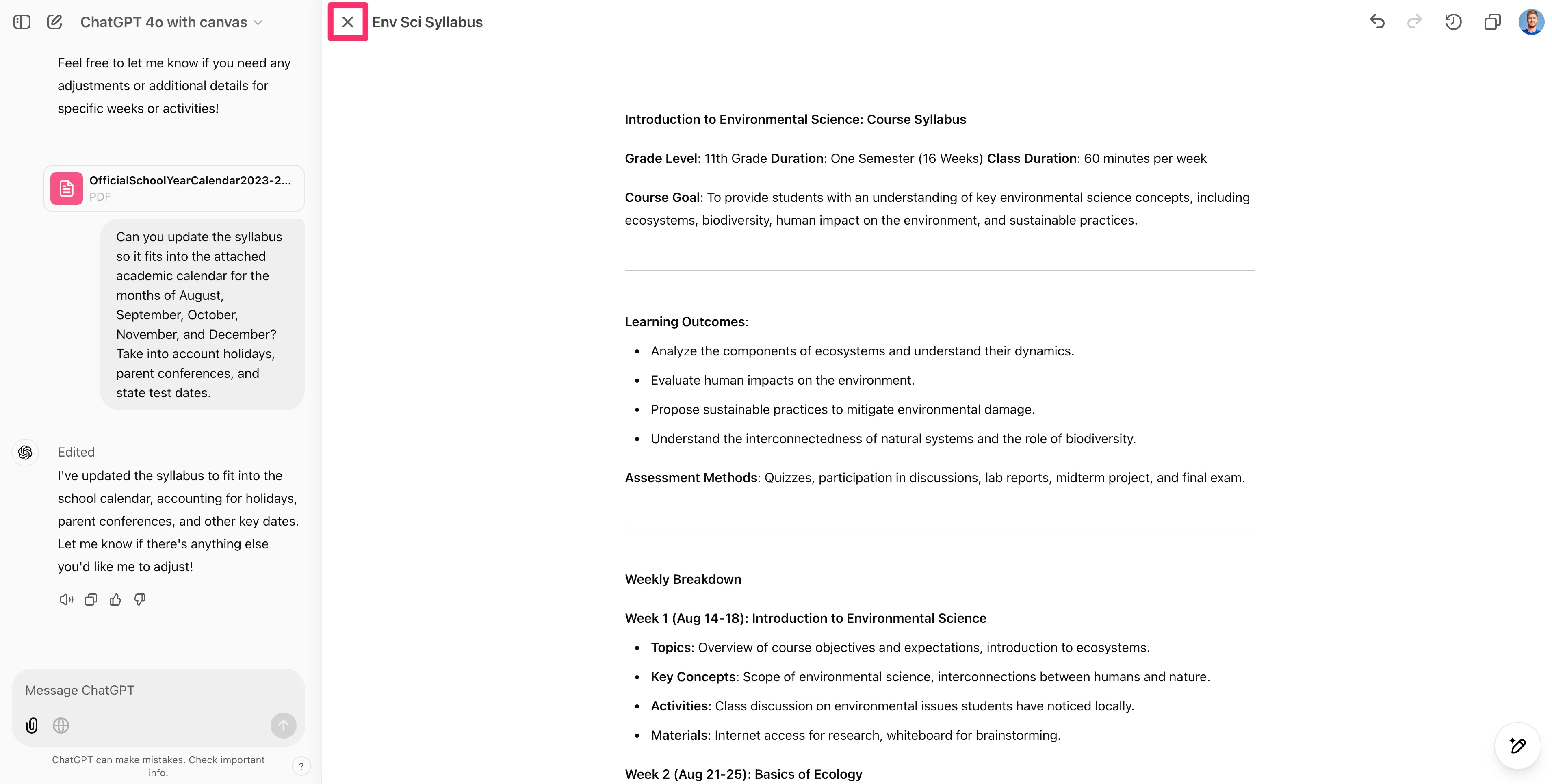
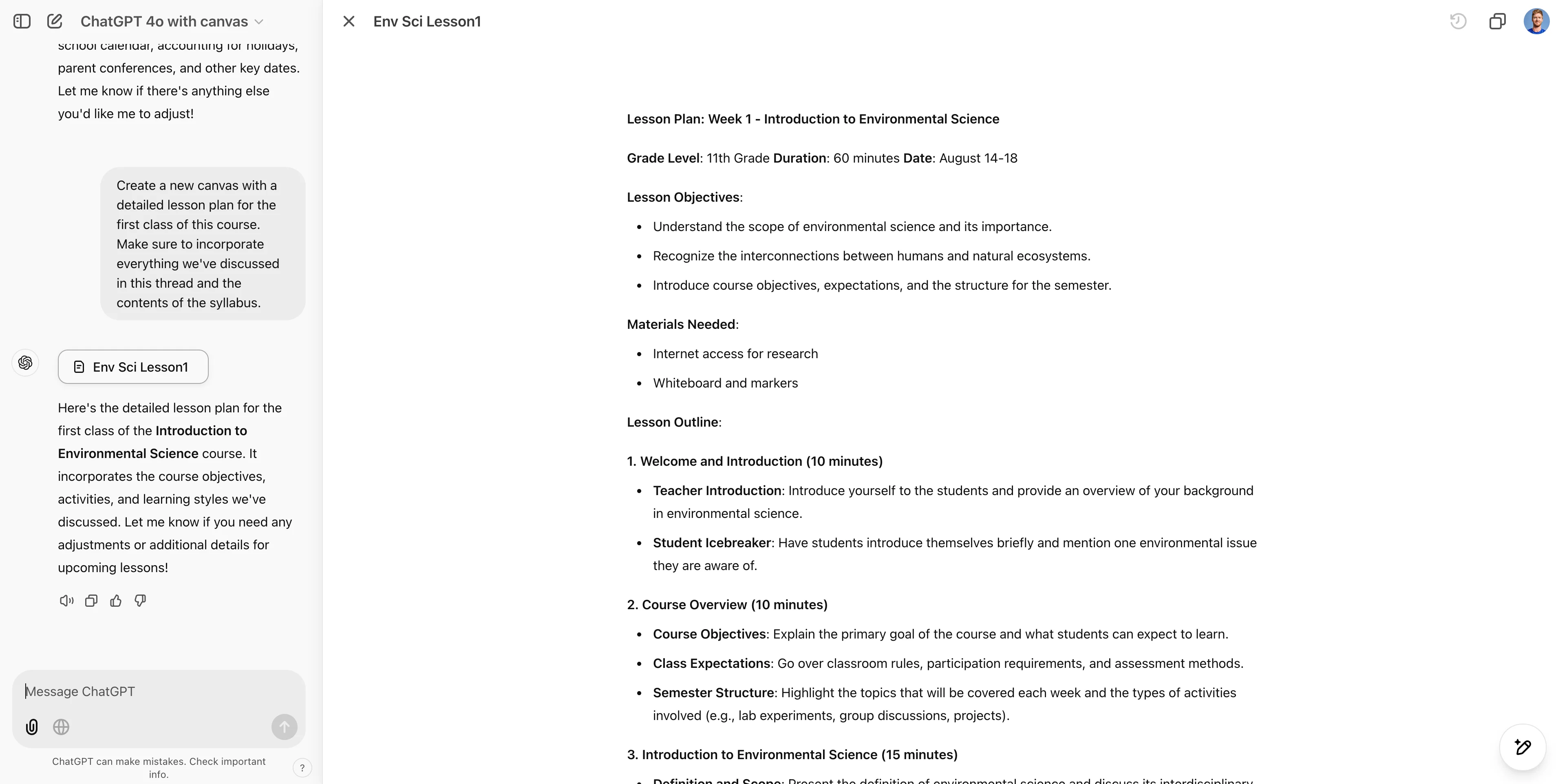
This will place us back within the main thread with ChatGPT. Here, we’ll request a new canvas for the first lesson of our class, based on the syllabus.
Sample Prompt:
Create a new canvas with a detailed lesson plan for the first class of this course. Make sure to incorporate everything we've discussed in this thread and the contents of the syllabus.
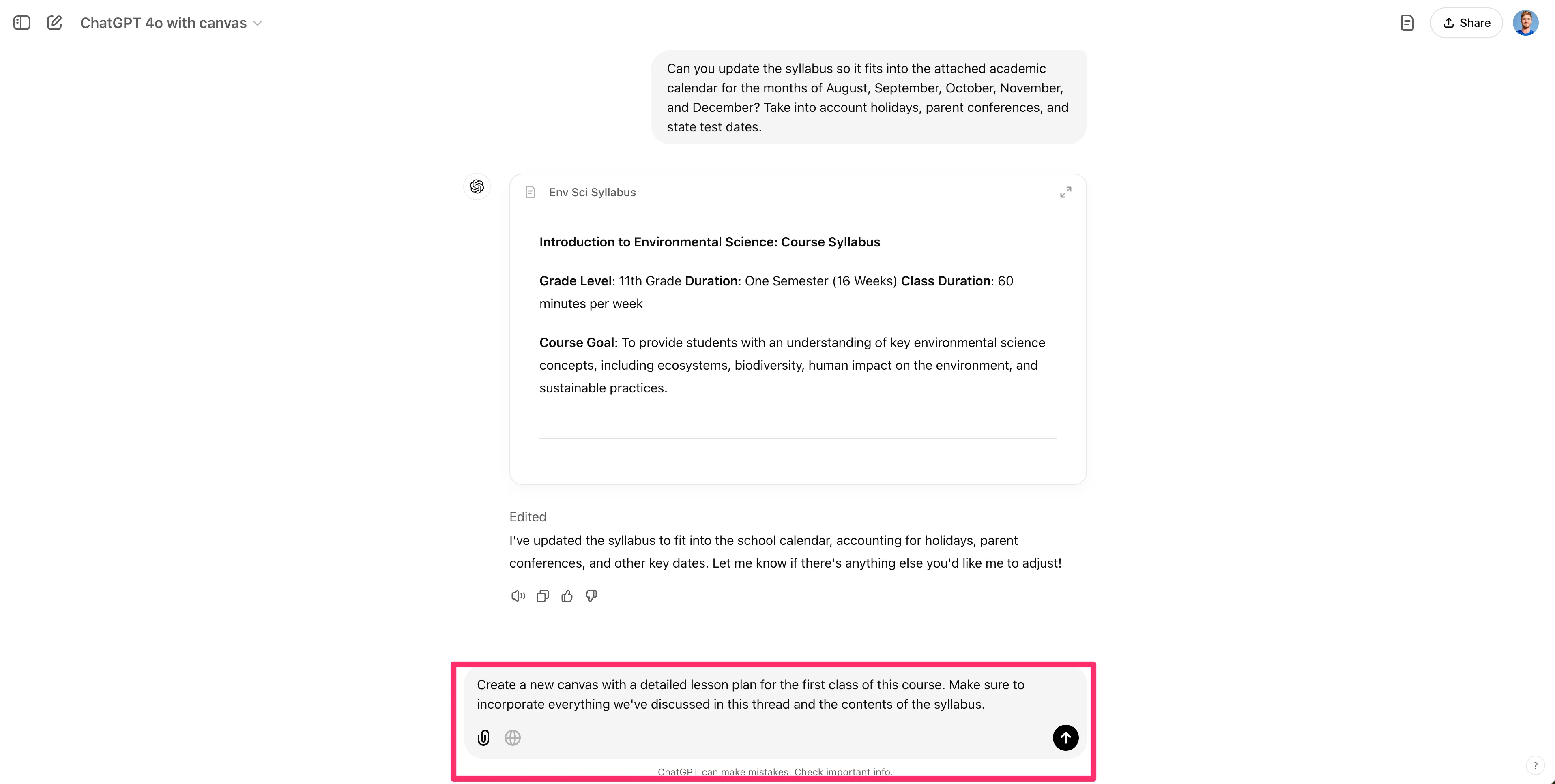
ChatGPT will generate a new canvas with an outline of the lesson plan for the first lesson of the class. You can make any adjustments to the lesson plan with the various canvas tools, as we did for the syllabus.
Nice work! You now have a syllabus and initial lesson plan for your class. You can repeat this process for additional lesson plans or other courses you’re teaching.
In the next lesson, we’ll take our first lesson plan and transform it into fully designed slides.
This tutorial was created by Garrett.