Create persona-based learning paths
Learn how AI can help you create scalable learning experiences using personalized training paths.
2024-12-09
Welcome to the fourth lesson of our course on Executing a successful L&D strategy using AI.
In our previous tutorial, we covered creating learning materials and assessment questions. Now, we'll explore designing custom learning paths for your employees using a persona-based approach. By crafting targeted experiences for groups with similar needs and goals, persona-based learning paths address time constraints, cater to employees' preferences for "safe" learning environments, and provide a practical alternative to individualized plans.
If you're interested in creating even more personalized paths for individual employees based on their preferences, you can check out this tutorial to make them.
In this tutorial, you will learn how to:
- Understand the benefits of persona-based learning paths
- Gather and prepare employee data for AI analysis
- Use Claude to categorize employees and create custom learning paths
- Implement and adapt these paths in your L&D strategy
Let's dive in.
Step 1: Understanding persona-based learning paths
Persona-based learning paths can revolutionize how we approach L&D strategies. They offer a sweet spot between generic, one-size-fits-all programs and the often impractical fully individualized learning plans.
Corporate leaders are notoriously time-strapped, often juggling priorities "from eight to late," as McKinsey aptly puts it. This time crunch makes traditional, classroom-based learning programs a tough sell. Moreover, many employees prefer honing new skills in a "safe environment," away from the spotlight of potential career-impacting missteps.
These paths can be easily adjusted and updated over time, making them flexible to changing organizational needs. By creating paths for employee personas rather than individuals, you're crafting a learning journey that's both personalized and practical.
Step 2: Designing and distributing the employee survey
Let’s begin by creating a survey that gathers essential information about your employees' roles, skills, learning preferences, and career aspirations.
Several tools can help you design and distribute your survey. Typeform is favored for its user-friendly interface and customizable designs, while Google Forms is a solid alternative, especially if your organization already uses Google Workspace.
For a more integrated solution, explore the survey features within your existing Learning Management System (LMS). Platforms like Cornerstone OnDemand or Docebo often include built-in survey tools that seamlessly connect with your current employee data.
Continue the conversation with Claude from the previous tutorial using the sample prompt below to request help in designing the survey:
I need to create a survey to gather data for creating employee learning personas. The survey should cover roles, skills, learning preferences, and career aspirations. Please provide 5 key questions that will give us the most valuable insights for this purpose.
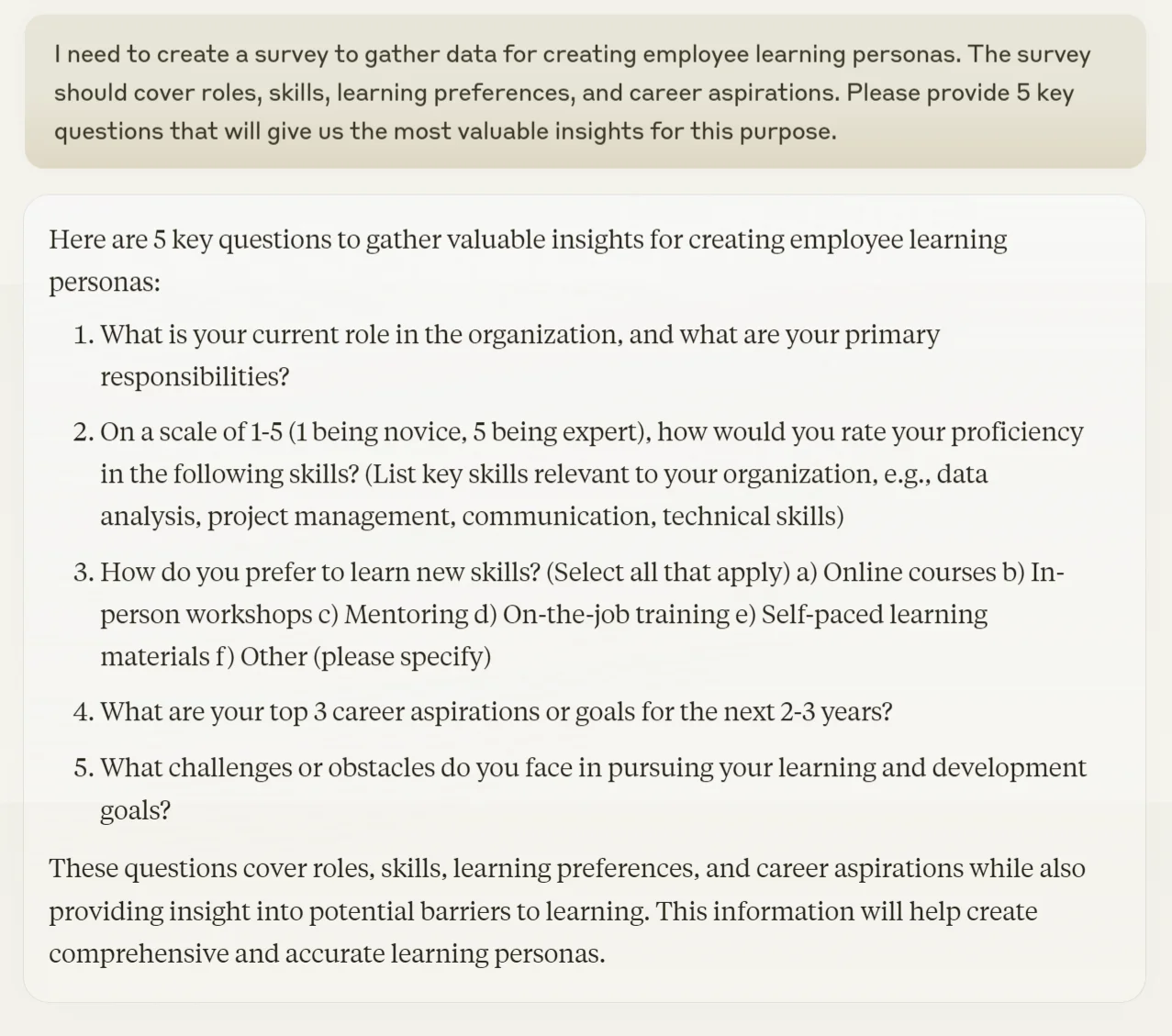
Review Claude's suggestions and adjust as needed for your organization's specific context. Remember, the goal is to gather enough information to create meaningful personas without making the survey too time-consuming for employees.
Step 3: Collecting responses and categorizing employees into personas
Once responses are collected, compile them into a CSV file for easy analysis by tools like Claude. If your LMS has analytics capabilities, you might be able to export the data directly in this format.
Make sure the data is clean and formatted correctly to ensure accurate analysis.
With our data in hand, it's time to let Claude work its magic. We'll use it to analyze the data and categorize employees into personas.
First, upload your CSV file to Claude. This file should contain all the survey responses you've collected.
Now, use this prompt to get Claude to create your employee personas:
I've uploaded a CSV file containing employee survey responses about their roles, skills, learning preferences, and career aspirations. Please analyze this data and categorize the employees into 3-5 distinct learning personas. For each persona, provide:
1. A descriptive name
2. Key characteristics
3. Primary learning needs and preferences
4. Potential career paths
After describing each persona, provide a summary of how many employees fall into each category.
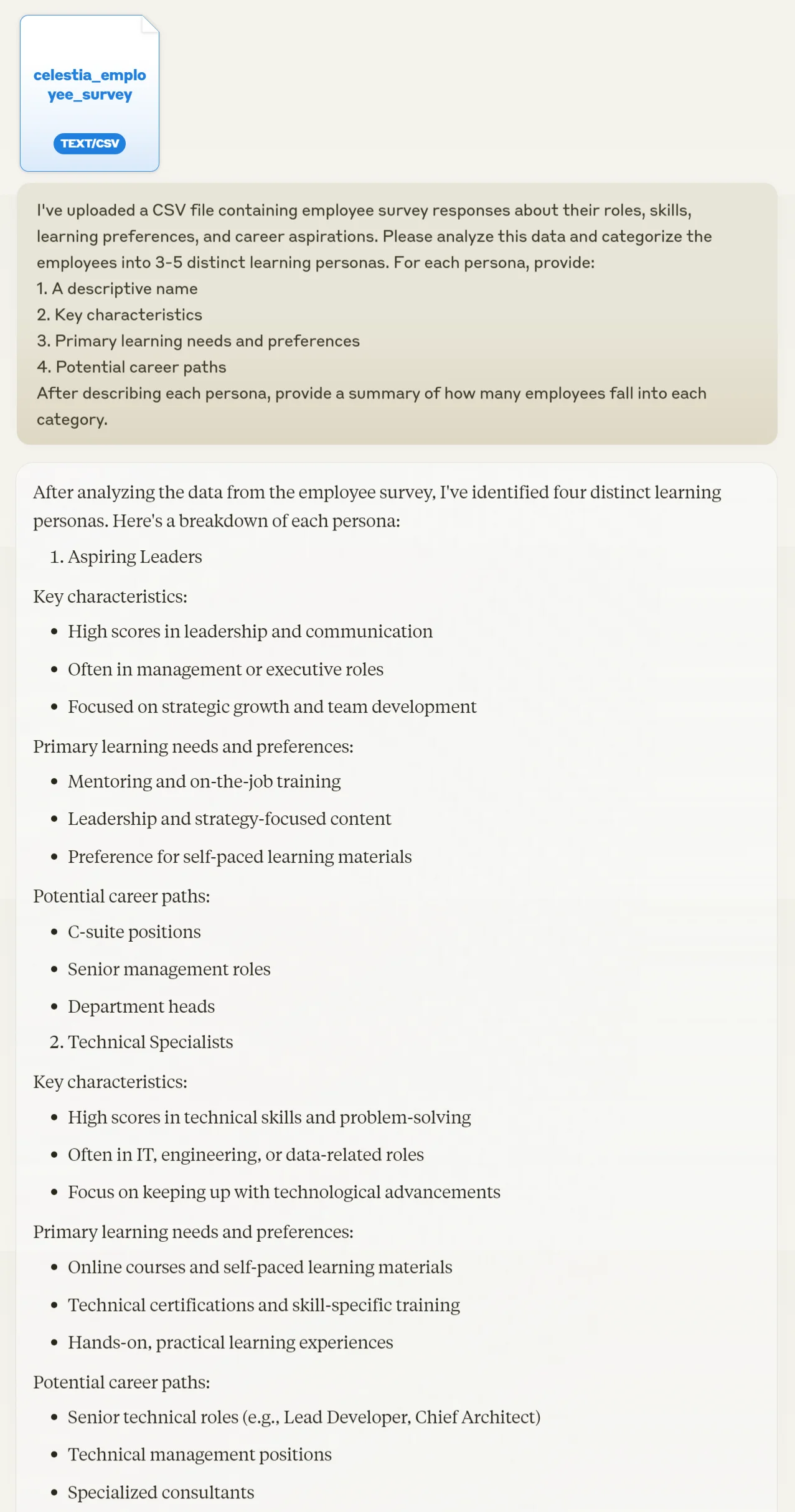
Claude will process the data and provide you with a breakdown of employee personas. This AI-driven analysis can reveal patterns and groupings that might not be immediately apparent to the human eye.
Step 4: Creating custom learning paths
Now that we have our personas, it's time to create tailored learning paths. This is where we blend AI insights with your organization's specific learning materials.
Start by preparing a list of all the courses, training materials, and learning experiences you've created or have access to. This could include e-learning modules, in-person workshops, webinars, mentoring programs, and any other learning resources your organization uses.
With this list in hand, use the following prompt with Claude:
Based on the employee personas you've identified, I need to create customized learning paths. Here's a list of all our available learning materials:
[Insert your list here]
For each persona, please create a learning path that includes:
1. Recommended courses and their order
2. Suggested timelines
3. A mix of digital and in-person learning experiences
4. Regular reinforcement activities to combat forgetting
Each path should be designed as a continuous learning journey over 6-12 months, not a one-time program.
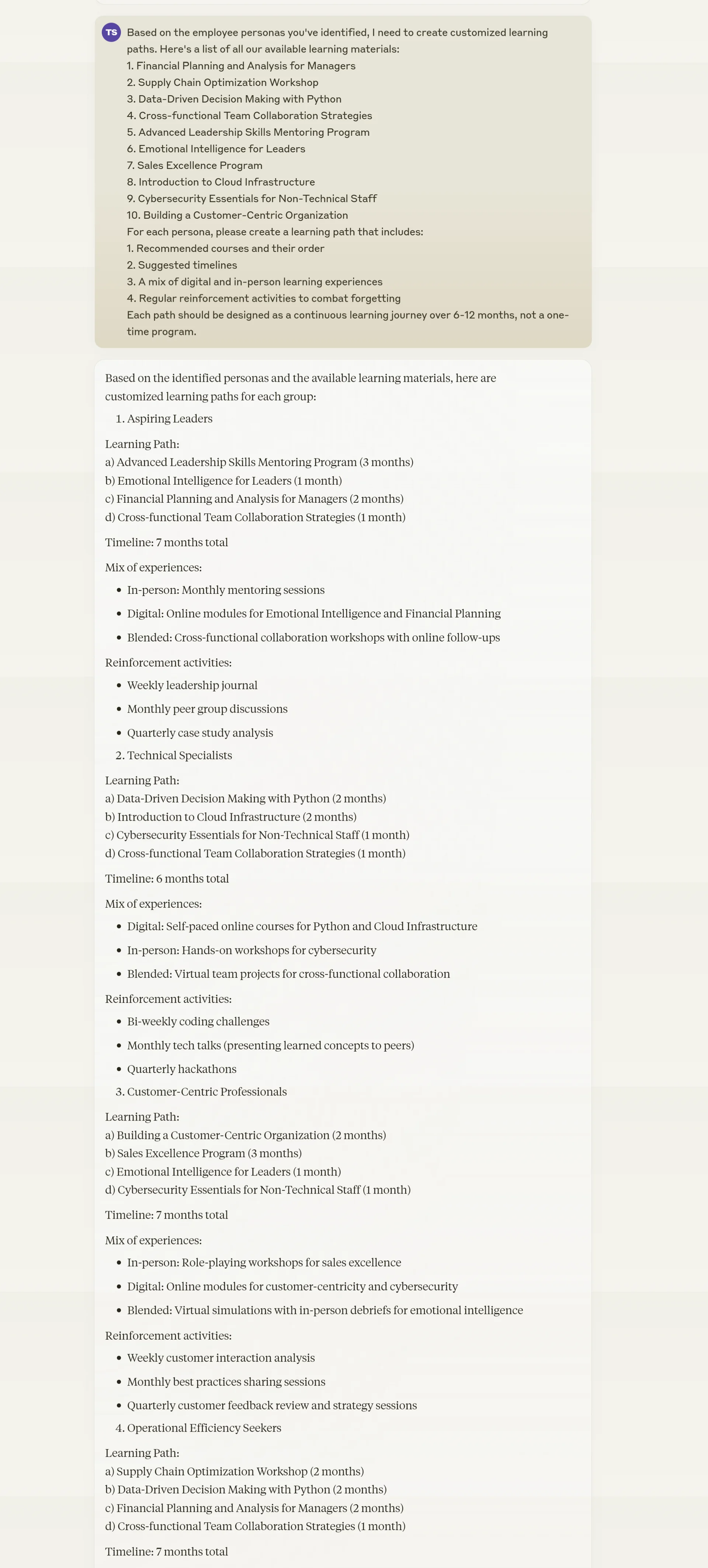
Claude will use its understanding of the personas and your available resources to craft tailored learning journeys. These journeys will be designed to meet the specific needs and preferences of each persona group.
By following this process, you're creating a dynamic, personalized learning environment that can adapt to your organization's changing needs. Remember, the goal is to support continuous learning opportunities that help employees develop new competencies effectively and efficiently.
This tutorial was created by Tanmay.