Creating performance review templates
Develop comprehensive performance review templates using AI.
2024-11-13
As a manager, one of the most important things you can do is develop your people. They need to understand what they’re doing right and what they need to improve. A comprehensive performance review gives you the opportunity to provide this valuable feedback to get your team on track.
You can use ChatGPT to assist with all the work that goes into performance reviews. In this tutorial, you’ll learn how ChatGPT can help you:
- Give performance feedback to your direct reports
- Structure a 1-on-1 meeting and deliver feedback compassionately
- Write a follow-up email summarizing your feedback
Let’s dive in!
Set the standard
First, ask ChatGPT what great performance review feedback looks like. To get better answers, give ChatGPT details on your role and the role of the people you’ll give feedback to. You also want to ensure your feedback is valuable so include that in your prompt:
As a [your role] at my company, I need to give feedback to my team of [subordinate’s role]. What kind of feedback will be most valuable to them?
.webp)
Types of feedback
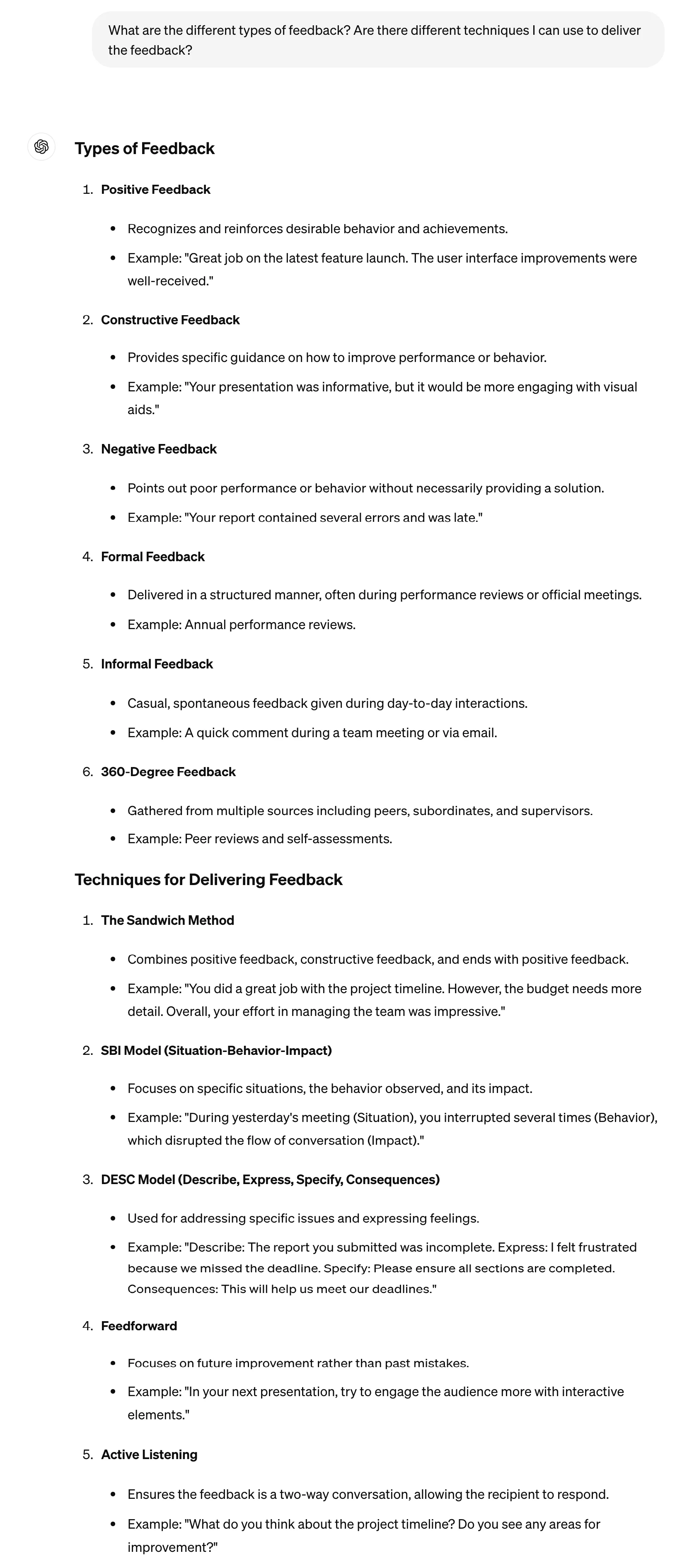
You’ll also want to consider different types of feedback; positive and negative feedback simply won’t cut it. Ask ChatGPT to give you a broader understanding of types of feedback and how you might deliver the feedback.
What are the different types of feedback? Are there different techniques I can use to deliver the feedback?
Examples of positive feedback
Now it’s time to apply these principles. Start by exploring examples of providing positive feedback. Many managers get hung up on providing challenging constructive feedback and forget to explain what their team is doing well. Celebrating the wins is just as important as highlighting where improvement is needed.
Prompt:
Share an example of how I might deliver positive feedback to an employee using the principles you've provided.
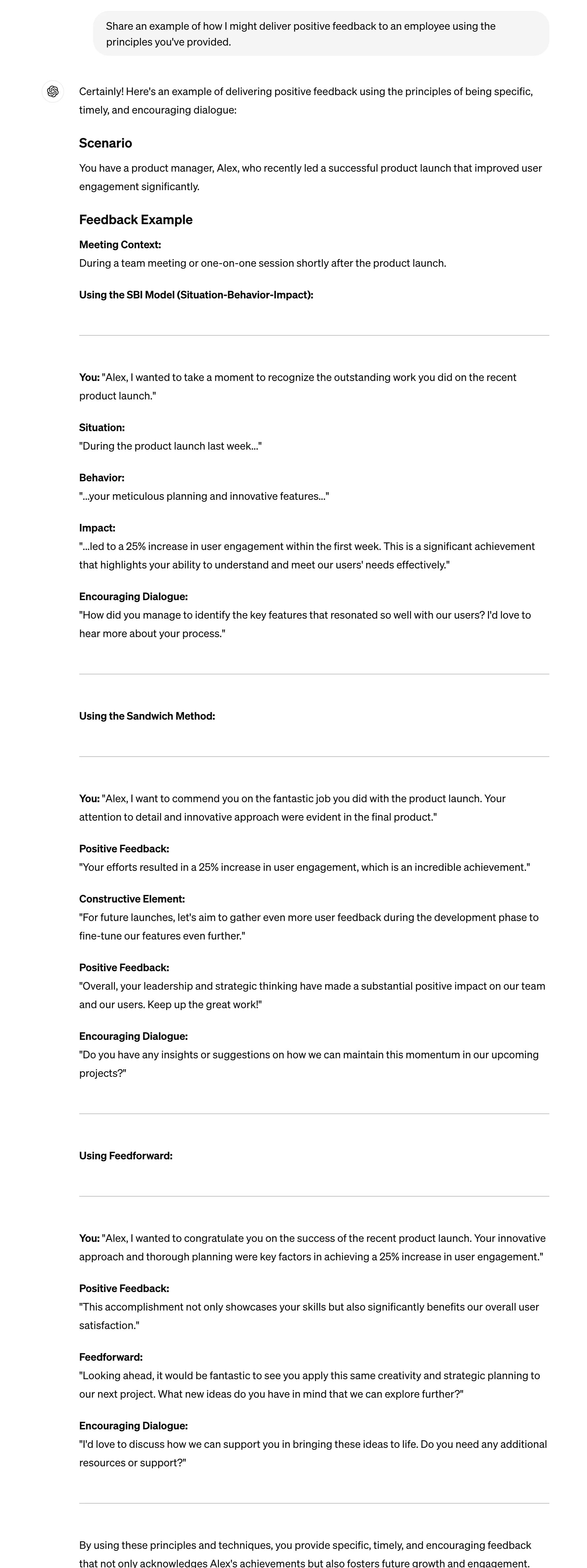
The response we got from ChatGPT gives you insight into how the same feedback can be delivered in different ways.
Examples of constructive feedback
Do the same for constructive feedback.
Now share an example of providing constructive feedback with the different delivery techniques.
.webp)
Structure your 1:1 feedback meeting
You now have a strong understanding of providing different types of feedback with different techniques. ChatGPT won’t deliver the feedback for you so it’s important to find a technique that feels honest, authentic, and right for you and your team.
The next step is to schedule your 1:1 meeting with your direct report. The structure will help you (1) understand the critical stages of the meeting, and (2) provide your subordinate with an outline of the meeting so they have clear expectations.
Prompt:
Next, create a brief 1 hour agenda for a performance reviewing meeting.
.webp)
Create performance review templates
How to give positive feedback
To help you prepare for your meeting, ask ChatGPT to give you a template for your meeting. Start by asking for a positive feedback template.
Prompt:
In my meeting, I want to be prepared. Given all the principles you've provided, give me a clear and concise template I can use to deliver positive feedback.
.webp)
How to give constructive feedback
You’ll also want a template for providing constructive feedback.
Now create a template for providing constructive feedback.
.webp)
Get help with custom feedback
If you’re having trouble formulating feedback for a specific staff member or behavior, ChatGPT can help you. Try this prompt:
Help me provide feedback to a staff member. In meetings, they [negative behavior]. Their behavior is having a negative impact on [who is impacted].
.webp)
Congratulations! You’re well on your way to helping your team grow and become better professionals.
This tutorial was created by Jonah.