Develop an agency GTM plan with AI
Learn how ChatGPT can create a data-driven Go-To-Market strategy tailored to your agency's unique offerings.
2024-12-09
Welcome to the second lesson of our How to run your agency with AI course.
In this tutorial, we’re going to work with ChatGPT to develop a Go-To-Market (GTM) plan for our agency. We’ll start by identifying personas to target our services to, develop a quarterly marketing plan tailored to our agency offerings (and our customer personas), and finalize this strategy with KPI and success metric generation.
We’ll create all of this content with ChatGPT and store it in Notion to centralize our agency GTM data in a shareable internal data hub.
Steps we’ll follow in this tutorial:
- Identify buyer personas for your target market
- Generate outreach emails for each persona
- Add persona data to a central location
- Build a quarterly marketing and business development plan
- Set KPIs and metrics for success
Tools needed:
Let’s get started!
Step 1: Identify buyer personas for your target market
We’ll work with ChatGPT to identify buyer personas for our agency services. We’re going to use ChatGPT vs. another AI chatbot tool (e.g. Claude) because at the time of writing, ChatGPT is the best multi-modal, skill-based AI chatbot. This means we can send it web links and documents and have it tailor its responses to this external content.
Let’s start by asking ChatGPT to define buyer personas based on our agency offering as described on our agency website. Note, you could also upload a pitch deck or different agency collateral with this prompt.
Sample prompt:
Define the buyer personas for my agency services: [insert your agency website link].
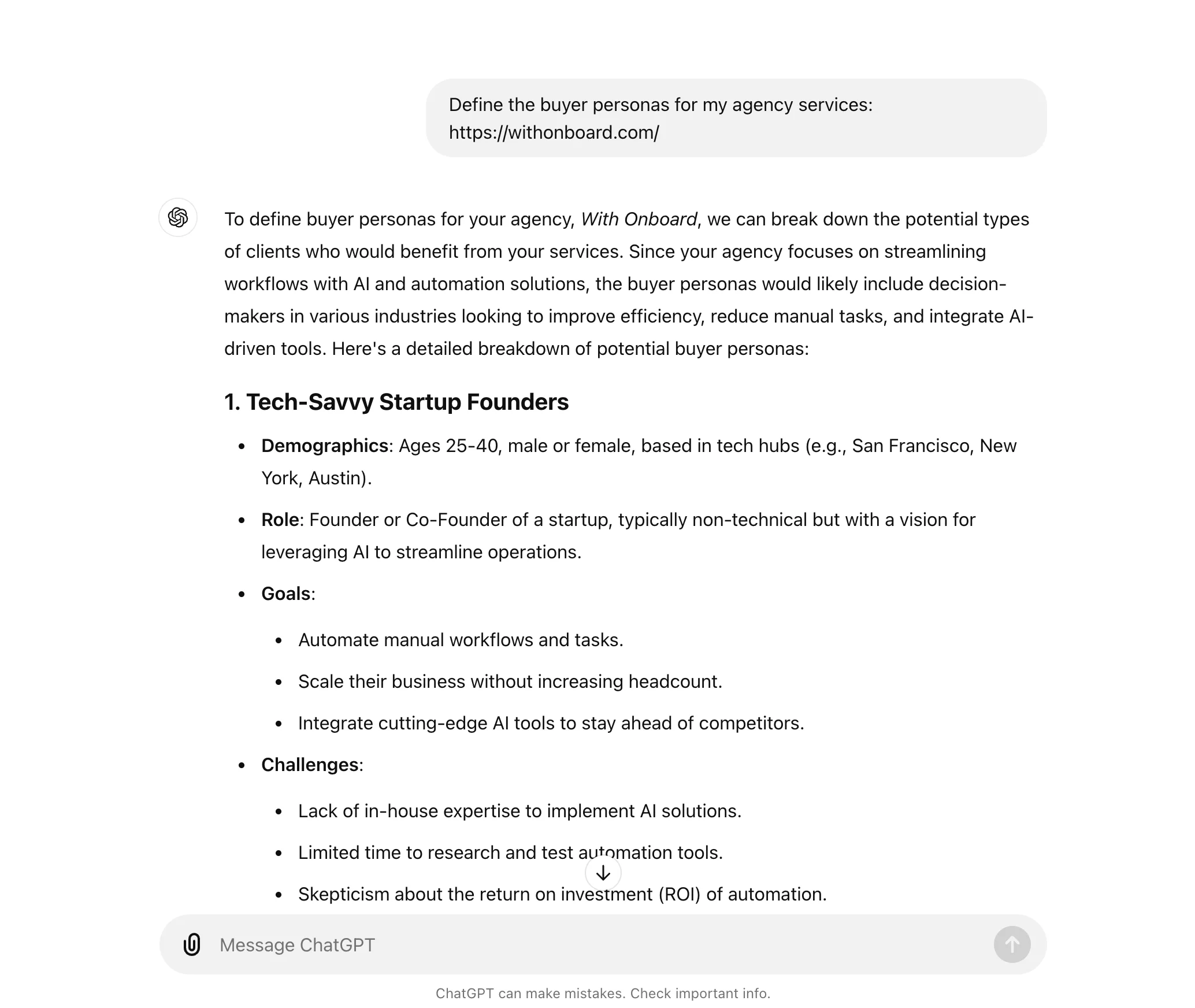
If there are any personas you think are missing or disagree with, or if you want additional metadata about the personas, you can follow up with ChatGPT and request these additional details with another prompt.
Step 2: Generate outreach emails for each persona
Once you’re satisfied with your personas, you can request ChatGPT to create an outreach email, tailored to each persona and your agency offering. We’ll use this outreach email later in the course when automating our cold outreach.
Sample prompt:
Can you create an outreach email for each of these personas, tailored to my offering?
.webp)
Step 3: Add persona data to a central location
Now that we have our personas and email outreach content, let’s get it added to a central location. We’ll use this data in later tutorials in this course, so it’ll be helpful to store it centrally.
We’re going to use Notion as it’s a great place to manage agency collateral. It also perfectly formats markdown text, which ChatGPT can render all of our data in—making content formatting a breeze when porting content generated in ChatGPT to Notion.
To do this, we’ll request ChatGPT convert all the persona data it’s generated into a markdown table.
Sample prompt:
Can you provide a markdown table of all the persona data you've generated, including the outreach email? Format it as one row per persona.
.webp)
Now, we can go to Notion, create a blank page, and simply paste the markdown table to copy it over. Notion will format it as a table.
.webp)
Click the three dots icon in the top right corner of the Notion page and set the page width to “Full width” to help make the page formatting more conducive for your table data.
.webp)
Step 4: Build a quarterly marketing and business development plan
Now that we have our personas identified and stored, we can create a marketing and business development plan to reach these people.
In the same thread in ChatGPT where you generated the personas, request a quarterly marketing and business development strategy tailored to your agency and the targeted personas.
Sample prompt:
Generate a quarterly marketing and business development strategy for my agency, focused on reaching these personas. Include a mix of short-term, mid-term, and long-term strategies.
.webp)
With our marketing plan generated, we can copy/paste it into Notion as well, within the same workspace as our persona data. To do this, click the “Copy” button at the end of the ChatGPT generation and paste it into a new, blank Notion page.
.webp)
Step 5: Set KPIs and metrics for success
Finally, we can partner with ChatGPT to create KPIs and success metrics for our GTM plan. ChatGPT might have generated these within your quarterly marketing plan already, but regardless, we’ll want this data in a table format so we can easily track progress against our goals in Notion.
Sample prompt:
Can you create a trackable table in the markdown for the quarterly KPIs? Include the below columns: [insert the data you want to track].
.webp)
ChatGPT will generate a markdown table of KPIs that we can copy and paste into a new Notion page, just like we did with the other data.
.webp)
Nice work! Now you have buyer personas identified, a marketing plan and email templates for outreach, and KPIs to measure the success of your GTM efforts—and everything is centrally stored in Notion.
With our GTM approach complete, in the next lesson, we’ll put together our agency pitch deck with ChatGPT and Gamma.
This tutorial was created by Garrett.