Develop sales team battlecards
Create tailored sales battlecards to improve competitor discussions with prospects.
2024-11-13
In a highly competitive market, equipping your sales team with effective tools is crucial for success. One such tool is the sales battlecard, a strategic document that helps your sales team counter competitor arguments and highlight your product's advantages.
In this tutorial, you will learn how to:
- Create effective sales battlecards
- Equip your sales team for competitor discussions
- Enhance real-time sales strategies
Step 1: Identify Key Competitors
Start by identifying your key competitors. Conduct thorough research on their offerings to understand the competitive landscape. Gather detailed information about their products, services, pricing, and market positioning. This will provide a solid foundation for creating comprehensive battlecards that address your competitors' strengths and weaknesses.
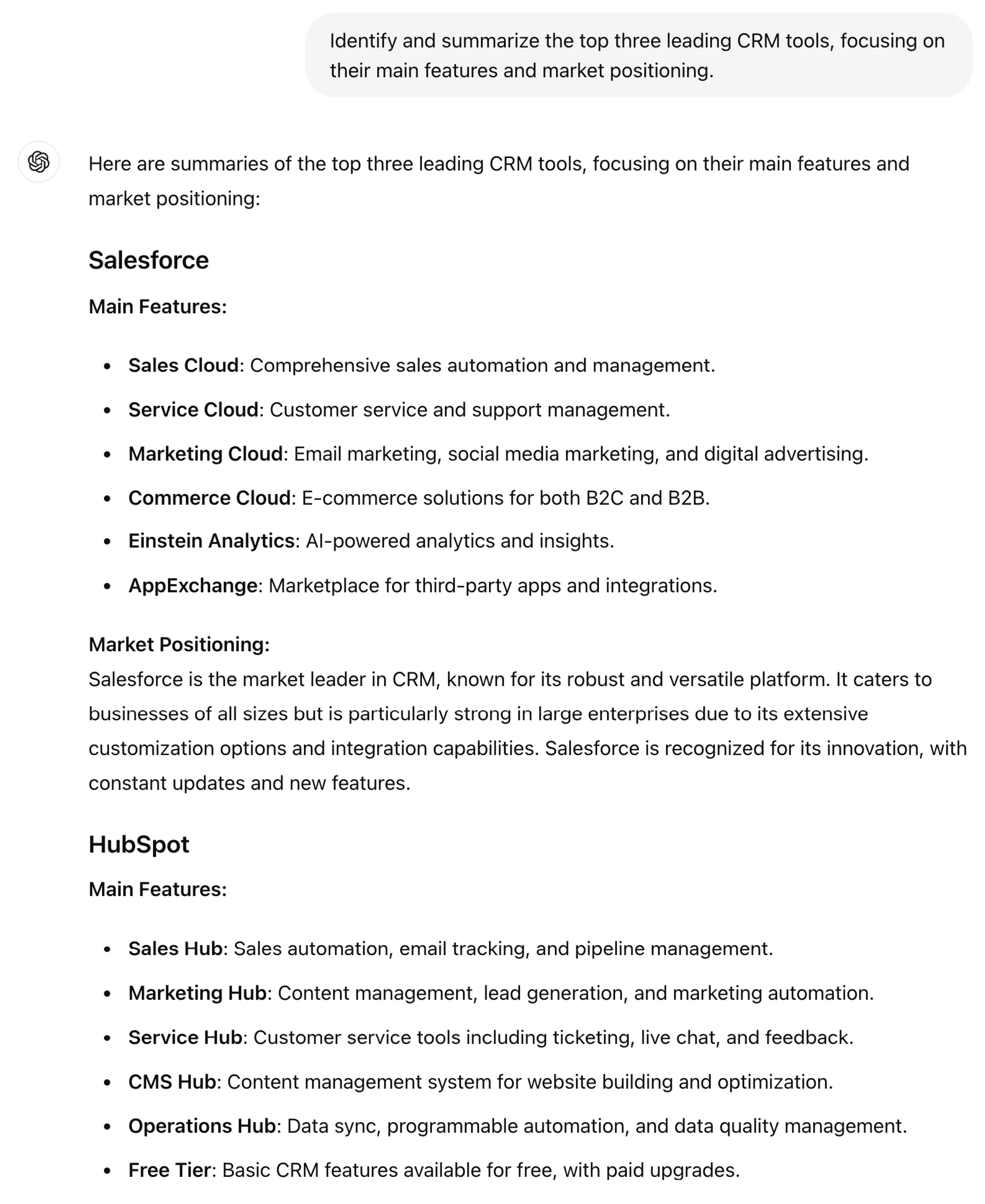
Prompt ChatGPT:
Identify and summarize the top three leading [product], focusing on their main features and market positioning.
.webp)
Research competitor offerings
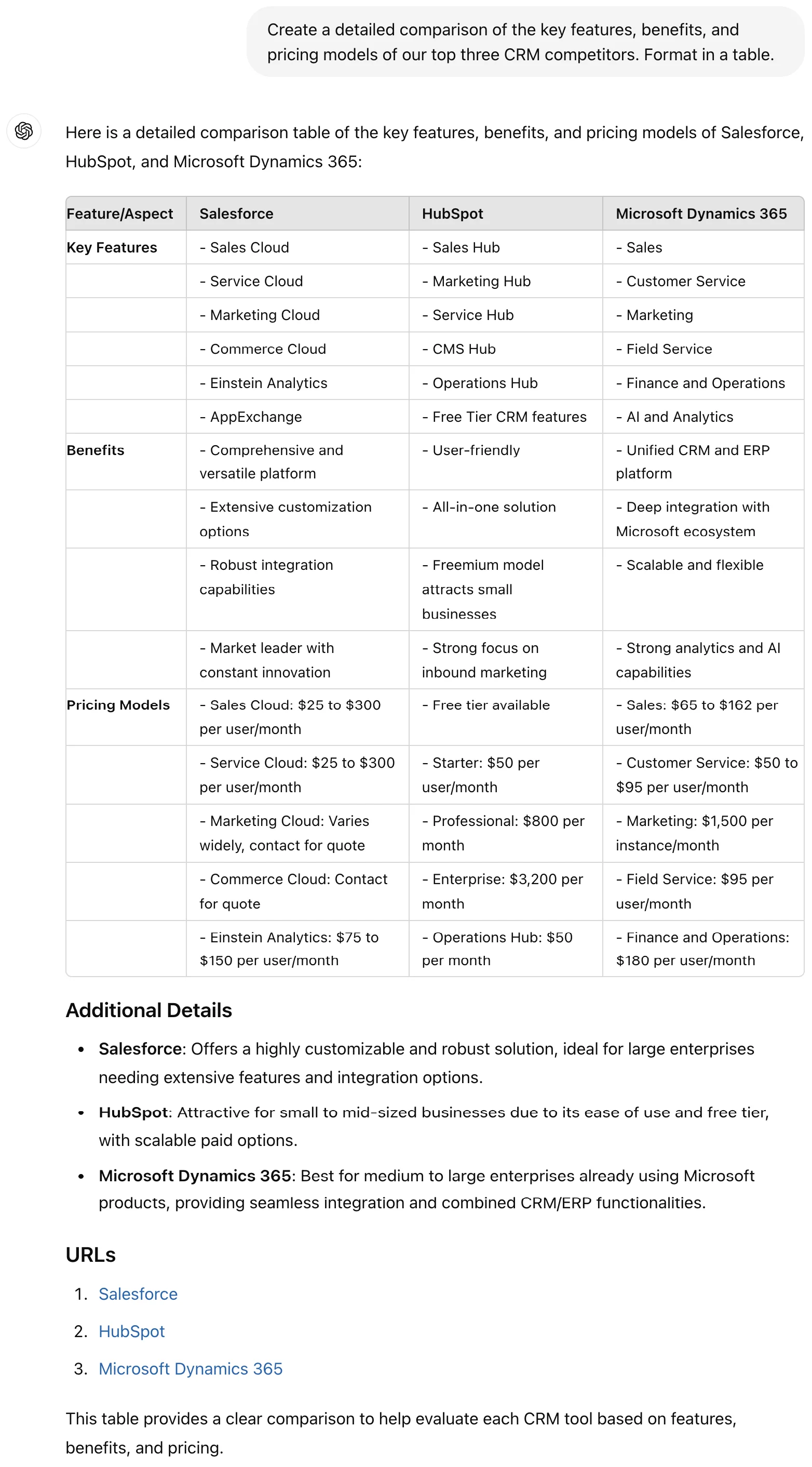
Once key competitors are identified, delve into their offerings. Analyze their products and services in depth, focusing on features, benefits, pricing models, and customer reviews. This research will help highlight where your competitors excel and where they fall short, providing critical insights for your battlecards.
Prompt:
Create a detailed comparison of the key features, benefits, and pricing models of our top three [product] competitors. Format in a table.
Highlight strengths and weaknesses
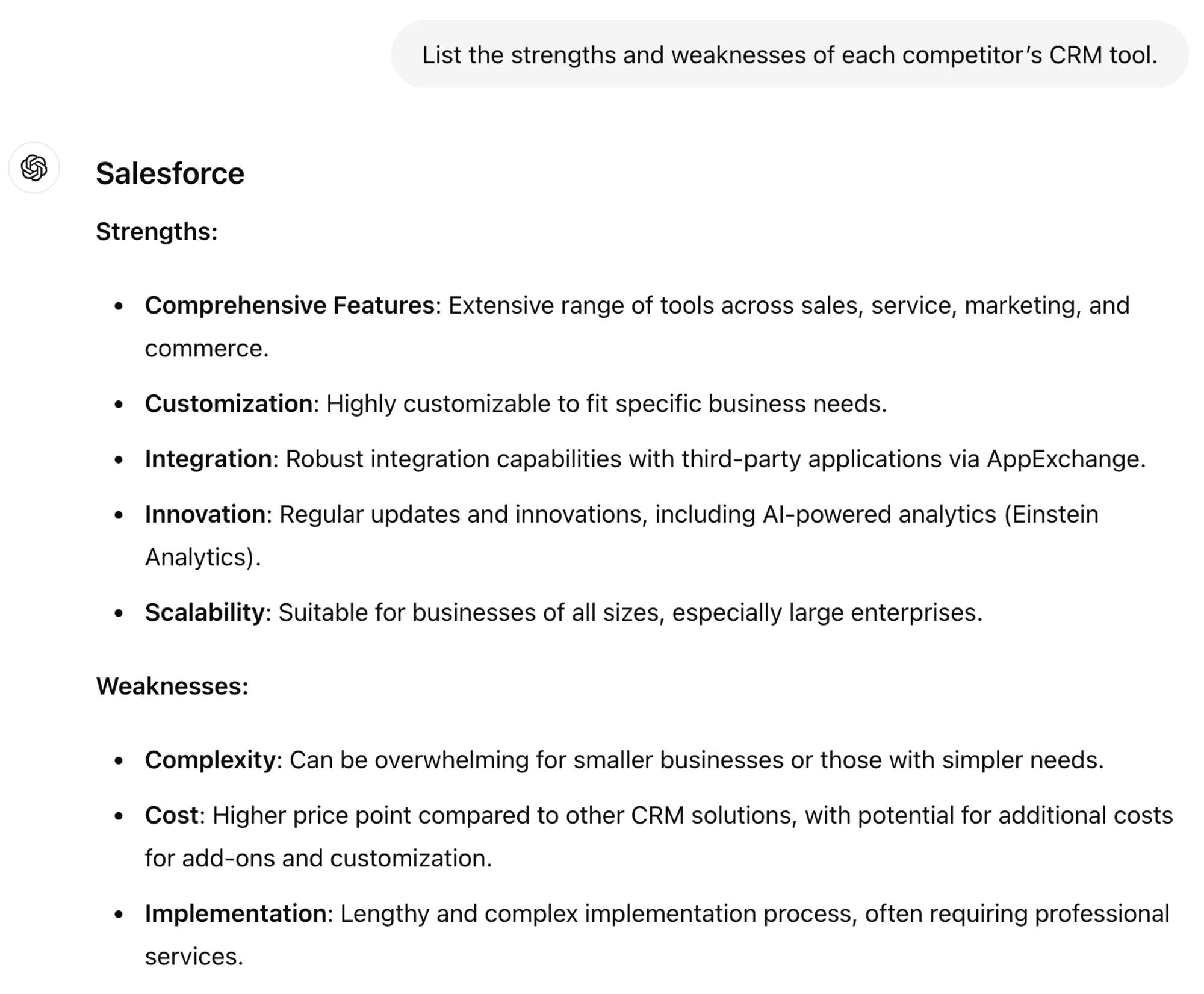
With a clear understanding of competitor offerings, the next step is to highlight their strengths and weaknesses. Identify areas where your products or services outperform the competition and note any gaps in your competitors' offerings. This information will be crucial for positioning your solutions effectively during sales conversations.
List the strengths and weaknesses of each competitor’s [product].
.webp)
.webp)
Step 2: Generate defensive battlecards
When your sales team is talking with prospects, they’ll likely have to discuss the benefits the prospect sees in some of the other bigger players. For this, you need to generate defensive battlecards that help your sales team redirect prospects away from the competition.
Start with key comparison points
Structure your battlecards by including key comparison points that are relevant to your sales discussions. Focus on features, pricing, customer feedback, and unique selling propositions. Ensure the information is easy to digest and accessible for your sales team to use in real-time.
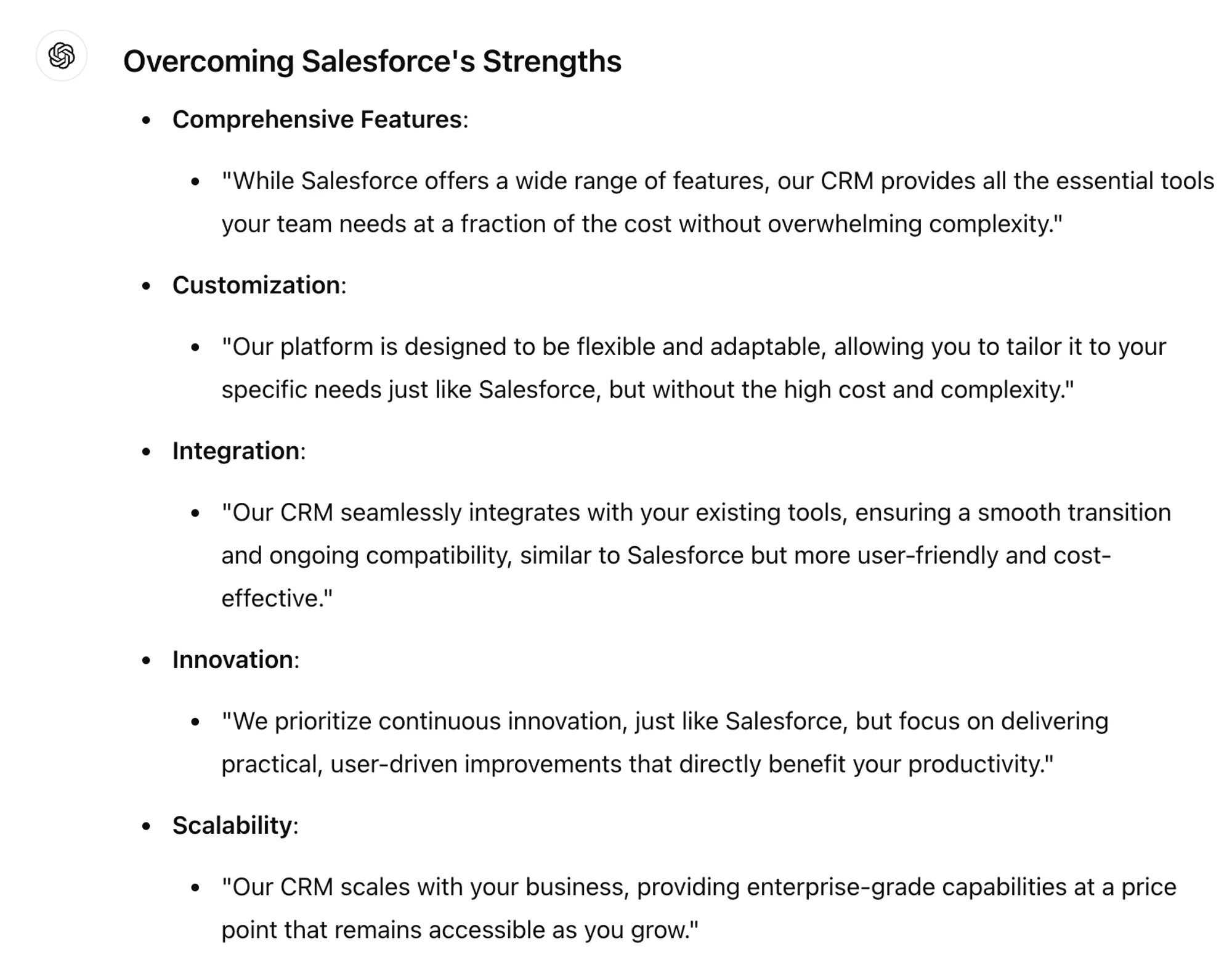
You can coach ChatGPT on the key benefits of your product, or you can simply state that your product is higher quality and lower priced. This prompts ChatGPT to give you basic statements that your sales team can refine in the moment.
Assume our product is higher quality and lower priced. Given the strengths and weaknesses outlined, develop bullet points for our sales team that will help them overcome the main strengths of the competition. Format the bullets as brief scripts.
.webp)
.webp)
Step 3: Generate offensive battlecards
With your sales team prepared to take on the competition, you’ll also want to prepare them with your product’s key talking points.
Create persuasive messaging for our sales battlecards that highlights the top three advantages of our product. Our [product], called [brand name] is [benefit 1], [benefit 2], and [benefit 3].
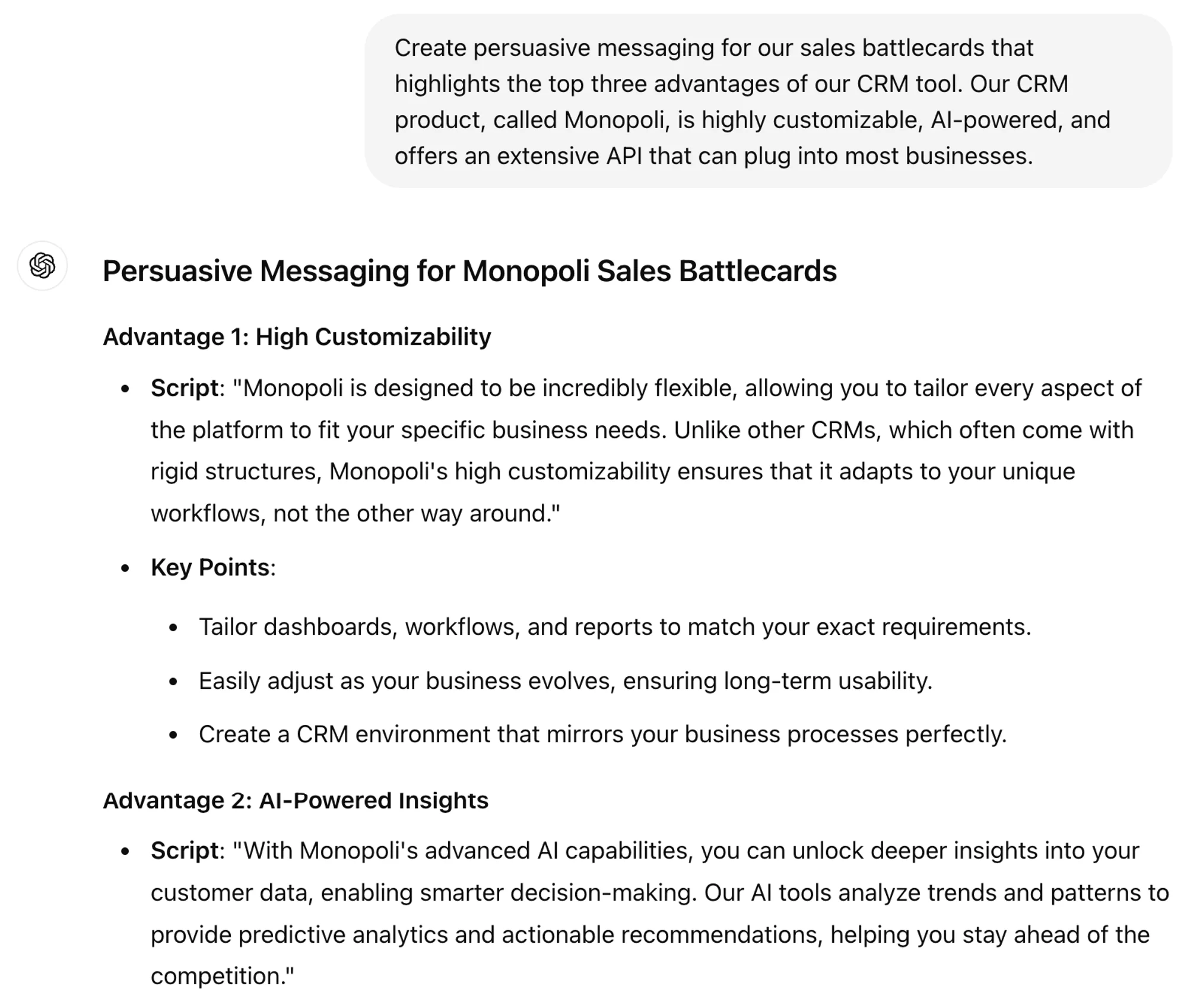
.webp)
Lastly, you’ll want to generate a few initial battlecards and get feedback from your sales team. After that, you can tweak and generate more battlecards based on specific scenarios and conversations your team repeatedly experiences.
Generate 10 battlecards that take into account likely conversations about our top competitor's key strengths, and how the sales team can redirect the conversation over to our strengths.
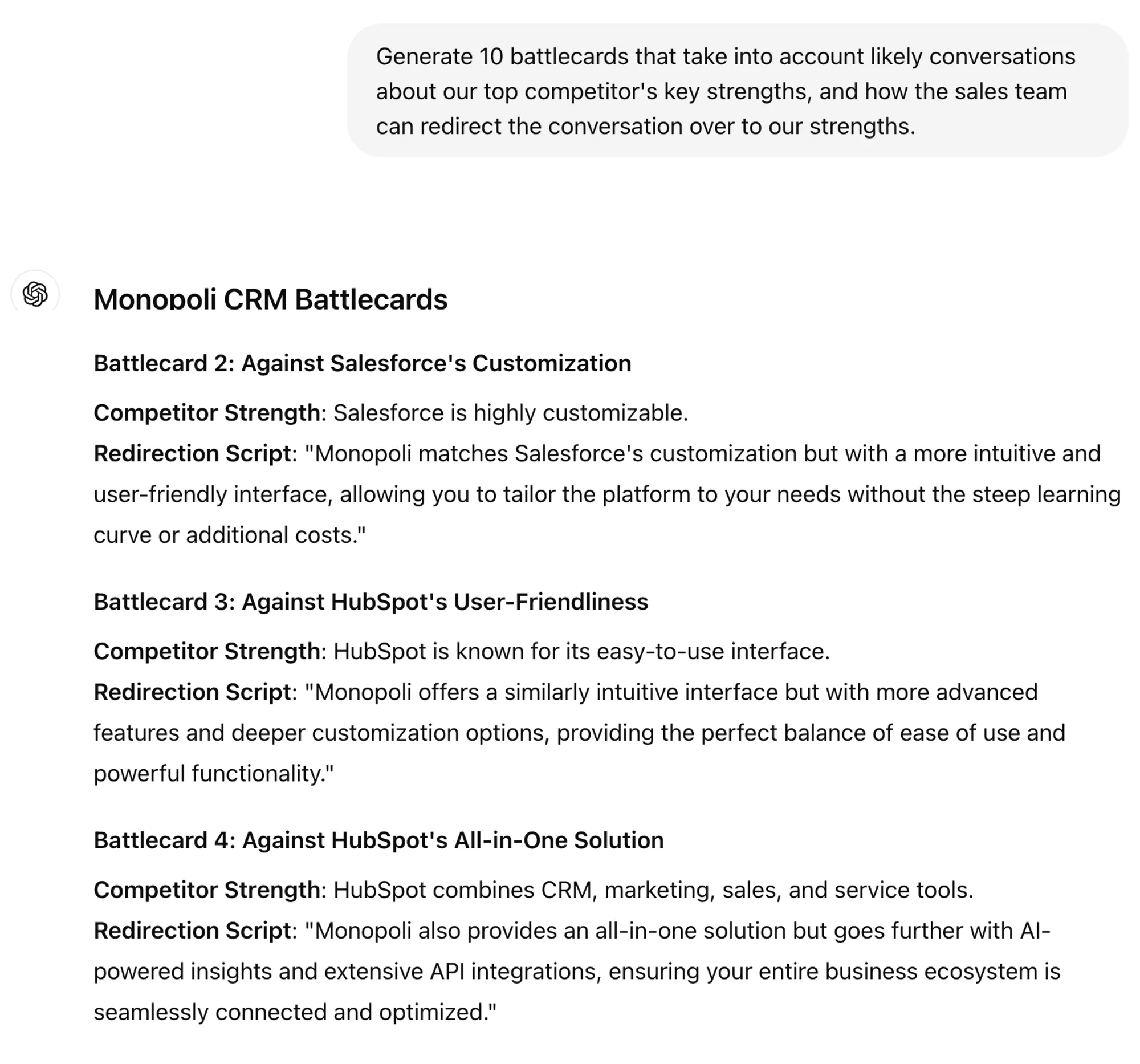
.webp)
Your sales team is now prepared for battle. They face challenging conversations every day and the battlecards you’ve provided them will improve conversations and conversion rates.
This tutorial was created by Jonah.