Generate ideas and write copy for social posts
How to brainstorm with AI and compose captivating social media posts.
2024-11-13
Creating engaging social media content consistently is one of the biggest challenges for brands and creators alike. While AI tools have made content creation easier, many still struggle with maintaining authenticity and generating ideas that truly resonate with their audience.
This tutorial guides you through a systematic approach using ChatGPT Canvas, transforming your content strategy into platform-optimized social media posts. You'll learn a repeatable workflow that transforms high-level strategy into consistently engaging social content.
In this tutorial, you will learn how to:
- Define your social media goals and audience
- Generate unique content ideas tailored to your strategy
- Craft engaging headlines and hooks
- Write main content using ChatGPT Canvas
- Optimize your posts for engagement
You'll need:
- ChatGPT Plus subscription
Let's get to it.
Step 1: Define your social media goals and audience
In this tutorial, we will use ChatGPT Canvas for writing copy for social media posts. This workflow can be applied with other AI applications as well, such as Claude, Gemini, etc. However, we recommend using ChatGPT Canvas for this as it offers several essential built-in platform-specific AI capabilities that are useful for our objective of writing and refining social posts.
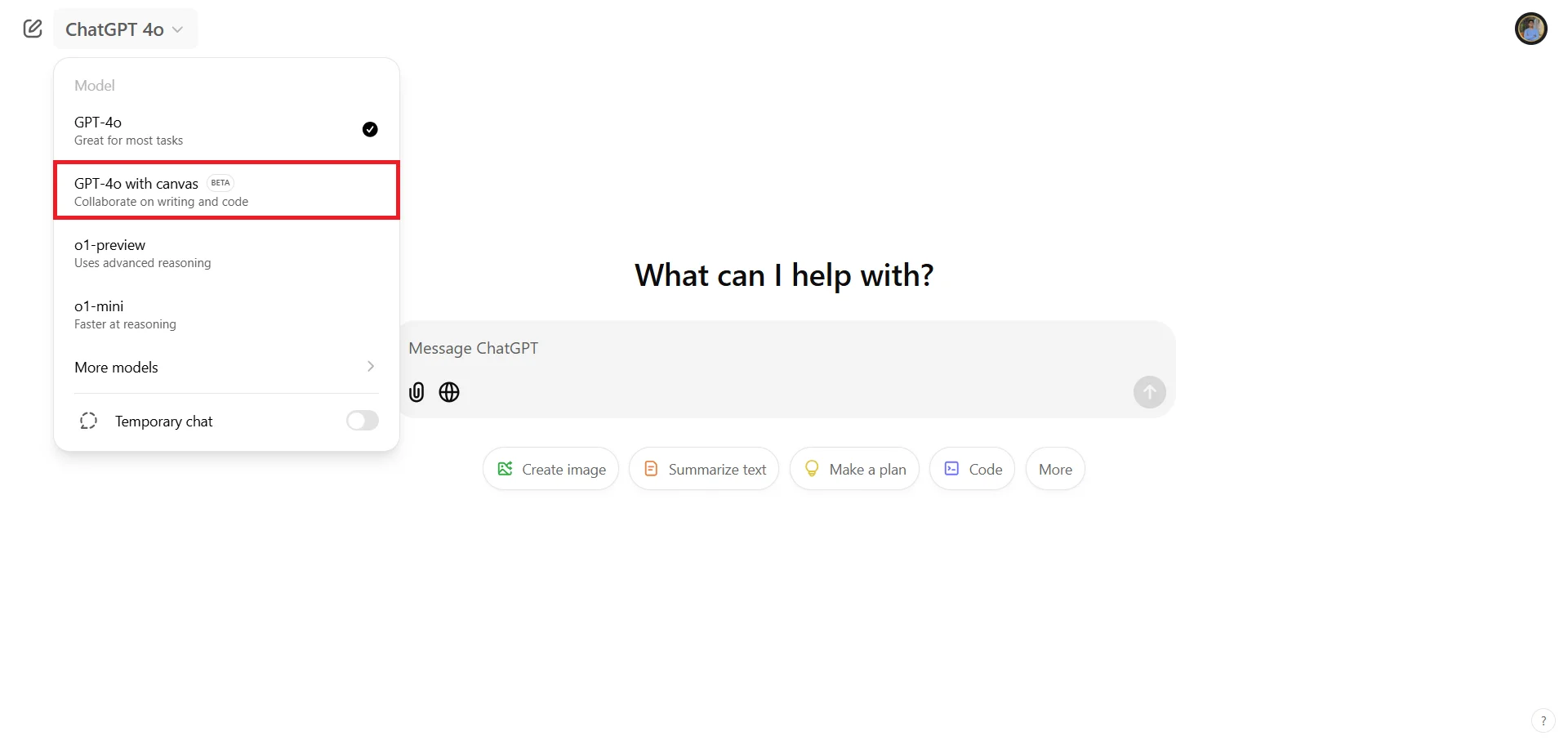
Before we start crafting content, let's first switch to ChatGPT Canvas. You'll find this option in the model selector at the top-left corner - choose "GPT-4 with Canvas (beta)".
Let's begin by developing a clear content strategy to plan our final content around. Here's a suggested prompt to help establish our direction:
As a social media strategist, help me develop a content strategy for [brand name] a [your industry/business type]. Consider:
1. Target audience: [describe your ideal customer's demographics, interests, and pain points]
2. Business goals: [specify goals like brand awareness, lead generation, community building]
3. Platform focus: [list your primary social platforms]
Important: Avoid generic marketing jargon and focus on actionable insights specific to our industry.
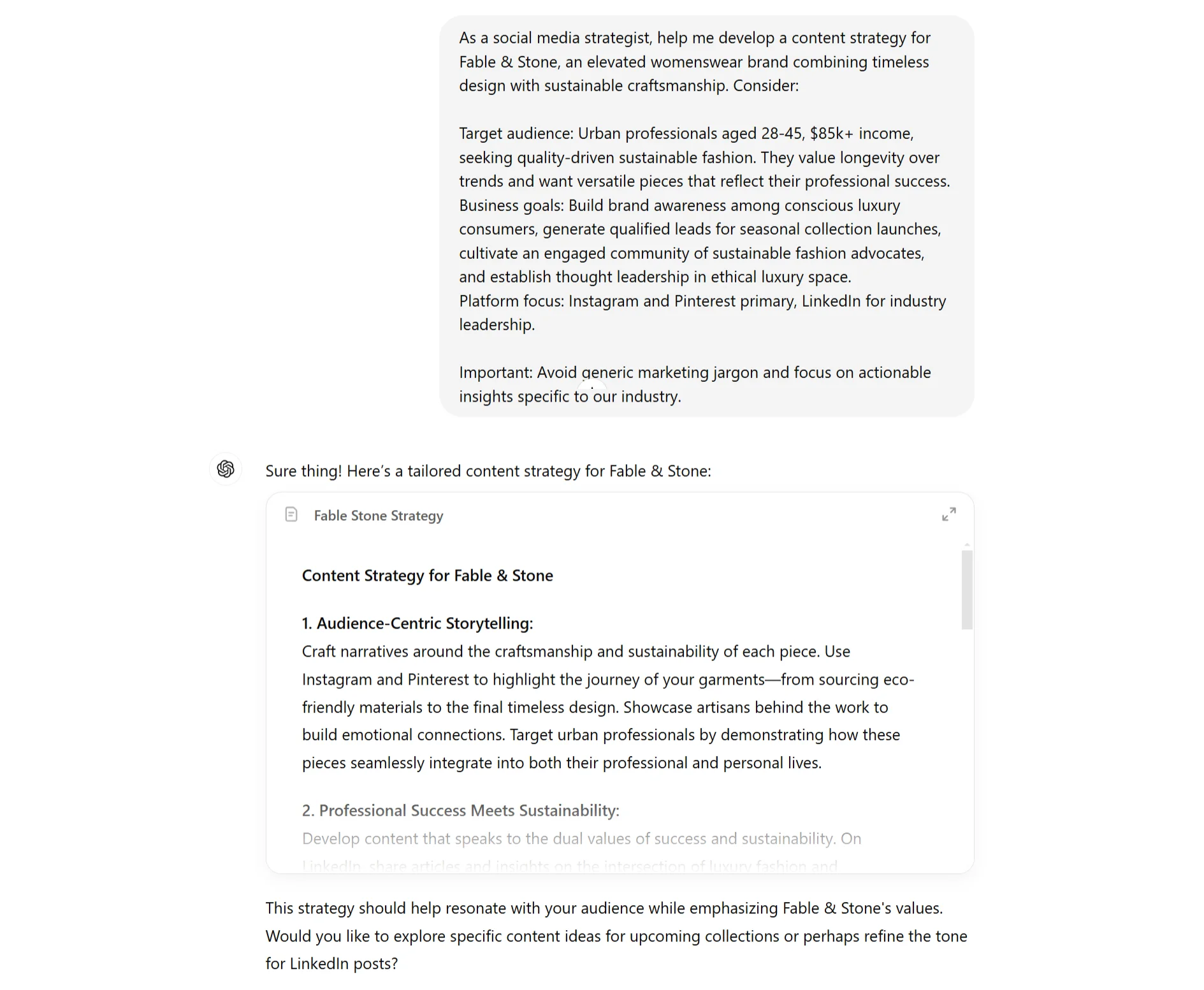
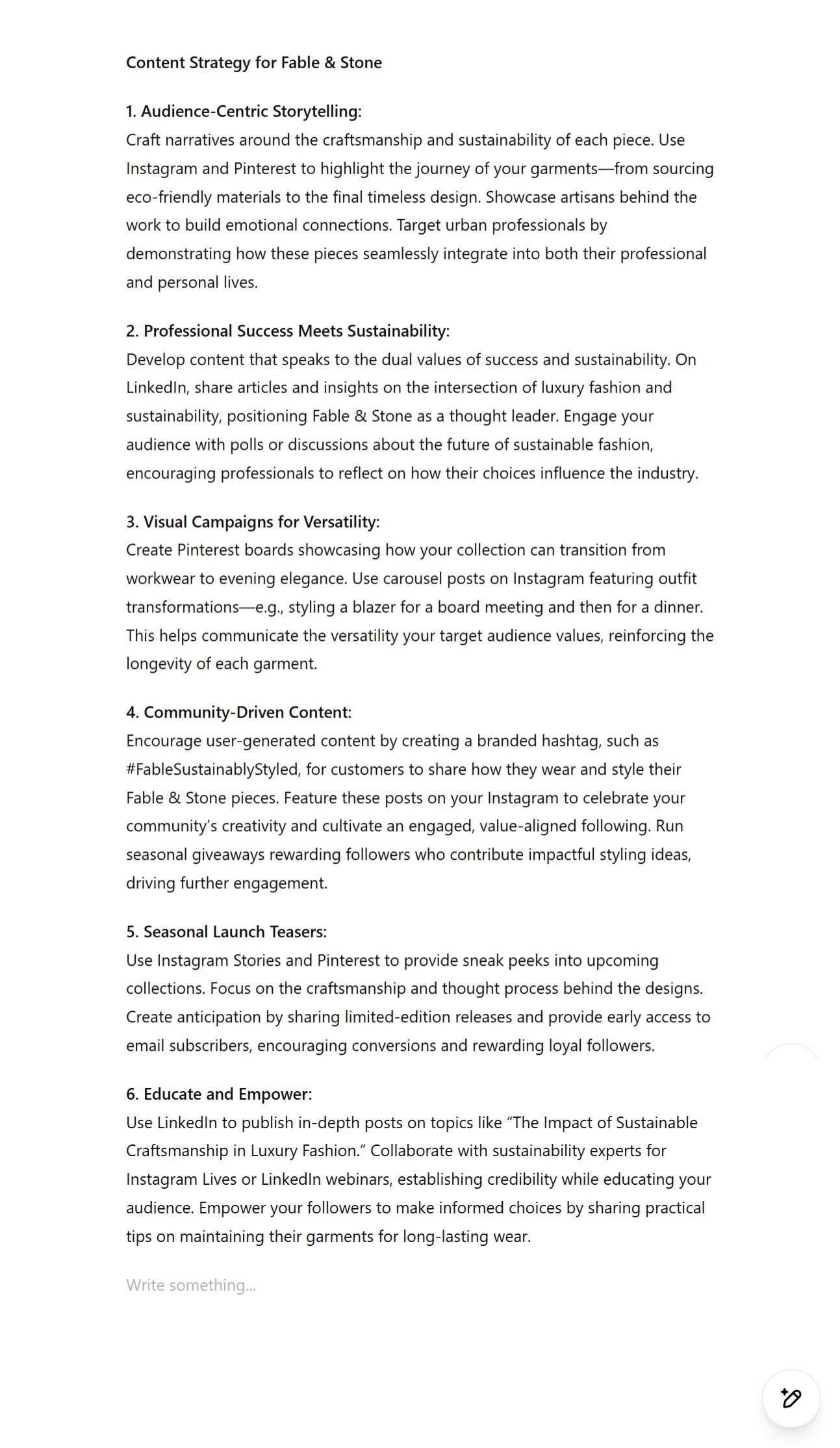
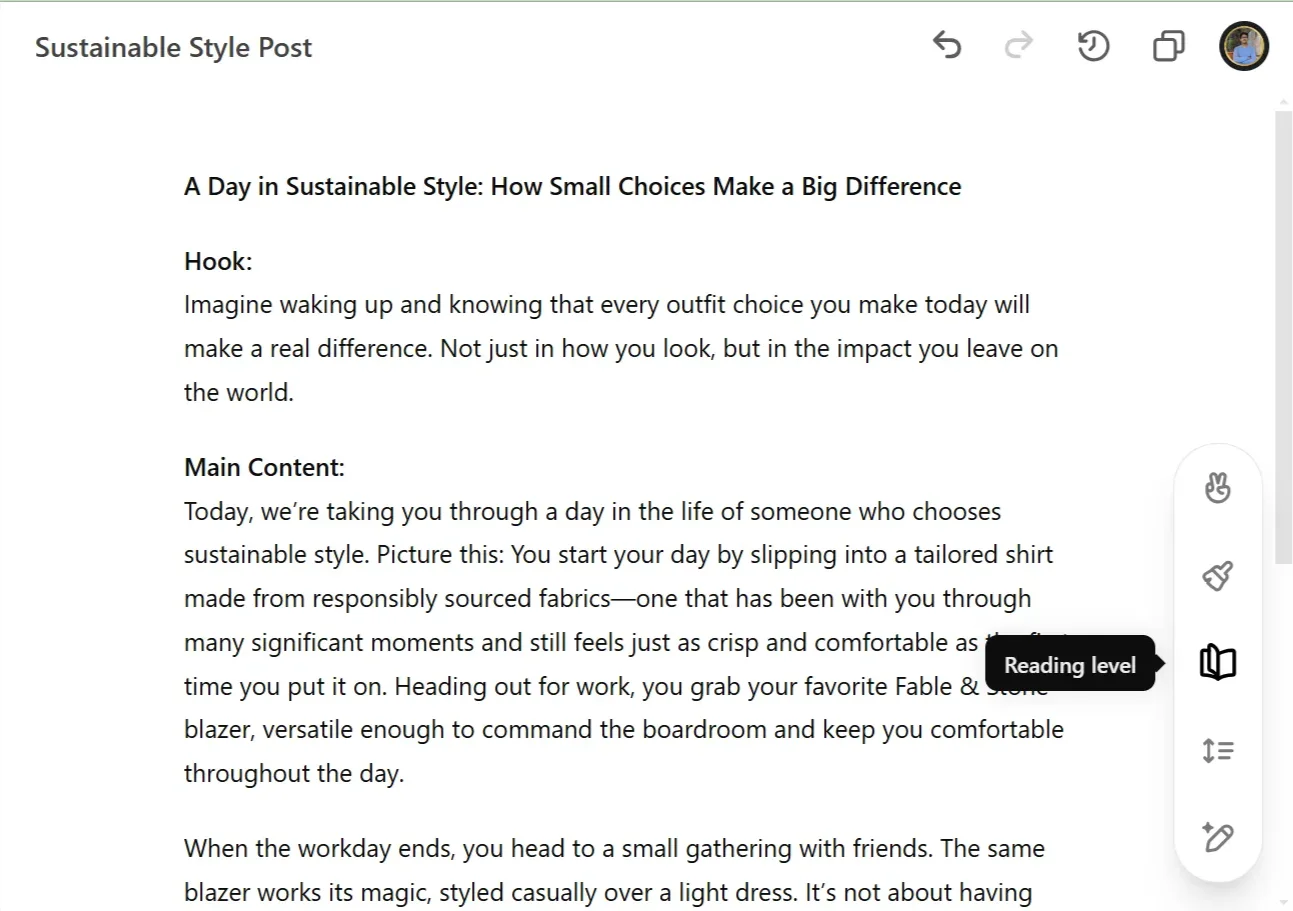
When ChatGPT responds, you'll notice the content appears in a new editable document format. This is where Canvas's magic begins - on the bottom right corner of your screen, you'll see suggestion icons that indicate where the AI can offer improvements.
Step 2: Generate content ideas
Now that we have our strategy mapped out, let's move on to generating content ideas. We will use the above generated strategy as our base for generating the content ideas to focus on. If you'd like to go ahead with only some of the ideas, you can add them separately in the prompt and edit it accordingly.
Here's a suggested prompt that can help generate content ideas:
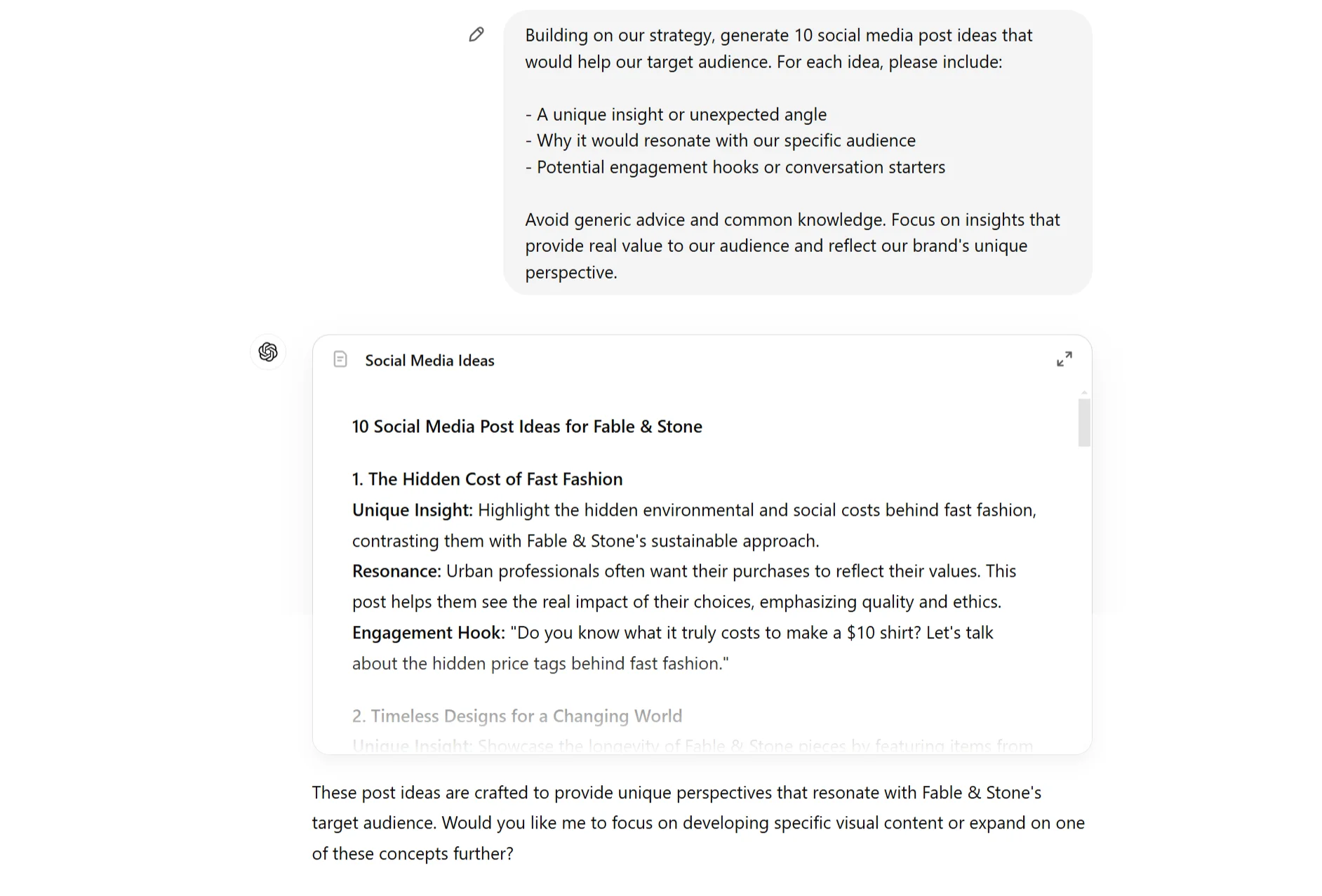
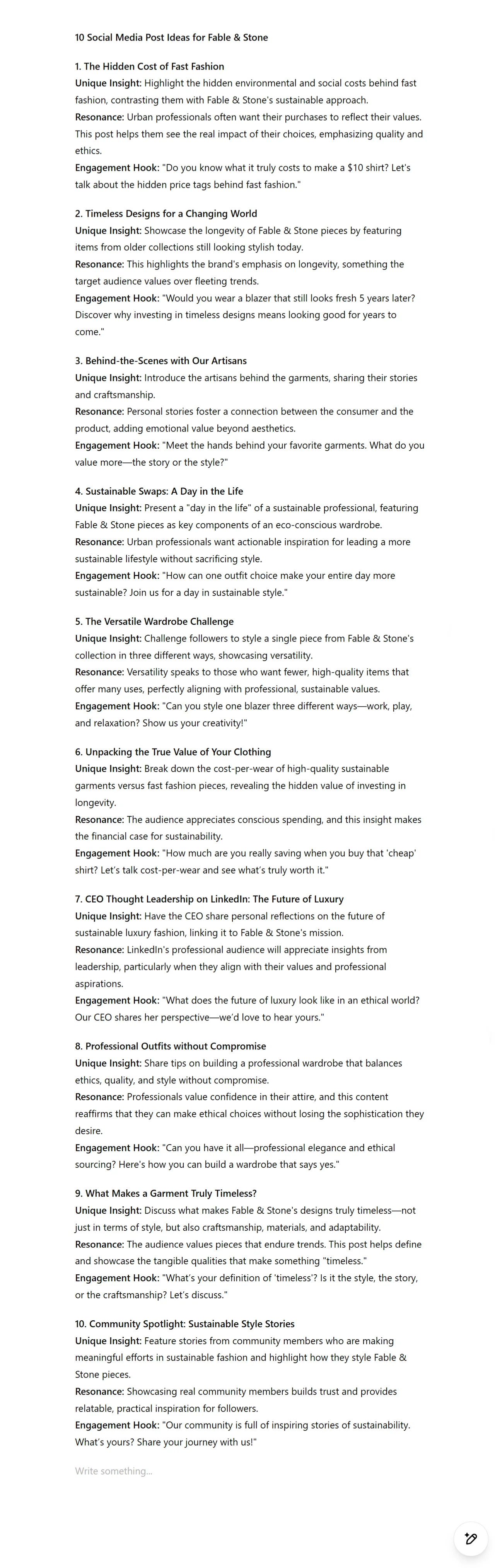
Building on our strategy, generate 10 social media post ideas that would help our target audience. For each idea, please include:
1. A unique insight or unexpected angle
2. Why it would resonate with our specific audience
3. Potential engagement hooks or conversation starters
Avoid generic advice and common knowledge. Focus on insights that provide real value to our audience and reflect our brand's unique perspective.
Step 3: Craft engaging headlines and hooks
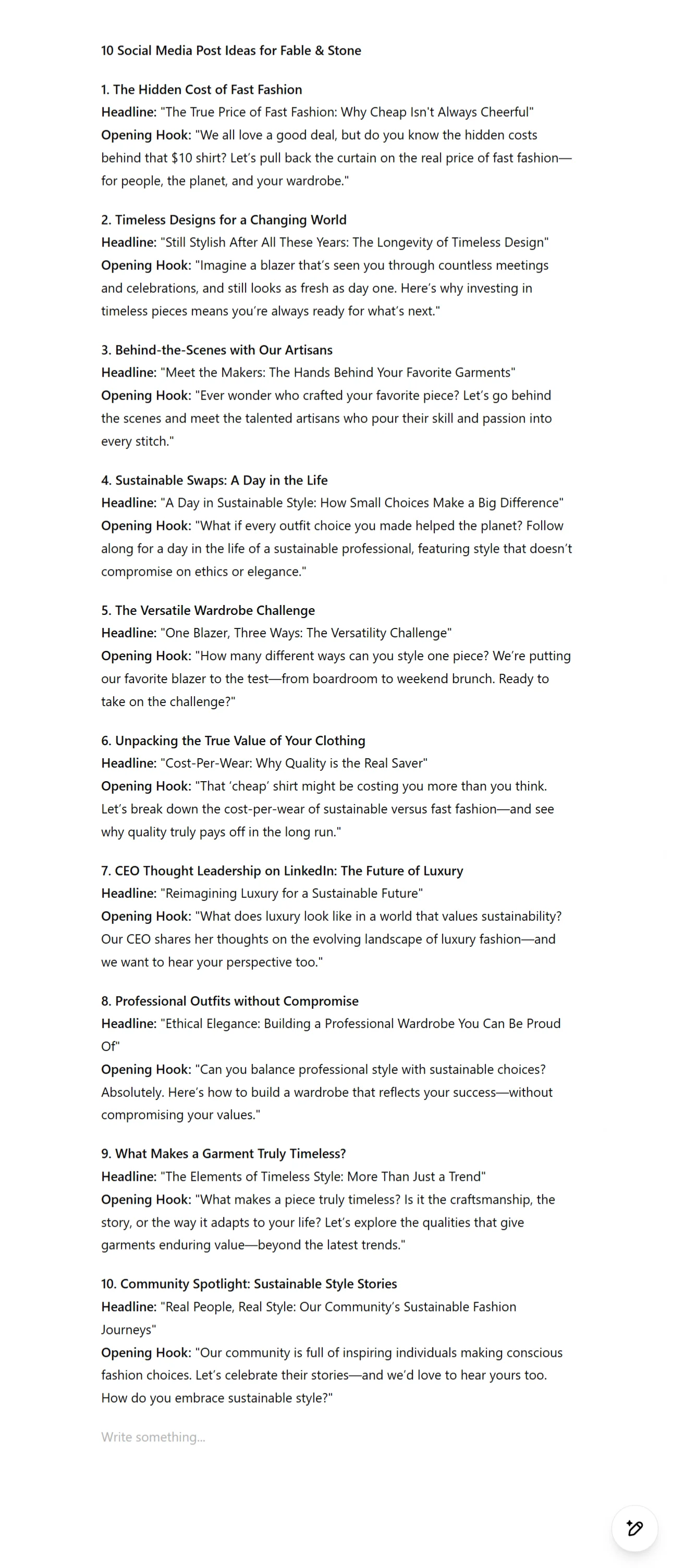
With our content ideas ready, let's transform them into attention-grabbing headlines and hooks. This is where we'll focus on making our content really stand out while maintaining authenticity.
Use this prompt to guide the process:
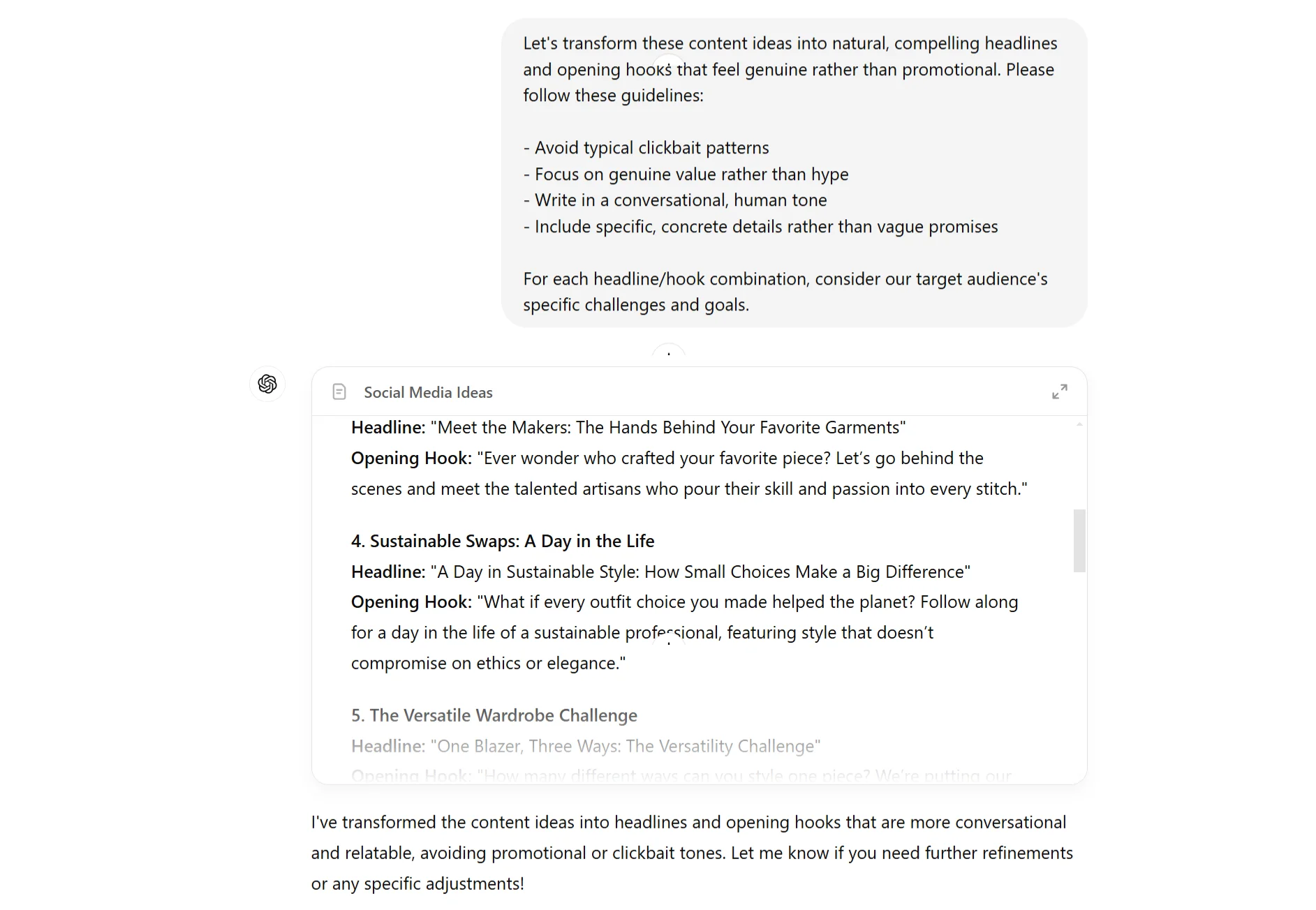
Let's transform these content ideas into natural, compelling headlines and opening hooks that feel genuine rather than promotional. Please follow these guidelines:
1. Avoid typical clickbait patterns
2. Focus on genuine value rather than hype
3. Write in a conversational, human tone
4. Include specific, concrete details rather than vague promises
For each headline/hook combination, consider our target audience's specific challenges and goals.
Step 4: Write main content using ChatGPT Canvas
Now comes the exciting part - converting our chosen headline into a complete social media post. With Canvas, you can effortlessly refine and iterate on your content until it’s just right.
Start with this prompt:
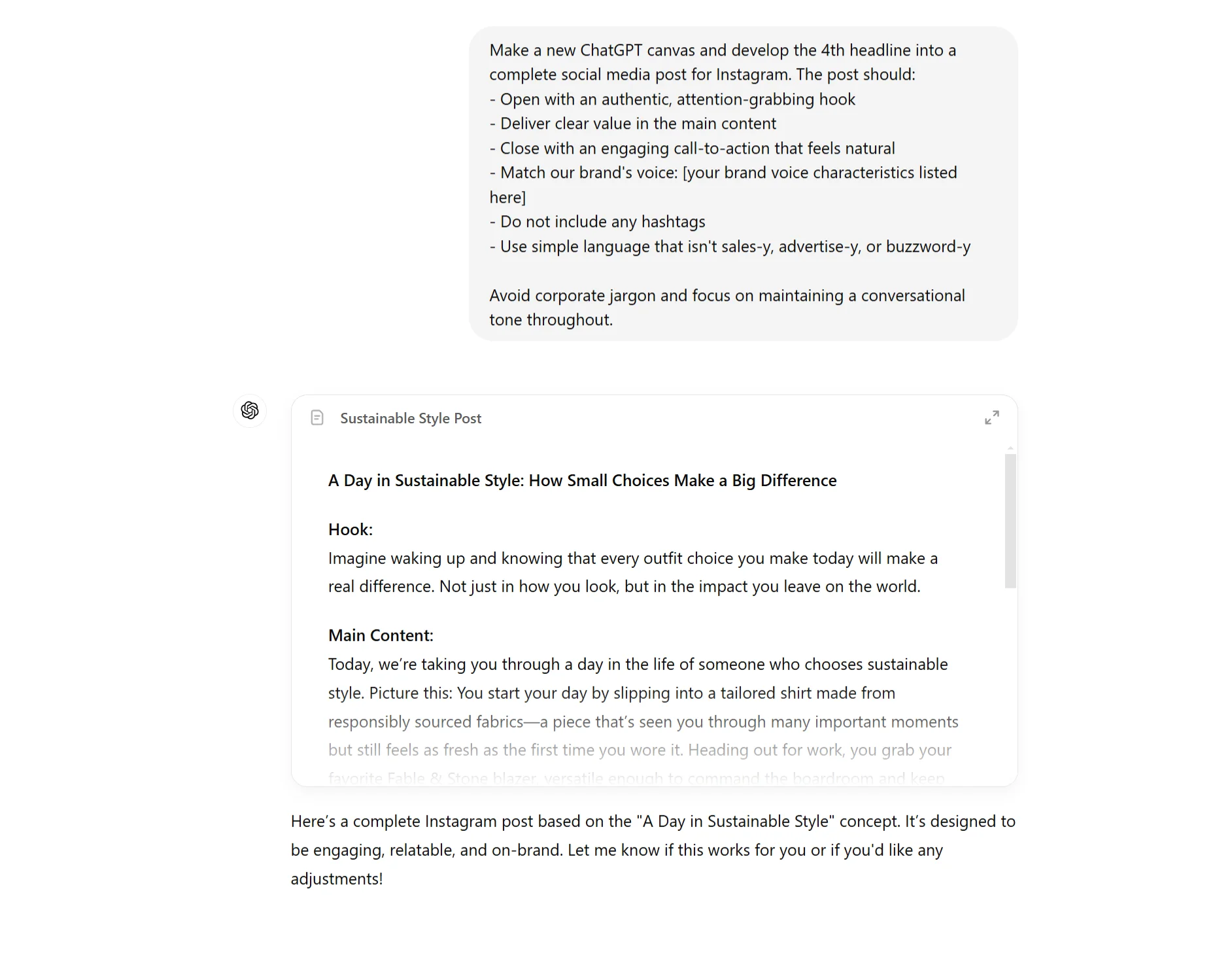
Make a new ChatGPT canvas and develop the [X]th headline into a complete social media post for [platform]. The post should:
1. Open with an authentic, attention-grabbing hook
2. Deliver clear value in the main content
3. Close with an engaging call-to-action that feels natural
4. Match our brand's voice: [your brand voice characteristics listed here]
5. Do not include any hashtags
6. Use simple language that isn't sales-y, advertise-y, or buzzword-y
Avoid corporate jargon and focus on maintaining a conversational tone throughout.
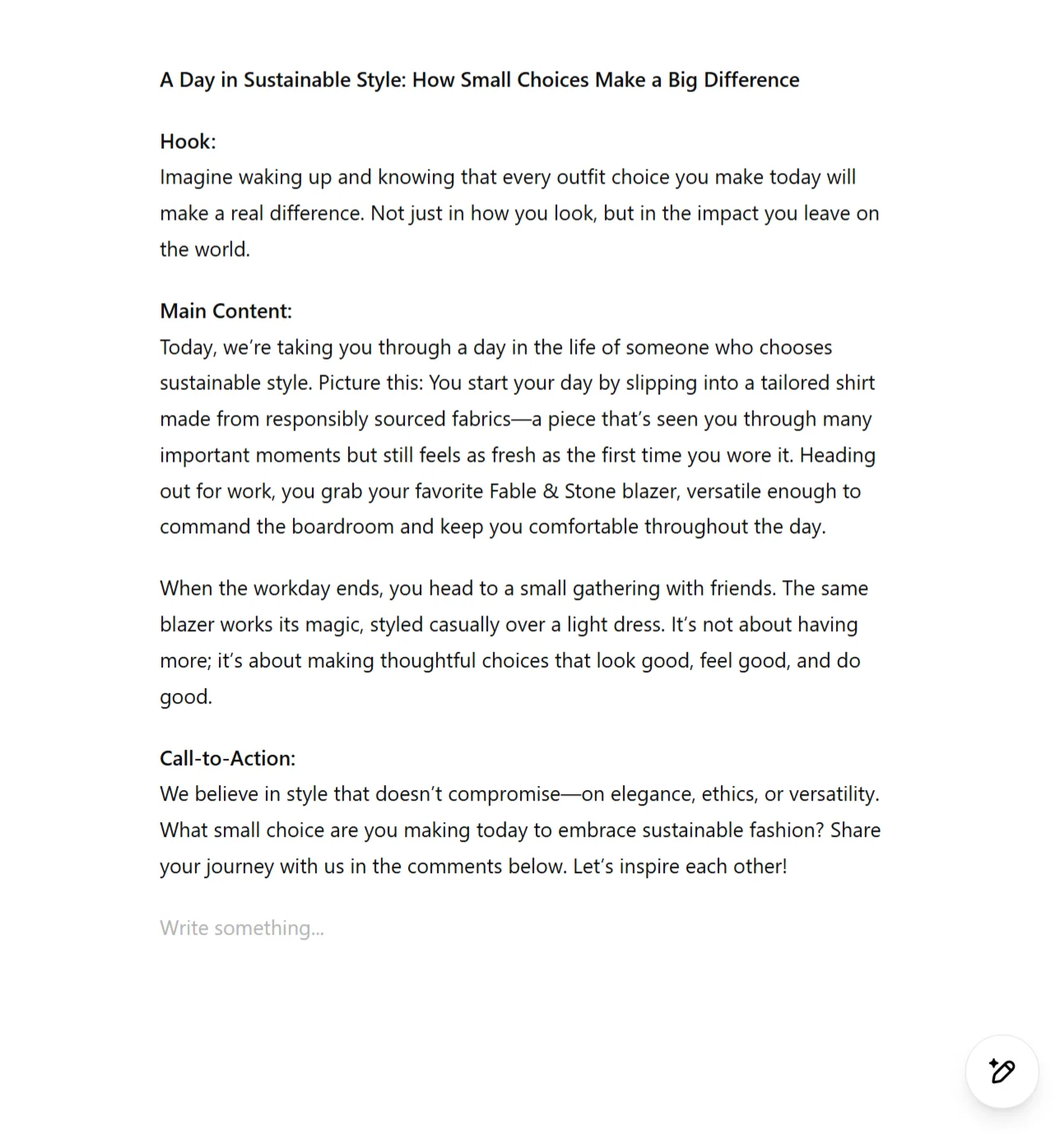
As your content takes shape, you can use these Canvas features to refine it:
Step 5: Optimize for Engagement
The draft generated in the above step may not be very accurate and the final one we need. Here is where the Canvas features for polishing and refining content can really help.
Our final step involves polishing our content to maximize engagement while maintaining authenticity. Canvas offers several features that can help with this refinement process.
Try these suggestions for optimizing your content:
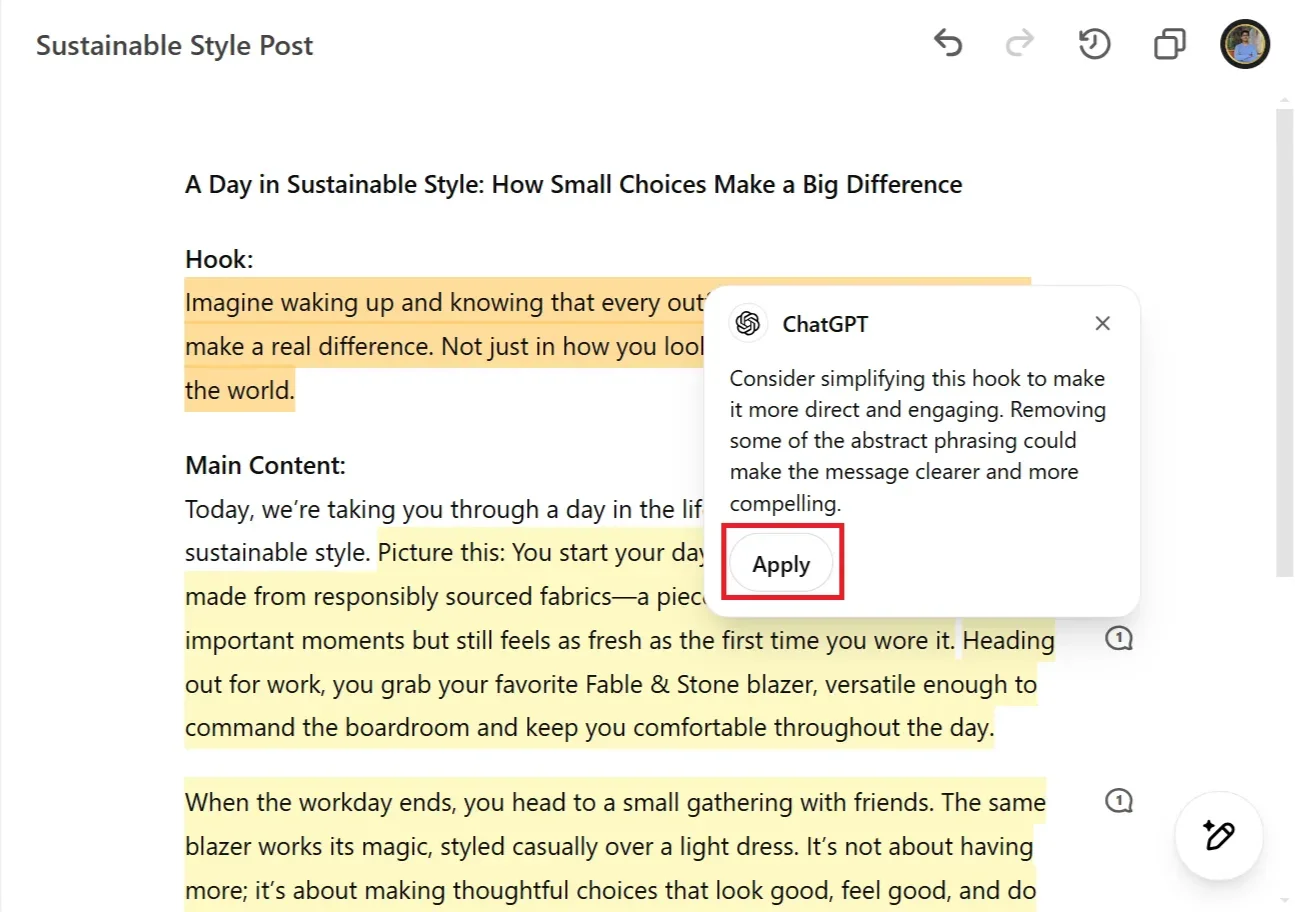
Click the "Suggest edits" button to receive suggestions for making your content more engaging. You can review and accept these changes by clicking on "Apply" in the suggestion box. Look for opportunities to add personality while maintaining professionalism.
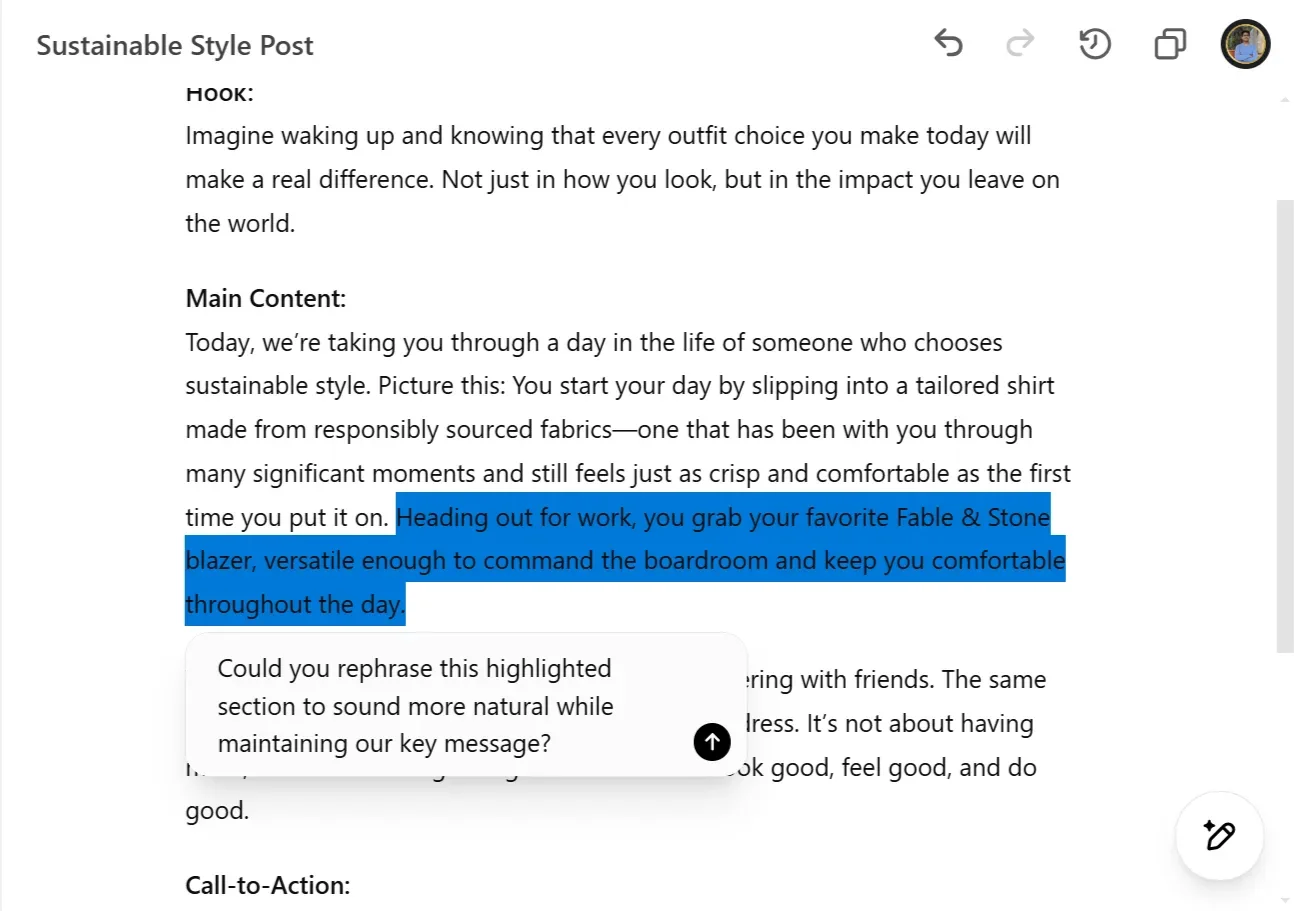
Use the highlight feature to mark sections that feel too promotional or robotic. Ask ChatGPT: "Could you rephrase this highlighted section to sound more natural while maintaining our key message?"
Use the length adjustment feature to optimize your content for different platforms - you might want to create shorter versions for Twitter and longer ones for LinkedIn.
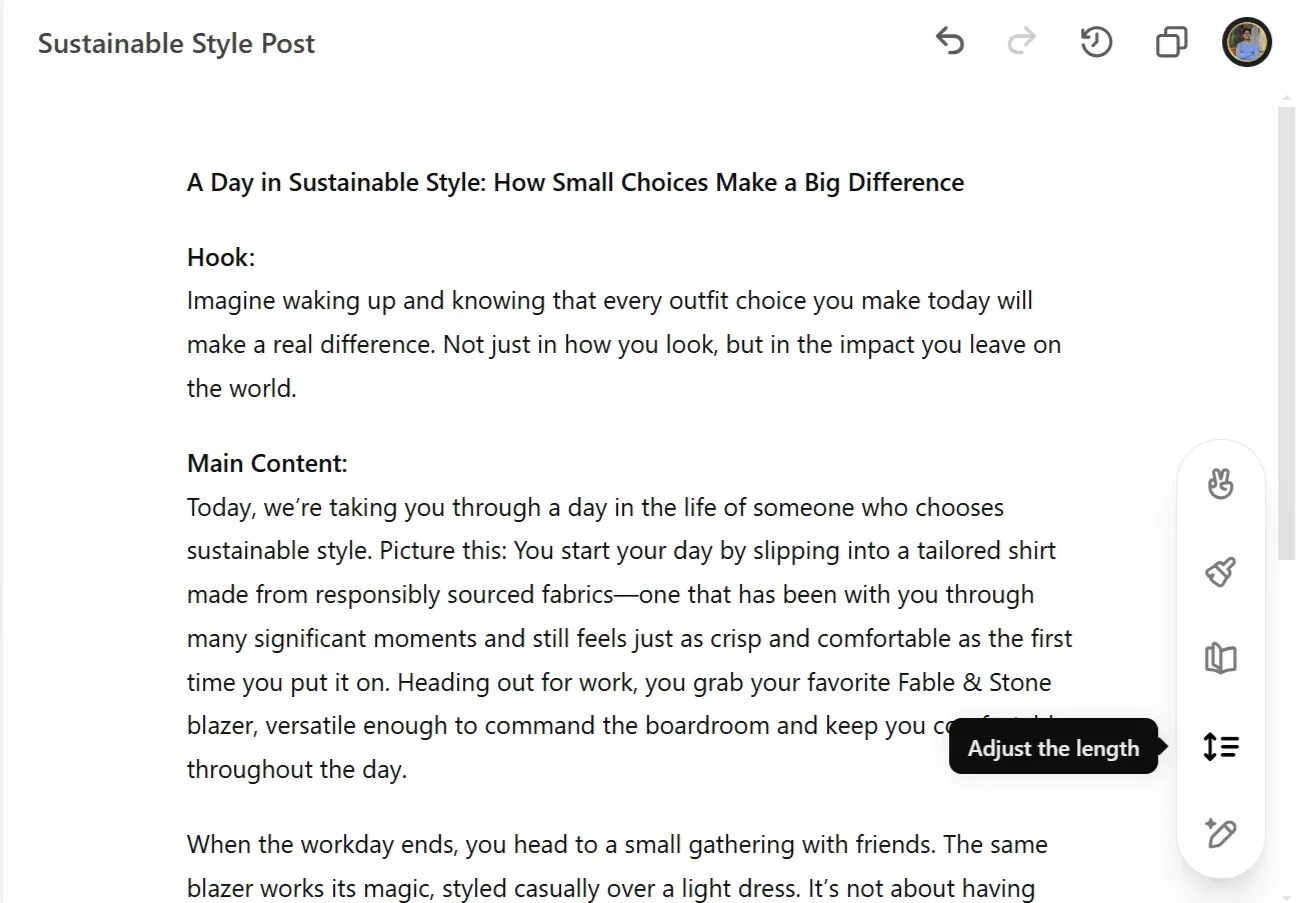
The reading level slider helps ensure your content matches your platform's style - try adjusting it to find the right balance for your audience.
- Always review AI-generated content carefully and add your own brand's unique perspective
- Test different variations of your posts to see what resonates best with your audience
- Keep a record of successful posts to inform future content creation
By following this workflow, you can create engaging social media content that resonates with your audience while maintaining your brand's authentic voice. Remember, these are suggestions to guide your process - feel free to adapt them to best suit your specific needs and content goals.
This tutorial was created by Tanmay.