Generating value-add sales content
Learn how to use AI to create industry reports, case studies, and ROI analyses that build trust and authority.
2024-11-27
Welcome to the third tutorial in our “Automating prospecting and outreach” course!
In this tutorial, we’re going to create value-add content for your prospecting outreach to educate your potential clients while building trust and authority. And the best part? You don’t need to create these artifacts from scratch. We’re going to use existing content you have—your website, existing customer call transcriptions, and more—with ChatGPT and Gamma to create these materials quickly.
Steps we’ll follow in this tutorial:
- Create an industry insight report outline
- Generate a full industry insight report based on your company website
- Upload your content to Gamma to generate a fully-designed artifact
- Additional prompts for different artifacts
Tools needed:
Let’s get into it!
Create an industry insight report outline
To get started, we’re going to use ChatGPT to create an industry insight report based on our company website. To do this, navigate to ChatGPT and enable Search mode.
.png)
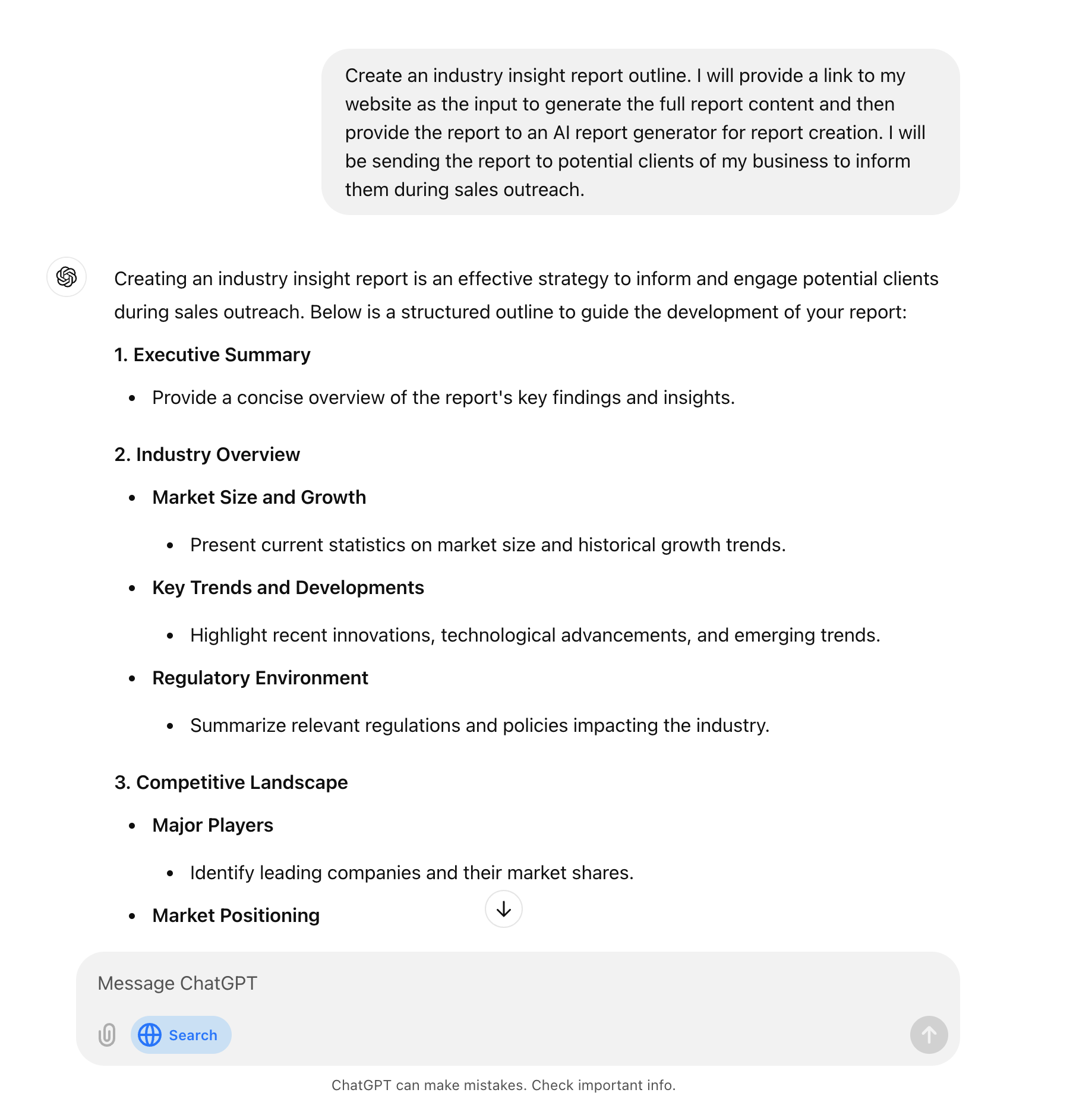
Then, request an industry insight report outline. It’s helpful to do this step first so you can review, tweak, and approve the structure before generating the full report.
Sample Prompt:
Create an industry insight report outline. I will provide a link to my website as the input to generate the full report content and then provide the report to an AI report generator for report creation. I will be sending the report to potential clients of my business to inform them during sales outreach.
Generate a full industry insight report based on your company website
Now that we have the outline, we can generate the full report. In our prompt, we’ll provide ChatGPT with our company website (so it can gather data on our products and services), and we’ll ask it to cite its sources for its web research so we can vet the data and include the sources in our report, too.
Sample Prompt:
Based on the data from the company website, the outline you created, and web research, generate the full industry insight report.
Please conduct web research and cite your sources for all of the components of the report.
Company website: [insert company website]

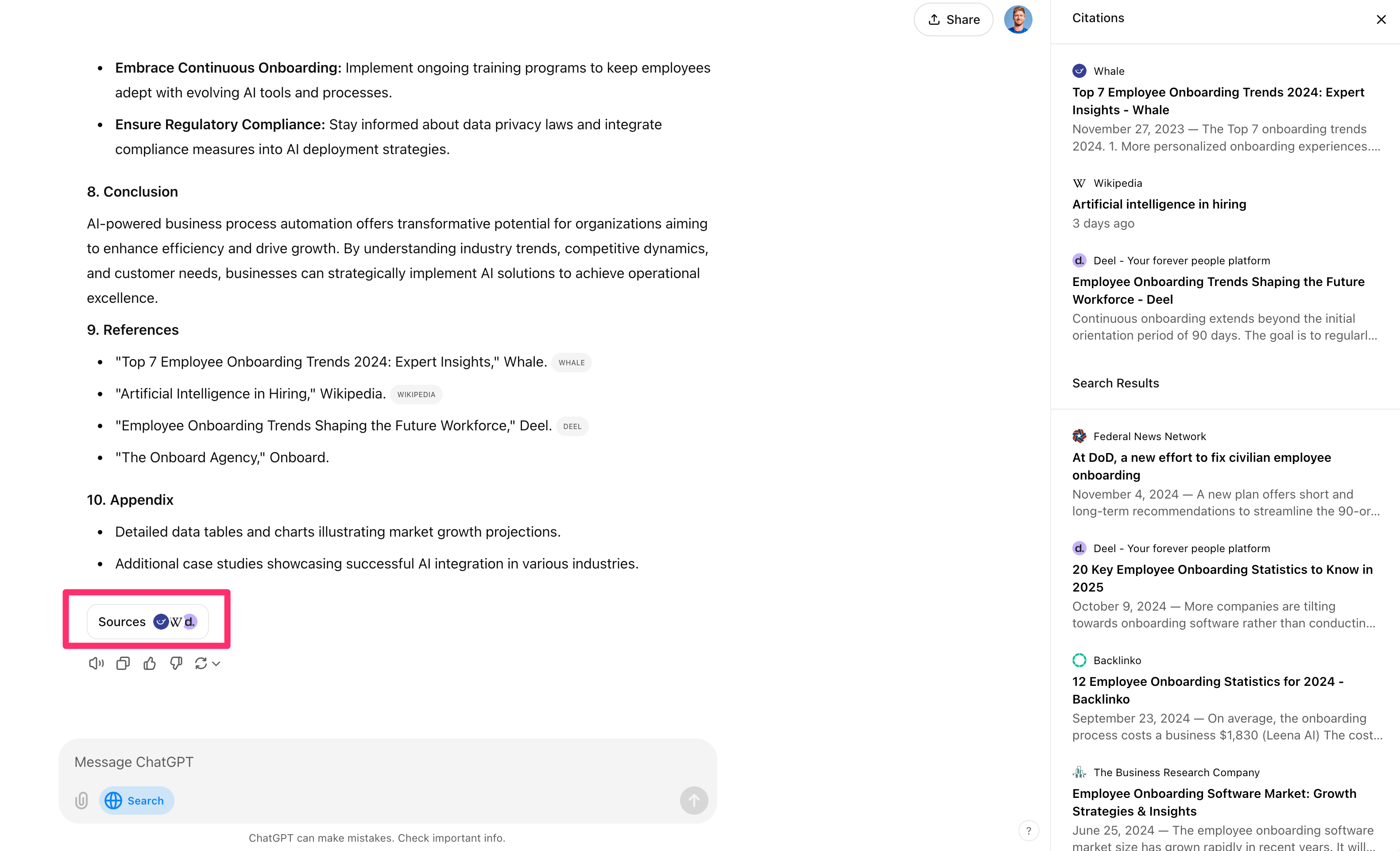
ChatGPT should generate a nice industry insight report tailored to your business and industry. If you scroll to the bottom of the generation, you can click on the “Sources” button to see links to all of the citations.
Upload your content to Gamma to generate a fully-designed artifact
Now that we have our report content, we’ll head over to Gamma to create a fully designed report for this content that we can send our prospects. First, copy the report content from ChatGPT by clicking the “Copy” button at the bottom of the generation.

Then, navigate to Gamma, and on your dashboard, click the “Create new AI” button.

Select the “Paste in text” option on the next screen.

Then, paste in the content from ChatGPT, select the “Document” content type, and the “Letter” option from the dropdown.

When you click “Continue,” you’ll be taken to the “Prompt editor” screen, where you can make adjustments to the text content, images, and document structure.

We’re going to leave everything to the defaults except for the images. Rather than having Gamma insert AI images, we’re going to update the “Image source” to “Stock photos” from Unsplash. This will better suit the content we’re making (and often be higher-quality images).

Click “Continue” when you’ve finalized the settings of your document. On the next page, you’ll be able to select the theme of your document. Click “Generate” when you’ve selected your theme.

Your full report will then be generated. You can use the document editor here to update text content, add/remove pages, insert images, and more. Once you’re happy with your report, click the “Share” button at the top right of the screen to get shareable links to the report.

You can either share direct links to the report or even publish it to a Gamma site. In addition, you can download the report as a local file in many different formats (e.g., PDF, PowerPoint, etc.).

Additional prompts for different artifacts
Now that you have the process for generating value-add artifacts, you can fork this process for several different types of documents. A few examples:
Generate case studies from customer meeting transcripts
Ask ChatGPT for an outline of a case study. Then, upload transcripts from customer meetings or written feedback from clients as the source data to create case study content.
Create ROI one-pagers from your company offering
Similarly, ask ChatGPT for the components needed for an ROI calculation. Then, provide your company website, proposal document, or pricing sheet as source data for ChatGPT to create an ROI one-pager.
Develop a market analysis from your company website
Finally, you can ask ChatGPT to create an outline for a market analysis. Then, provide your company website (like we did in the second step of this tutorial) to have it generate a full market analysis report for your company’s market.
Then, you can take any of the output from ChatGPT and put it through the same visualization process in Gamma to create stunning artifacts for each of these use cases.
And that’s it! Now, you have a repeatable process for creating value-add content for your sales outreach and several different types of content to create.
In the next lesson, we’ll create customized outreach email templates and sequences to target contacts from the prospect lists you generated in the second tutorial of this course. You’ll also be able to include the artifacts you’ve created in this tutorial in that outreach—bringing everything together!
This tutorial was created by Garrett.