Getting started: Using ChatGPT for everyday personal tasks
A quick look into using ChatGPT for writing, travel, summaries and asking questions.
2024-04-15
Welcome to part 3 of our free course Learn how to use ChatGPT.
The possibilities for using ChatGPT in your daily life are virtually endless. It all comes down to your creativity! In this tutorial, we'll cover some of the most popular tasks it’s used for, including:
- Writing
- Travel recommendations
- Answering questions
- Summarising text
- Web research
- Simplifying concepts
- Translation
- Image generation
- Data analysis
Interacting with ChatGPT
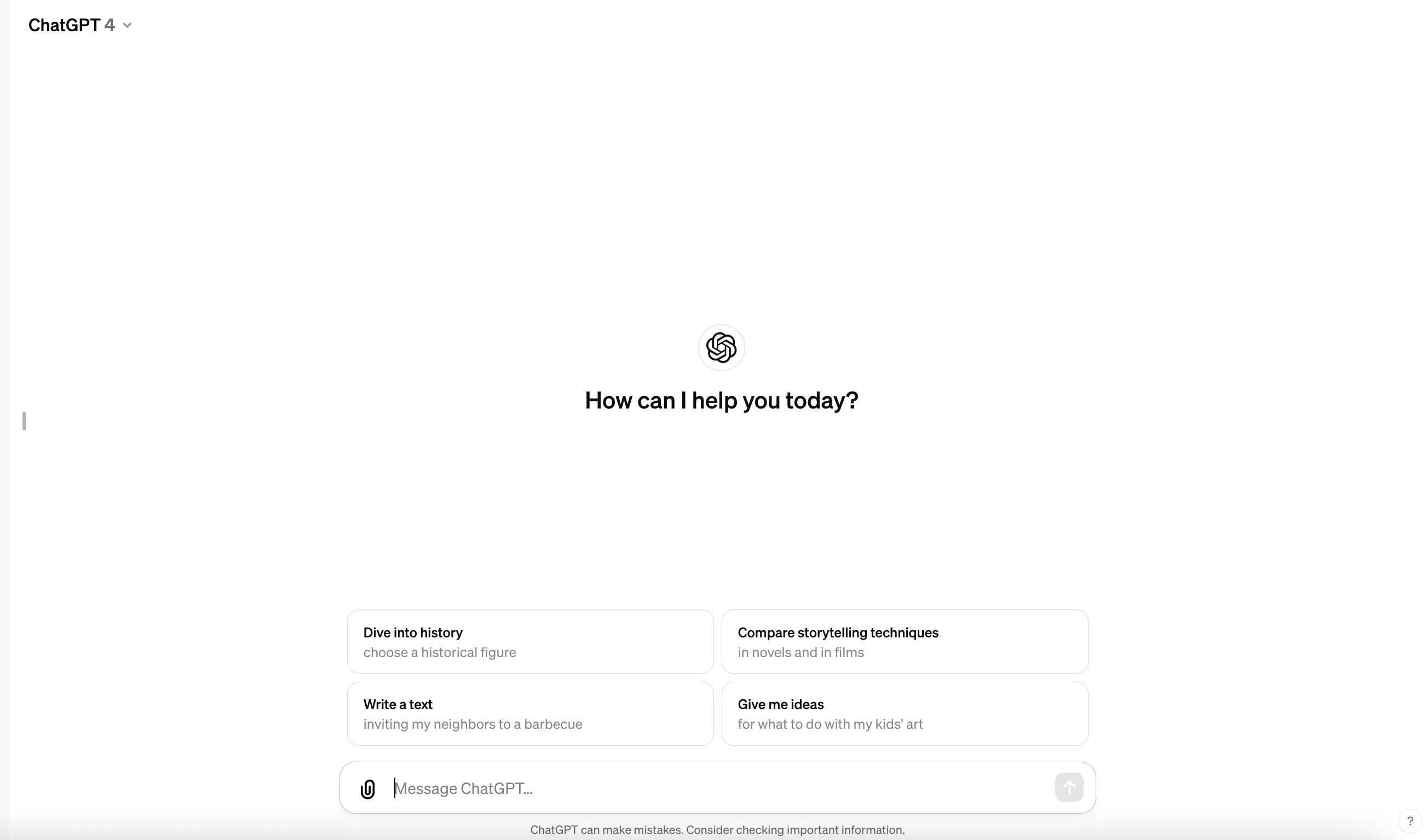
Chatting with ChatGPT is straightforward. After logging in, simply type your question or request into the input field. Send it and wait for the uncannily human-like response to appear on the screen.
A note on prompts:
The messages you send to ChatGPT are called prompts. We'll explore effective prompt writing in more detail later in this course. For now, here are some introductory tips and example prompts. Feel free to copy these prompts into ChatGPT or create your own variations. Experiment and have fun!
Writing
Given ChatGPT's language-oriented design, it's no surprise that writing is one of its most popular applications. You can ask ChatGPT to generate, improve, or brainstorm text.
Sample Prompt:
Compose an email invitation for my best friend's surprise 30th birthday party. The party will be held at a local zoo, starting at 7 pm. Guests should wear an animal costume.
.webp)
Sample Prompt:
Can you improve this sentence so it sounds better? “[insert sentence you want improved]”
.webp)
Sample Prompt:
Generate 5 ideas for a short story about time travel.
.webp)
Travel recommendations
ChatGPT excels at providing unique suggestions you might not have considered. Let's use it to plan a holiday.
Sample Prompt:
Help me plan a solo hiking trip for a week this summer. I'm open to destination suggestions, preferably somewhere in Europe. My budget is around £1,000, including flights and accommodation.
.webp)
.webp)
Notice how ChatGPT provides European recommendations based on your request. But it also suggests tips beyond just location, like budget and what to pack. The AI thinks creatively.
Remember, you can always ask follow-up questions to get more specific details.
.webp)
Answering questions
AI assistants are fantastic at answering a wide range of questions, thanks to their extensive training data and knowledge. Some examples:
- What are the primary differences between renewable and non-renewable energy sources?
- How do vaccines work to protect against diseases?
- What were the main causes and consequences of the Industrial Revolution?
- What’s the origin of macramé?
- What is the difference between weather and climate?
Let's explore the origin of macrame.
Sample Prompt:
What’s the origin of macrame?
.webp)
You learn something new every day!
Summarising text
Since AI can process large volumes of text in seconds, ChatGPT can be incredibly useful for summarising text.
Let's summarise a TechCrunch article about Google AI-powered editing tools. I copied the text from the article and pasted it into ChatGPT with the following prompt:
Sample Prompt:
Please summarise the key points from this news article: [insert copied text]
ChatGPT's response:
.webp)
Web research
Remember when we mentioned ChatGPT’s web browsing capabilities earlier in the introductory tutorial of this course? Well, you can use this tool to perform web research. For instance, rather than copy/paste an article from Tech Crunch into ChatGPT, we can ask it to perform research on a specific topic and have it cite its sources.
Sample Prompt:
Provide a summary of the recent news about [insert topic]. Cite your sources.
.webp)
Simplifying concepts
You can ask ChatGPT to explain concepts you don't fully understand or have heard about but want to learn more about.
Here's our prompt:
Explain quantum computing in simple terms. Assume I’m 10 years old and I have no prior knowledge of the subject.
.webp)
Translation
You can also use AI for language translation. Often, you don't even need to specify the language, which is helpful if you're unsure!
Sample Prompt:
Translate this text into English: “[insert text you want to be translated]”
.webp)
Sample Prompt:
How do I say "Where is the nearest train station?" in [language]?
.webp)
If you’re unsure how to pronounce the translation, ChatGPT’s got you covered.
.webp)
Image generation
ChatGPT, with its DALL-E integration, can also generate images from your chat requests — without you having to leave the tool. For example, if we wanted to create an image for the zoo birthday party email invitation from earlier in this tutorial, we could simply ask ChatGPT to create an image.
Sample Prompt:
Create an image for [insert image details].
.webp)
The text on images can be a bit strange, as you’ll notice from our example, but we can use ChatGPT’s built-in image editor to remove the text (or any other content in the image). To do this, click on the image. Then, in the expanded window, click on the “Selector” tool in the top right corner.
.webp)
This tool will let us highlight all of the areas in the image we want to remove. For example, I’m going to remove most of the text.
.webp)
Once you’ve selected everything you want to change, you can then prompt ChatGPT with your requested edits via the bottom right corner input field.
Sample Prompt:
Remove the text and replace it with the existing background colour.
.webp)
The results won’t always be perfect — but it should get pretty close. We’re happy with our final invitation image!
_(1).webp)
Data analysis
We can also use ChatGPT for data analysis, which is handy for managing things like your personal finances or family budget. ChatGPT can read multiple data file types, interpret the data, and visualise it too. For example, we’ll ask ChatGPT to create a graph from a CSV file of budgetary data.
Sample Prompt:
Can you create a colour-coded graph of my attached family budget?
.webp)
You can follow up and ask for recommendations or forecasts on the data too.
Sample Prompt:
What are some strategies we can use to reduce our expenses?
.webp)
Tips and best practices for efficient use
Keep these points in mind to get the most out of your interactions with an AI assistant:
- Be clear and specific with your questions or requests
- Break down complex tasks into smaller, manageable steps
- Provide context and background information when necessary for better responses
- Leverage the internal ChatGPT tools (image generation, data analysis, etc.) for advanced outputs
.webp)
With these tips and examples, you're well-equipped to start using ChatGPT for a wide range of everyday tasks. The more you use it, the more you'll discover its potential to make your life easier and more productive!