How to prepare, interview, and evaluate for non-technical roles
Use ChatGPT to prepare interview questions, set evaluation criteria and assess candidates.
2024-11-13
As a leader, hiring your team is one of the highest leverage activities you can do. You need to source, attract, and interview the very best candidates to help your business succeed. With the right people on board, your company can grow without you needing to be hands-on with every element of the business.
In this tutorial, you will learn how to:
- Develop interview questions for non-technical roles
- Use AI to evaluate candidate responses
- Streamline the interview process for roles like marketing, sales, and support
In this tutorial, we’ll use the role of Lifecycle Marketing Manager for our example. Throughout the sequence of prompts, you can simply swap in the job title you’re hiring for and get accurate responses.
Step 1: Prepare interview questions
The first thing you’ll want to do is prepare questions and areas of inquiry you want to explore in the interview. Start by defining the requirements of the job for ChatGPT. The fastest way to do this is by sharing the job description associated with the role.
Defining role requirements
You’re going to help me prepare for an interview for a [job title]. Start by reviewing the job description I’ve shared below. Let me know when you’re ready to proceed.
[job description]


Generating questions with ChatGPT
Based on the job description, generate 15 interview questions. Follow best practices in regards to question structure and topic coverage. For each question, include a brief explanation on what to look for in the candidate’s answer.


You likely won’t be able to cover 15 questions and answers over a single interview so you’ll want to either select the most pressing questions or divide up the interview into multiple meetings.
Step 2: Conduct the interview
Structuring the interview format
We have a [number of minutes] minute interview time. Each question and answer should take approximately 10 minutes. Develop a structure for the interview prioritizing the most revealing and informative questions.


AI note-taker
During the interview, you can get a tool to take notes for you. This lets you focus on the conversation with the candidate. Keep in mind that because the AI is recording and transcribing in real-time, you should check with the candidate first that they are comfortable being recorded.
List and link to a few AI note-taking apps I can use during my interview.


AI notes are a valuable tool to jog your memory when you’re reviewing and considering the candidate. AI however doesn’t effectively capture your sentiment towards the candidate. Did they share a particularly interesting insight? Was there a comment that needed to be explored more in future interviews? It’s important you take the time to add your own observations to the notes.
Step 3: Evaluate candidates
Setting evaluation criteria
To follow best practices, you’ll want to set a rubric so you can evaluate all candidates on an even playing field. This is also known as a scorecard.
For the 15 questions, develop a basic rubric. This rubric will be used to evaluate each candidate’s answers. Identify 3 factors that will be scored across all questions.


If you’re taking your own notes, you can discreetly add your score to the scorecard in the interview. Alternatively, you can do the scorecard evaluation immediately after the interview so it remains fresh in your memory.
Using AI to analyze responses
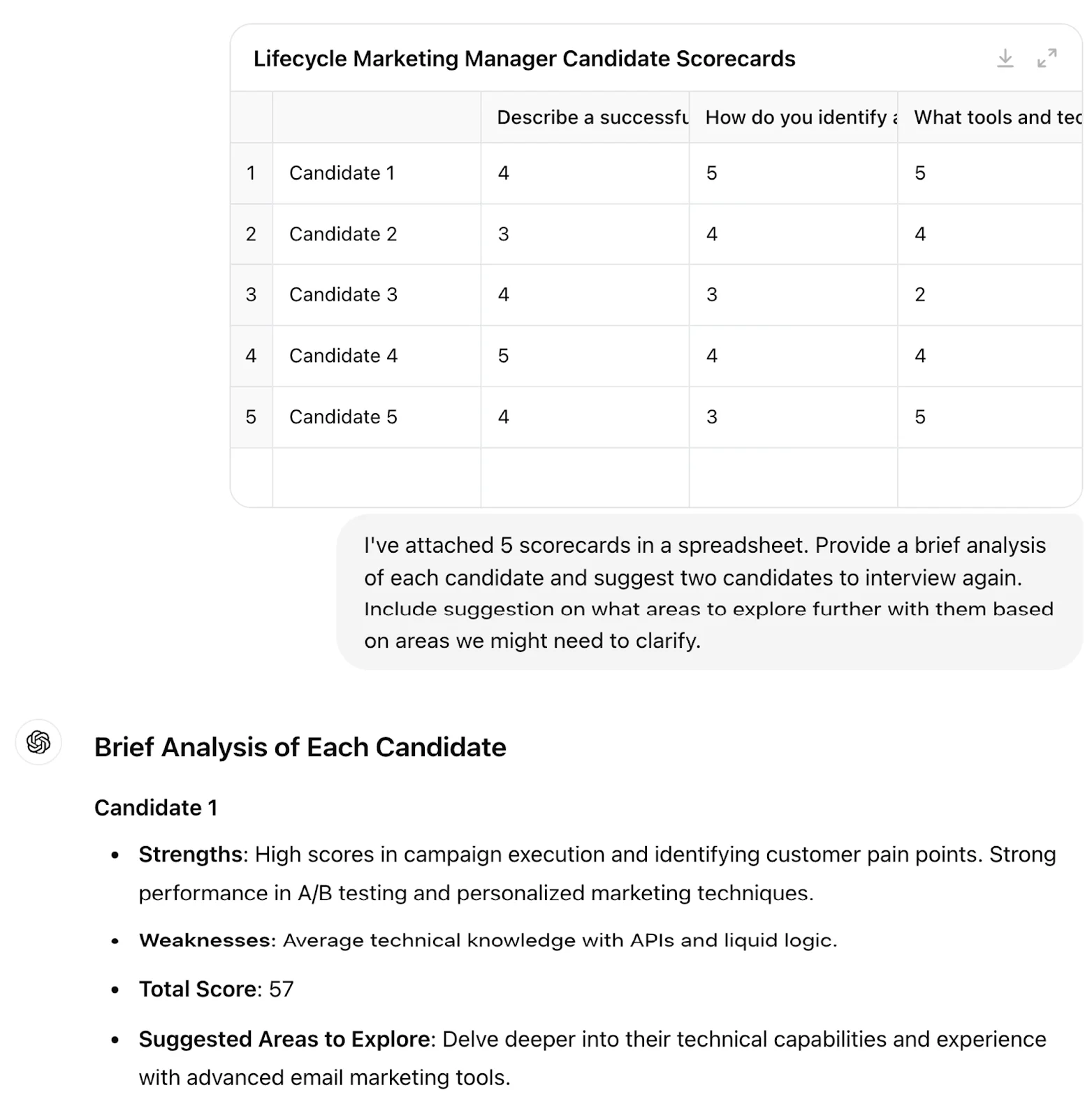
After interviewing a few candidates, use AI to analyze their scorecards and suggest which candidates might progress in the interview process. ChatGPT can also suggest some topics to dive into more based on low scores from previous interviews.
I've attached [number of candidate] scorecards in a spreadsheet. Provide a brief analysis of each candidate and suggest two candidates to interview again. Include suggestions on what areas to explore further with them based on areas we might need to clarify.

By following the steps discussed, you’ll build a more efficient and effective hiring plan. You’ll be able to not only ask the right questions, but also create an even playing field for all of your candidates.
This tutorial was created by Jonah.