How to research the web with Perplexity AI
Use Perplexity to search the web, get cited results, generate graph visualizations and more.
2024-11-13
For most of the modern Internet era, if you wanted to find something online, your first stop was a search engine, often Google. But with the rise of AI tools, especially those connected to real-time web results, this paradigm is shifting.
The newest, and current leading entrant in alternative, AI-driven web research is Perplexity AI. It’s an AI-chatbot-powered research and conversational search engine that answers queries using natural language predictive text. It provides cited, summarized results to questions and allows you to search not only across the web, but across images, video, and specific platforms (e.g. Reddit, YouTube, Wolfram|Alpha, etc.) all in one simple chat interface.
In this tutorial, we’ll explore the main features of Perplexity AI and show how you can go from a simple query to knowledge quickly, focusing our research on USA-based apartment prices over time.
You’ll need:
- Perplexity account
Steps:
- Performing data-based web research
- Generating custom data charts
- Focused search across Reddit, YouTube, & academic papers
Performing data-based web research
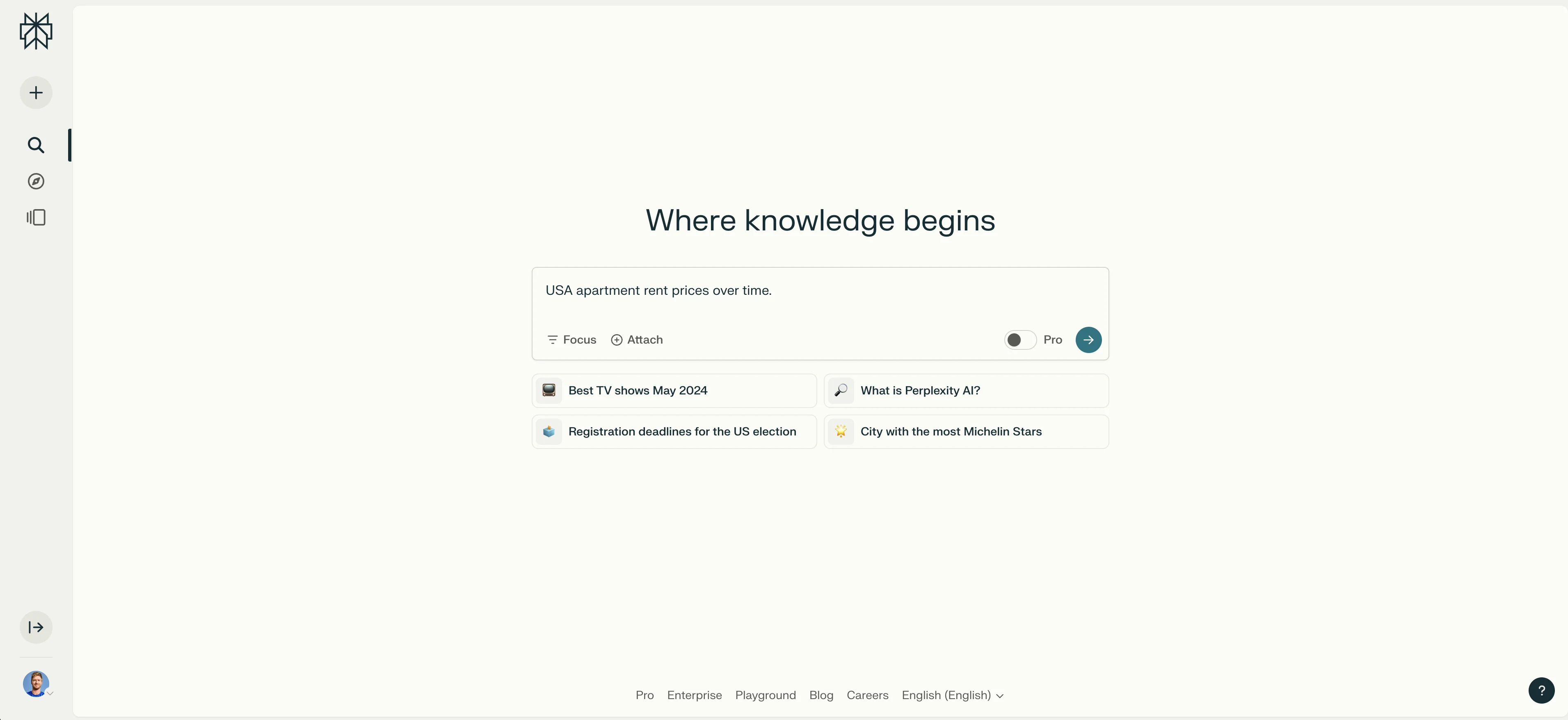
To start, navigate to the Perplexity website and enter a search query. For this tutorial, we’re going to examine the rent prices for USA-based apartments over time.
Start with this prompt:
USA apartment rent prices over time.
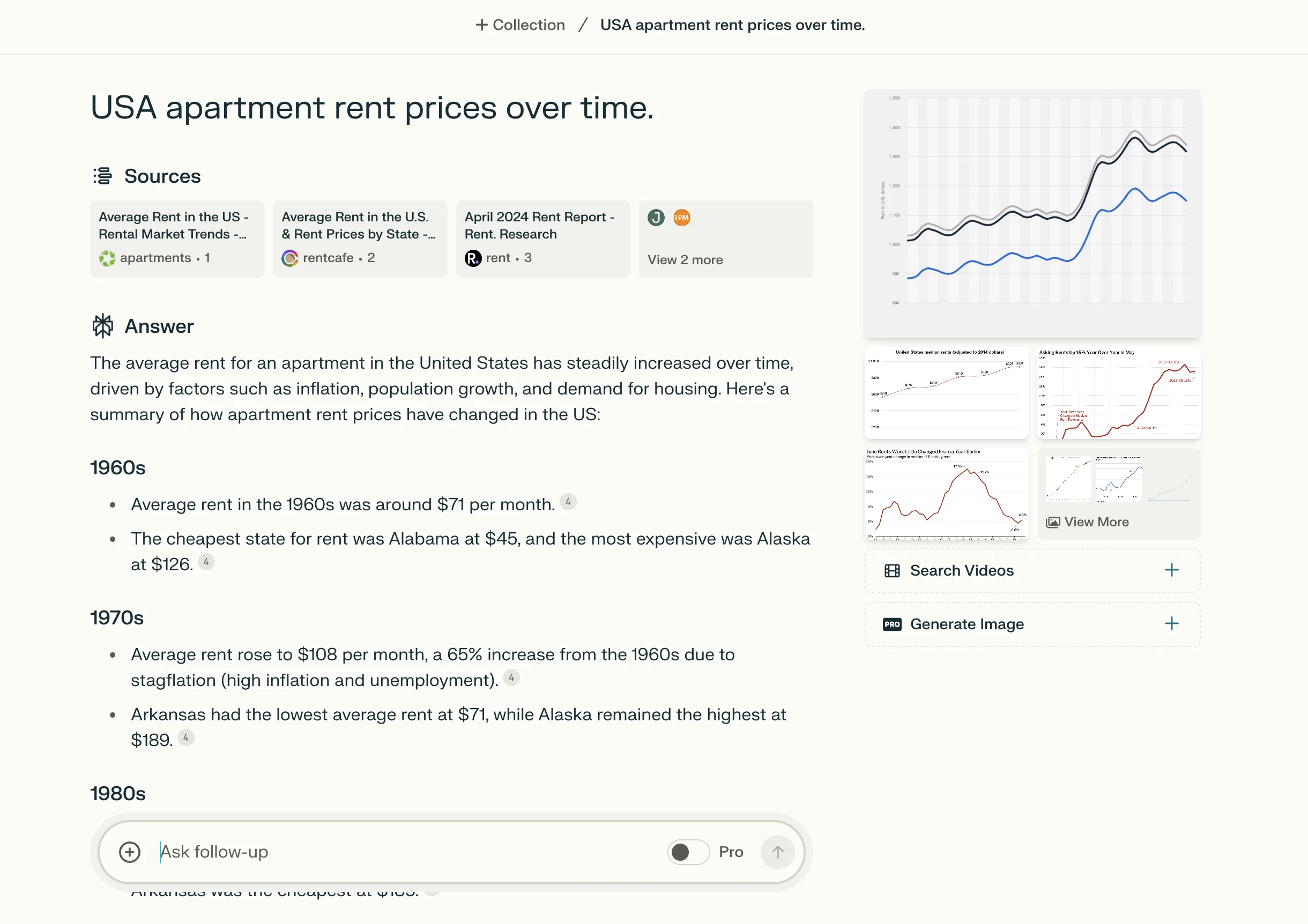
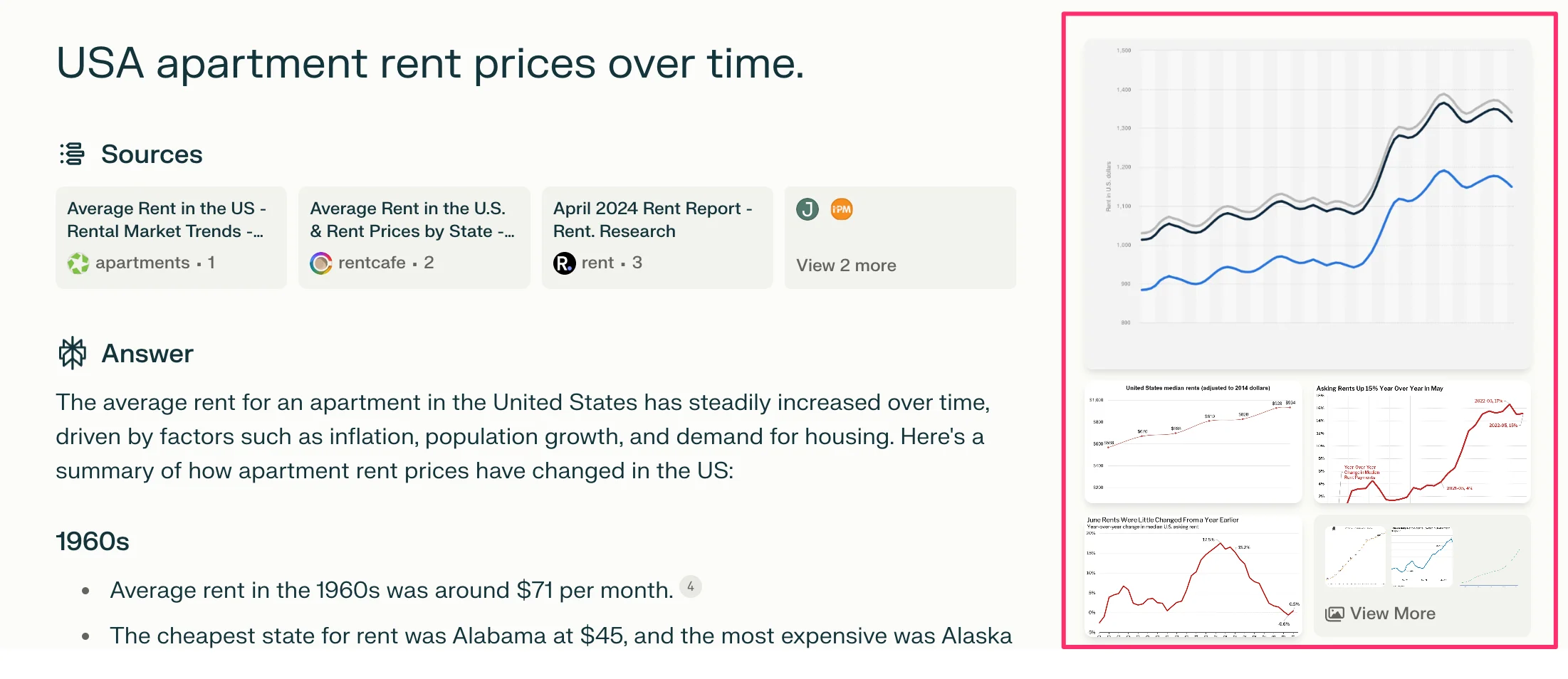
From this basic search query, Perplexity will provide a few sections of different data in its results. This includes Sources, Answers, Image Results, Video Results, and Related Questions at the bottom.
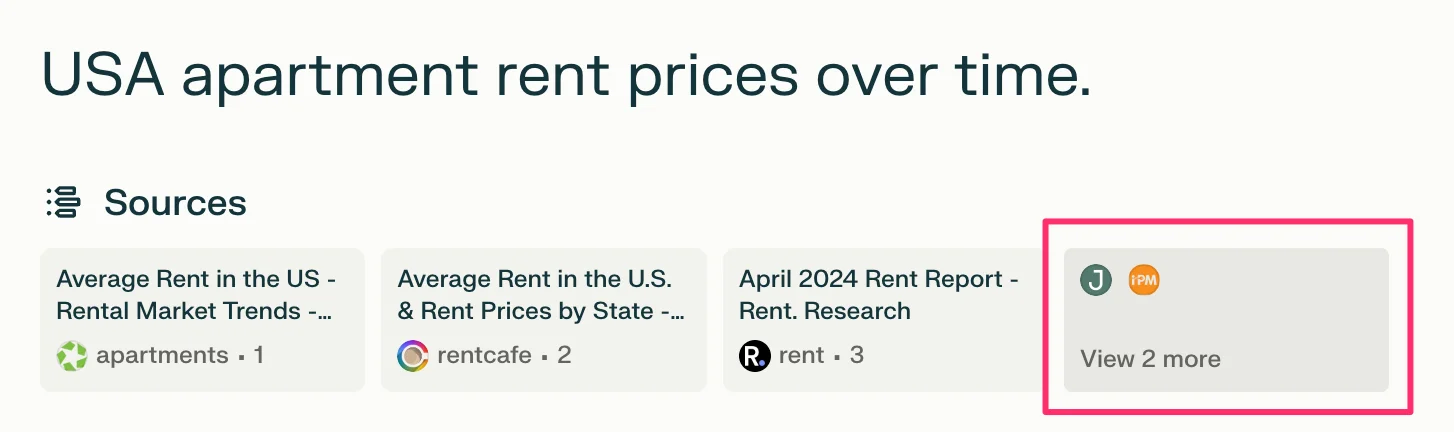
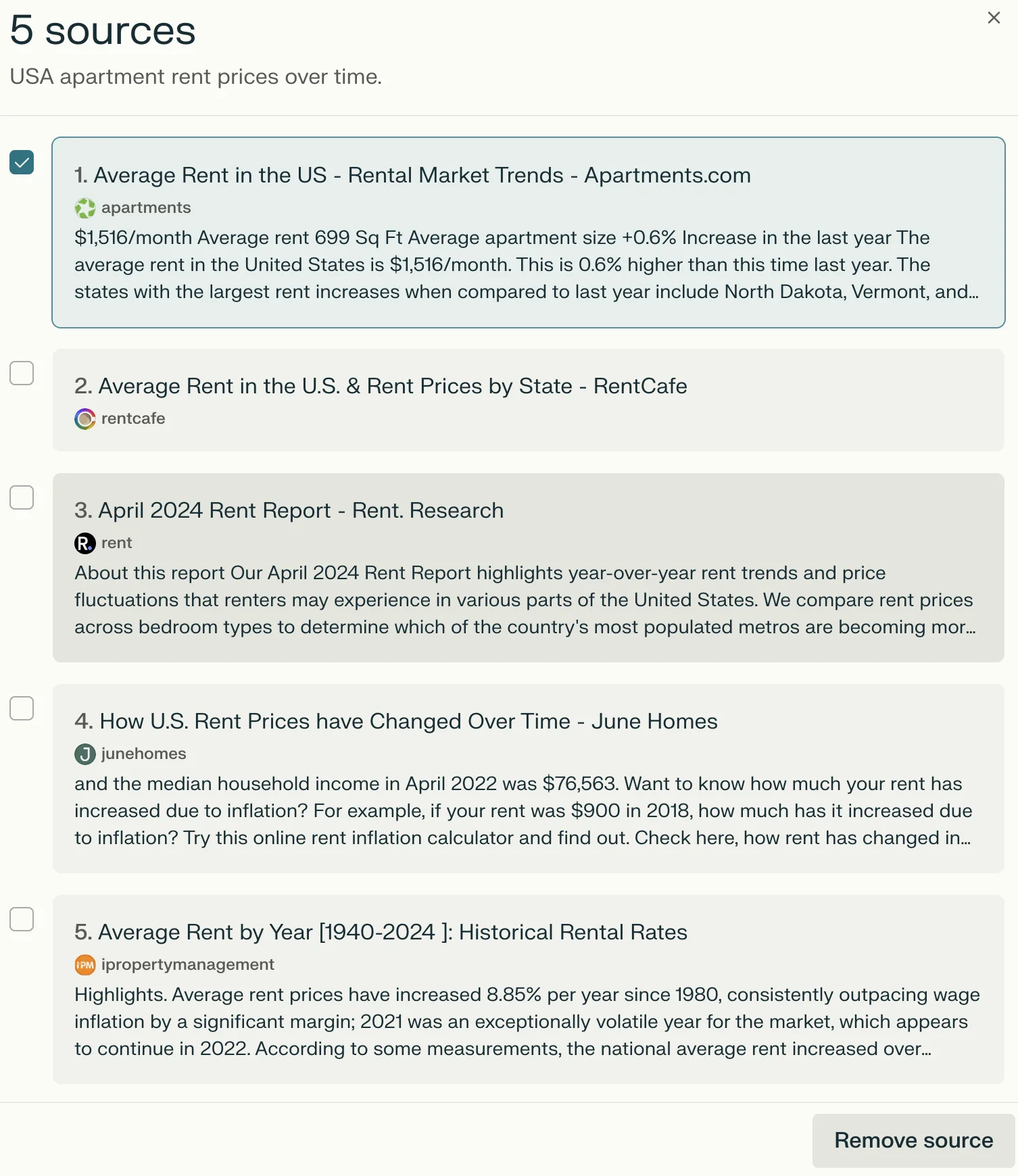
It’s important to follow up and check the source data to vet the provided results. How? At the top of the results page, Perplexity lists the sources. These sources power the annotations in the summary Answer. You can click on the View More tile under the sources section to pull up a sidebar, allowing you to dive deeper into each cited source or remove certain sources from the results.
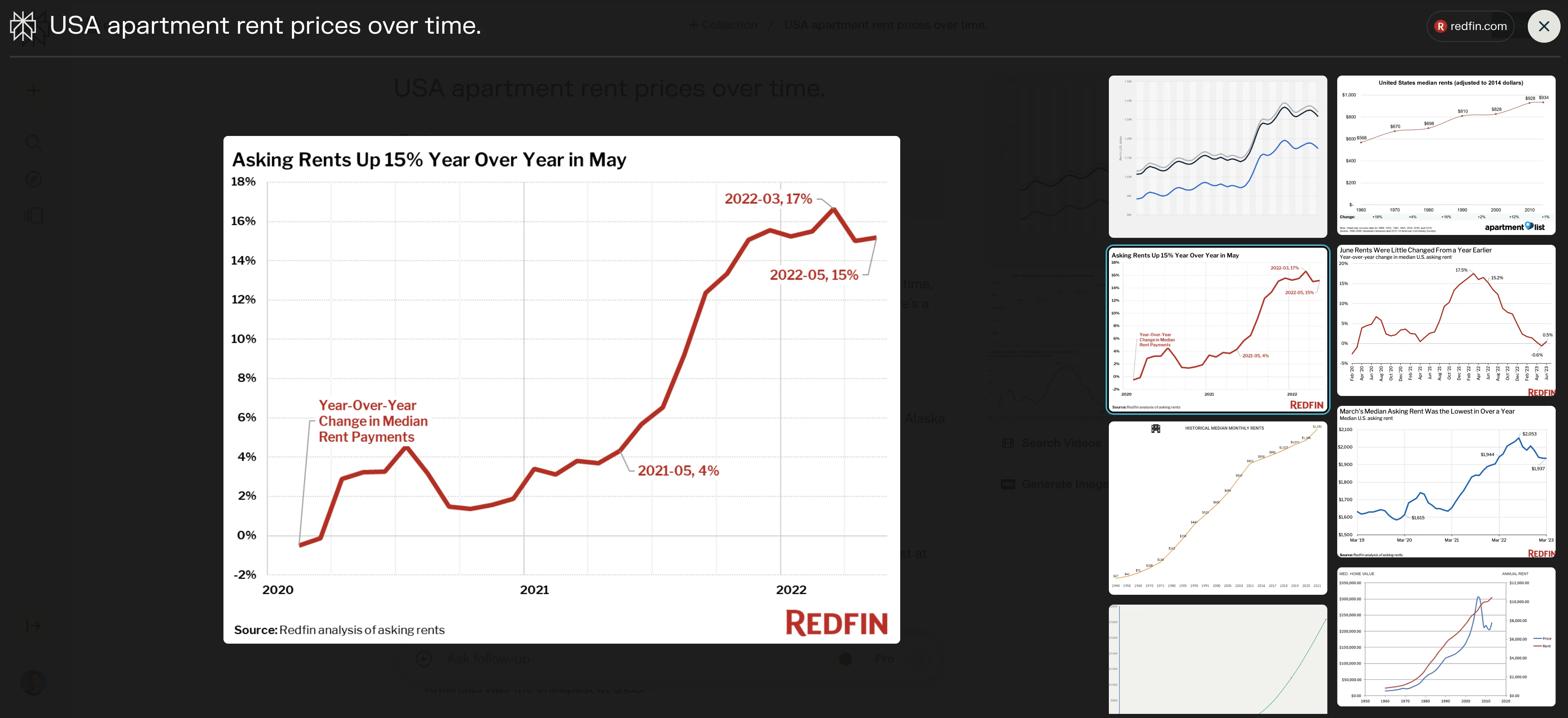
In addition, navigating back to the results page, you can click on any of the images in the top-right corner to explore visual graphs and charts of the requested data, with a link to the source of the visualization in the header.
Generating custom data charts
Now that we’ve learned the basics of searching in Perplexity, we can dive into generating custom data charts for specific queries. For this example, we’ll ask it to compare California rent prices to New York rent prices over time.
Prompt:
Generate a graph of California apartment rent prices vs. New York apartment rent prices over time.
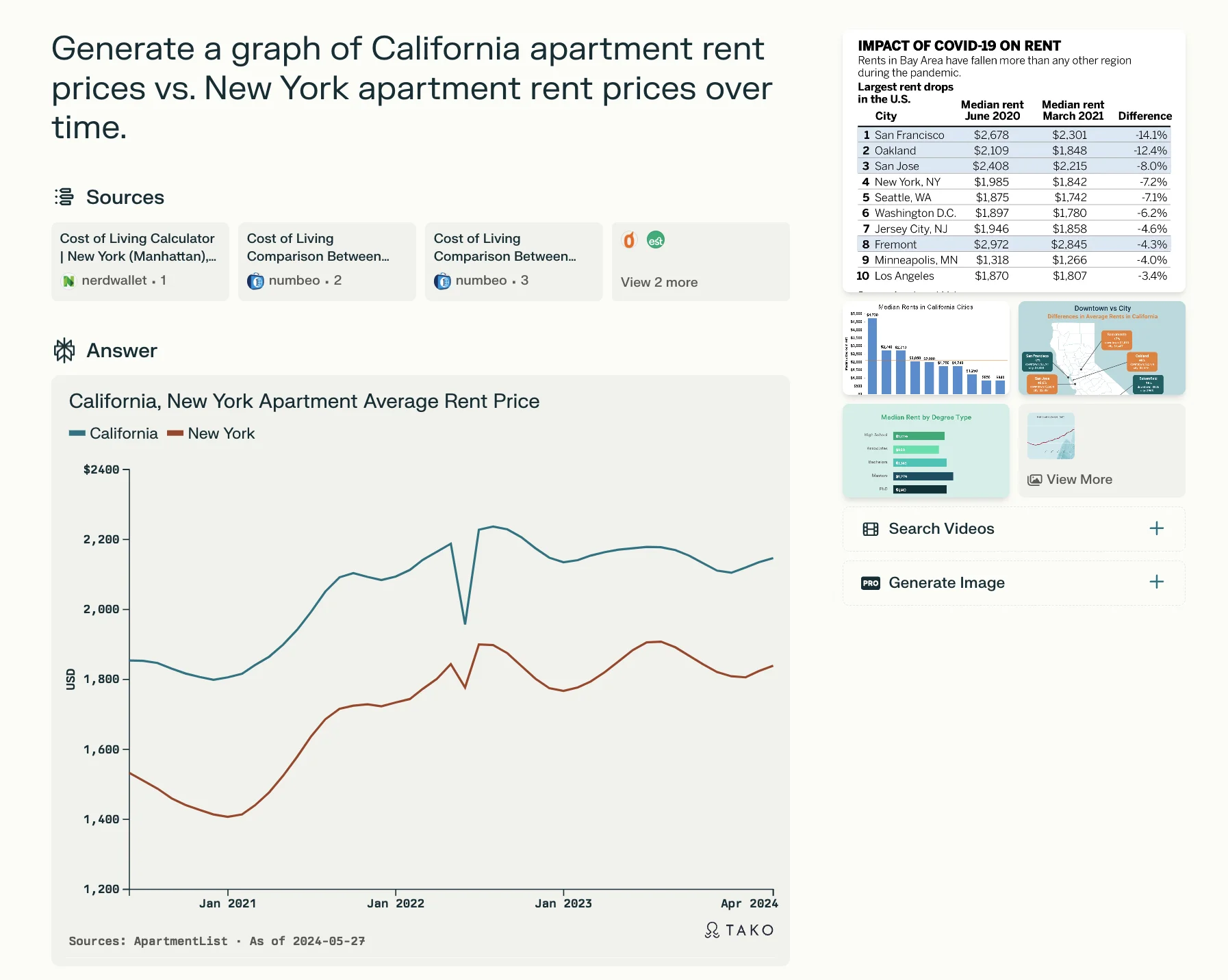
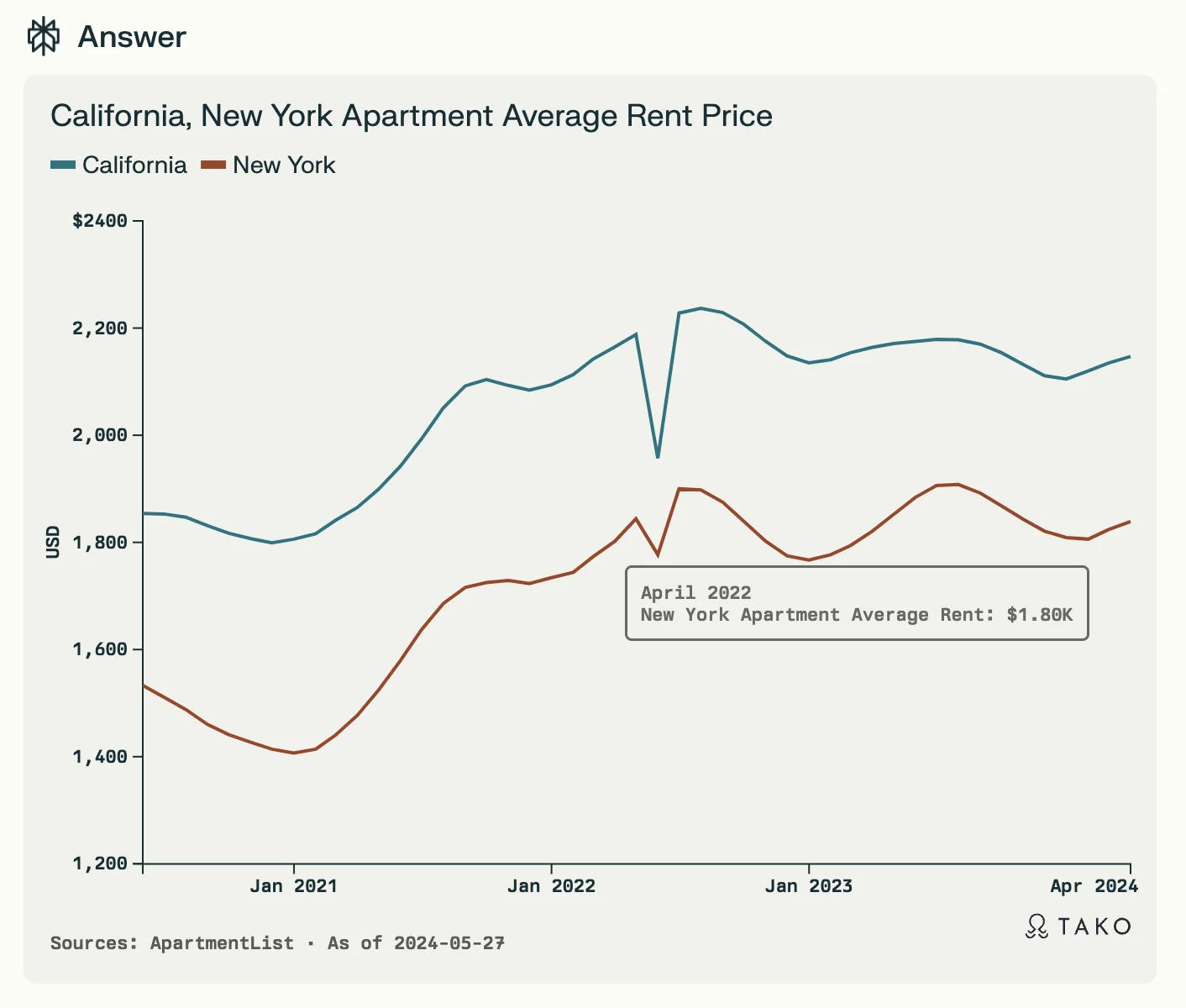
You can hover over the graph to see annotated data and find the source data listed in the bottom left corner of the graph.
Finally, at the bottom of the results page, you’ll find Related questions. Click on any of these to ask follow-up questions related to your initial query. You can also explore existing data visualizations of the request in the image results section — these are data visualizations pulled directly from the web result sources.
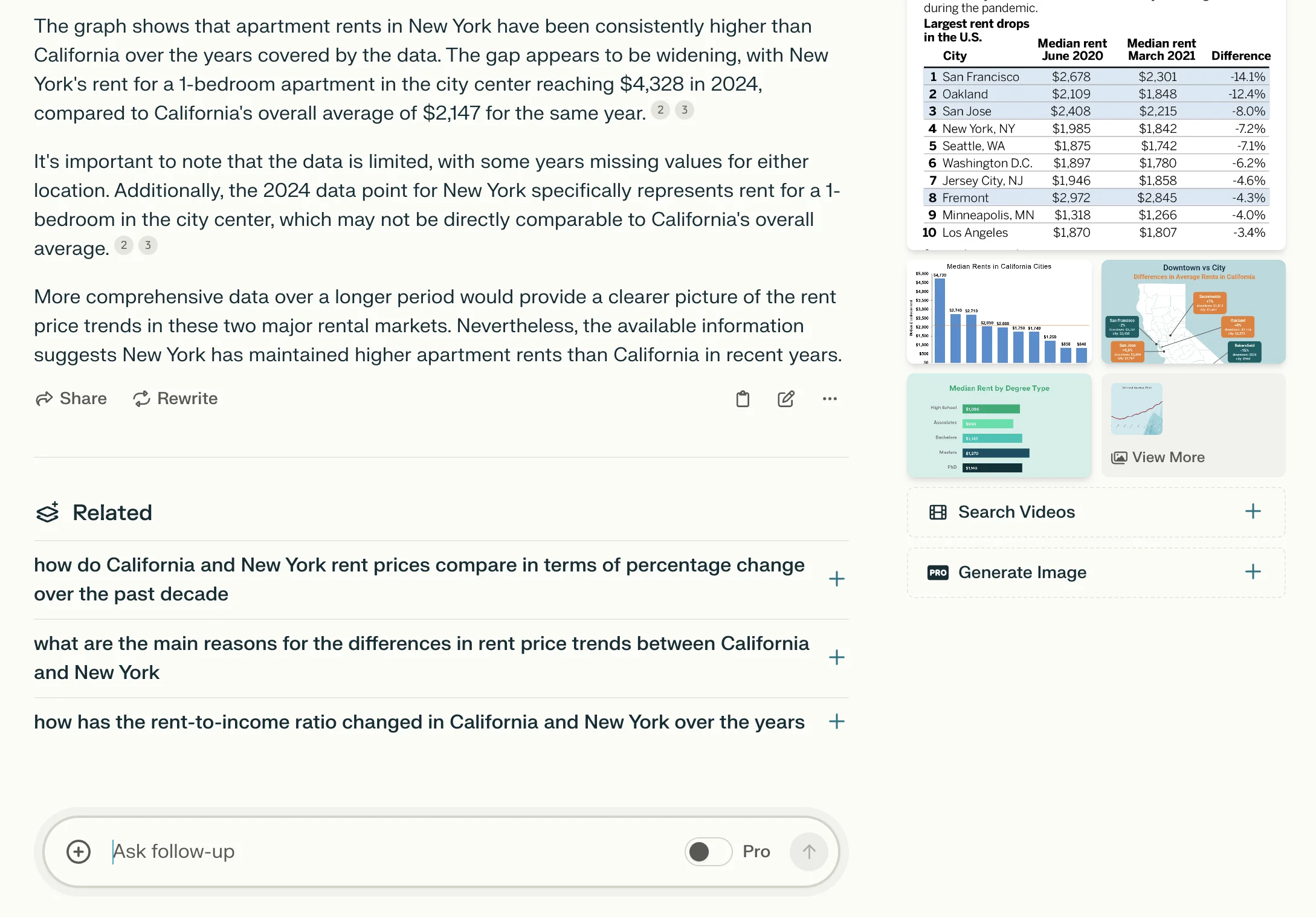
Focused search across Reddit, YouTube, & academic papers
For the last step of this tutorial, we’ll perform a focused search across Reddit for a specific query.
What’s a focused search? It allows you to query a specific website vs. the entire Internet. To do this, navigate back to the Perplexity home page by clicking the logo in the top left corner of the page, and then click on the Focus dropdown on the search bar.
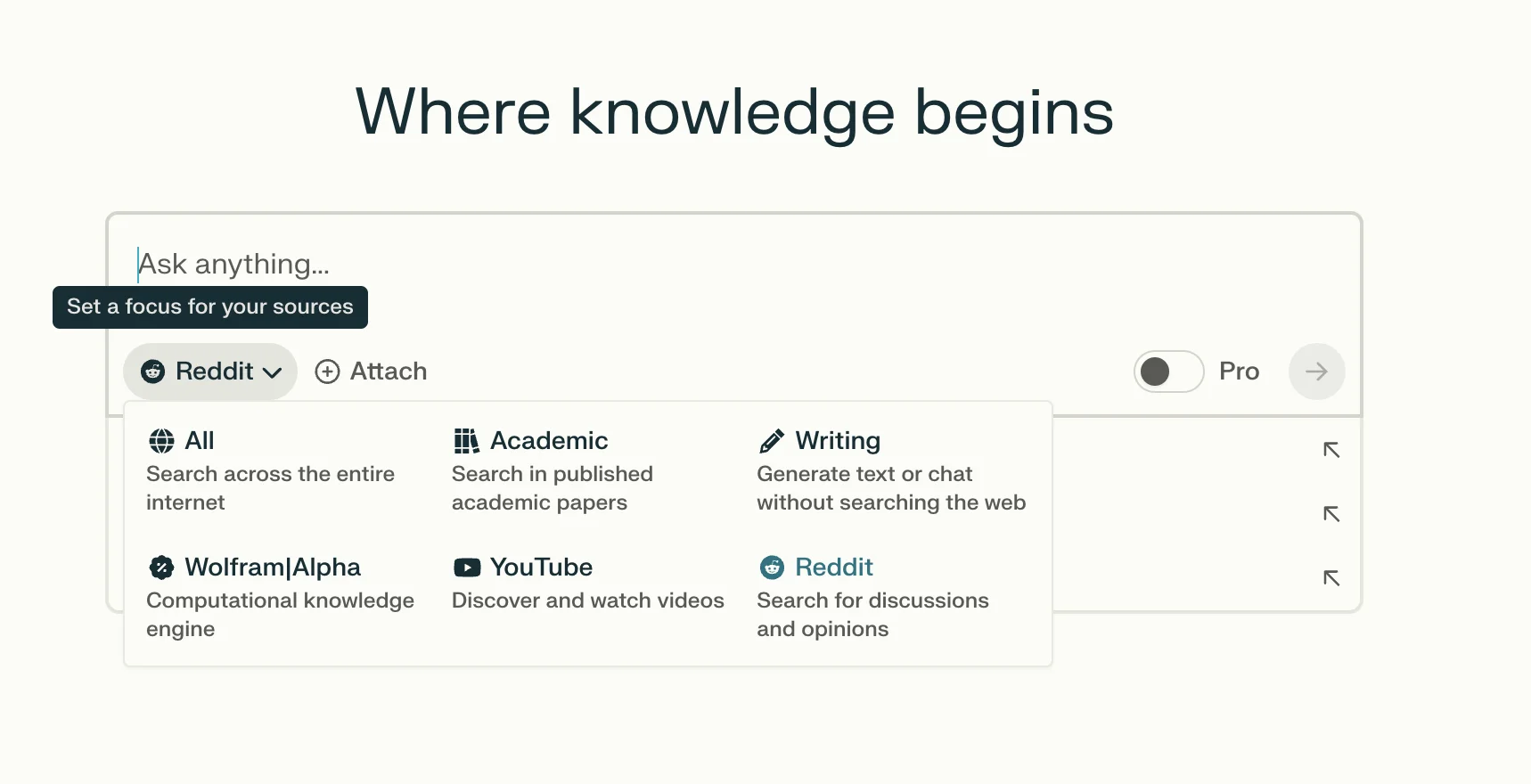
You’ll see a list of the sources that we can focus search across, including Reddit, YouTube, Wolfram|Alpha, and academic papers. For our query, we’re going to select Reddit and search for strategies for finding affordable apartments in New York City.
Prompt:
Strategies for finding affordable apartment rentals in New York City.
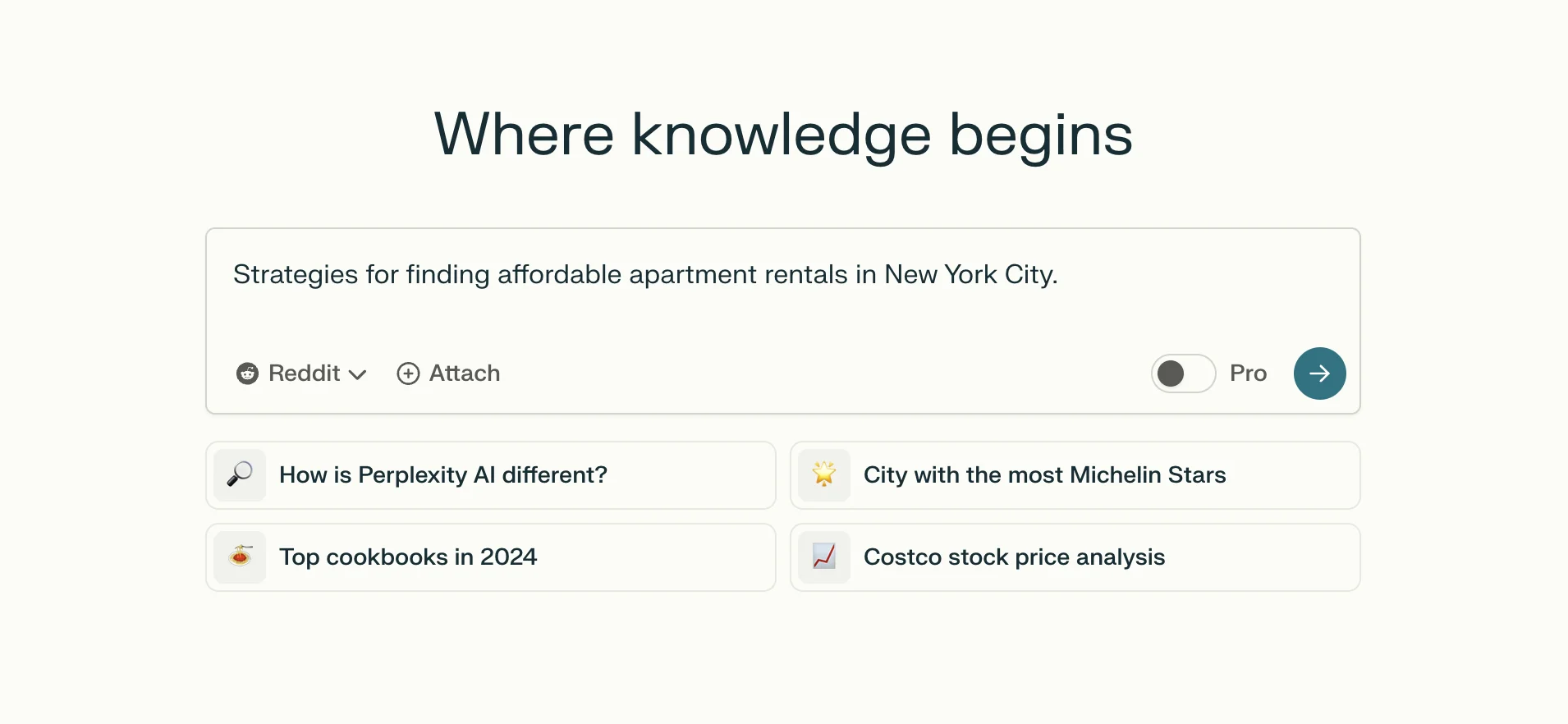
The search results will now be all sourced from Reddit. You can click on the Sources to dive directly into the referenced Sub-Reddit threads or continue asking Perplexity follow-up questions for more detail.
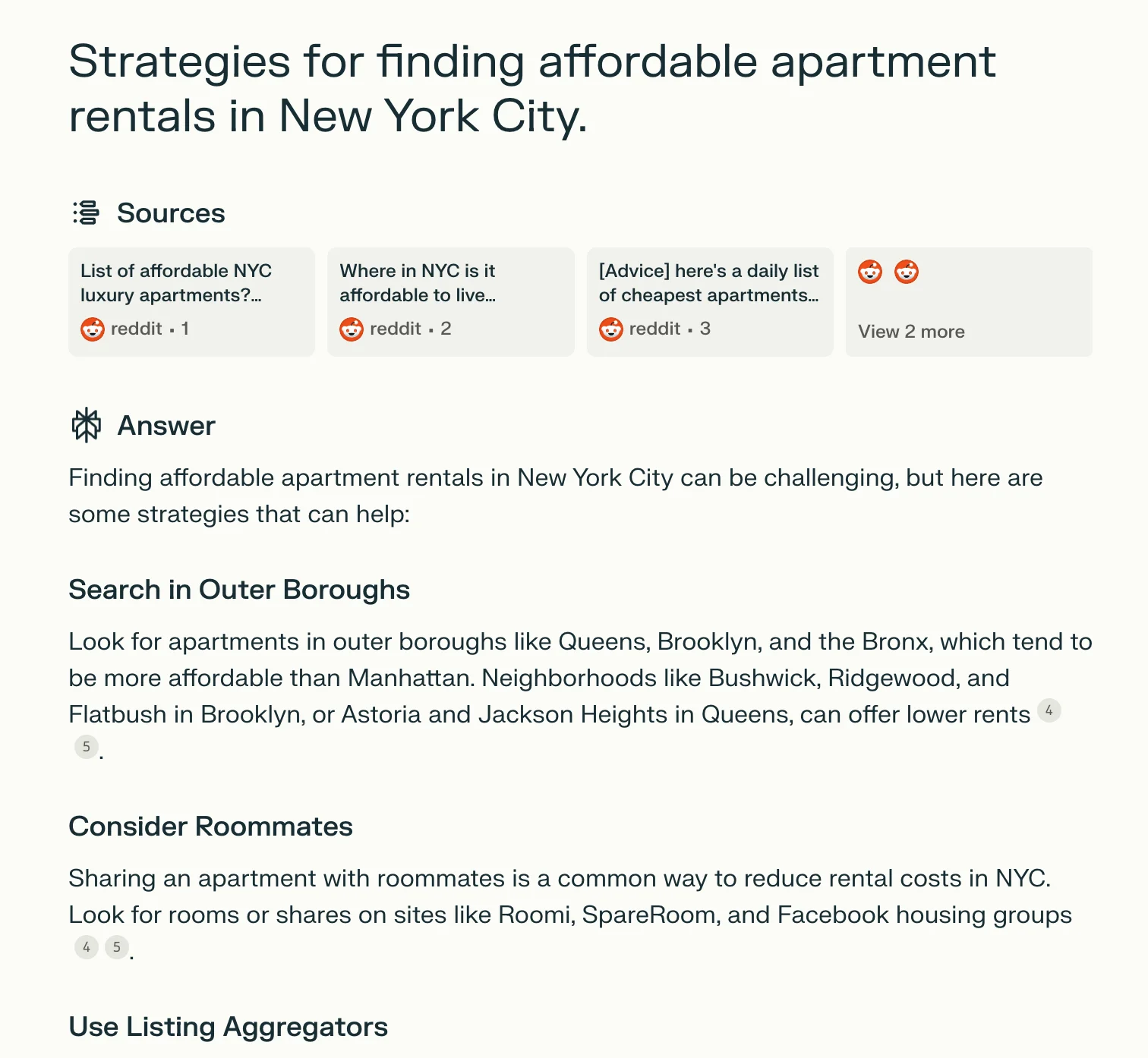
And that’s it! You’ve now learned how to use Perplexity AI to perform web research, searching across websites, images, and specific platforms like Reddit. This is a powerful tool that can start replacing search engines like Google, but remember - always check the source data to vet the results.
This tutorial was created by Garrett.