How to use AI for B2B contract analysis
Enhance your risk assessment process by automating B2B contract reviews and suggestions.
2024-12-20
B2B contract analysis traditionally requires significant time and legal expertise, often leading to high costs and potential oversights. AI-powered contract review offers a game-changing solution, dramatically reducing analysis time while enhancing accuracy and consistency. This tutorial will guide you through leveraging Claude, an advanced AI assistant, to streamline your B2B contract review process.
In this tutorial, you will learn how to:
- Set up Claude with your company's contract policies
- Analyze B2B contracts
- Identify risks and policy violations
- Generate suggested contract modifications
- Create risk assessment reports
Let's dive in.
Step 1: Set up Claude with your company's contract policies
Begin by configuring the AI system with your company's specific contract policies and guidelines. This ensures that the AI's analysis aligns with your organization's standards and requirements.
Prompt Claude with the following, replacing the info in square brackets with your own details:
[Company name]’s key contract policies:
[List 3-5 key policy points]
Generate rules for AI contract review, including:
- [Any important terms and clauses]
- [Relevant risk thresholds]
- [Specific language to flag]-[ Relevant industry regulations]
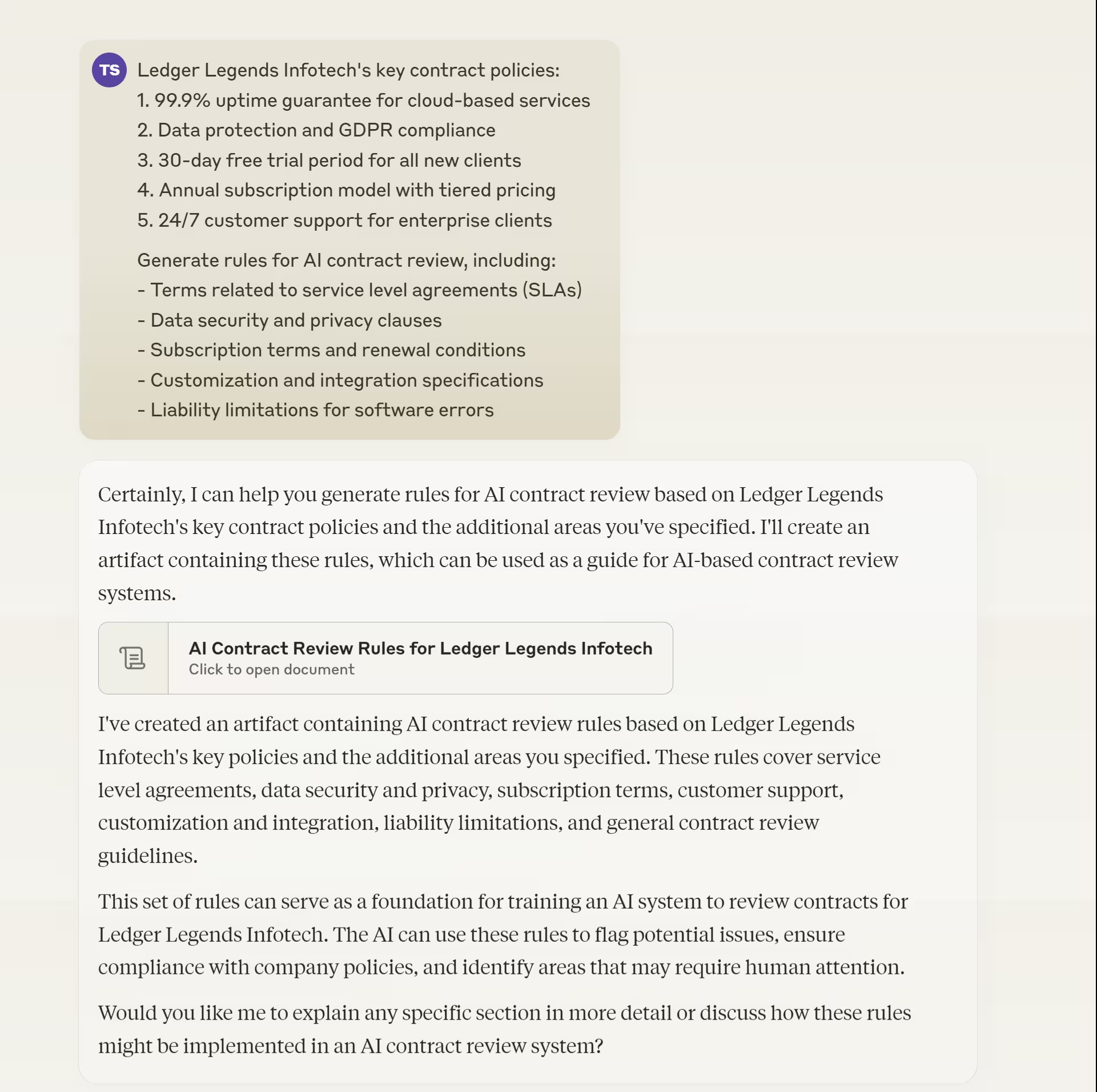

Review Claude’s output and refine as needed to ensure it accurately reflects your company's policies.
Step 2: Input and analyze B2B contracts
With the AI system configured, you can now begin analyzing B2B contracts. This step involves inputting contract documents and initiating the AI analysis process.
Use this prompt to start the analysis:
Analyze the following B2B contract for [Company Name]:
[Insert contract text or key sections]
Provide:
1. Summary of key terms
2. Potential risks or concerns
3. Comparison with our policies
4. Areas needing human review

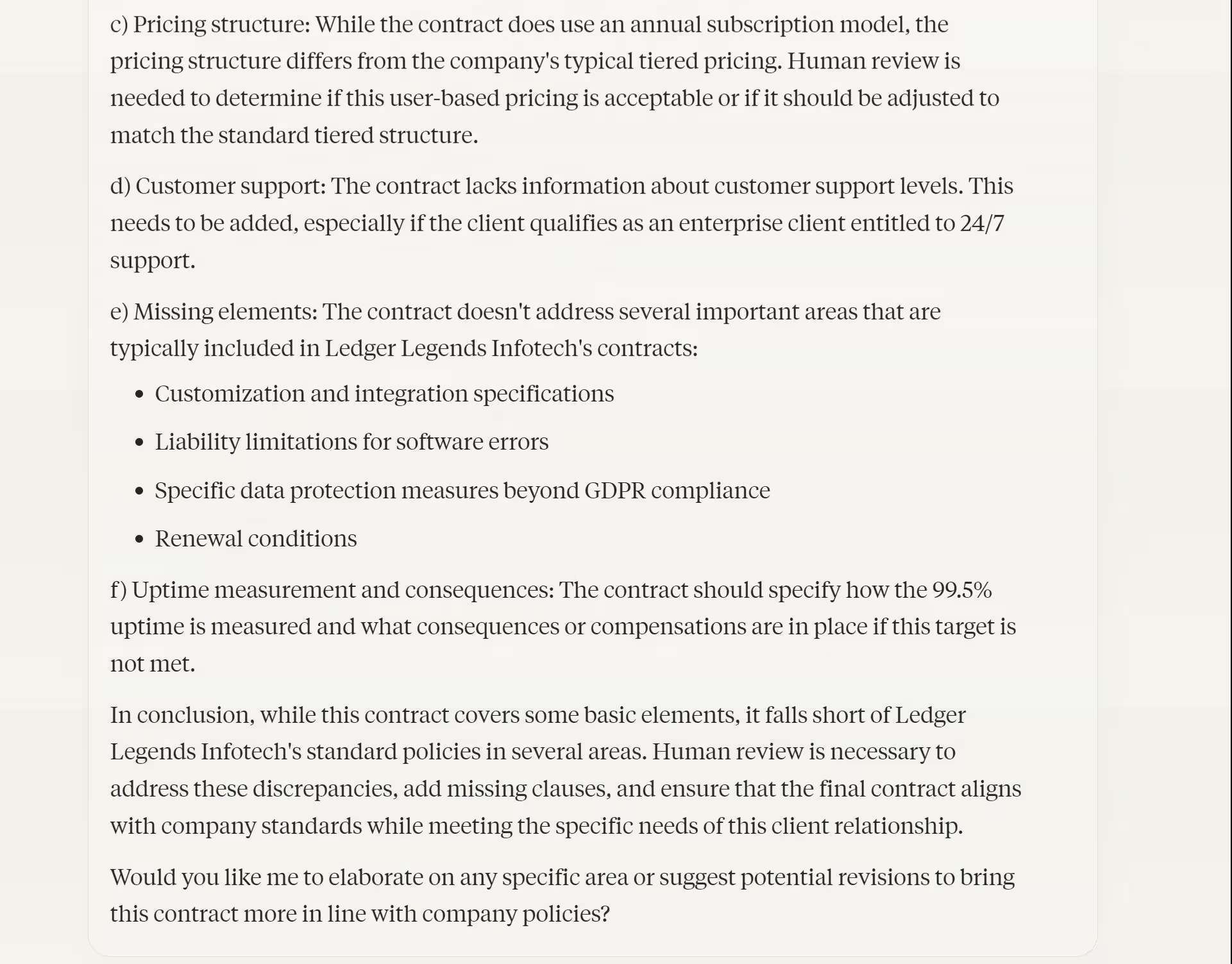

The AI will process the contract and provide a comprehensive analysis based on your company's policies and guidelines.
Step 3: Identify potential risks and policy violations
Once Claude has analyzed the contract, focus on identifying potential risks and policy violations. This step is crucial for understanding the contract's implications and ensuring compliance with your company's standards.
Prompt Claude to highlight specific risks:
Based on the analysis, identify and categorize risks and policy violations:
1. High, medium, and low-risk items
2. Policy violations
3. Ambiguous or concerning areas
For each, provide a brief description, relevant contract section, and potential impact.

Review the AI's risk assessment carefully, paying special attention to high-risk items and policy violations.
Step 4: Generate suggested contract modifications
With risks and violations identified, the next step is to generate suggested modifications to address these issues. This process helps streamline negotiations and ensures the final contract aligns with your company's policies.
Use this prompt to generate modification suggestions:
For each identified risk and violation, suggest modifications:
1. Proposed changes to specific terms
2. Alternative language aligning with our policies
3. Additional clauses to mitigate risks
4. Explanations for each modification
Prioritize based on risk severity and potential impact.


Review the AI-generated suggestions and refine them as needed, considering your company's negotiation strategy and business objectives.
Step 5: Create comprehensive risk assessment reports
To facilitate decision-making and maintain a record of the review process, create detailed risk assessment reports. These reports summarize the AI's analysis, identified risks, and suggested modifications.
Prompt Claude to generate a comprehensive report:
Generate a risk assessment report including:
1. Executive summary
2. Analysis of contract terms
3. Identified risks and violations
4. Suggested modifications
5. Potential business impact
6. Next steps for negotiation
Include a risk heat map and comparison table of original vs. suggested terms.
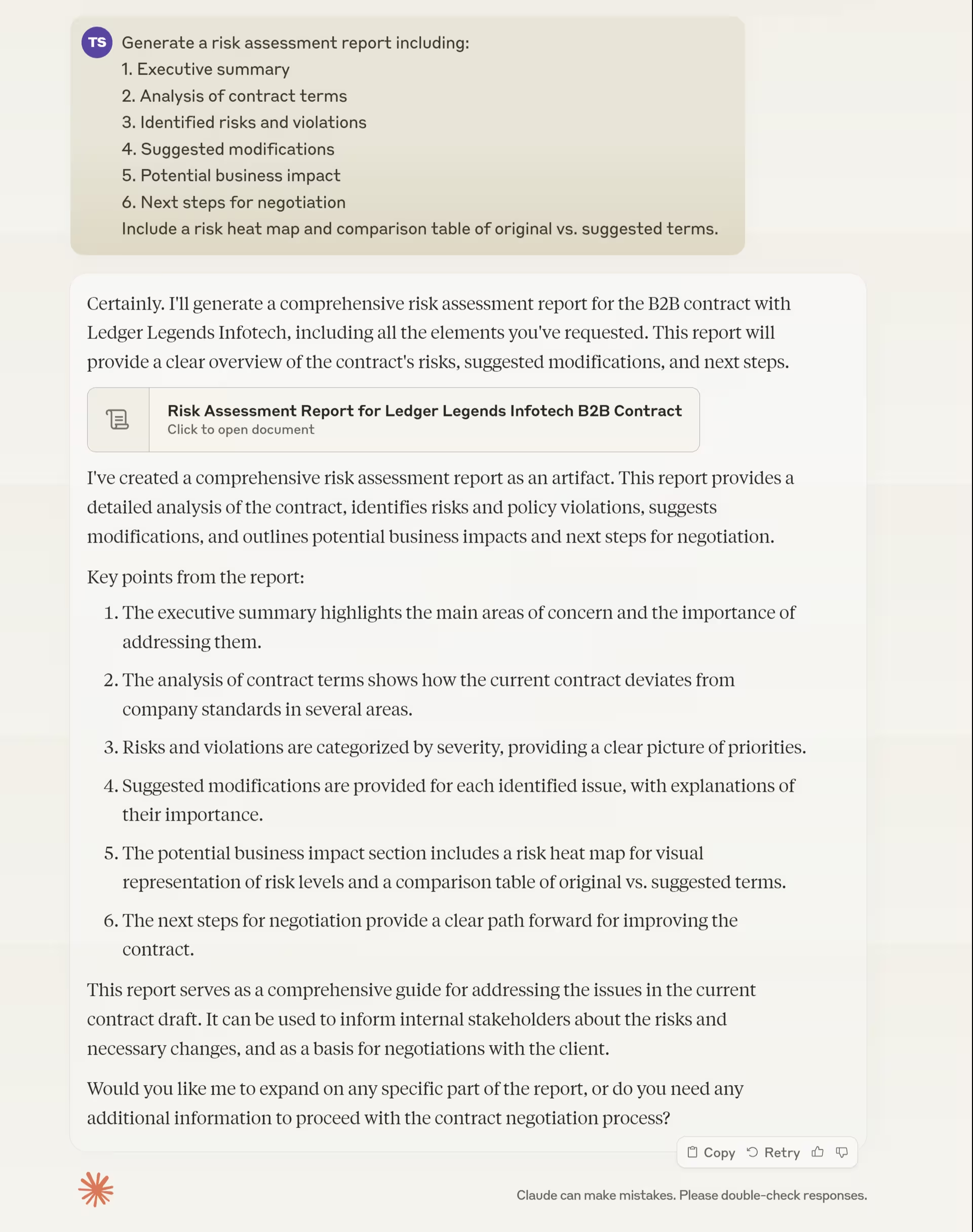
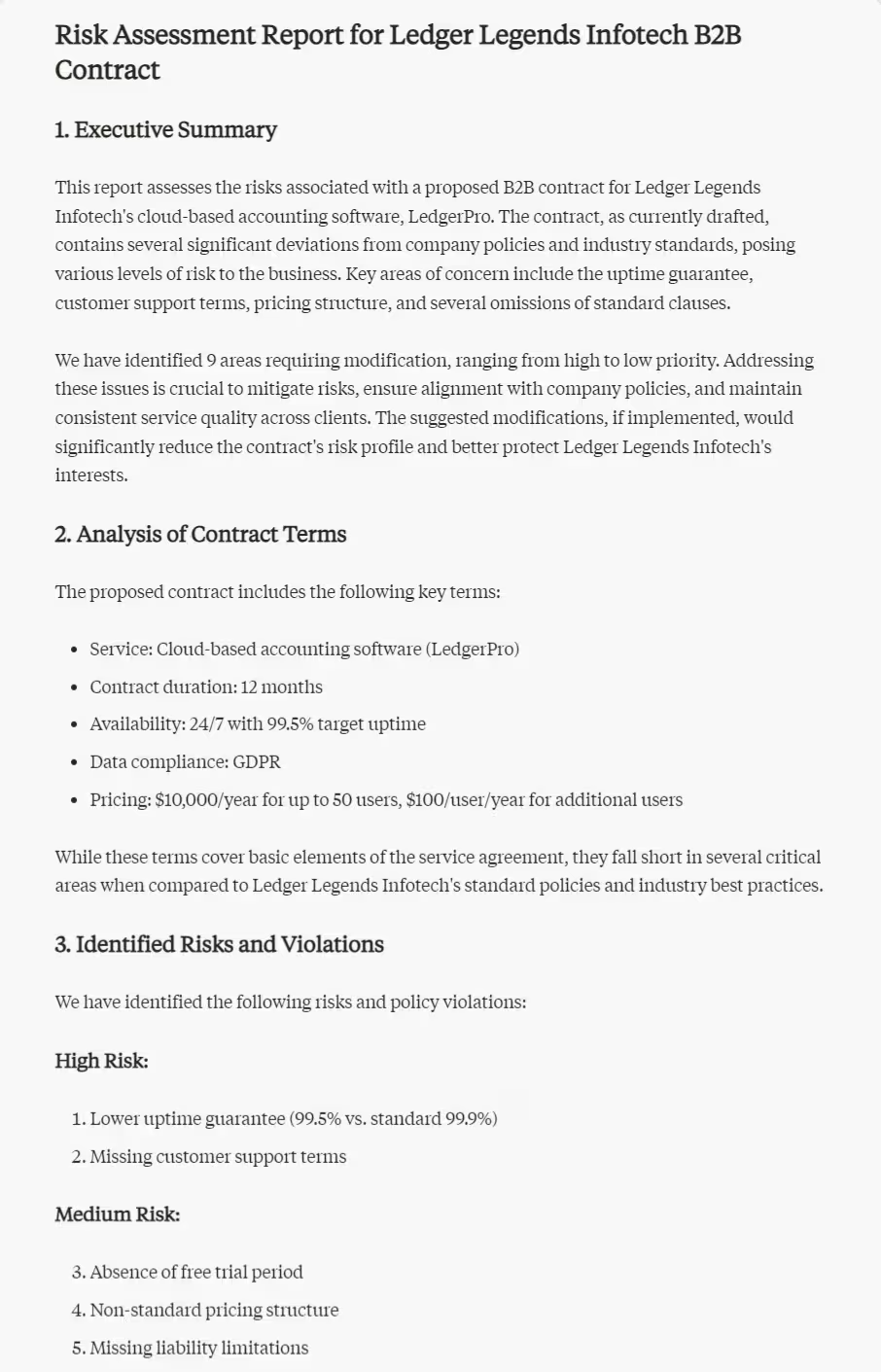

Review the generated report, making any necessary adjustments to ensure clarity and completeness. This report serves as a valuable resource for decision-makers and legal teams involved in the contract negotiation process.
This tutorial was created by Tanmay.