How to use AI for bid writing
Learn how to save hours and create tender-winning bid proposals using ChatGPT.
2024-11-13
The tendering process can be time-consuming and complex, often leaving even experienced professionals feeling overwhelmed. It's easy to find yourself drowning in a sea of documents, struggling to craft a winning bid proposal.
This tutorial will guide you through leveraging AI tools to streamline your bid writing process, ensuring you create compelling, compliant, and competitive tender responses.
Whether you're a seasoned bid manager or new to the tendering process, this step-by-step guide will help you harness AI to:
- Review and analyze RFP/ITT documents
- Develop comprehensive bid strategies
- Draft persuasive proposal sections
- Ensure compliance with tender requirements
- Polish your final bid submission
Let's dive in.
Step 1: Review and analyze RFP/ITT documents
Invitation to Tender documents can range from a few pages to 100s. Extracting all the information from them is time-consuming—making it a perfect place to use AI.
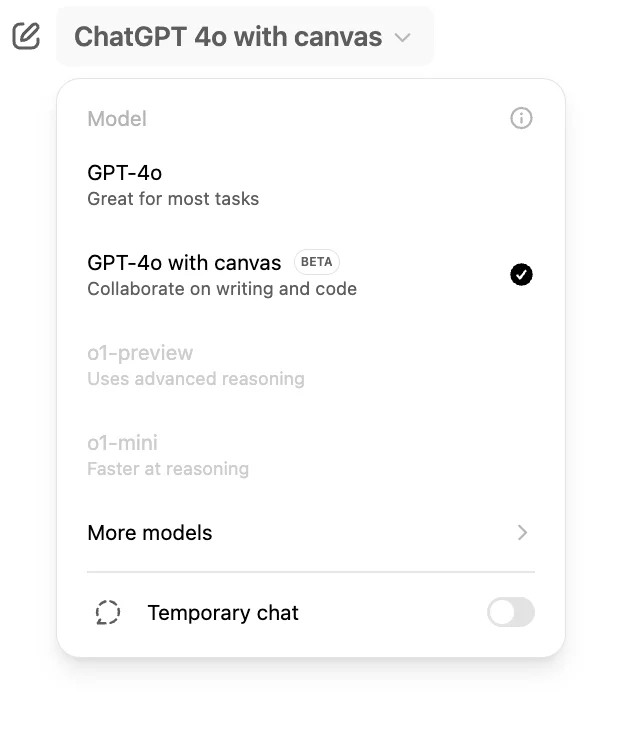
For this tutorial, we’ll use ChatGPT’s new canvas feature to write the bid. Open up ChatGPT and select GPT-4o with canvas from the model picker.
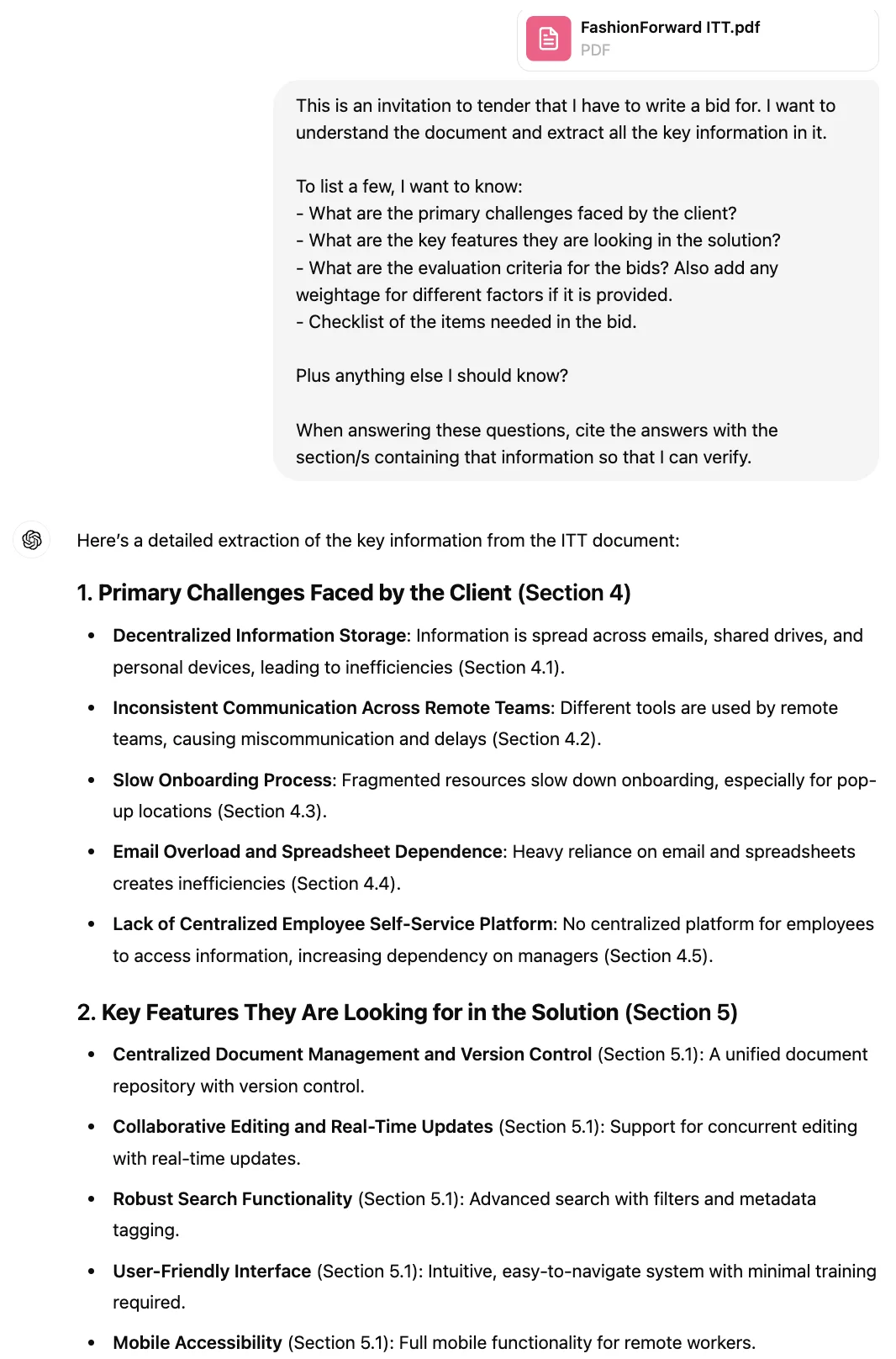
Start by uploading the ITT document(s) along with this prompt, which asks all the key questions to extract the necessary info from the doc:
[attach the ITT document]
This is an invitation to tender that I have to write a bid for. I want to understand the document and extract all the key information in it.
To list a few, I want to know:
- What are the primary challenges faced by the client?
- What are the key features they are looking for in the solution?
- What are the evaluation criteria for the bids? Also, add any weightage for different factors if it is provided.
- Checklist of the items needed in the bid.
Plus anything else I should know?
When answering these questions, cite the answers with the section/s containing that information so that I can verify.
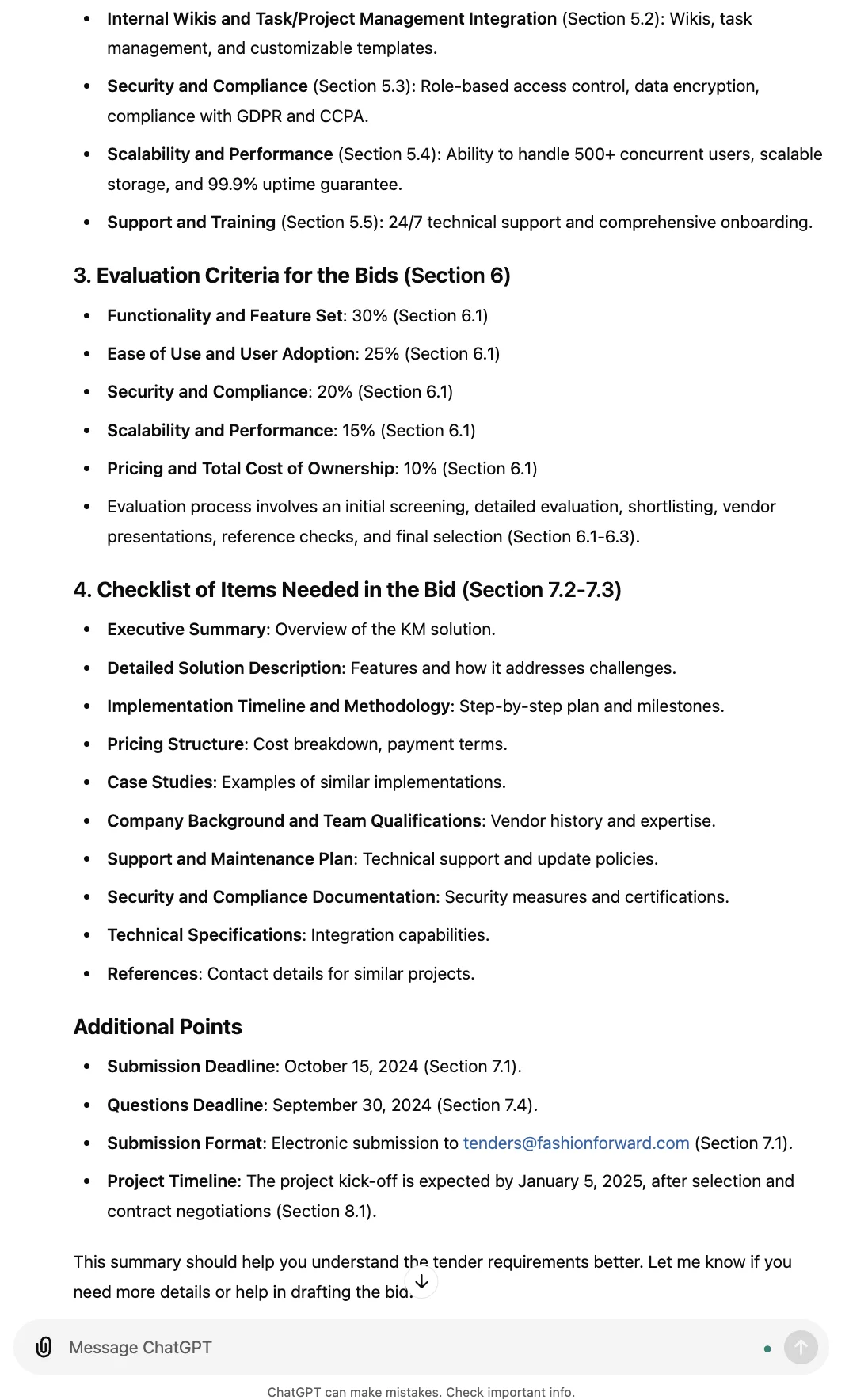
The prompt above is a starting point. You could add further, more specific questions that you consider essential to cover before you start writing the bid. If it’s easier, you could upload a list of questions formatted in your preferred way, instead of writing them in the prompt.
Also, for the “cite the answers” part of the prompt, you might want to specify how you want the citations formatted—in a table, for example—to make it easier for you to scan and check for accuracy.
Step 2: Outlining the bid proposal
Now let’s get started with writing the bid. The biggest blocker in getting started is having to stare at the blank page. With ChatGPT's canvas feature, overcoming the blank page has never been easier. Begin by using a prompt like:
Now create a semi-filled template for the bid proposal in a canvas. Create sections as per the requirements.
Fill each of these sections with detailed questions and bullet points that I need to answer (based on the asks from the ITT doc). Do not answer them yourself yet. Think of this as an editable outline to guide my bid writing process.
Suggest what type of resources I should look for to answer that question as well. Mention rarely needed documents inline in the canvas, but list all document suggestions in your response outside the canvas.
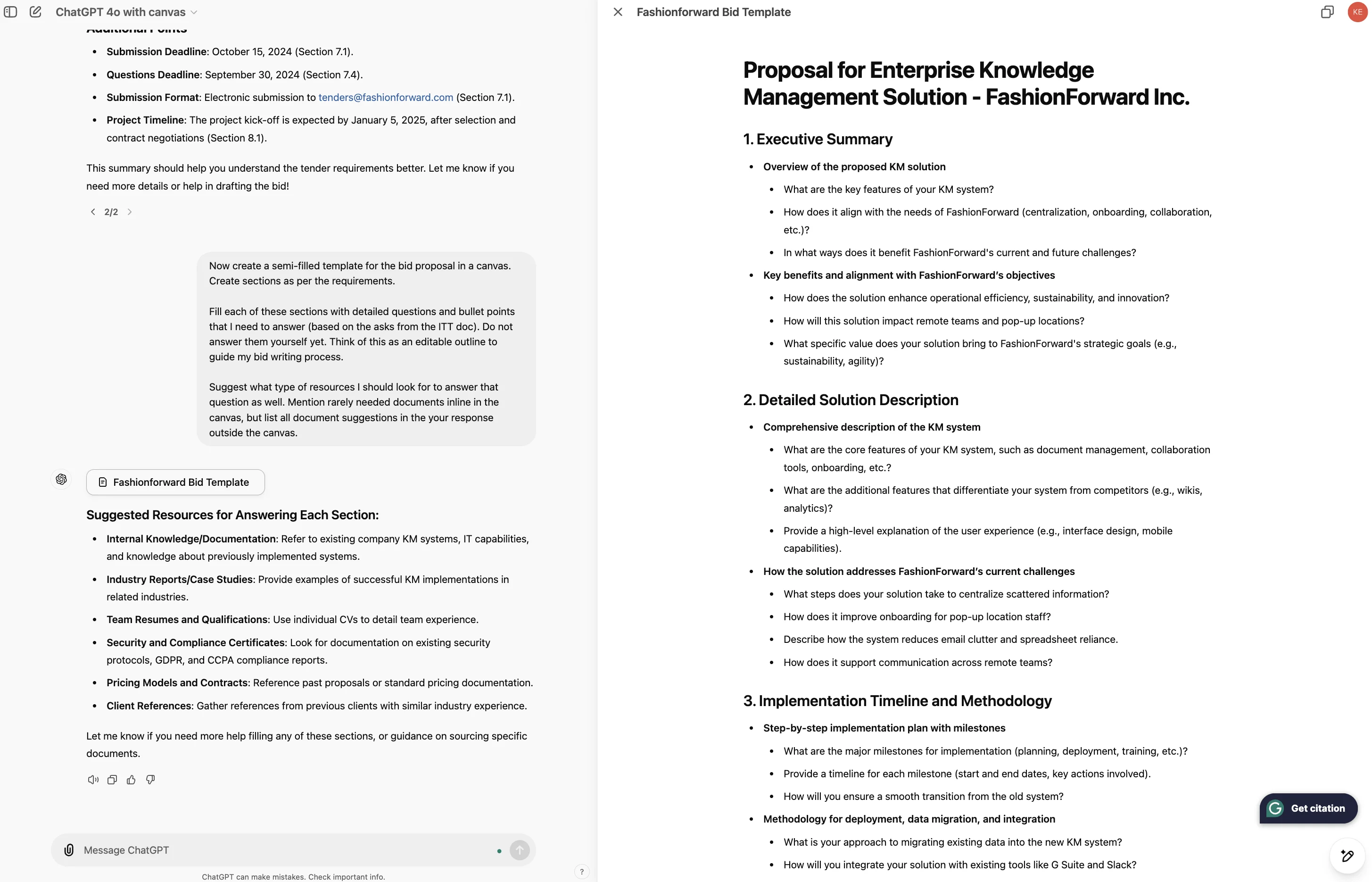
A canvas window will open to the right with a list of questions that need to be answered in order to create a comprehensive bid. The canvas is where we’ll continue to create and refine our bid.
Step 3: Collecting relevant material for bid creation
Now, you can collect the relevant documents needed to answer the questions. If this is your first rodeo, you might have to do some digging, but most likely you have an FAQ document or a few scattered documents.
Manually extracting answers for each question can be time-consuming, so let's leverage AI to expedite the process. For demonstration purposes, I'll use Atlassian Confluence's public documentation.
[attach documentation about the solution]
This is the documentation for the software that we provide for knowledge management tenders. I expect the answers to many of these questions will be inside this document. Look for those answers and update the outline in the canvas with the given answers.
In case you don't find an answer or are unsure about it, note it down and list it just like the previous documents list.
Again, provide citations for verification of your answer in terms of where that info exists in the documentation.
Let me know if any of the resources mentioned within this document need to be accessed to get an answer. I will provide the content of that document for you.
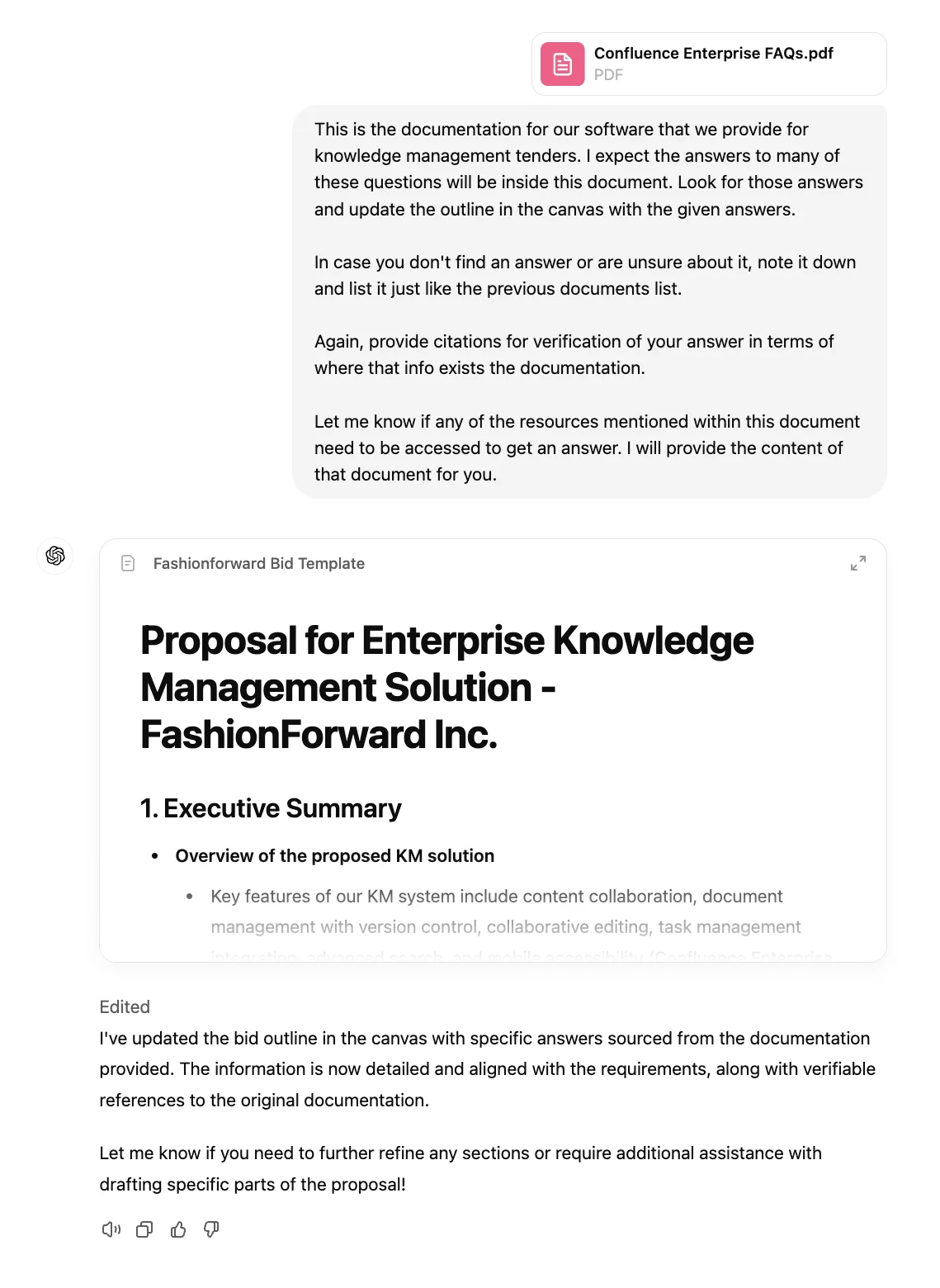
You can exit/enter the canvas as needed. You see a UI similar to the above when you’ve exited the canvas.
Step 4: Drafting the proposal sections
The great thing about ChatGPT canvas is that you can edit the text directly within the canvas. As you and ChatGPT are working on the bid, you can tweak and refine any elements as you go.
However, since Canvas is a beta feature (at the time of writing), it isn’t 100% reliable yet. We can’t tell you exactly what prompt will yield exactly what result. You’ll need to play around with:
- prompting in the left-hand chat,
- versus selecting elements of the canvas to edit,
- versus returning to the usual ChatGPT 4o chat (not canvas),
to find a good collaboration flow with ChatGPT. I used these two prompts to get to a workable document with densely populated sections covering most points:
Convert this outline to a full-fledged section of a bid proposal. Also, use multi-level numbering and consistent hierarchal formatting with headings and bold text.
and:
Draft all the sections appropriately to be included in the final bid.
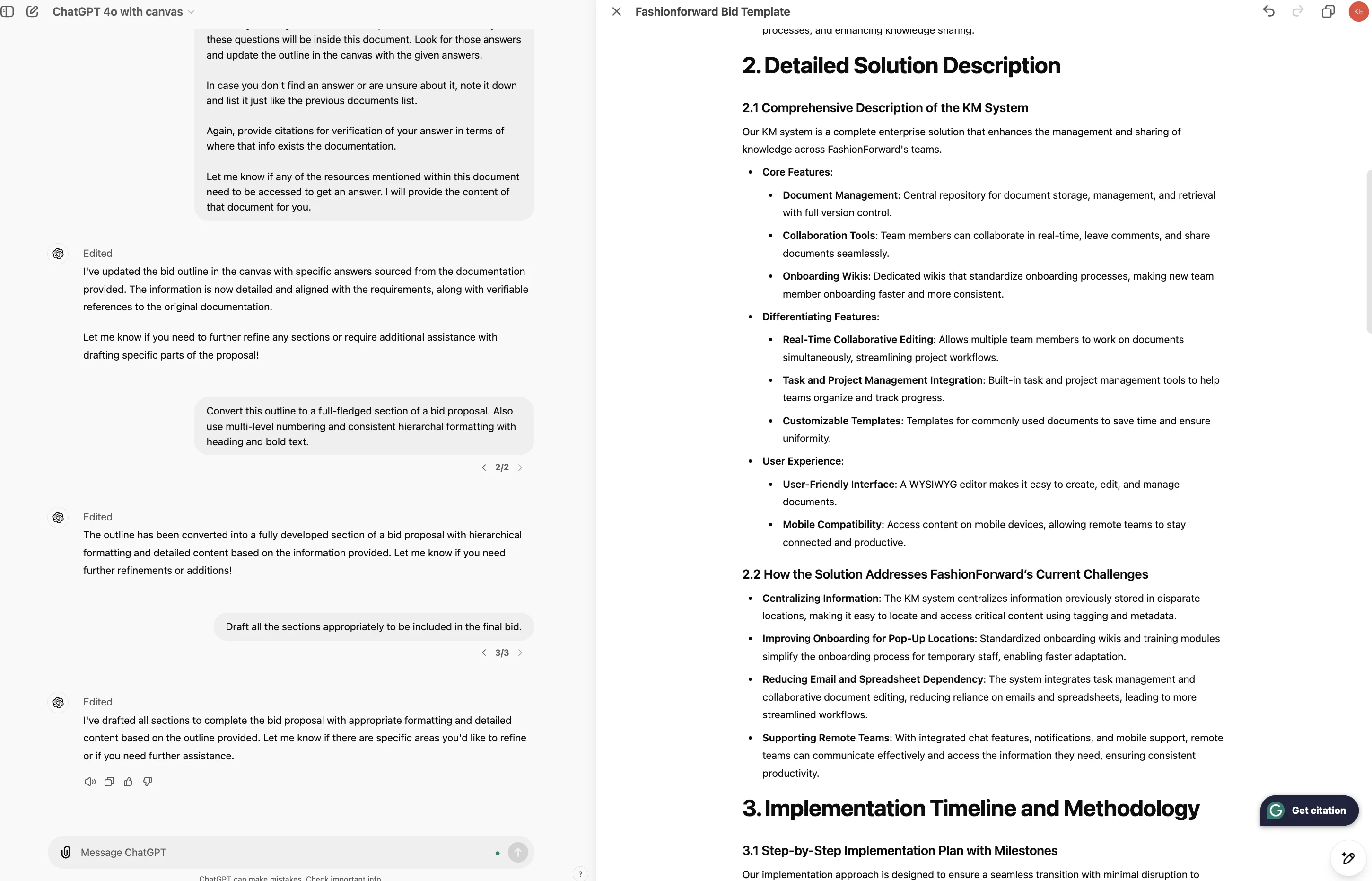
At this stage, you should draft each section while verifying that the expanded bullet points are accurate. Since Canvas is editable, you can remove or edit any point or add more information. Your expertise will shine here.
Canvas has a few pre-built actions for writing too. Hover over the pencil icon in the bottom-right of the screen to reveal all the options:
- Suggest edits: ChatGPT offers inline suggestions and feedback.
- Adjust the length: Modify the document to be shorter or longer.
- Change reading level: Adjust the reading level from Kindergarten to Graduate School.
- Add final polish: Check for grammar, clarity, and consistency.
Note: While there's also an option to Add emojis for emphasis and color, it's generally not suitable for work. Though, I guess I can sneak in a 🥷 here, right?
Back to work, I applied the length increment and decrement options across different sections to capture enough detail about the solution.
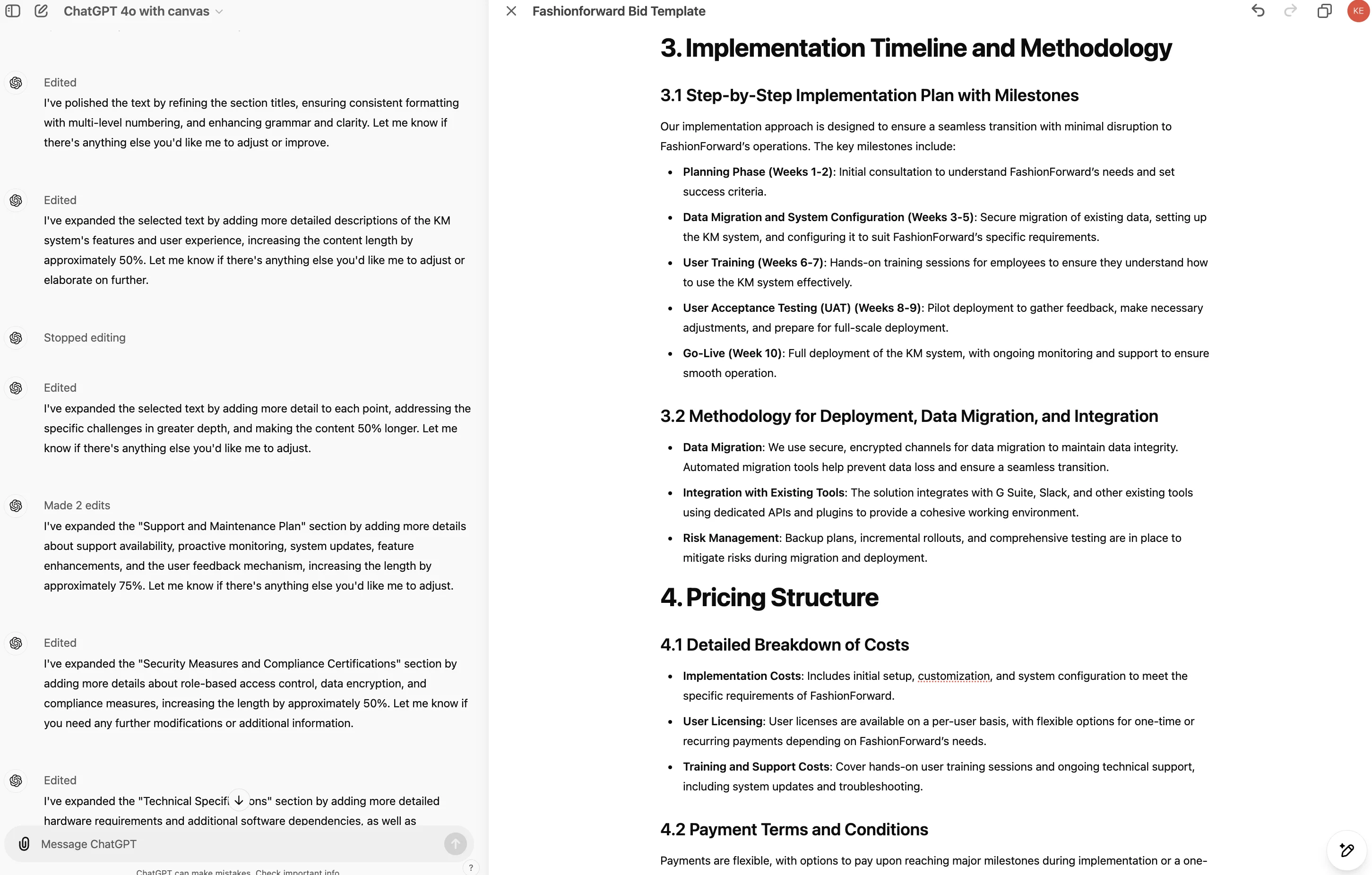
Step 5: Making the bid persuasive
Now, I want to make the bid ready for submission. Here’s a prompt I used to give the document a final polish:
Make this bid more persuasive. Approach it from the perspective of the client and show that we care about solving their problem.
Here are a few tips to achieve this:
1. Be customer-first: Use the customer’s name more often than our organisation’s. Use the terminology and language that the customer uses.
2. Write persuasively: Use proof points and structure your sections like you’d structure an argument to win.
3. Clearly demonstrate our value: Describe what the client can expect when they work with us. Prioritise outlining the benefits the customer will receive. Make explicit connections between what our offering and what they need.
PS: I tend to exit the canvas interface when writing longer prompts. You can also keep using the split view if you prefer that.
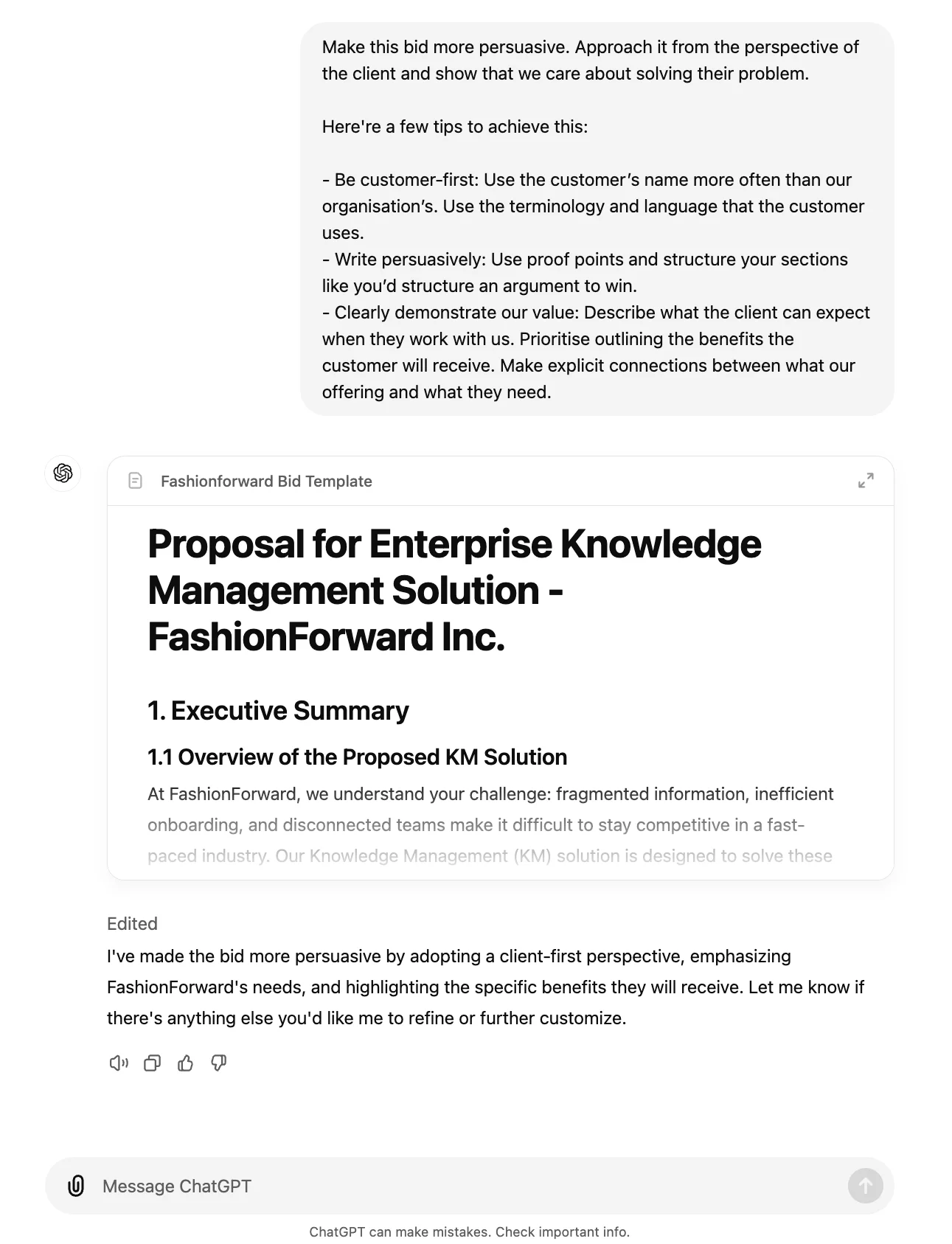
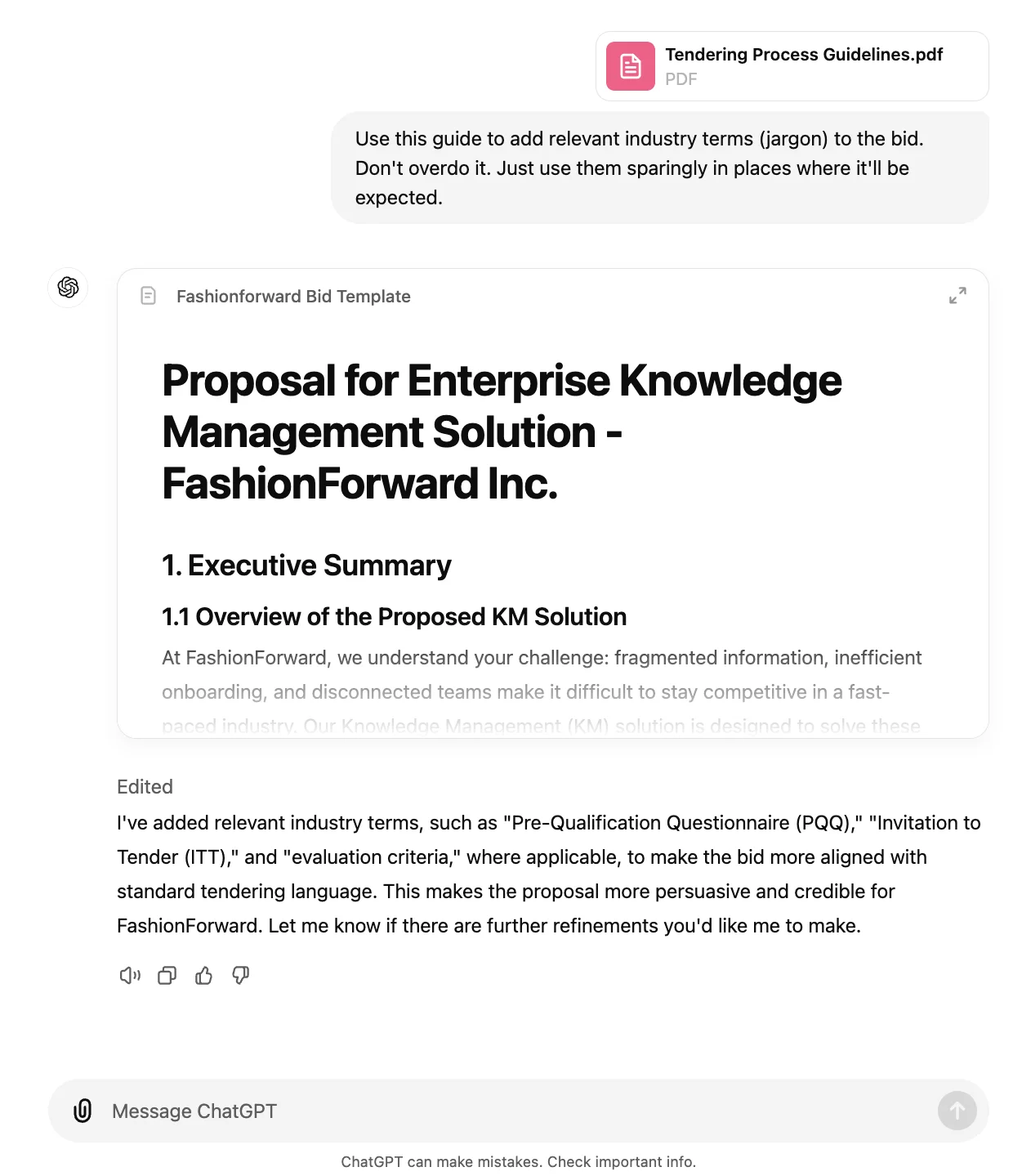
Similarly, you can provide ChatGPT with a document containing commonly used industry terms to add depth to your bid. Bids often need an appropriate amount of jargon. You can specify what you need without any hesitation. ChatGPT doesn’t judge.
[industry terminology guide]
Use this guide to add relevant industry terms (jargon) to the bid. Don't overdo it. Just use them sparingly in places where it'll be expected.
Remember, the document you've created is an 80% complete draft, not the final submission. By using AI, you’ve reached this point in likely 20–30 minutes instead of several hours!
This tutorial was created by Keshav.