Implement AI-driven inventory forecasting
Develop a system that leverages Claude to analyze sales data and predict future inventory needs.
2024-11-13
Managing inventory can be a real headache for businesses. It’s challenging to determine how much stock to keep on hand without wasting money or running out of popular items. This guide explains how to use Claude to take the guesswork out of inventory planning. By following these simple steps, you'll understand how to predict what you'll need, when you'll need it, and how much to order. The best part is that you don’t need to be a tech whiz or have a big budget.
In this tutorial, you will learn how to:
- Analyze your existing inventory management
- Create prompts for Claude to analyze sales patterns and trends
- Develop an inventory forecasting model based on AI insights
- Implement automated inventory recommendations
- Integrate the forecasting system with your inventory management software
Let's dive in.
Step 1: Establish historical inventory performance baselines
To improve our inventory management, we first need to understand our current performance. This step provides a benchmark against which we'll measure the effectiveness of our new AI-driven system.
Start by gathering your historical sales and inventory data for at least the past 12 months. More data generally leads to better insights, so include as much relevant information as possible. Once you have this data in a CSV format, we'll use Claude to analyze it.
Here's the prompt to use with Claude along with the data as an attachment:
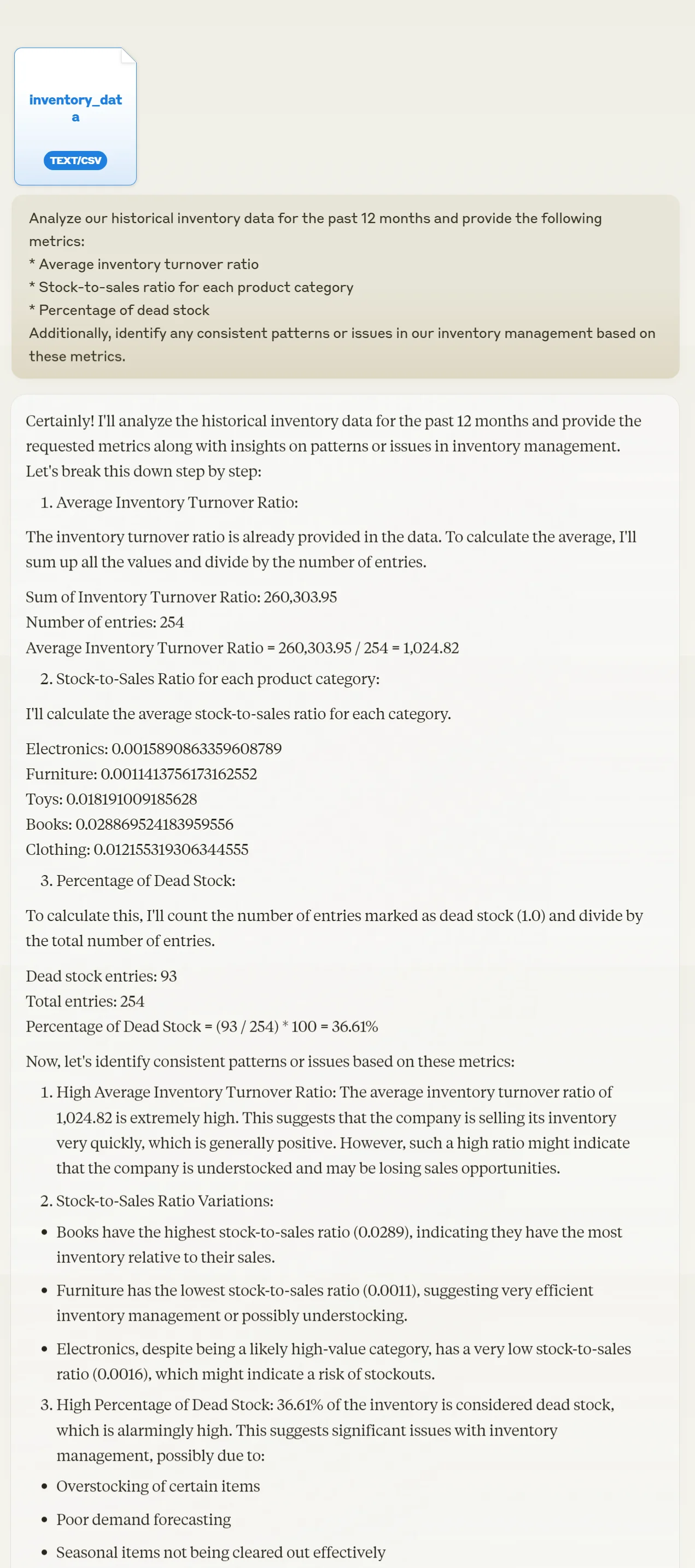
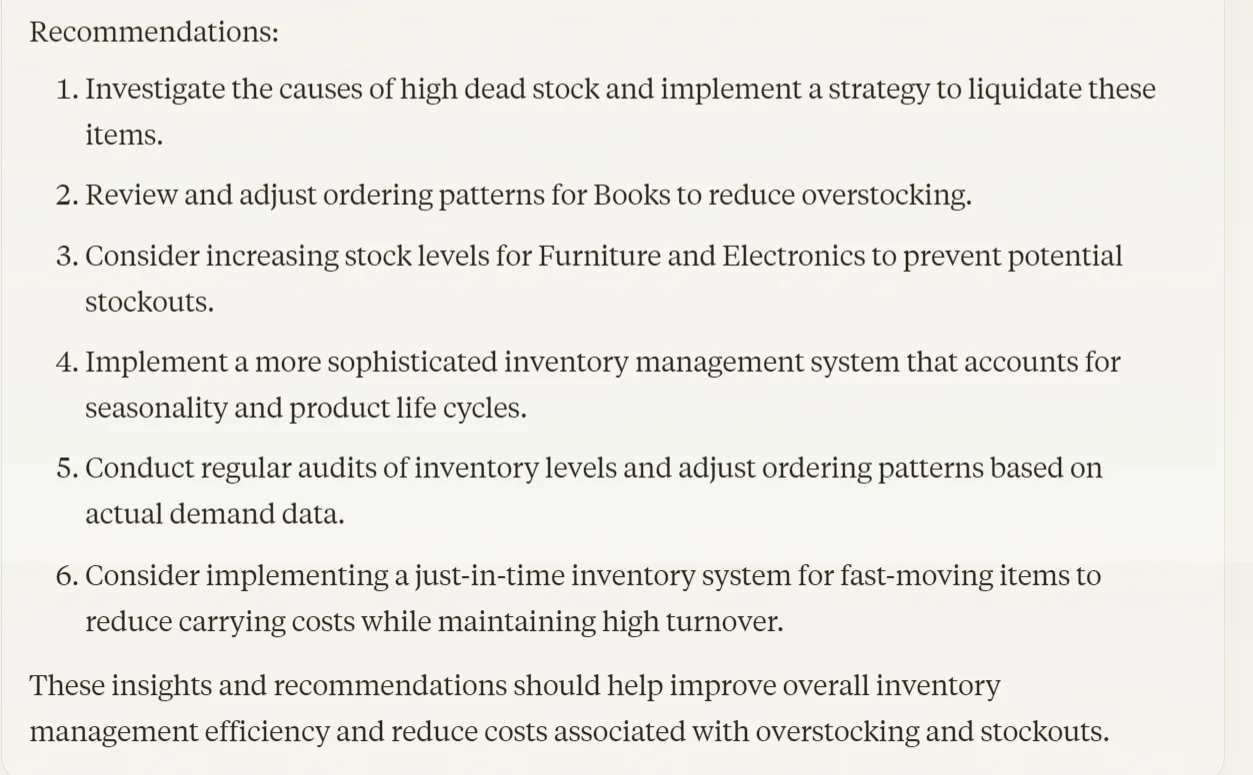
Analyze our historical inventory data for the past 12 months and provide the following metrics:
1. Average inventory turnover ratio
2. Stock-to-sales ratio for each product category
3. Percentage of dead stock (items with no sales in the last 6 months)
4. [Any specific metric relevant to your business]
Additionally, identify any consistent patterns or issues in our inventory management based on these metrics.
Step 2: Analyze sales patterns and trends
Now that we have a clear picture of our current inventory performance, let's dig deeper into the sales data. Understanding the underlying patterns and trends in your sales is crucial for accurate forecasting and inventory optimization.
Use this prompt with Claude to analyze your sales data:
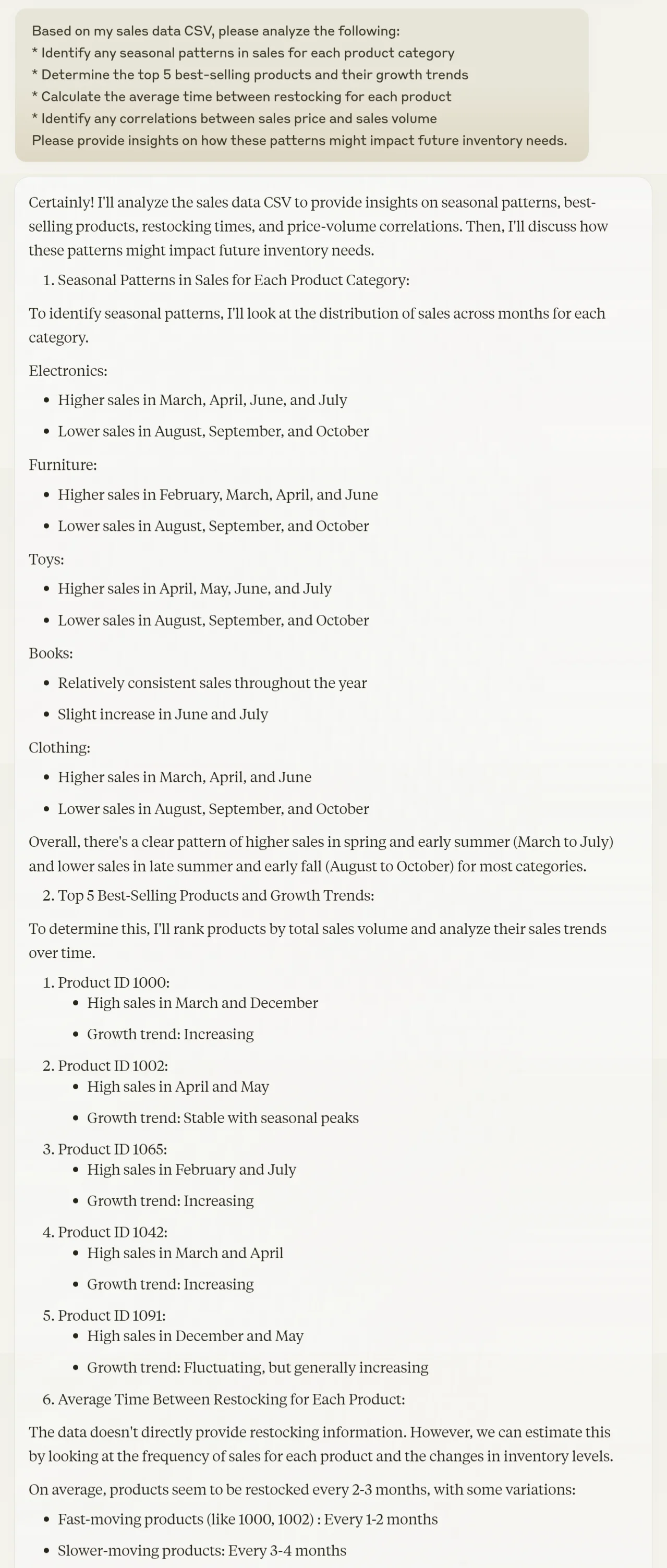
Based on my sales data CSV, please analyze the following:
1. Identify any seasonal patterns in sales for each product category
2. Determine the top 5 best-selling products and their growth trends
3. Calculate the average time between restocking for each product
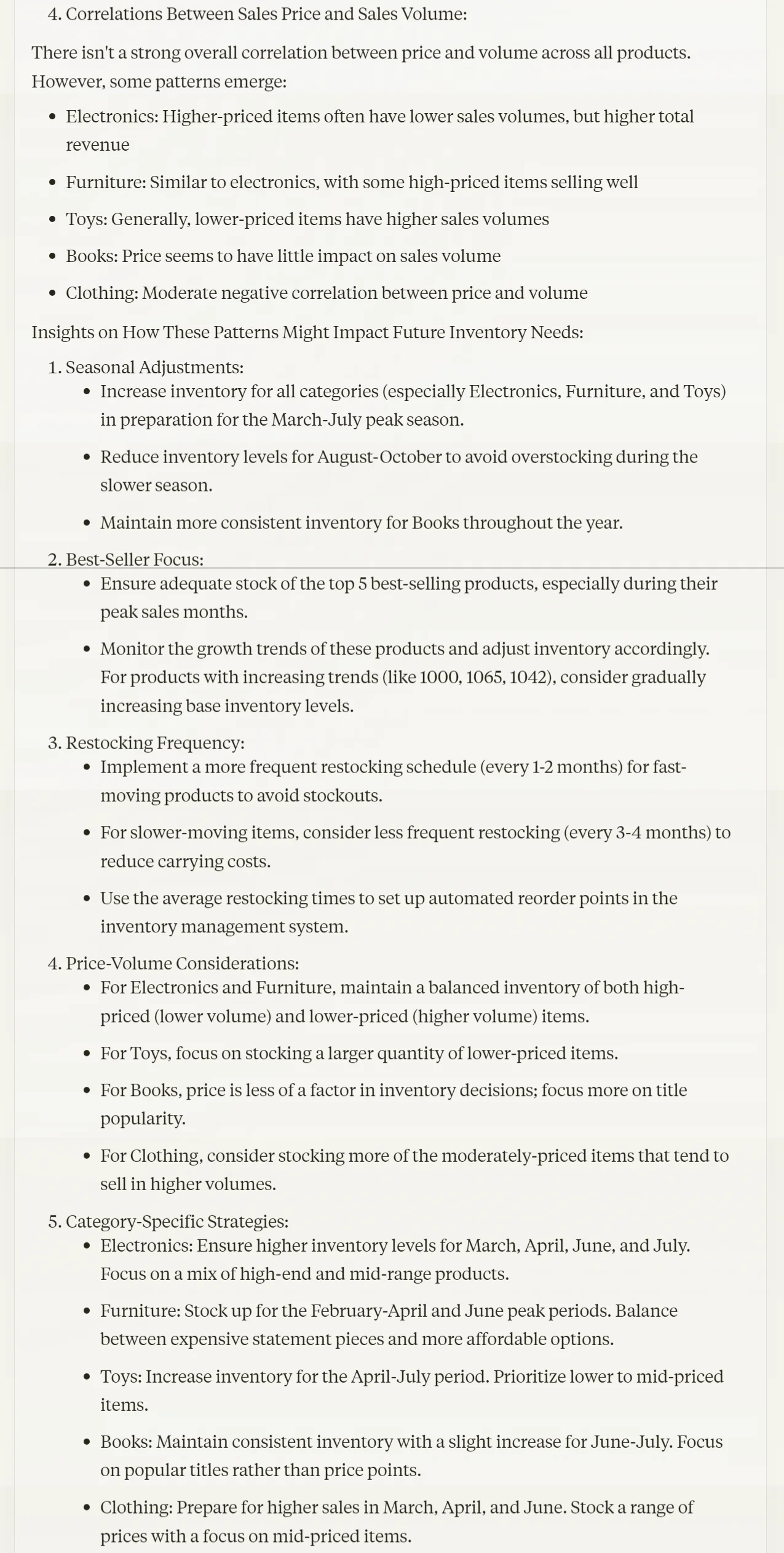
4. Identify any correlations between sales price and sales volume
5. [Any specific business factor you want to analyze]
Please provide insights on how these patterns might impact future inventory needs.
Step 3: Generate inventory forecasts
With a solid understanding of our historical performance and sales patterns, we can now look to the future. In this step, we'll use Claude's predictive capabilities to generate data-driven inventory forecasts.
Use the following prompt to generate these forecasts:
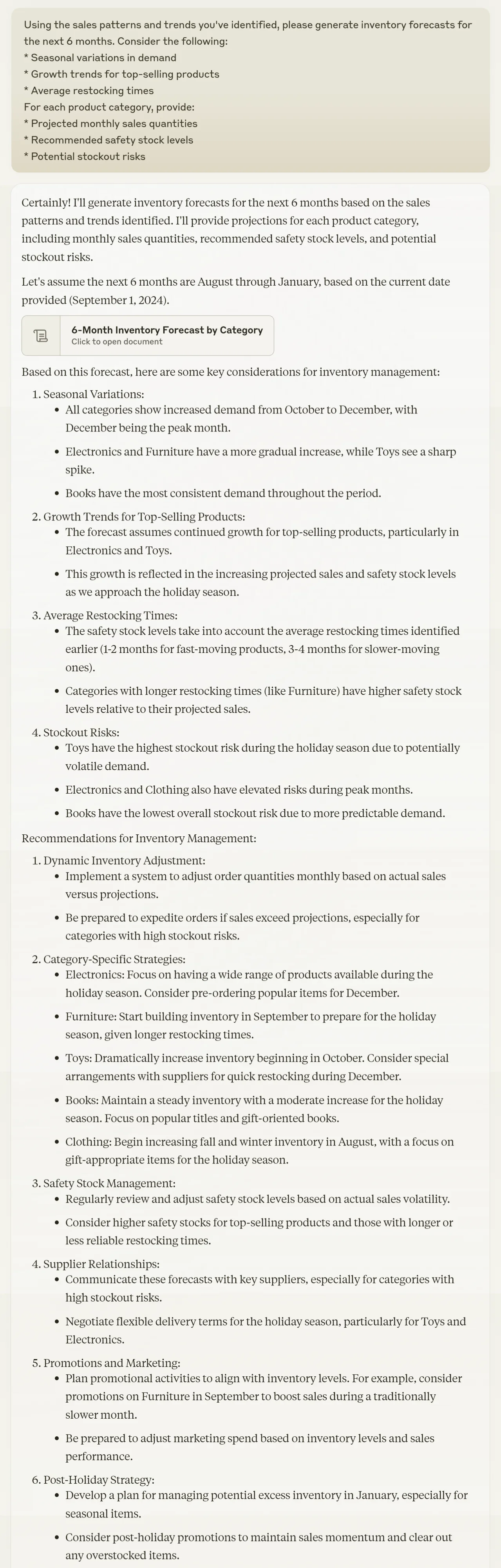
Using the sales patterns and trends you've identified, please generate inventory forecasts for the next [3/6/12] months. Consider the following:
1. Seasonal variations in demand
2. Growth trends for top-selling products
3. Average restocking times
4. [Any specific business factors you want to consider]
For each product category, provide:
1. Projected monthly sales quantities
2. Recommended safety stock levels
3. Potential stockout risks

Step 4: Develop inventory recommendations
Now that we have our forecasts, it's time to translate them into actionable inventory management strategies. This step is where we'll see the practical benefits of our AI-driven approach.
Use this prompt to get Claude's recommendations:
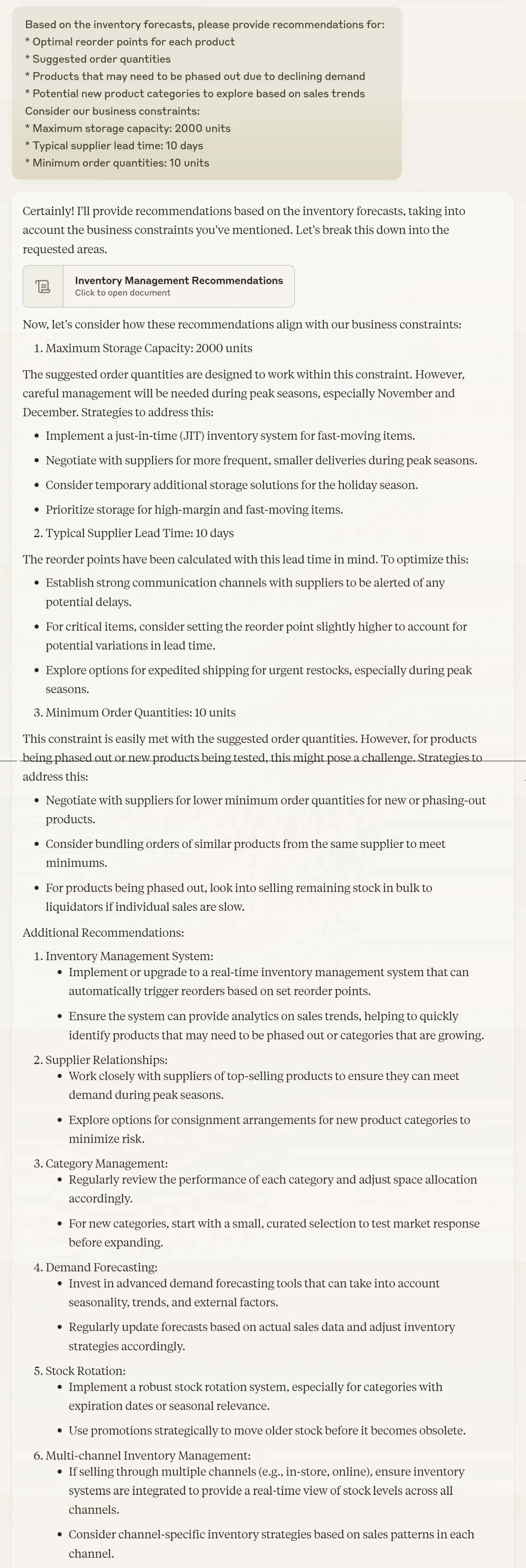
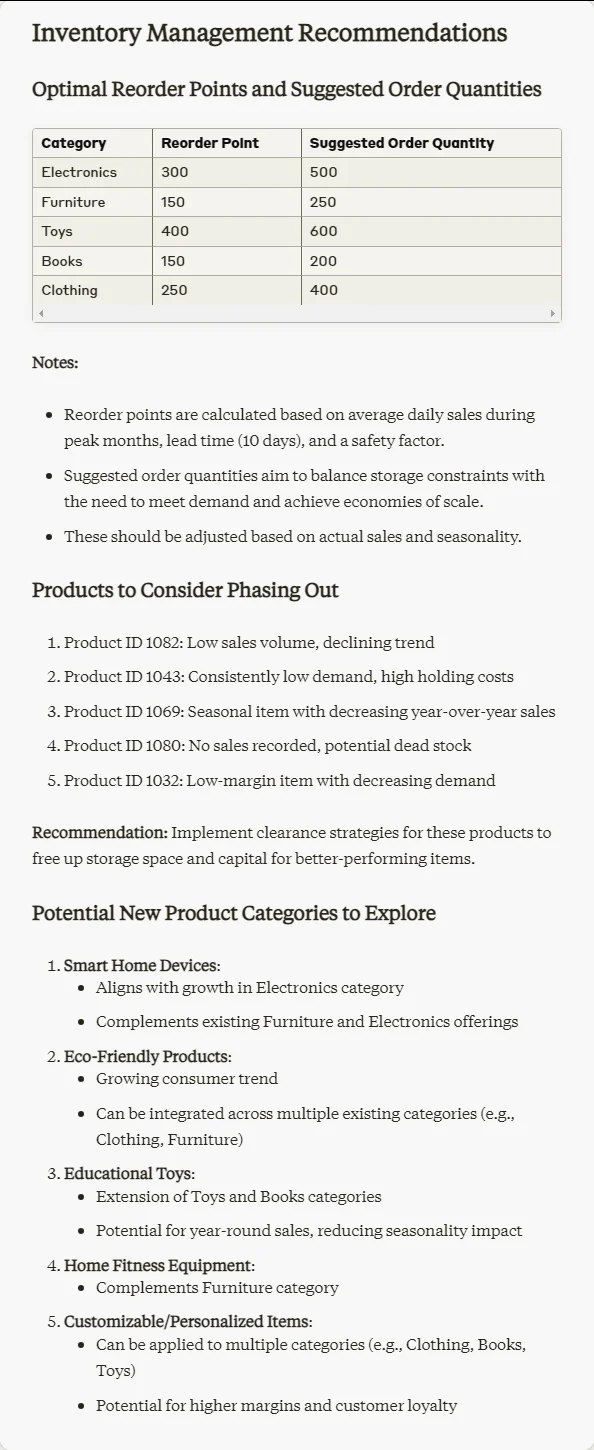
Based on the inventory forecasts, please provide recommendations for:
1. Optimal reorder points for each product
2. Suggested order quantities
3. Products that may need to be phased out due to declining demand
4. Potential new product categories to explore based on sales trends
Consider our business constraints:
1. Maximum storage capacity: [your storage capacity]
2. Typical supplier lead time: [your average lead time]
3. Minimum order quantities: [your MOQ if applicable]
Step 5: Create an ongoing monitoring plan
Implementing an AI-driven inventory management system is an ongoing process. To ensure continued success, we need to set up a plan for ongoing monitoring and refinement. This step will help you keep your forecasts accurate and your inventory optimized as your business evolves.
Use this prompt to get Claude's suggestions for a monitoring plan:
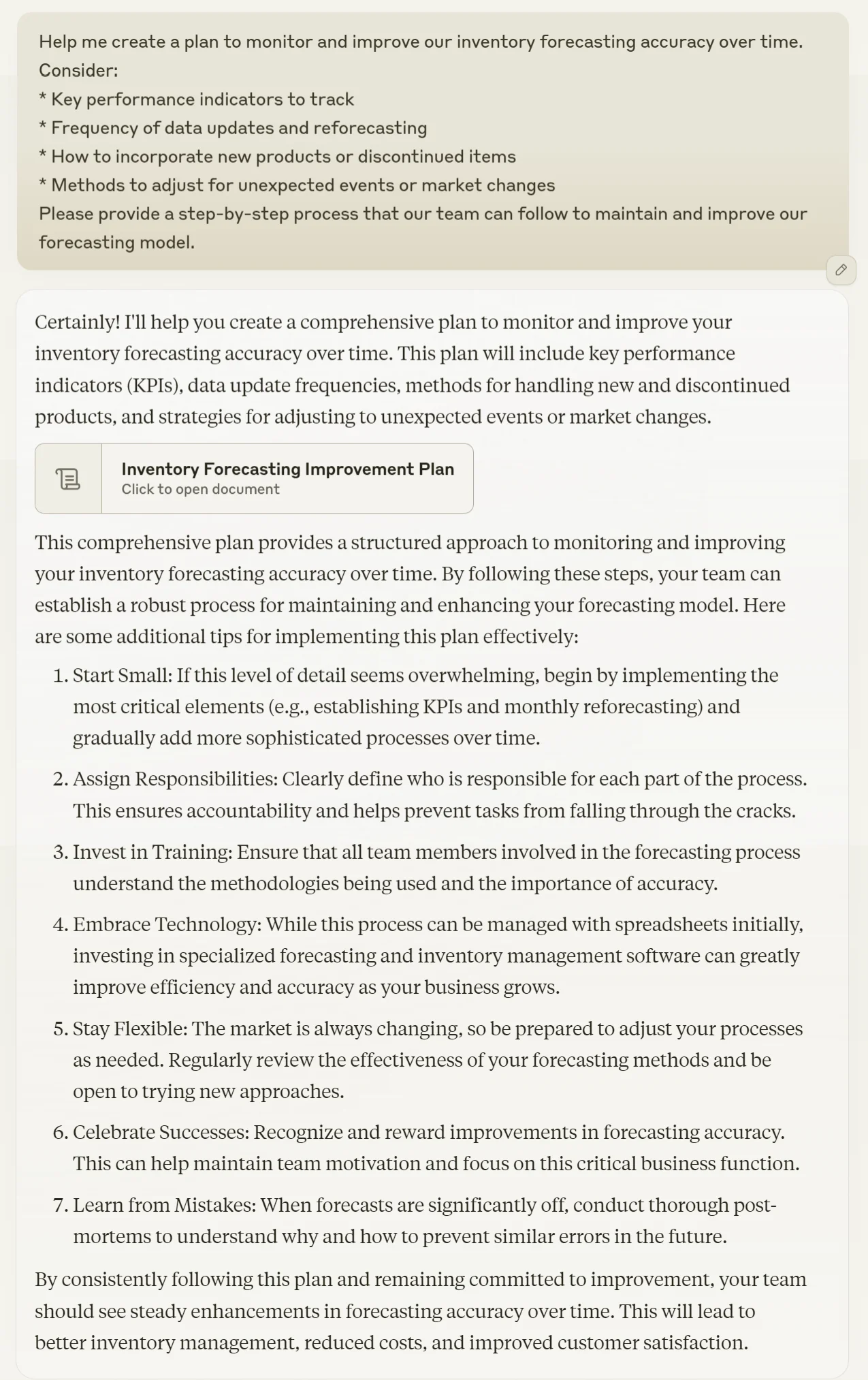
Help me create a plan to monitor and improve our inventory forecasting accuracy over time. Consider:
1. Key performance indicators to track
2. Frequency of data updates and reforecasting
3. How to incorporate new products or discontinued items
4. Methods to adjust for unexpected events or market changes
5. [Any specific monitoring aspect you're interested in]
Please provide a step-by-step process that our team can follow to maintain and improve our forecasting model.

Regularly review your forecasts against actual results, and be prepared to adjust your approach as you learn what works best for your business. With time and attention, this AI-driven inventory management system can become a valuable tool for your operations.
This tutorial was created by Tanmay.