Learn and use new software using ChatGPT Search
Master new software tools quickly using ChatGPT as your personal tech mentor.
2024-11-20
The scenario is familiar: a powerful new tool promises to transform your workflow, but the learning curve looks like Mount Everest. Maybe it's a manager's request, a trending tech solution, or that productivity app you've been meaning to tackle.
But here's the good news: AI has turned the daunting task of mastering new software into something surprisingly manageable. With ChatGPT’s new search feature, you can simply have a conversation about exactly what you need. No more jumping between scattered documentation and outdated forum posts. The AI will scour the web, effortlessly turning technical jargon into practical steps.
In this tutorial, we'll use ChatGPT to learn how to create a project management system in Airtable, leveraging its ability to search, understand, and explain technical steps simply.
In this tutorial, you'll learn to:
- Use ChatGPT's web search to find relevant examples and documentation
- Specify your requirements in a way AI understands
- Get customized step-by-step instructions
- Refine and implement the solution for your needs
Step 1: Collect reference sources (images, guides, and official docs)
The first step is to collect documentation about Airtable and helpful links about the tool from across the web. Instead of manually gathering all of this, let's use ChatGPT's web search to find what we need. The key is to be specific about your business context while keeping the language natural.
Why this approach works: Describe what you want to achieve in plain language - ChatGPT will find relevant examples and translate the technical aspects for you.
Start with a broad but focused request. Here’s a prompt you can copy, adjusting for your own needs:
I need to set up a project management system in Airtable for our marketing team. I'm fairly new to Airtable. We handle about 20-30 projects at a time, mostly content and campaign tasks. Show me some examples of how other companies are doing it. Include images of finished systems too.
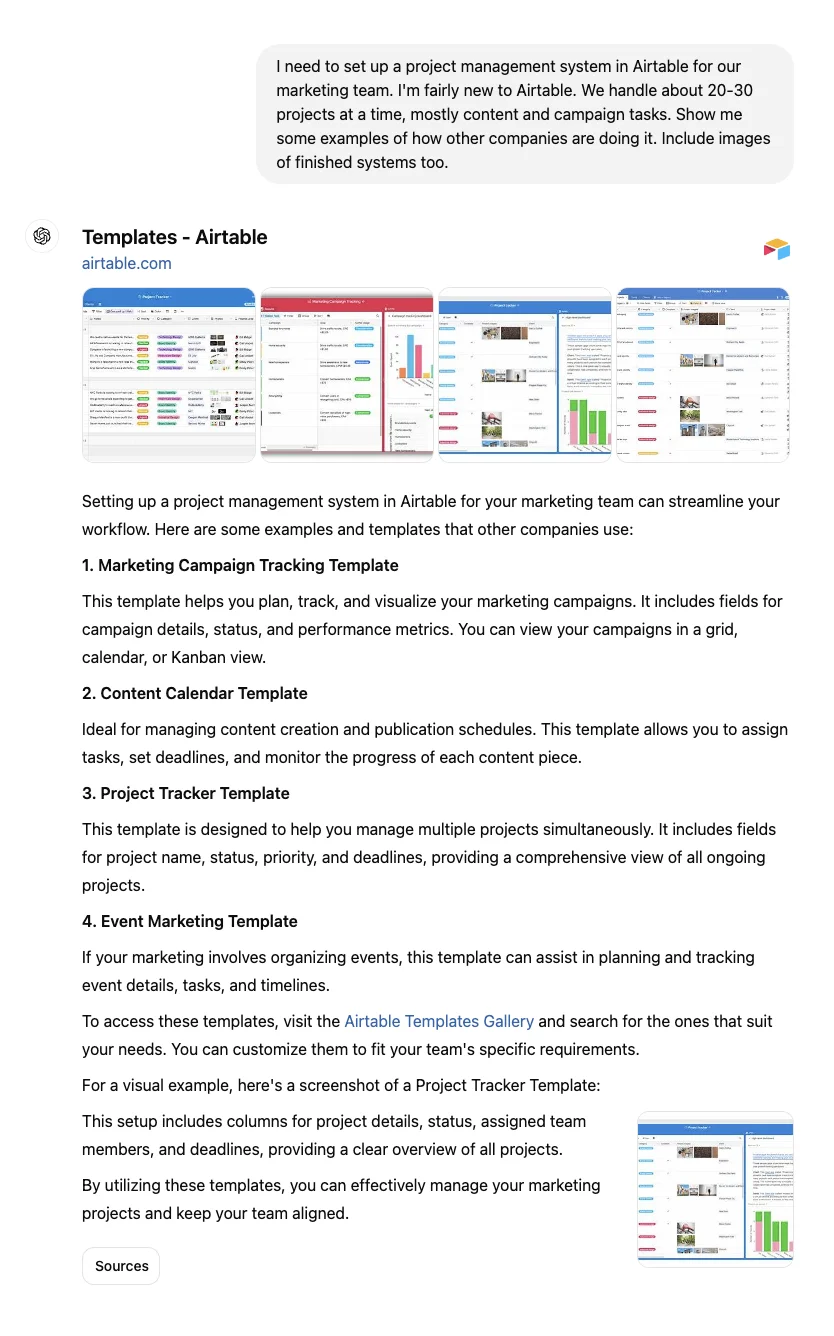
ChatGPT will search and return both written explanations and visual examples. You'll notice a "Sources" button at the bottom. Clicking it will show you all referenced links in a sidebar - this makes it easy to revisit sources later.
Next, get more specific about what catches your eye:
I like these two examples. [attach images]
the first one covers the status of a project.
the design example has good segregated lists.
Find tutorials/help articles that go through building such views.
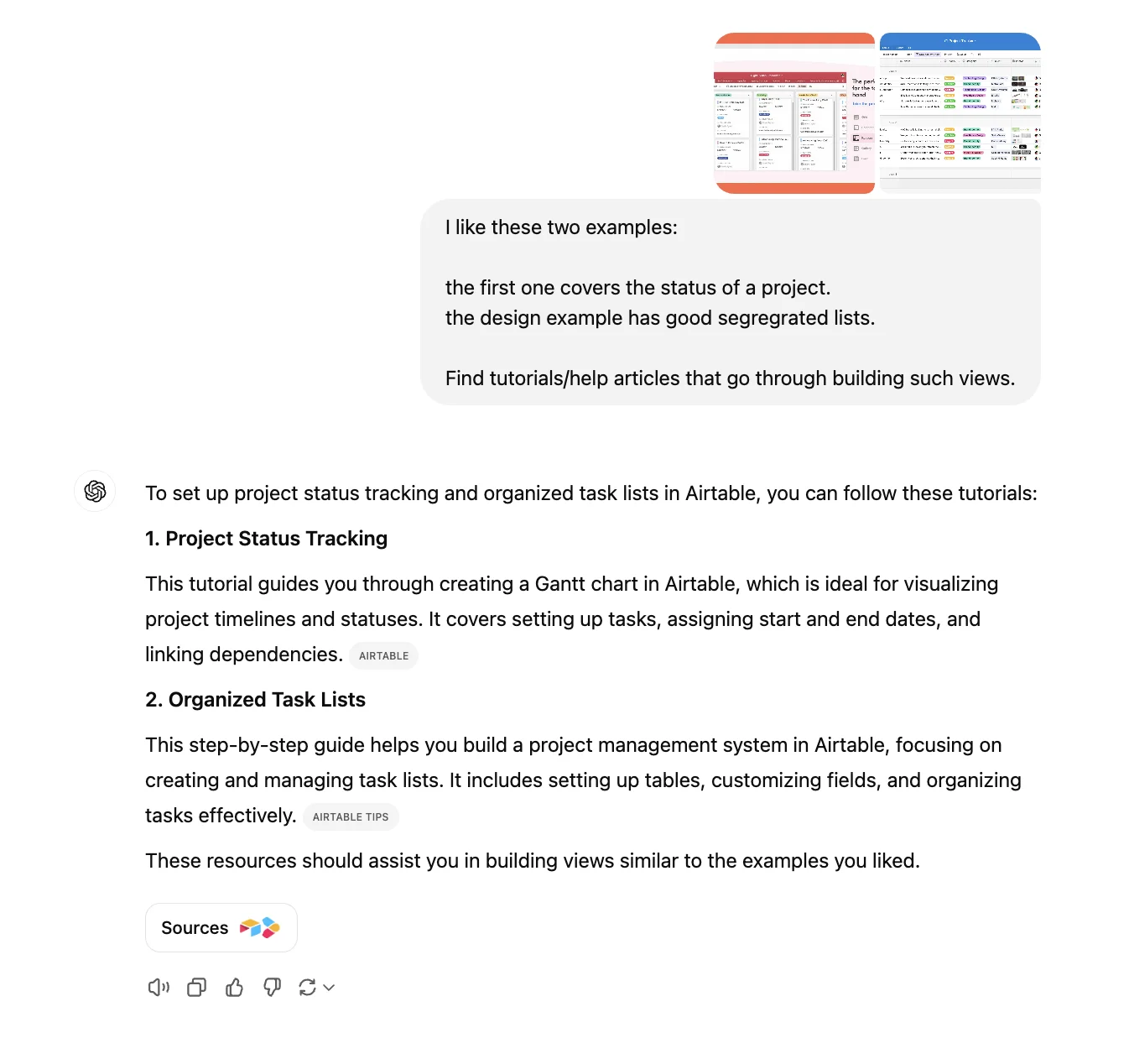
This approach helps you:
- See various real-world implementations
- Identify features you want to incorporate
- Build a mental model of what's possible
Step 2: Define your requirements naturally
Now that you've seen how others are using Airtable, you might be tempted to just copy their setup. But here's the trick - the best project management systems are tailored to how your team actually works. Let's tell ChatGPT about your specific needs.
Why this approach works: Instead of trying to adapt your workflow to someone else's system, you can describe exactly the bespoke elements you’re looking for. ChatGPT will help you identify the best features and approaches for your specific situation.
Based on the examples we've discussed, can you help me plan the Airtable setup for our marketing team? We need:
1. A client-focused view where we can group tasks by client and see their campaign progress
2. A content calendar view showing what's due this month
3. A priority/urgency view for internal team meetings
Tell me what's easily doable, what might be tricky, and why you'd recommend certain approaches over others. I want to understand the thinking behind the setup before we start building.
I think the "airtable for project management" article was a really good resource.
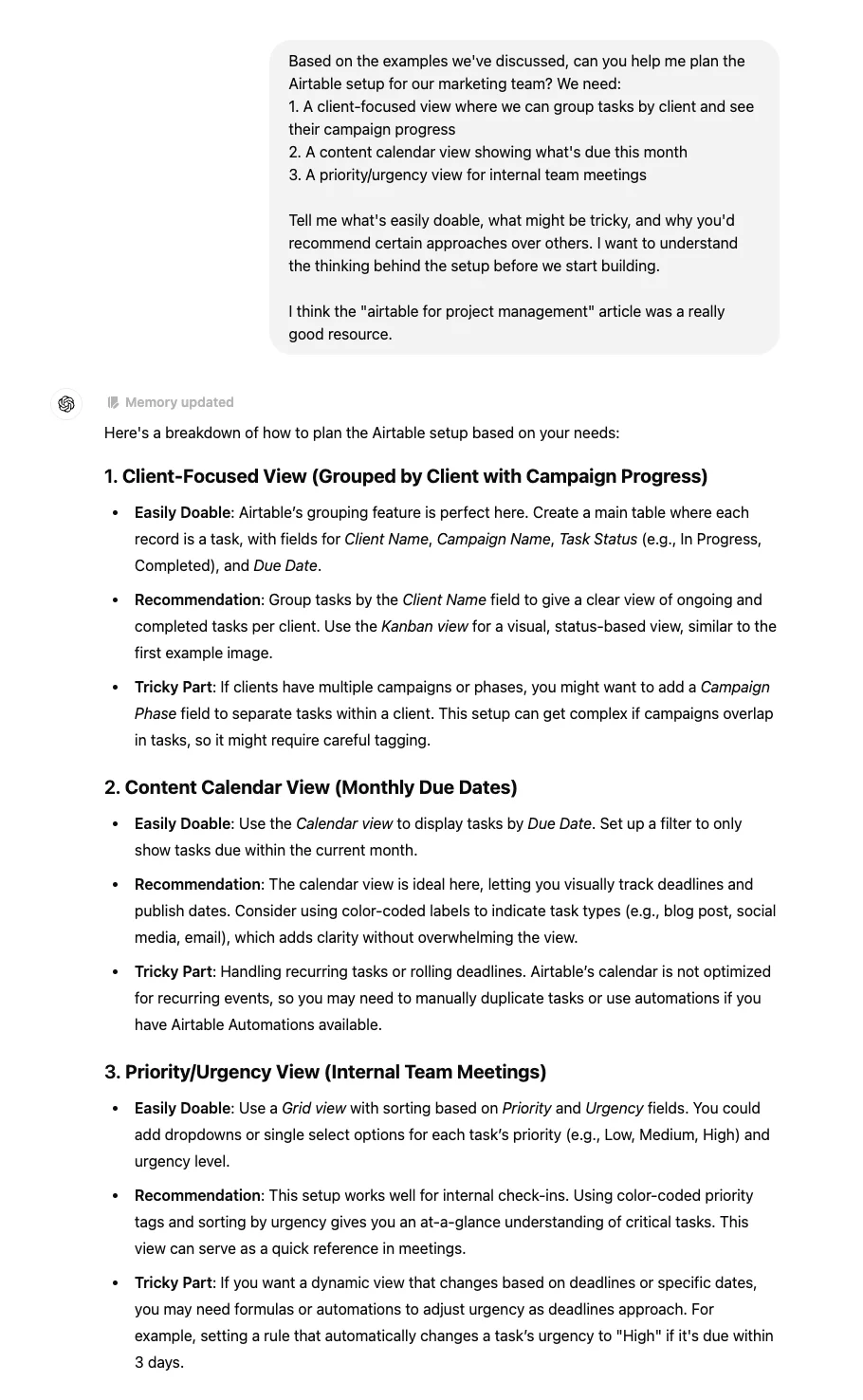
This helps ChatGPT understand exactly what you're trying to build. Rather than starting from scratch, we're using the examples as reference points to explain our needs.
When you highlight specific features you like (like those status columns or list groupings), ChatGPT can better understand your vision and provide more relevant guidance for implementation.
Step 3: Get customized instructions
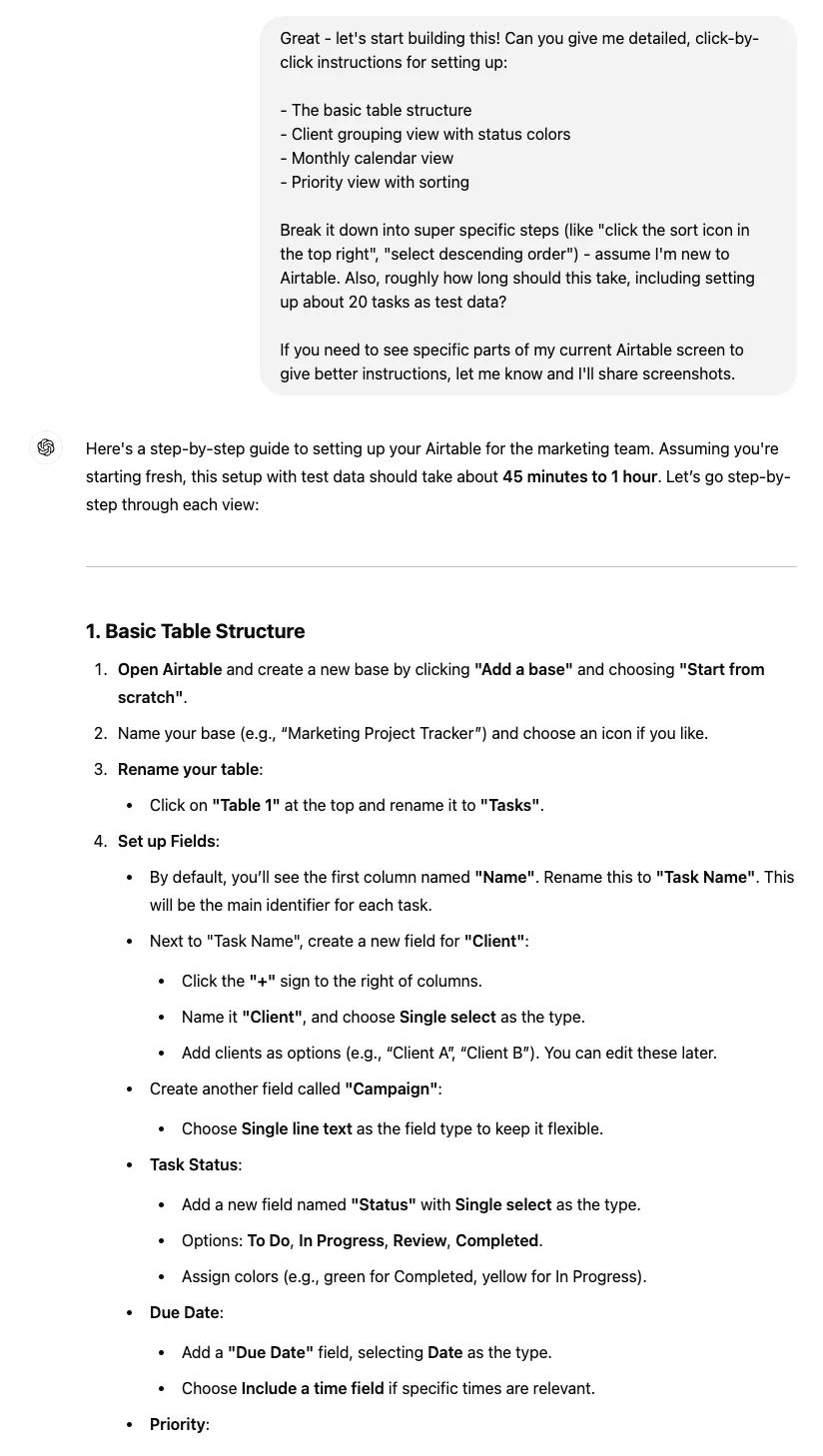
Now comes the magic: turning examples into actionable steps. Ask ChatGPT to create specific instructions based on your requirements:
Great - let's start building this! Can you give me detailed, click-by-click instructions for setting up:
1. The basic table structure
2. Client grouping view with status colors
3. Monthly calendar view
4. Priority view with sorting
Break it down into super specific steps (like "click the sort icon in the top right", "select descending order") - assume I'm new to Airtable. Also, roughly how long should this take, including setting up about 20 tasks as test data?
If you need to see specific parts of my current Airtable screen to give better instructions, let me know and I'll share screenshots.
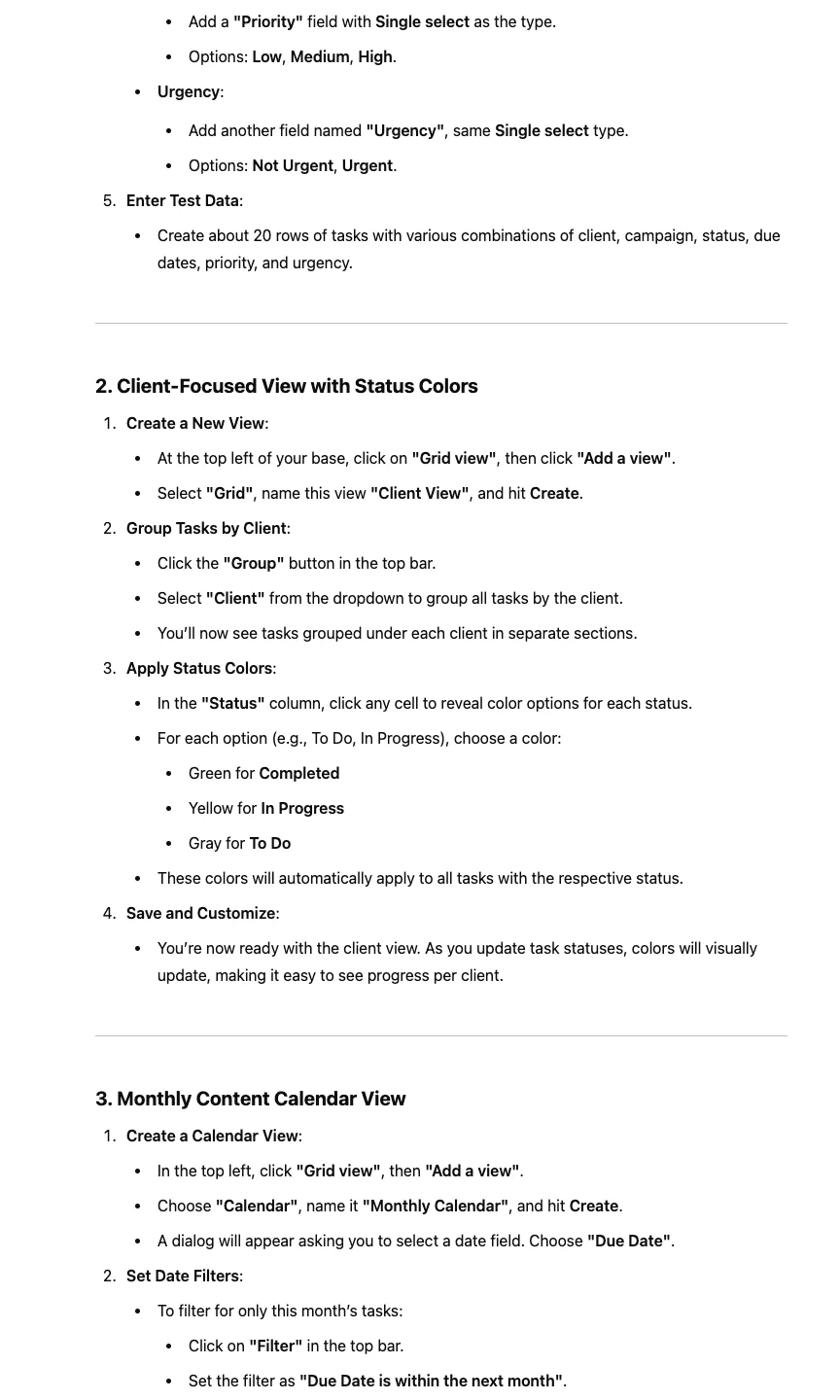
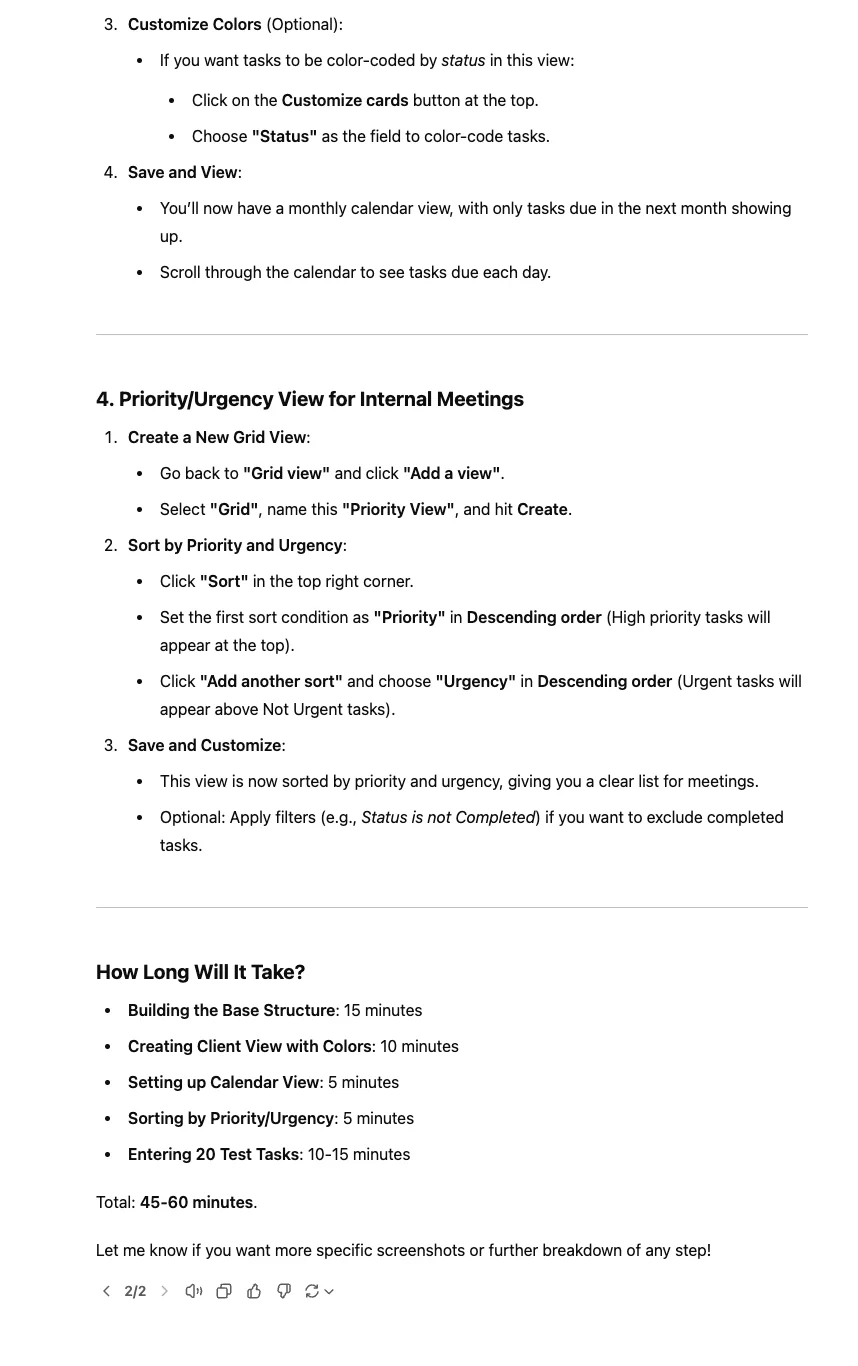
Step 4: Implementation & refinement
Don't worry if some steps seem unclear at first - that's exactly why we're using ChatGPT as our guide. You can ask for clarification, request simpler alternatives, or get help troubleshooting at any point.
As you implement the instructions, treat ChatGPT as your implementation buddy. You can:
- Share screenshots of your progress:
I've set up the base like you suggested *[image]*. The priority column isn't showing icons though - what am I missing?
- Ask for alternatives:
Instead of using formulas for the status colors, is there an easier way to set this up? My team might need to change these colors later.
- Get help with specific scenarios:
How would you modify this view for our freelancers who only need to see their assigned tasks?
Also, if you get stuck or something doesn't work, you can have a natural conversation about the problem. ChatGPT can suggest alternatives or help you understand what might be going wrong.
Remember, you don't need to be precise with technical terms. Phrases like "that dropdown thing" or "the coloured labels" work fine—ChatGPT can understand the context from your descriptions and screenshots.
Key benefits of this approach
- Customized Learning: Instead of following generic help documentation, you get instructions specific to your needs.
- Natural Communication: No need to translate your requirements into technical terms.
- Visual Reference: Use examples and screenshots to ensure you're building exactly what you need.
- Iterative Refinement: Easily adjust and improve as you implement.
What's next?
Once you've got your basic setup working, you can use the same approach to:
- Learn advanced features at your own pace
- Adapt the system as your team's needs change
- Apply this learning method to other software tools you need to master
Remember, the goal isn't to become a software expert - it's to make software work for you and your team's needs. Let ChatGPT handle the technical details while you focus on what matters: getting work done efficiently. Whether it's Airtable today or another tool tomorrow, you now have a better way to tackle that learning curve.
This tutorial was created by Keshav.