Optimize vendor evaluation process
Improve decision-making by generating comprehensive vendor comparison reports.
2024-12-20
Vendor selection is a critical process that can significantly impact project outcomes and long-term business relationships. However, many organizations still rely on cumbersome spreadsheets, gut feelings, and fragmented information to make these important decisions. This approach is not only inefficient but often leads to suboptimal choices that can result in project delays, cost overruns, and missed opportunities.@
In this tutorial, you'll learn how to use Claude to generate comprehensive vendor comparison reports, improving your decision-making process for vendor selection. We'll walk through creating standardized metrics, analyzing proposals, and producing detailed evaluation reports.
Steps we'll cover in this tutorial:
- Define evaluation criteria and weightings
- Input and analyze vendor proposals
- Generate standardized comparison metrics
- Create visual comparisons of vendor offerings
- Conduct a risk assessment
- Produce a detailed vendor evaluation report
Let's dive in.
Step 1: Define evaluation criteria and weightings
Begin by establishing clear evaluation criteria and assigning appropriate weightings to each. This step is crucial for ensuring a fair and comprehensive assessment of all vendors.
Prompt Claude with:
Generate a list of 10 key evaluation criteria for vendor selection in [your industry] for [specific project/product]. Consider our company size [small/medium/large] and primary goals [e.g., cost reduction, innovation, scalability]. Include a brief description and suggested weighting (out of 100) for each. Format as a markdown table.
Consider: cost, technical capabilities, experience, support, scalability, integration, security, timeline, training, and financial stability.


Review the generated criteria and adjust as needed to align with your specific needs. This framework will serve as the foundation for your vendor evaluation process.
Step 2: Input and analyze vendor proposals
Next, we'll use Claude to extract key information from vendor proposals and organize it in a standardized format for easy comparison.
Example prompt:
Analyze the following vendor proposal for [Project/Product Name]. Extract and summarize key information related to our evaluation criteria. Present in a clear, structured format.
[Paste relevant sections of the vendor proposal]
For each criterion:
1. Summarize the vendor's offering
2. Highlight unique selling points or potential concerns
3. Include relevant quantitative data where possible
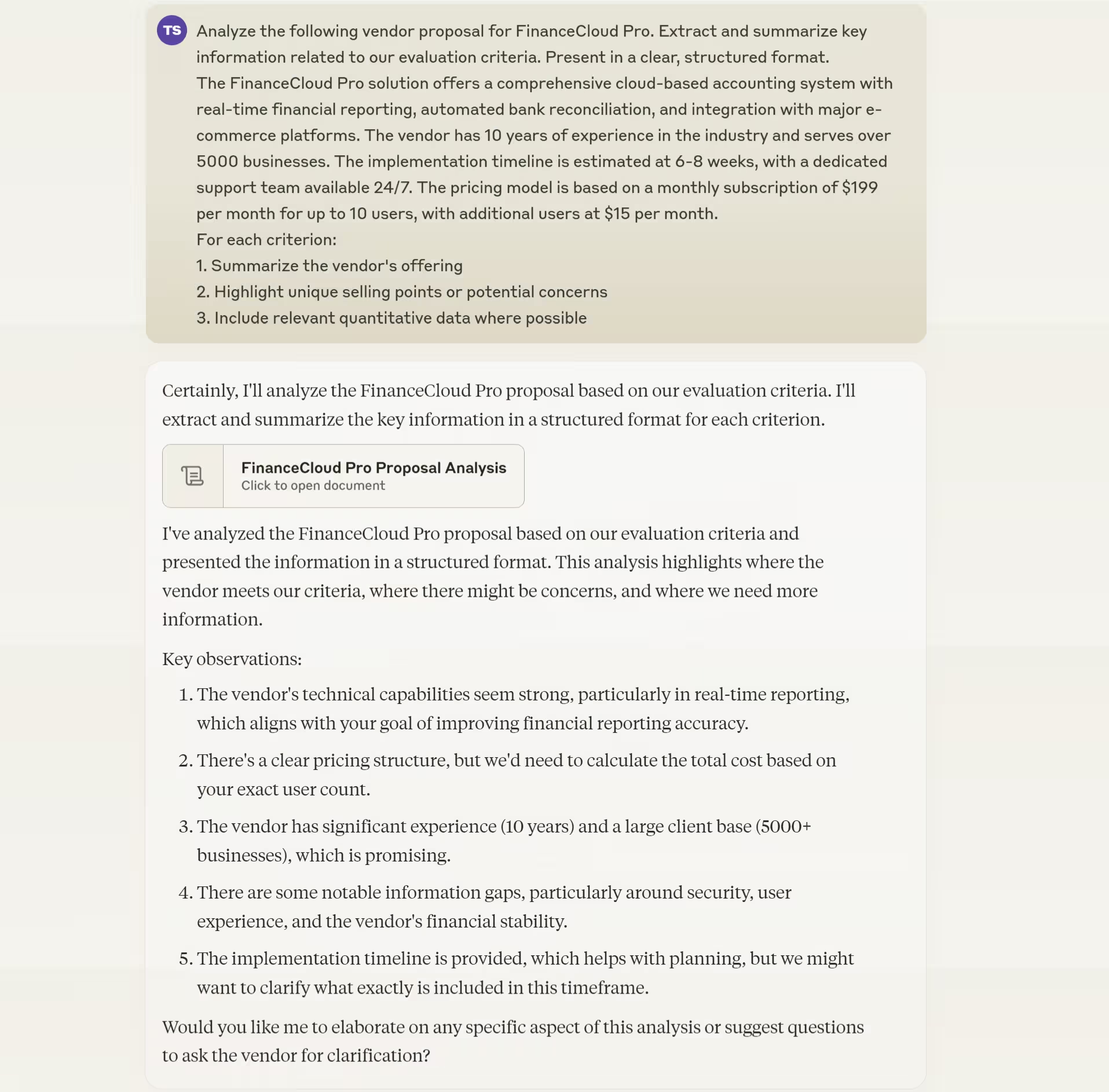
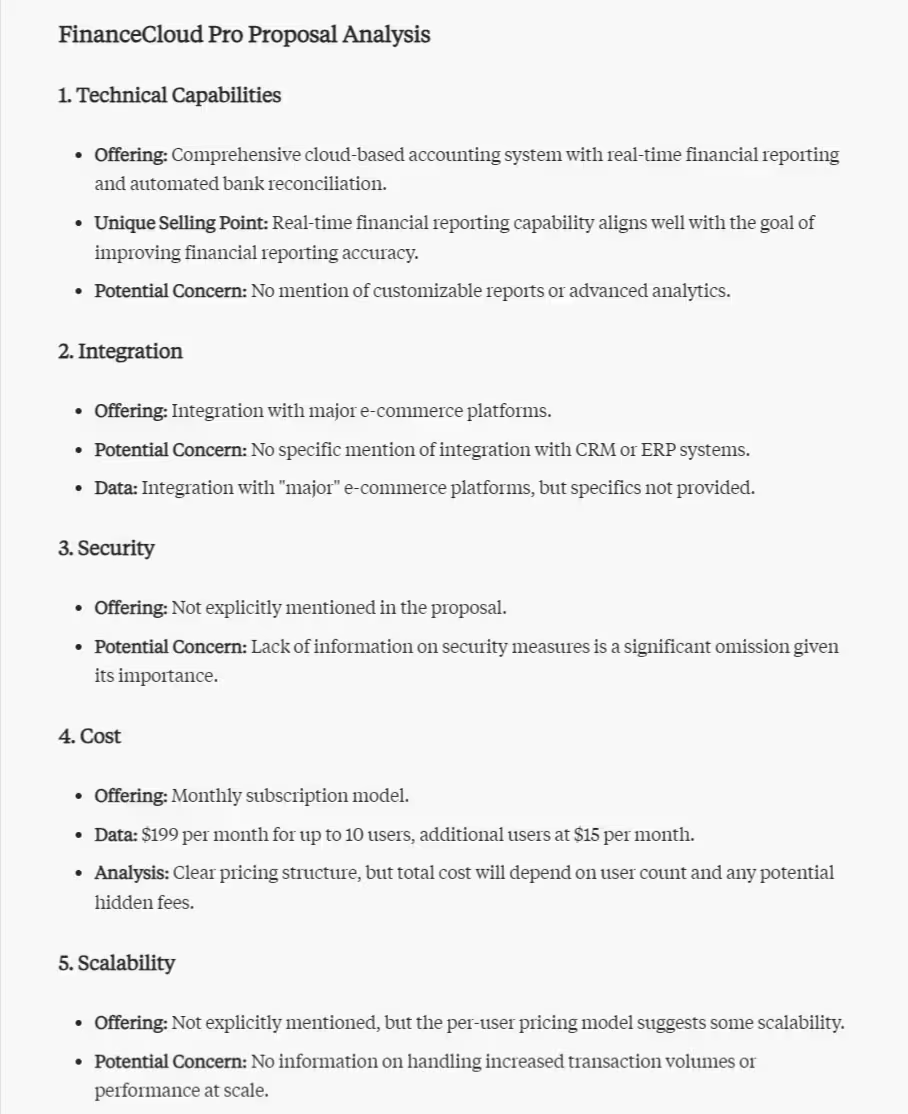
Repeat this process for each vendor proposal you're evaluating. These summaries will form the basis for our comparison in the next steps.
Step 3: Generate standardized comparison metrics
Now that we have summarized information from each vendor, let's create standardized metrics to facilitate an objective comparison.
Prompt Claude with:
Create a standardized scoring system for each evaluation criterion, considering our [industry] and [project/product] requirements. For each metric:
1. Define a clear scoring scale (e.g., 1-5 or 1-10)
2. Provide guidelines for assigning scores
3. Include examples of low, medium, and high scores
Present the scoring system in a tabular format.
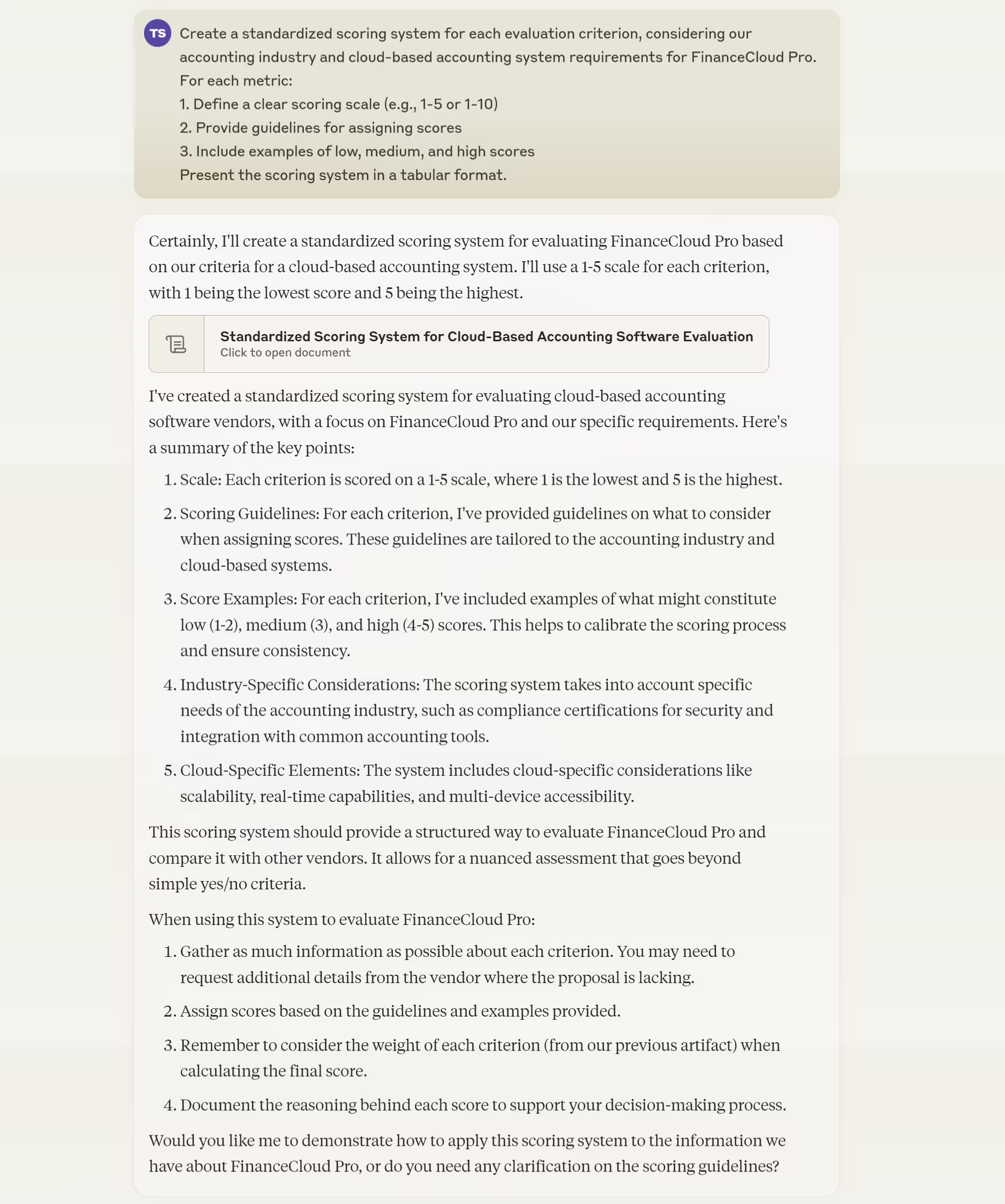

Use this standardized scoring system to evaluate each vendor objectively. This approach ensures consistency in your assessments across all vendors.
Step 4: Create visual comparisons of vendor offerings
Visual representations can greatly enhance understanding and facilitate quicker decision-making. Let's use ChatGPT to create visual comparisons of the vendor offerings.
Prompt ChatGPT with:
Create a bar chart comparing our top 3 vendors across the 5 key evaluation criteria we established earlier. Use the scores we assigned for each criterion. Make the chart clear and easy to interpret.
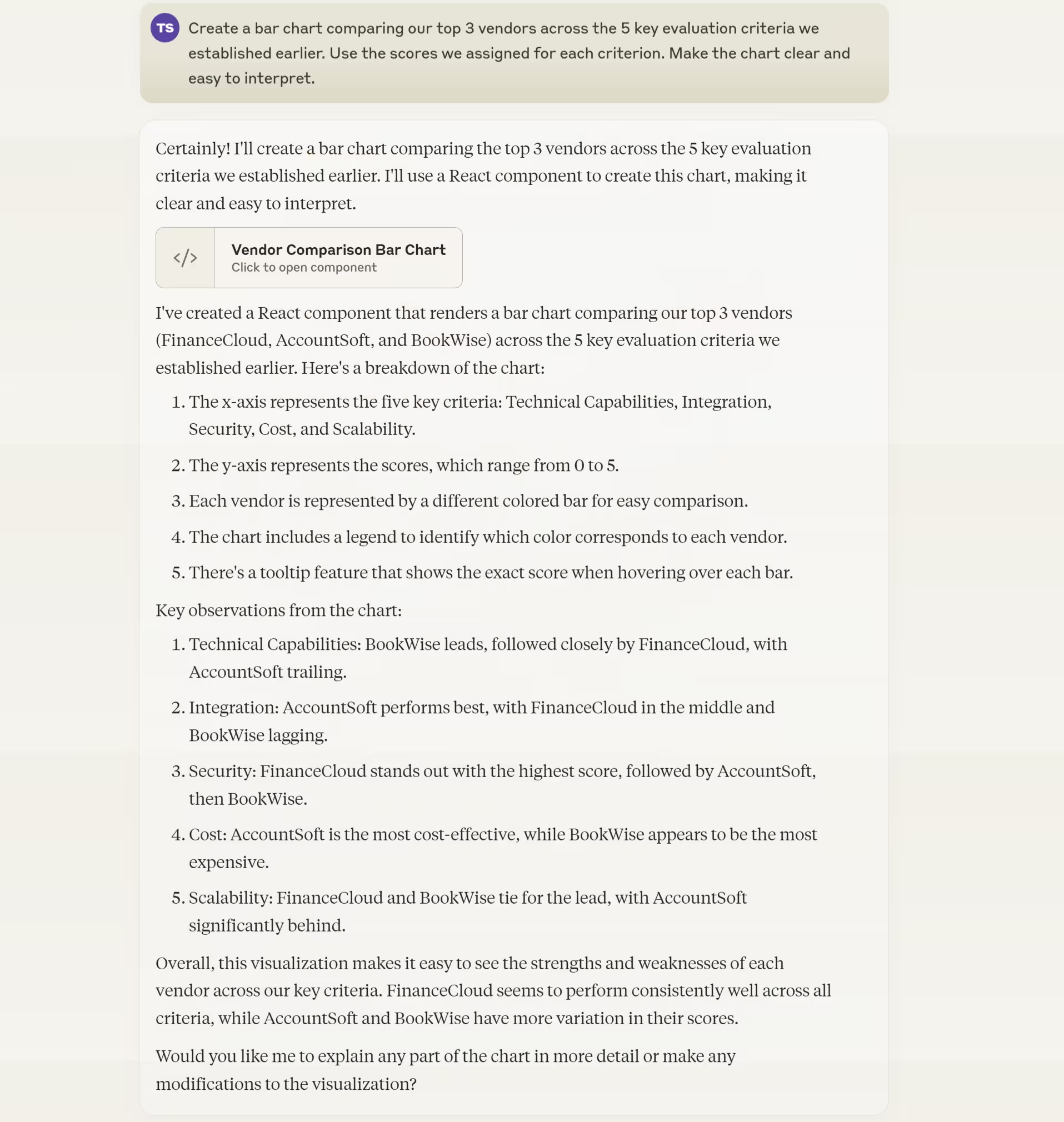

This visual representation will provide a clear, side-by-side comparison of the vendors, making it easier to identify strengths and weaknesses at a glance.
Step 5: Conduct a risk assessment
Before making a final decision, it's crucial to assess potential risks associated with each vendor. This step will help you anticipate and plan for possible challenges.
Prompt Claude with:
Conduct a risk assessment for each vendor based on their proposal summaries and our evaluation criteria for [project/product]. For each vendor:
1. Identify potential risks (e.g., implementation delays, security issues)
2. Assess likelihood and potential impact (Low, Medium, High)
3. Suggest mitigation strategies for high-impact risks
Consider our industry-specific challenges in [your industry]. Present the assessment in a tabular format for easy comparison.

This risk assessment will provide valuable insights into potential challenges and help inform your final decision.
Step 6: Produce a detailed vendor evaluation report
Finally, let's compile all the information we've gathered into a comprehensive vendor evaluation report, using this prompt:
Create a detailed vendor evaluation report for [project/product name] based on our analysis. Include:
1. Executive Summary
2. Evaluation Criteria and Methodology
3. Vendor Profiles and Proposal Summaries
4. Comparative Analysis (including visual comparisons)
5. Risk Assessment
6. Recommendations
7. Next Steps
Synthesize the information gathered throughout this process. In Recommendations, highlight top-performing vendor(s) based on our criteria and analysis, considering our [industry] and [company size] context.
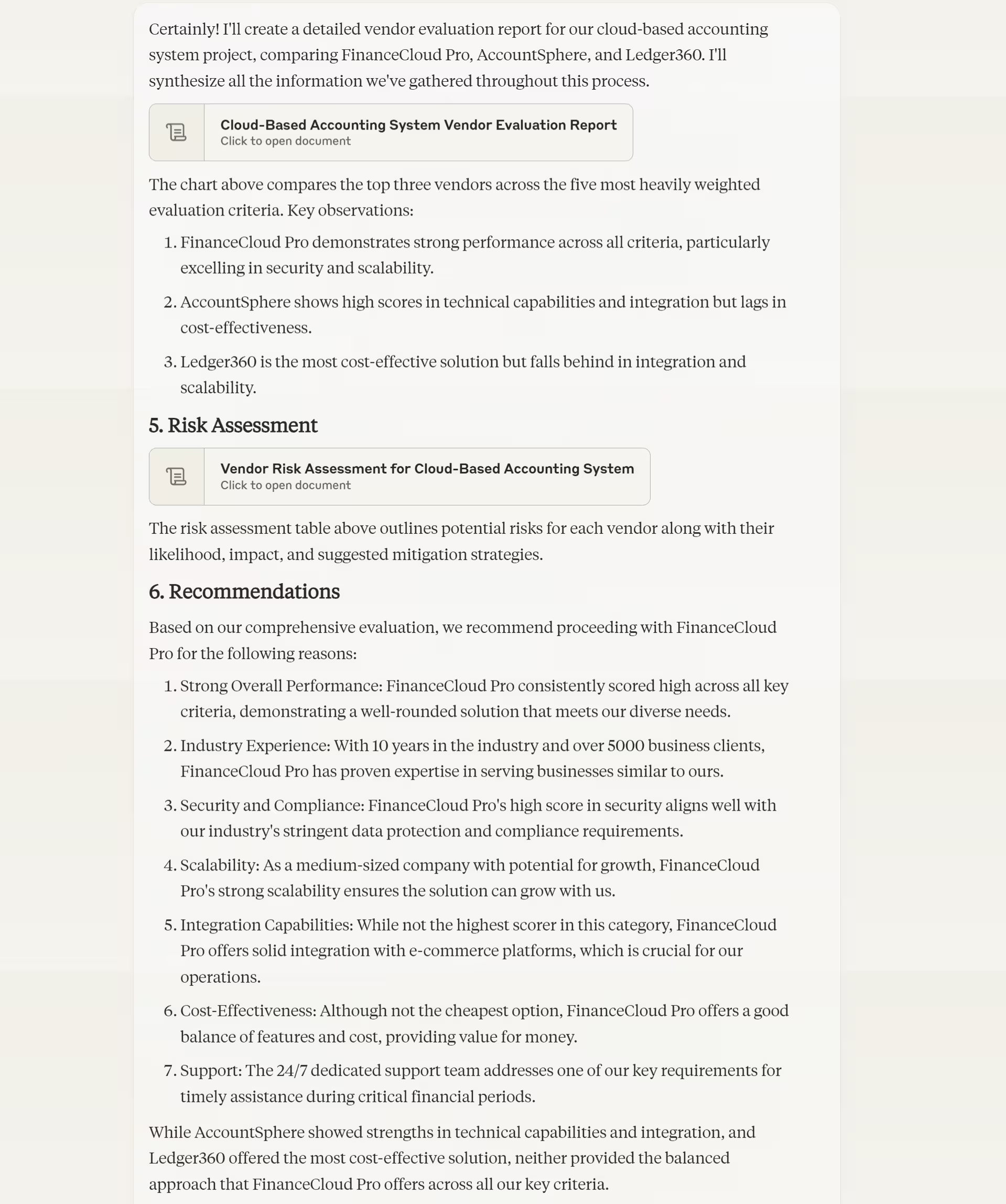

This comprehensive report will serve as a valuable tool for stakeholders involved in the final vendor selection decision.
With this optimized process in place, you're well-equipped to make confident, well-informed vendor selections that align with your organization's needs and goals.
This tutorial was created by Tanmay.