Parse and summarise product complaints on Reddit
Learn how to use Zapier and Notion AI to summarise complaints from product discussions on Reddit.
2024-12-20
If you’re developing a product or service, it’s important to study your competitor’s offering. Particularly what customers don’t like about it - so you can use that feedback to improve yours.
Reddit is a great place to see what people are saying about something. But discussions can get long, making it hard to distill the useful points. In this tutorial, we’re going to learn how to use AI to do it for us.
Steps we’ll take:
- Create a Notion database and Zapier workflow to manage the process.
- Build an app in Replit to retrieve comments from a Reddit post.
- Use Notion’s built-in AI to create a summary of complaints.
You’ll need:
Let’s see how it’s done.
Step 1: Create a Notion database and Zapier workflow to manage the process
In this tutorial, we’re going to work from Notion, but you could easily adapt this process to work with Airtable or Google Sheets.
In Notion, create a new page and call it “Reddit Complaint Analysis”.
Next, type a forward slash on the first line then keep typing the word “database” until you can select ‘Database - Inline’ as an option.
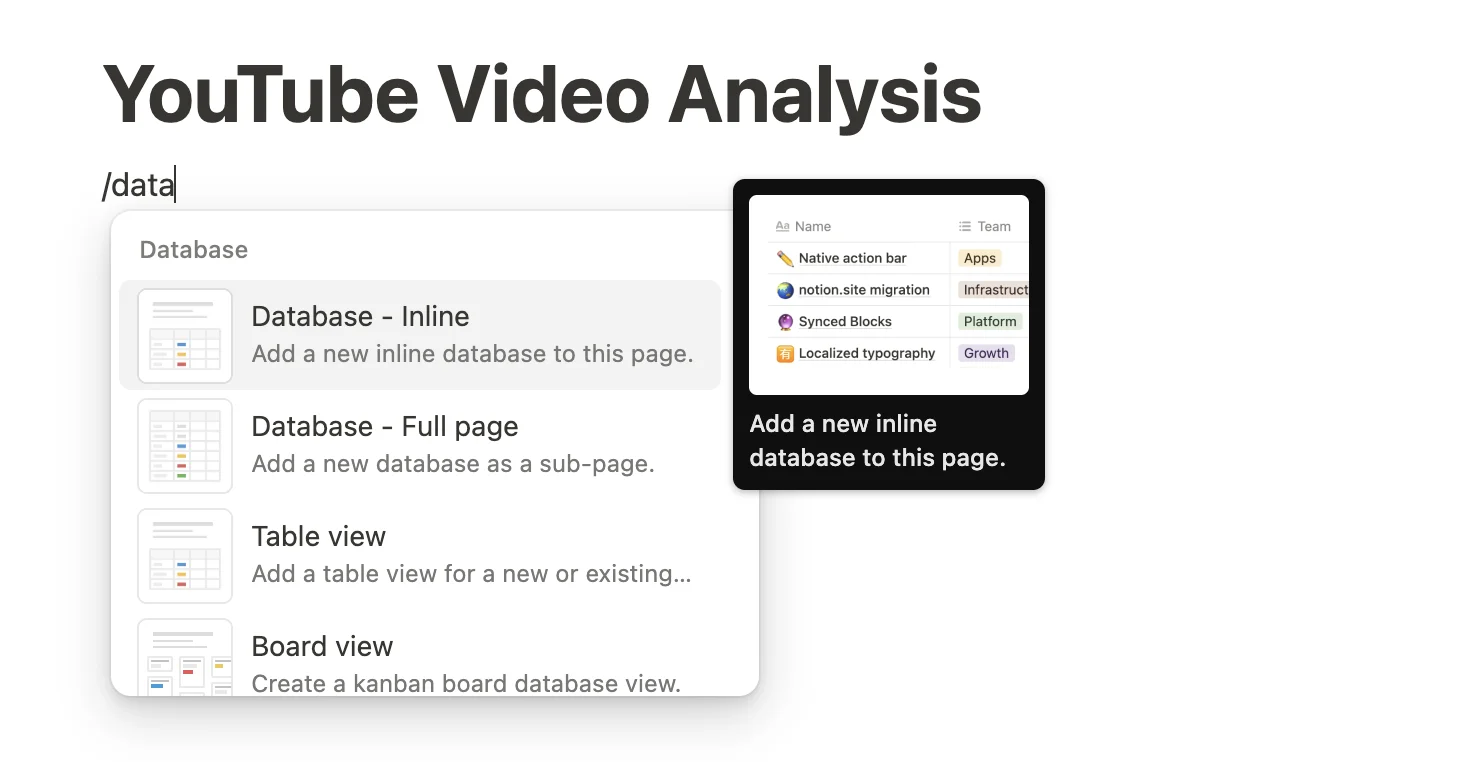
A blank database view will appear.
Leave the “Name” column for now, but select the “Tags” column and then click ‘Delete property’. You’ll then need to confirm the choice.
Now click the “+” button to add a new column.
In the panel that appears, scroll down and select ‘URL’ as the type.

Then, name the column “URL”.
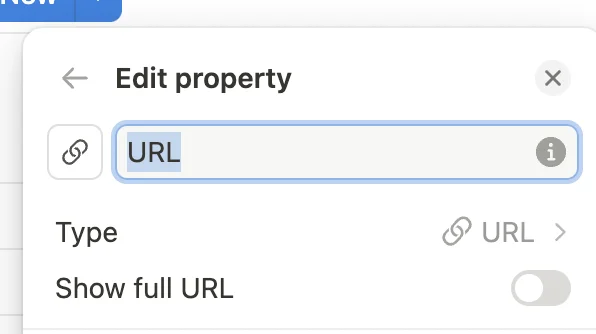
Do the same again and create another column called “Comments” with the type set as ‘Text’.
Some other things to do:
- Rename the database from “Untitled” to “Posts”.
- Make the “Name” column narrower for now. We don’t need it for our setup, but Notion won’t let us delete it.
- Delete all rows except the first one.
- Add a sample URL to the database. I’ve gone with this post about the new iPhone 16:
https://www.reddit.com/r/apple/comments/1fmsgeh/apples_new_iphone_16_reflects_a_slowing_pace_of/.
Your final database should look like this.

Next, we’re going to build a Zapier workflow to process the Reddit posts we add to the database.
Head over to Zapier, then in the dashboard, in the top left, click the big orange “Create” button and select ‘Zaps’.
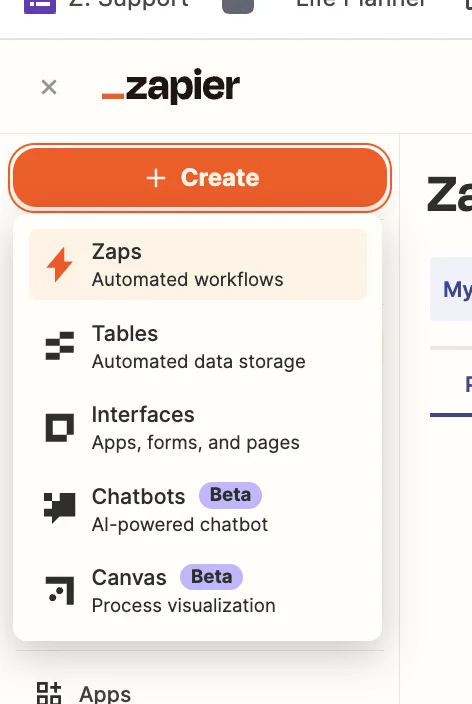
Inside the zap editor, click on the box that says “Trigger” and select/search for ‘Notion’ as the app. Then select ‘New Database Item’ as the trigger event.
Configure the step by selecting the “Posts” database.

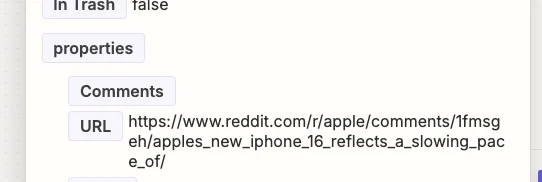
Test the zap step and you’ll see your example record pulled through.
Step 2: Build an app in Replit to retrieve comments from a Reddit post
Now we need to get the comments from the Reddit post.
To do this, we’re going to get AI to code us an app in Replit that accesses the Reddit API.
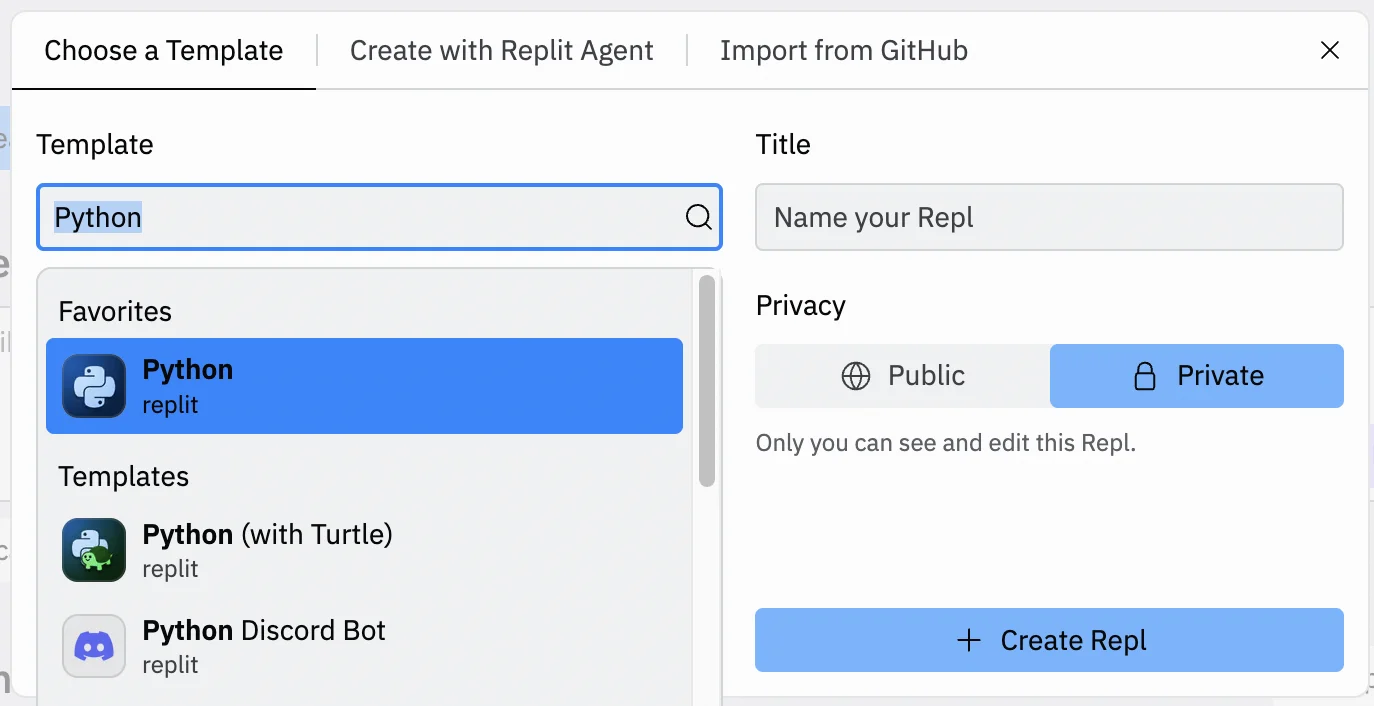
Go to the Replit dashboard and click the “Create Repl” button in the top left corner.
In the panel that appears, select “Python” from the ‘Template’ dropdown and give your Repl a title. You can also decide whether you want it public or private.
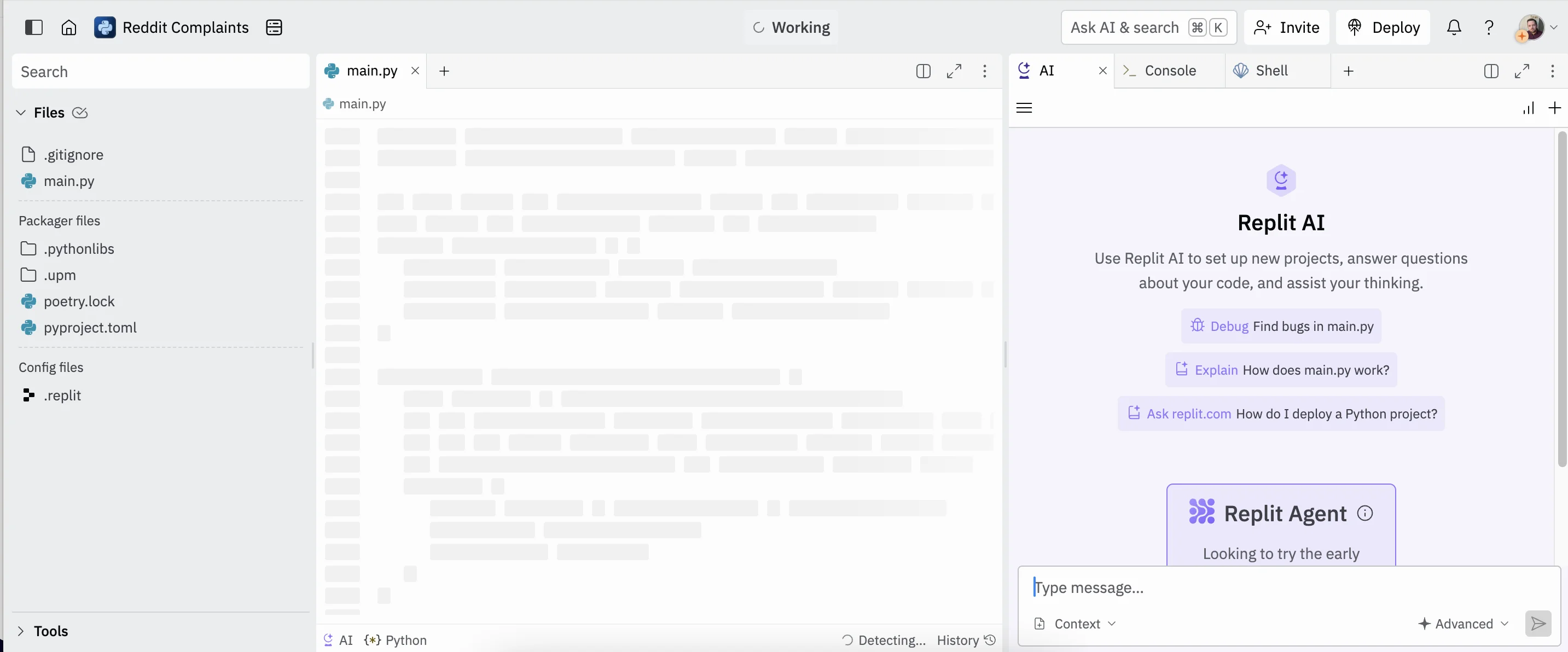
On the next page, you’ll see 3 columns - a file menu on the left, a code text file in the centre, and a panel of tabs on the right, with the AI tab selected. This is where we’ll build our app.
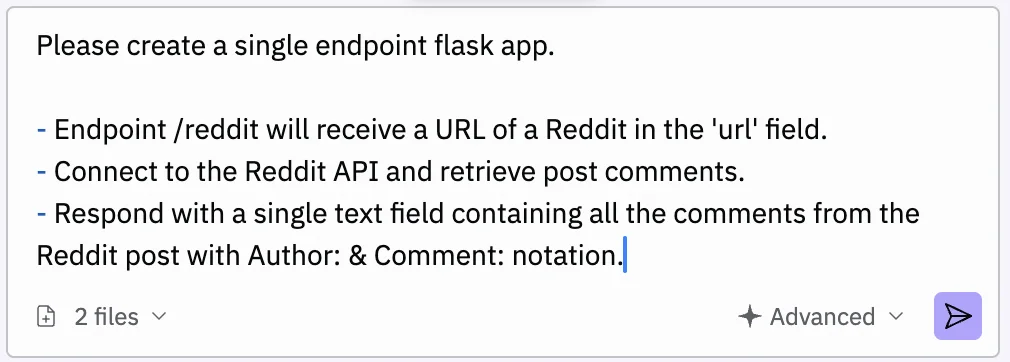
Start in the AI tab and use the following prompt:
Please create a single endpoint flask app.
1. Endpoint /reddit will receive a URL of a Reddit in the 'url' field.
2. Connect to the Reddit API and retrieve post comments.
3. Respond with a single text field containing all the comments from the Reddit post with Author: & Comment: notation.
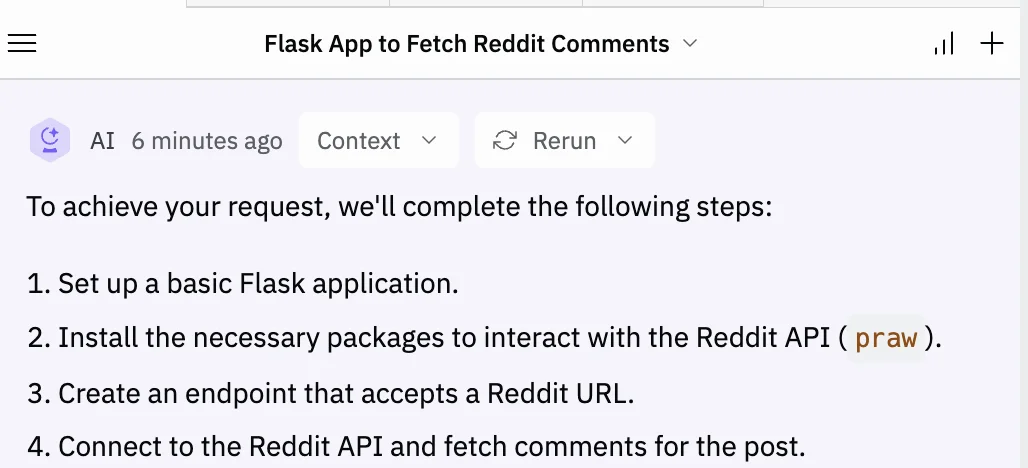
Press the arrow button and after a few seconds, the AI will respond with a summary and code for our app.
Next, switch to the “Shell” tab and type the following command. This installs an external library the code needs.
pip install praw

Press enter, and within a few seconds it’ll be installed.
Next, copy the code from the AI panel and paste it into the centre panel text file.
The code AI gives might differ between generations, but if you prefer, you can use the following code which is confirmed as working.
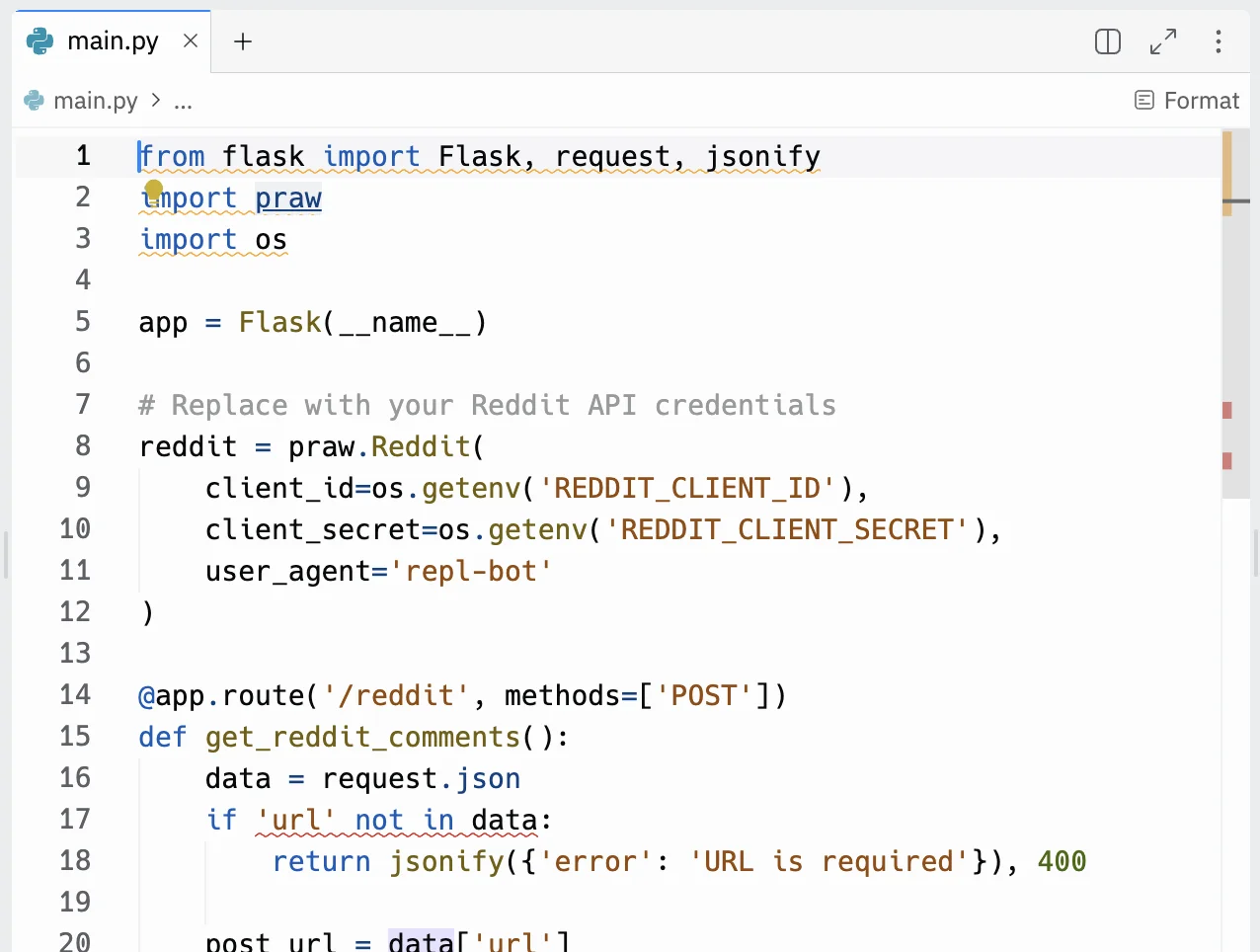
As you can see in the code, it refers to Reddit API credentials. We need to create some for our app to work.
Go to the Reddit Developer platform and click to create a new application. The application here simply exists as a way for our Replit app to connect to the Reddit API, via your Reddit account, and get comments from a post.
Configure the application settings as follows:
- name
This can be anything. I’ve gone with “GetComments”.
- Select “script” from the 3 options.
- description
This can be anything. No one will see this, so I just copied the application name in this field.
- redirect uri
Use “http://localhost:8080”.
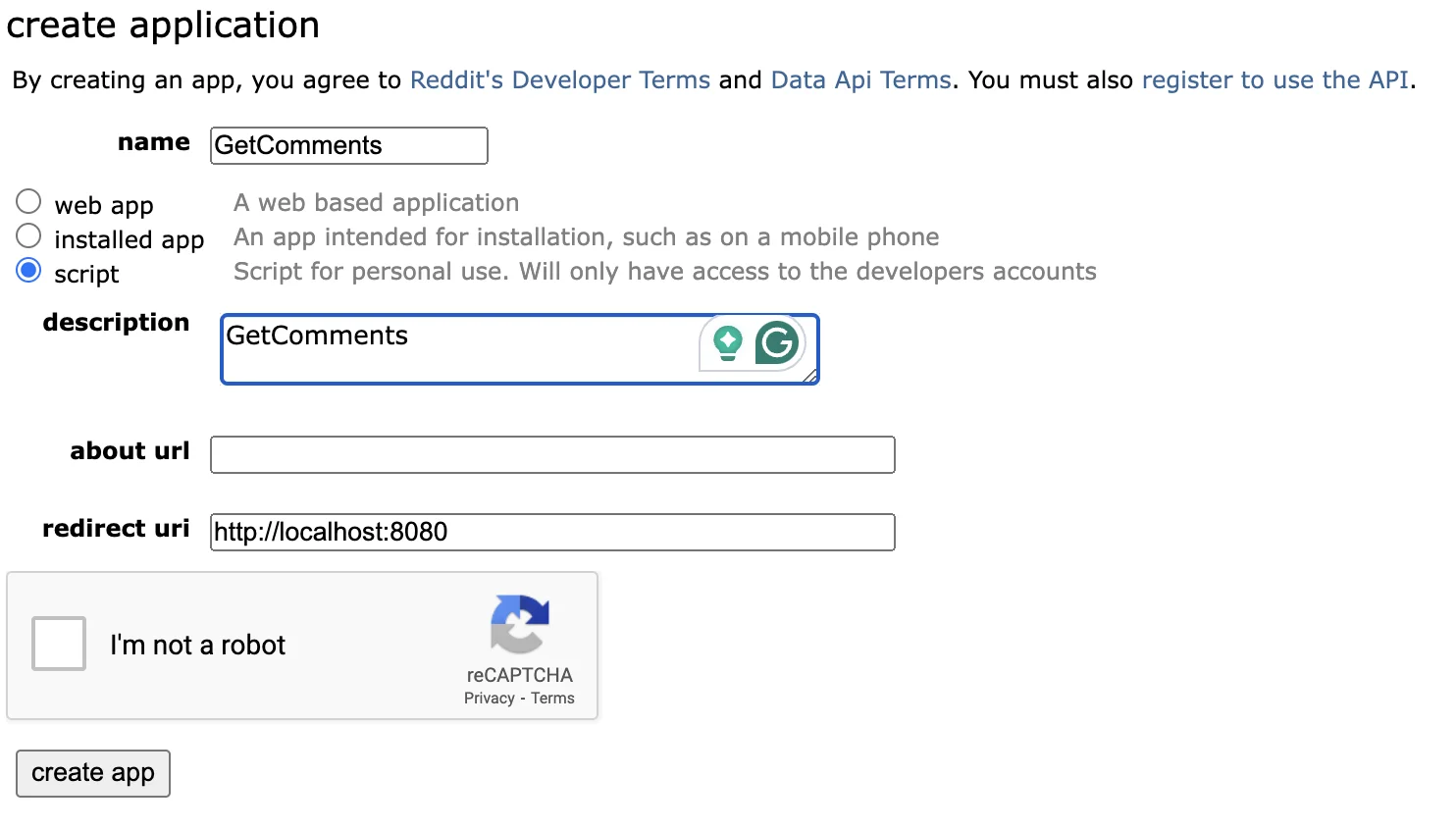
Complete the reCAPTCHA and then click “create app”. After a second or two you’ll see details for your created application.
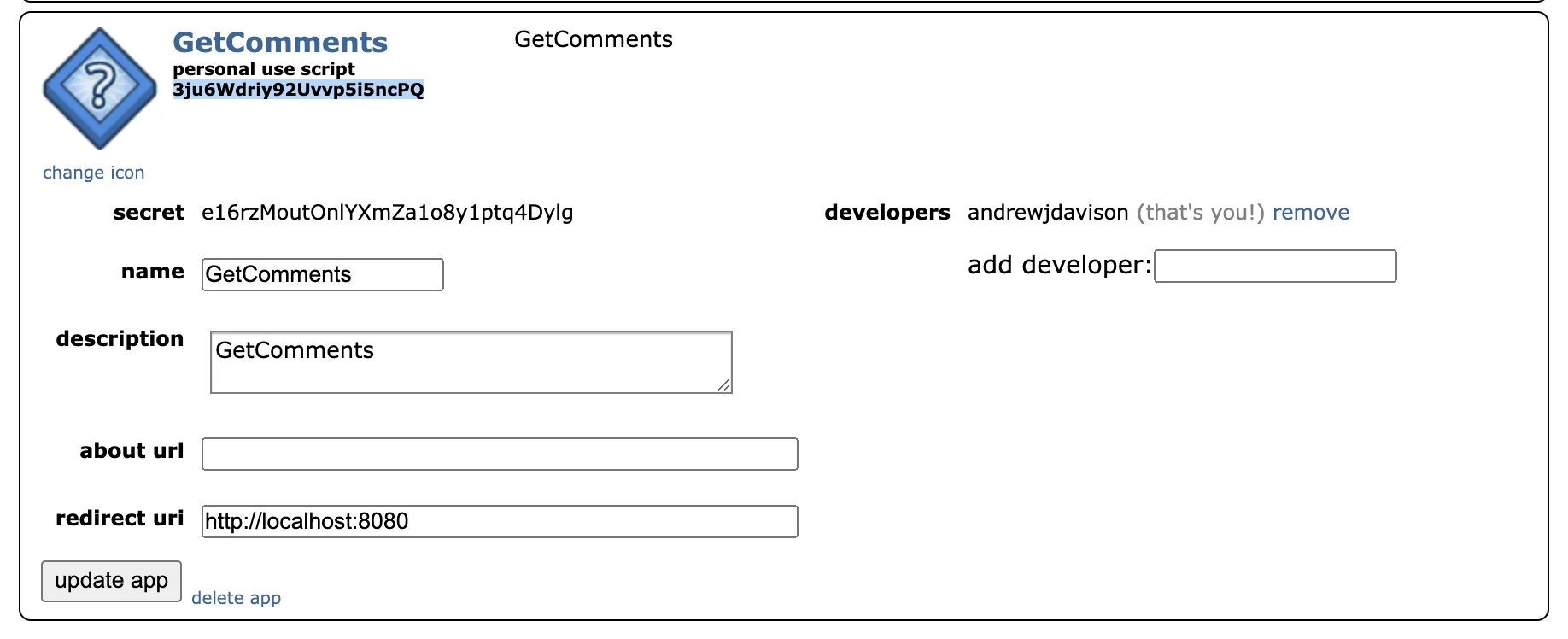
This includes something called the Client ID which is the string located top left and highlighted in the above screenshot. And the Client Secret which you can see below that.
Back in Replit, in the centre panel, click to add a new tab, then search for “Secrets”.
Click the “New Secret” button and then in the left column type ‘REDDIT_CLIENT_ID’ and in the right column paste in the ID value from your Reddit application.
Then create another secret, this time called ‘REDDIT_CLIENT_SECRET’ and paste the secret value from your Reddit application.
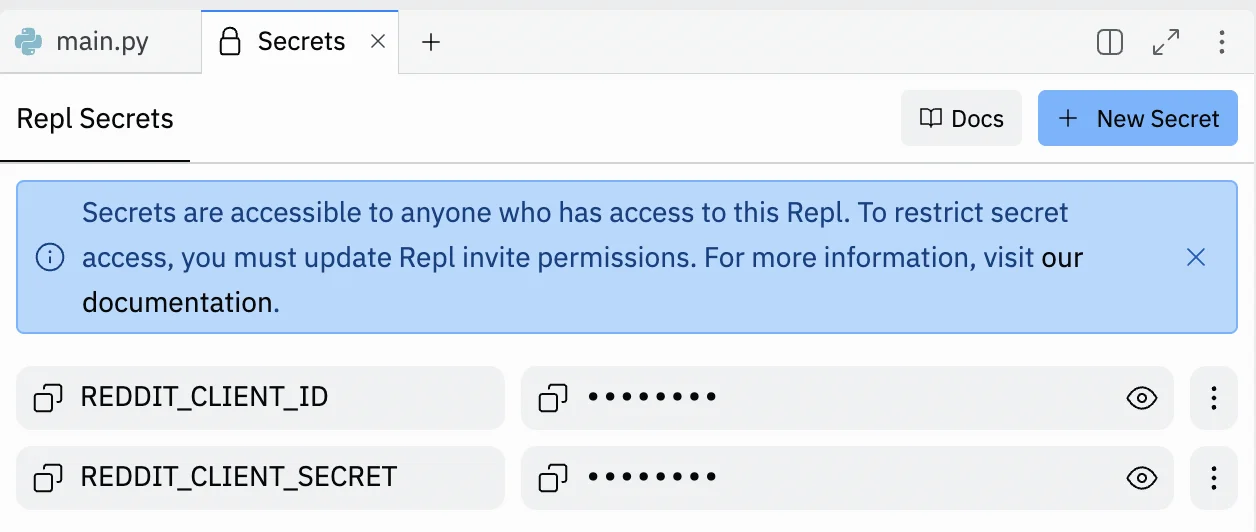
Click the green “Run” button at the top, and in the right column a ‘Webview’ panel will appear.

Click the “New tab” button and the page will load in your normal web browser with the same message.
Copy the entire URL from your browser. It’ll be something long like this: https://e5b5f106-af9b-478a-b0d0-c2ed448947b3-00-39ua9zc4ku8y1.worf.replit.dev
Step 3: Connect Reddit to your zap
Back in the zap editor, click the “Action” box. Select "Webhooks by Zapier" as the app, and ‘POST’ as the action event.
When configuring the step, these are the important fields:
- URL
Paste in the URL from Replit and add “/reddit” at the end.
- Payload Type
Select “json”.
- Data
Add one entry here. The left value should be “url” and the right value should be the ‘URL’ value from the trigger step.
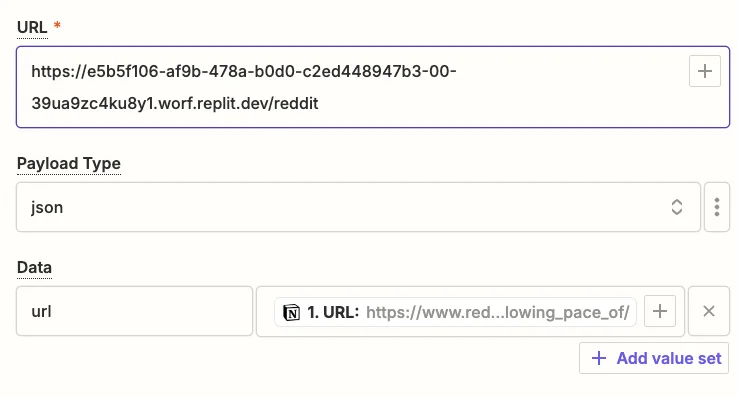
Test the zap step, and after a few seconds, you should see the comments from the Reddit post in the “Data out” tab.
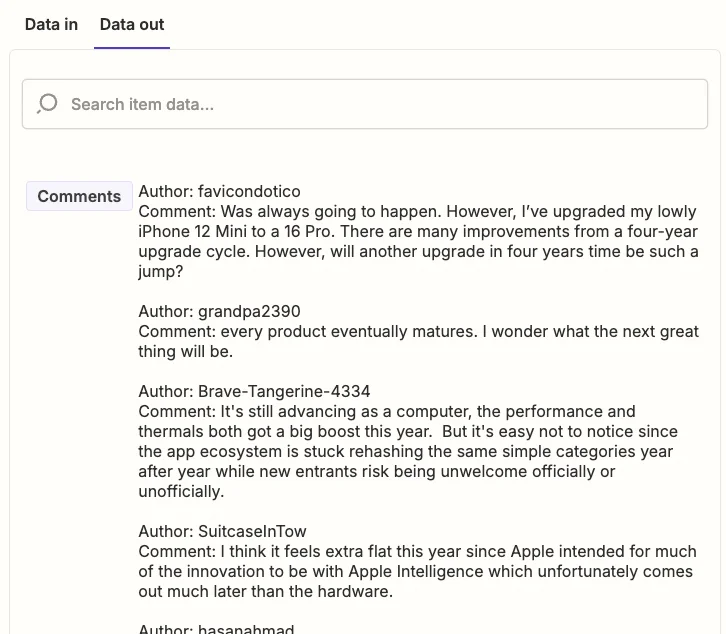
Step 4: Send Reddit comments to Notion
The final step is to add the comments back to the Notion database.
Add a new step to your zap with “Notion” as the app and ‘Create Database Item’ as the action event.
When configuring the step, these are the important fields:
- Database
Select the “Posts” database you created.
- Item
Map the ‘Page Id’ value from the trigger step.
- Comments
Map the ‘Comments’ value from the webhook step.
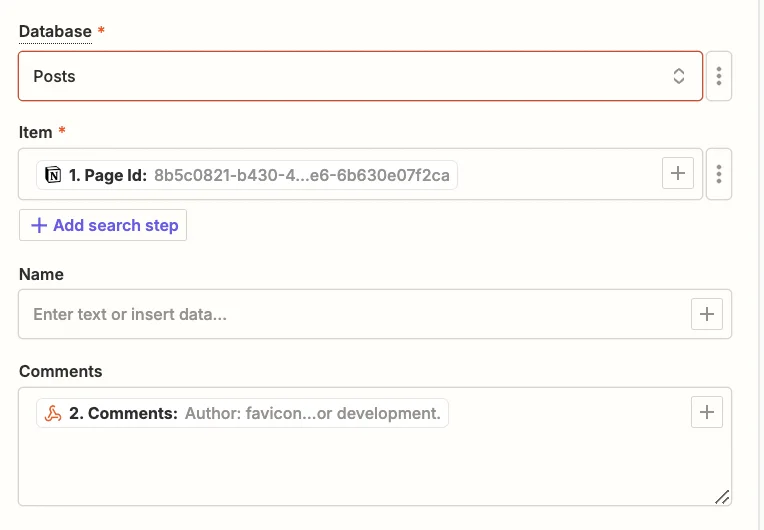
Test the zap step, and back in Notion you should see the comments added to your test row.
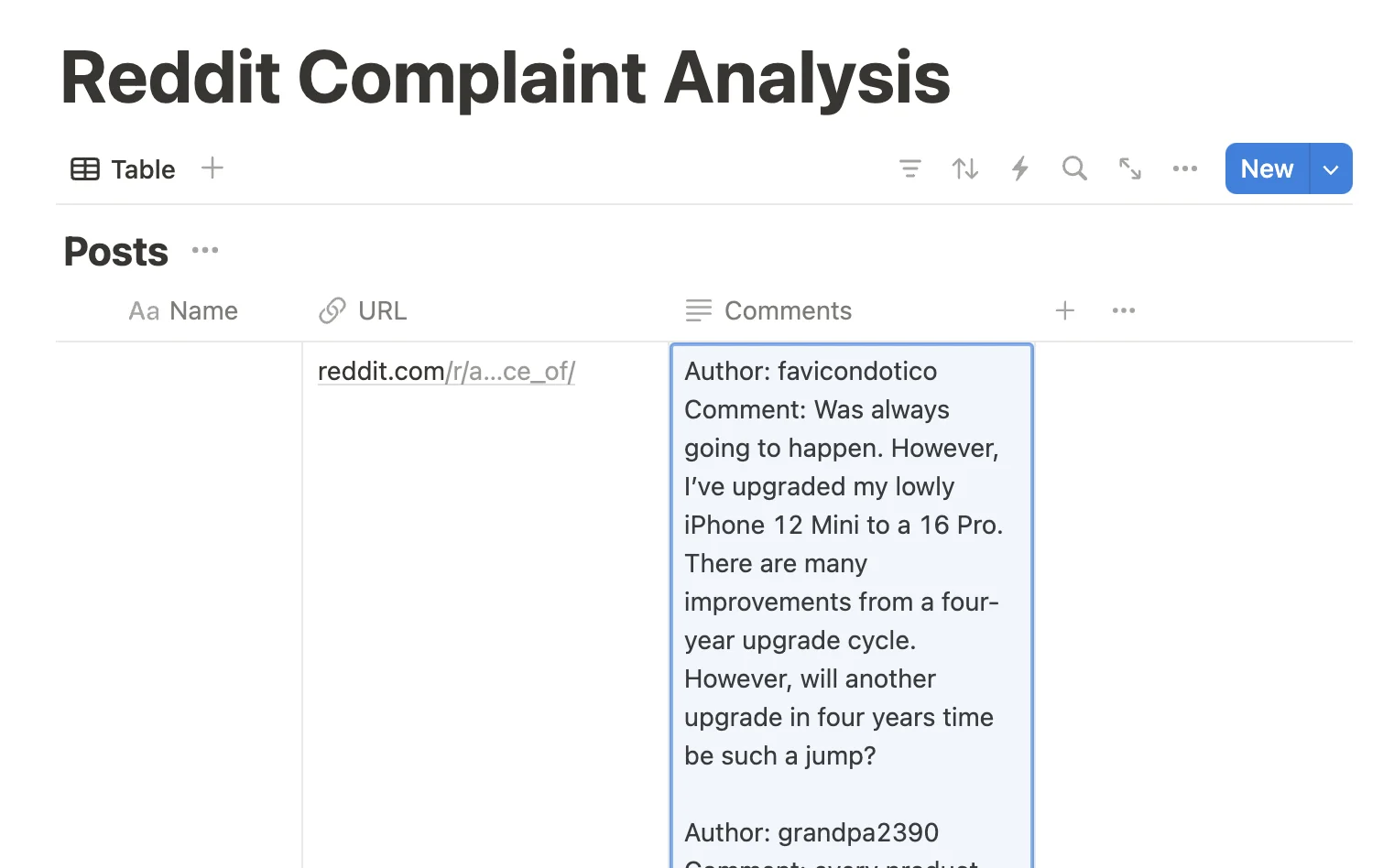
Step 5: Use Notion’s built-in AI to create a summary of complaints
We have a large block of text containing all the Reddit post comments. Now we need to extract a summary of the complaints from it. Notion has built-in AI features that will allow us to do this.
Click the “+” button to add a new column to the table and select ‘AI custom autofill’ as the type.
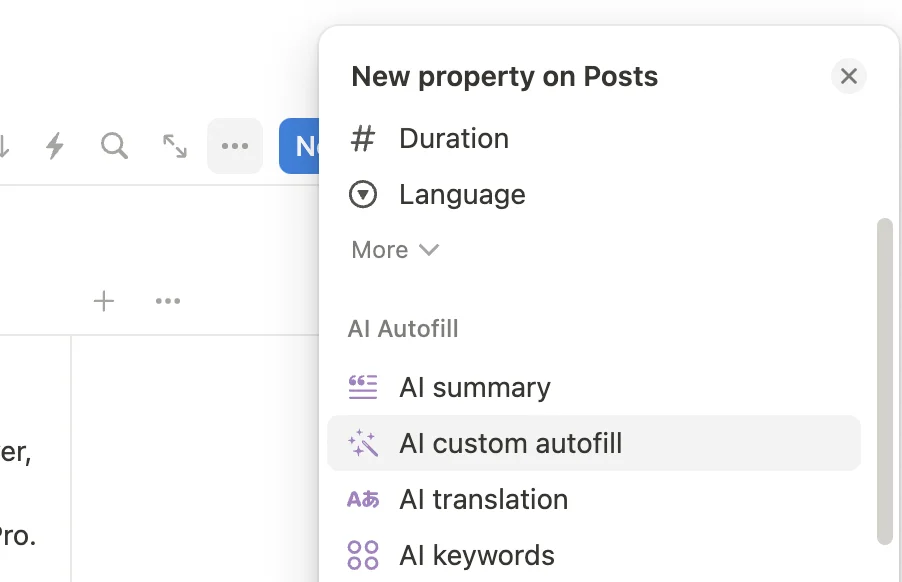
Then on the next tab use the following prompt:
Create a bullet point list of the complaints made by users in the comments.
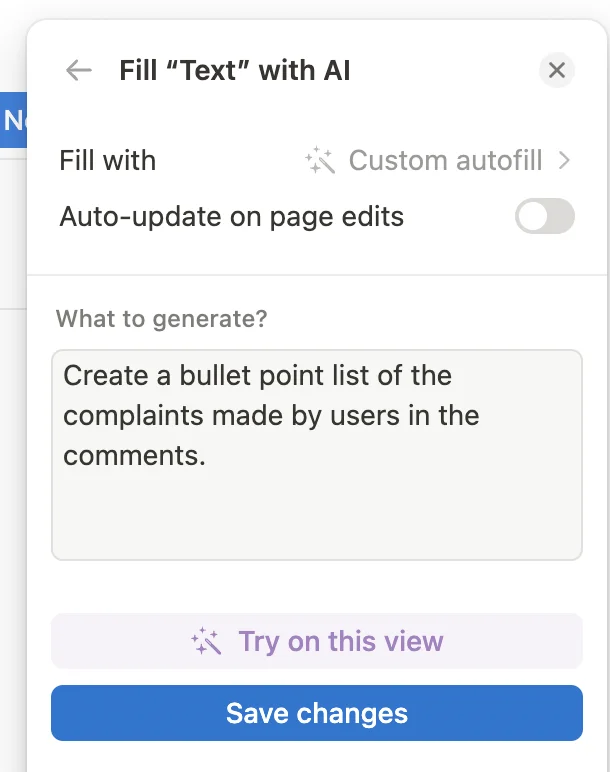
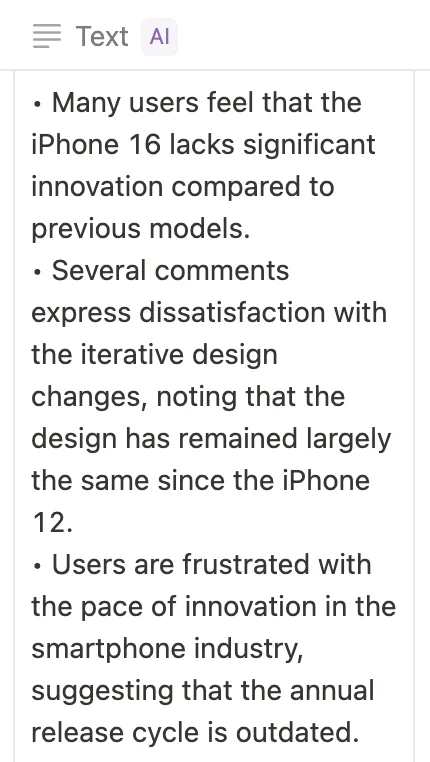
Then click “Try on this view”. Wait a few seconds and the list will appear.
This tutorial was created by Andrew.