Training for support teams on product knowledge
How to use AI to develop training material so your support team can offer informed and accurate answers to customer queries.
2024-11-13
No matter how comprehensive and intuitive you think your product is, customers will always have questions. This tutorial helps you develop rigorous training material so your customer support team can offer informed and accurate support to customers.
In this tutorial you’ll learn how to:
- Analyze existing support data
- Develop a training curriculum
- Write internal and customer-facing support material
Analyze support data
You already have a wealth of data that can help you understand exactly what your customers are having trouble with. To prioritize what you want to focus on first, figure out the biggest challenges your customers are facing.
Whether it’s a formal support ticket platform or just emails you’re receiving to a Gmail inbox, you should be able to export your emails. For example, here’s how to download your emails from a support@ gmail inbox. And here’s how to download it if you're using Zendesk, HelpScout, and Intercom.
Once you have your email data, you’ll want to convert it from an mbox file to a csv. You can do that with an online tool like this one. Attach the CSV file to your message.
Open up ChatGPT and use the following initial prompt:
I’ve attached all my email communications. It includes questions and conversations with my customers. We’re going to analyze the data. The receiving email is [support email address]. Please confirm that you can access and analyze the data. Then I’ll begin asking you questions.
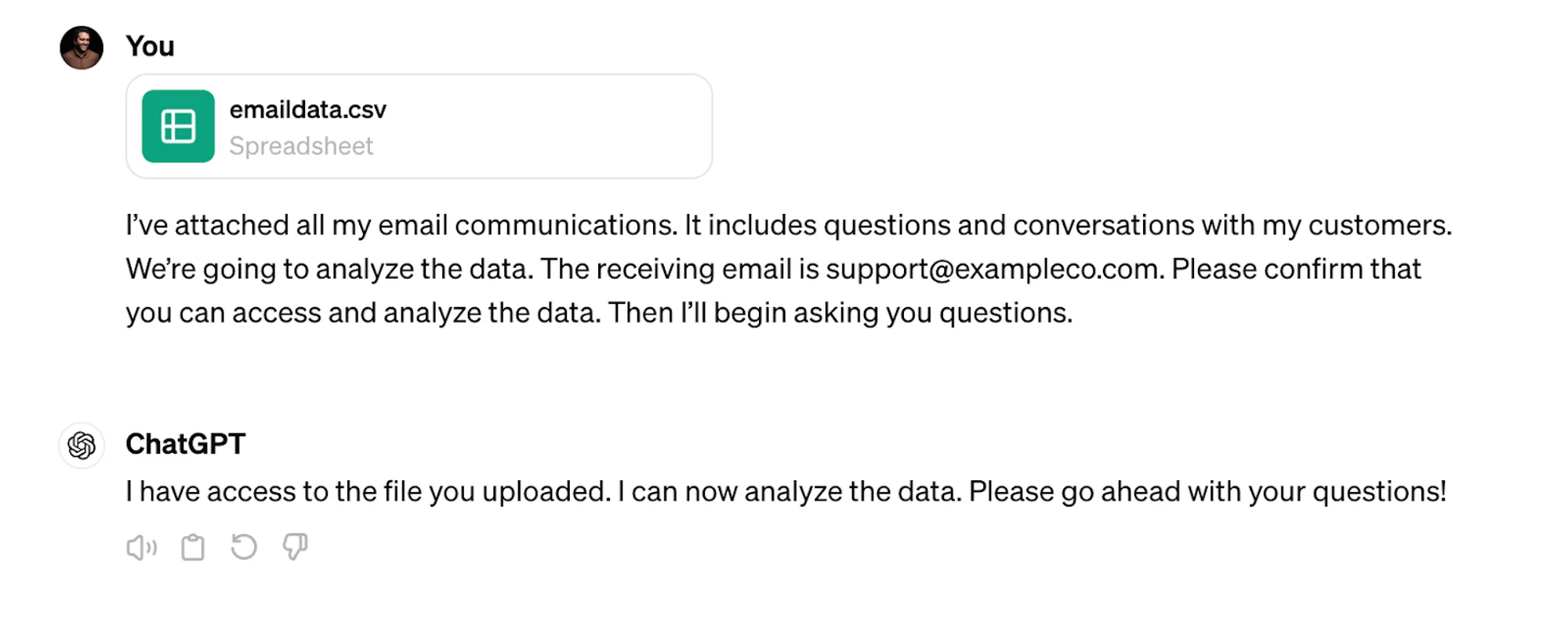
First, you’ll want to understand what customers are asking about.
Prompt:
What are the most repeated questions from customers? They don’t have to be word-for-word similar but if they’re generally asking about the same problem, count them together. Include the number of times the question is asked.
.webp)
Develop a training curriculum
ChatGPT now recognizes your data and understands some of the key challenges your customers face. Your next step is to develop a comprehensive training curriculum for your support team. After that, we’ll dive deeper into one module as an example of how to go into depth with ChatGPT as your training partner.
First, get an overview of the training program:
Develop a training curriculum for the customer success team. It should cover a range of topics including, but not limited to, customer engagement, proactive support, and escalating cases.

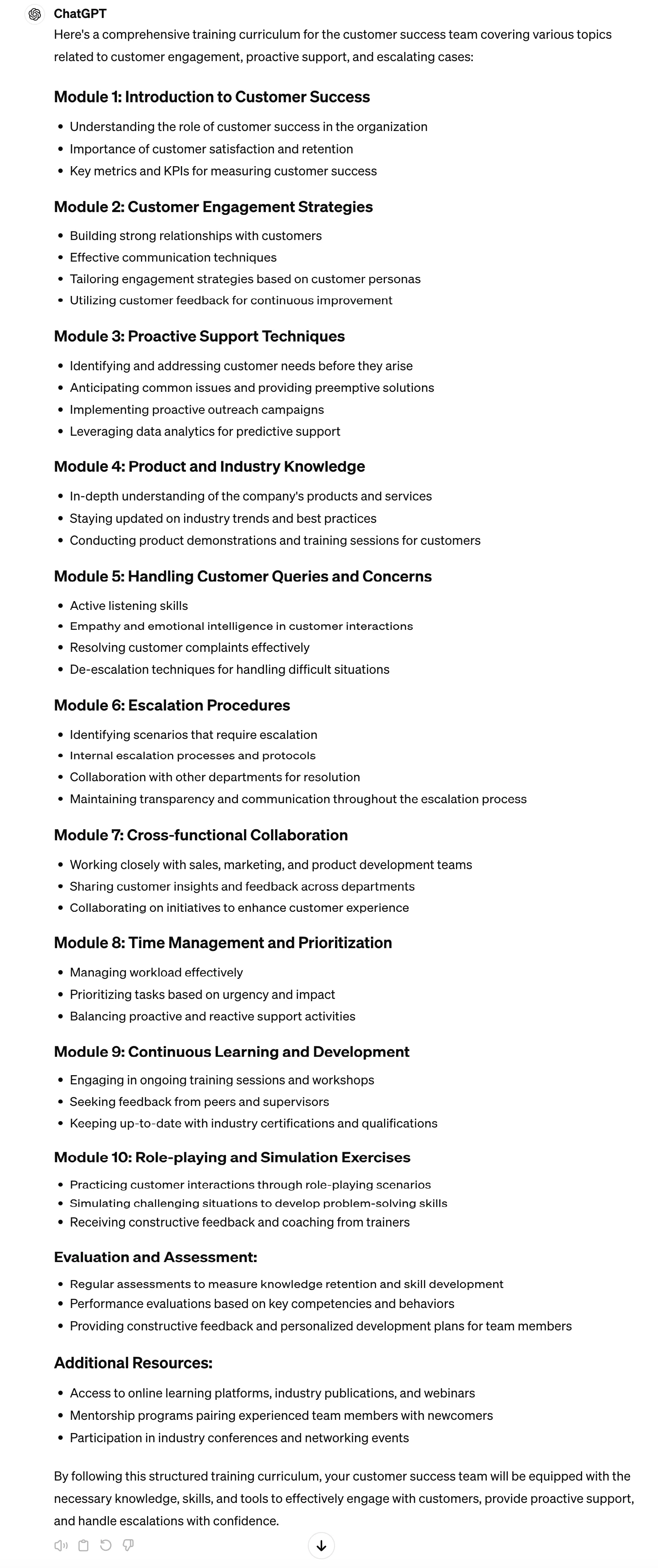
ChatGPT will present you with an outline. Review it to ensure it overs key topics that align with your company’s needs.
When you ask it to expand on each bullet point, remind it of the context: what the business is and who the customer is:
Great. Now expand on each of the points within the modules. Within a module, bullet points should represent either information that the trainee should read, or an exercise the trainee should do, independently or with a partner. Each bullet should include the name of the content/exercise, the goal of the section, and comprehensive instructions or information. Be as detailed as possible. The context is a support organization for [business/product] used by [audience].
.webp)
.webp)
.webp)
Now that you have an extensive outline. You’re going to expand on each of these modules, one by one. When you ask ChatGPT for extensive information and detail, the quality of its responses tends to degrade after ~500 words. At this point, you’ll want to produce each module one by one to avoid this quality degradation.
Here’s an example of a prompt to expand on module 8.
Great. Now expand on module 8. For the content, offer more detailed and in-depth information for the trainee. For the instruction, offer step-by-step guidance what they should do and what the objective of the exercise is.
.webp)
You’ll get details from ChatGPT along these lines:
.webp)
Get updates from the product team
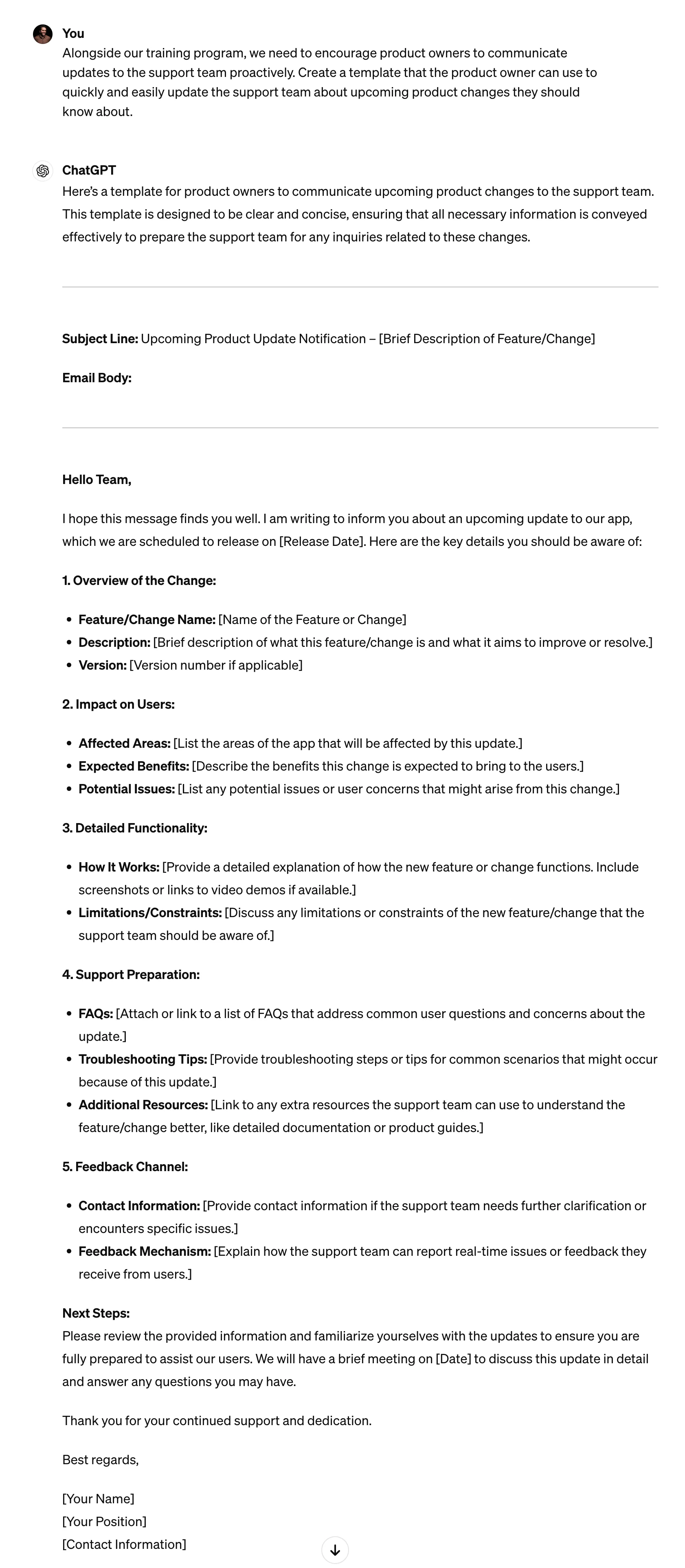
Your curriculum should be accompanied by up-to-date product information. To encourage product owners to update your support team, create a simple template that they can easily fill out and share with the product team.
Alongside our training program, we need to encourage product owners to communicate updates to the support team proactively. Create a template that the product owner can use to quickly and easily update the support team about upcoming product changes they should know about.
Write email templates
Using the data you’ve collected, you can create templates to help your support team easily and effectively help customers.
Write email templates for the customer support team. Start with the most popular query. Once I approve, we’ll continue with the rest of the queries.
.webp)
Write support material
Once you have answers written as email templates, it’s easy to convert them into an article you can host on a customer-facing support page.
Great. Can you now turn this email reply into a product support article?

This tutorial was created by Jonah.