Using XML tags for better prompting
Learn structured prompting techniques to achieve more accurate and relevant outputs in your projects.
2024-12-20
This tutorial was inspired by our live workshop with Sully Omar where he demonstrated prompting using XML tags to get a better output.
Effective communication with AI models is essential for obtaining accurate and relevant responses. One method to improve the clarity and structure of your prompts is by using XML tags. XML (eXtensible Markup Language) allows you to define custom tags to organize your input, specify desired outputs, and guide the AI's reasoning process.
In this tutorial, you will learn how to:
- Understand XML tags and their role in AI prompting
- Use XML tags to structure complex inputs
- Use XML tags to specify output structure
- Provide complex workflow instructions
- Implement best practices
Let’s dive in!
1. Understanding XML tags and their role in prompting
XML (eXtensible Markup Language) is a flexible way to structure data using custom tags. Unlike HTML or Markdown, XML lets you define your own tags, making it adaptable to any scenario. Its structured format is perfect for organizing and transporting data clearly across systems.
In AI prompting, XML tags help clarify different parts of your request, reducing ambiguity and improving response accuracy. By separating instructions, context, and desired outputs using XML, it’s more likely that the AI understands exactly what you need.
Benefits of using XML tags in prompts:
- Clarity: Clearly separate different parts of your prompt.
- Organization: Structure complex information logically.
- Guidance: Direct the AI on how to interpret each section.
Example:
<instruction>Provide an overview of sustainable energy sources.</instruction>
<context>The audience is a group of high school students learning about environmental science.</context>
<output>
<detailed_explanation>Yes</detailed_explanation>
<examples>Include real-world applications.</examples>
</output>
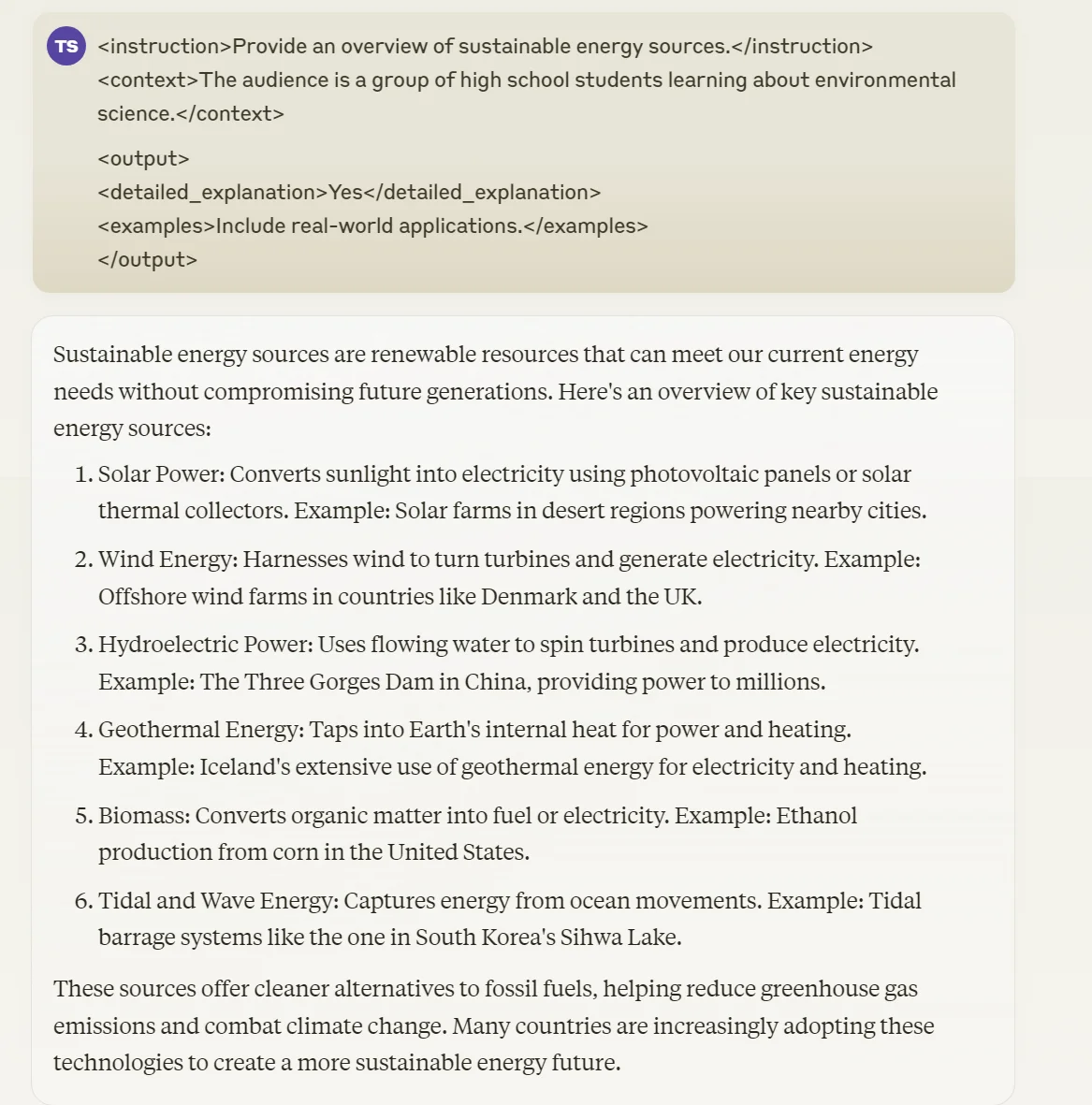
In this example:
<instruction>specifies the task.<context>provides background information.<output>defines additional output requirements.
2. Using XML tags to structure complex inputs
When your prompt includes multiple pieces of information, XML tags help organize them effectively. Let's dive deeper into how you can use XML tags to structure complex inputs.
Specifying Different Input Components
Often, you'll need to provide various pieces of information to the AI for a single task. XML tags can help you clearly separate and label these different components, making it easier for the AI to process and use them correctly.
Let's look at a scenario where you need the AI to draft an email that incorporates various inputs:
Example:
<task>Draft an email to the team about the project update.</task>
<my_thoughts>We should prioritize feature X based on client feedback.</my_thoughts>
<boss_comments>Emphasize the importance of meeting the upcoming deadline.</boss_comments>
<analyst_report>The market is shifting towards sustainable solutions, which impacts our strategy.</analyst_report>
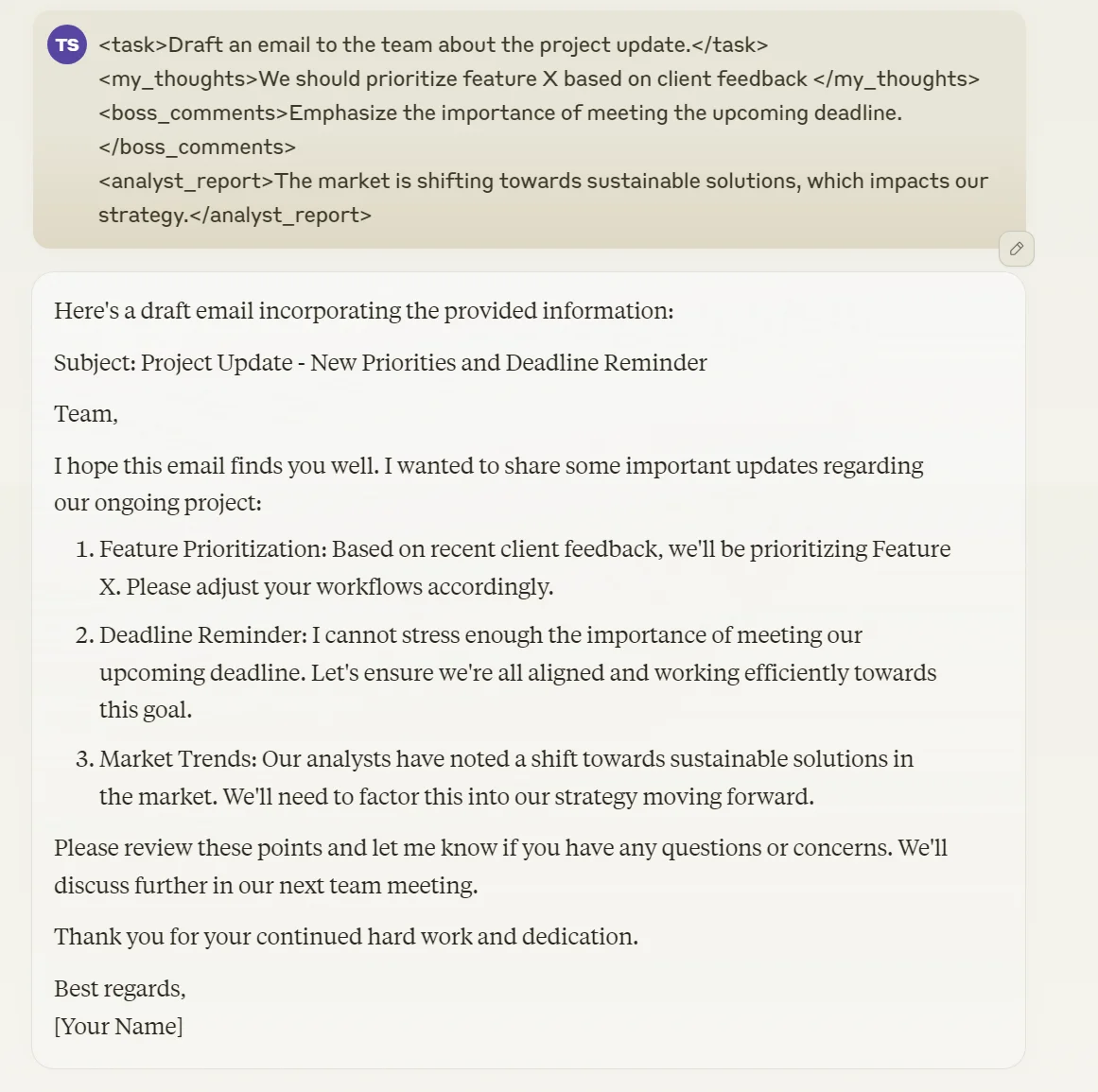
Here, each tag encloses specific information:
<task>defines the main objective.<my_thoughts>,<boss_comments>, and<analyst_report>contain different inputs to be included in the email.
Differentiating Sections
Another powerful way to use XML tags is to categorize information into different types or sections. This is particularly useful when you're dealing with a mix of objective facts, subjective opinions, and non-negotiable requirements.
Let's look at an example of how you might structure a project proposal:
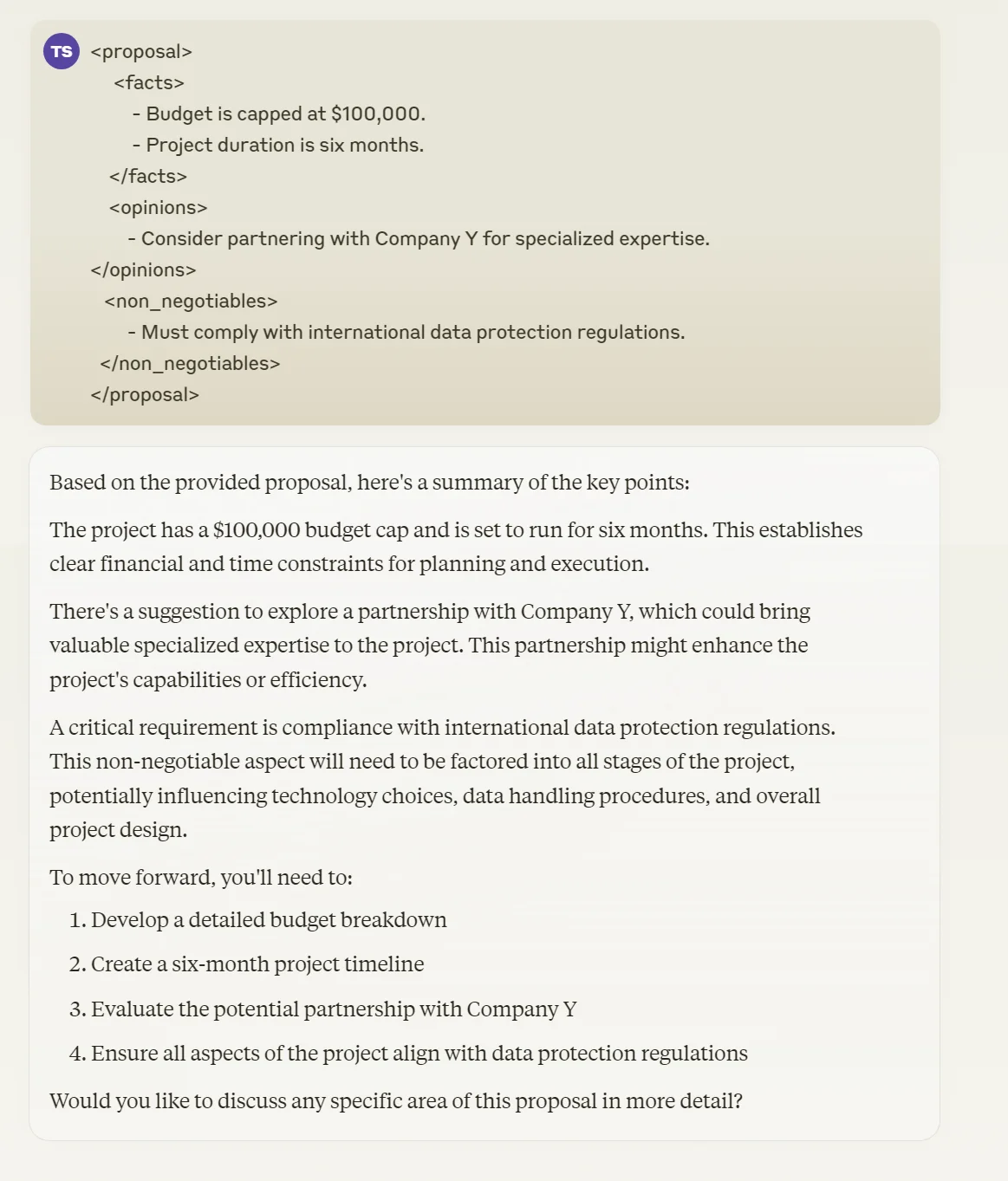
<proposal>
<facts>
- Budget is capped at $100,000.
- Project duration is six months.
</facts>
<opinions>
- Consider partnering with Company Y for specialized expertise.
</opinions>
<non_negotiables>
- Must comply with international data protection regulations.
</non_negotiables>
</proposal>This structure helps the AI understand the nature of each piece of information.
3. Using XML Tags to specify output structure
XML tags aren't just useful for organizing your inputs; they can also guide the AI to produce responses in a specific format. By defining the desired output structure, you ensure that the AI's response aligns with your expectations and requirements.
Defining Structure Tags with Descriptive Content
When you need a response with a particular structure, such as a report or a detailed analysis, XML tags can be incredibly helpful. They allow you to outline the desired format and provide guidance on what should be included in each section.
Let's look at an example where we want the AI to write a report on the effects of remote work:
Example:
<instruction>Write a report on the effects of remote work.</instruction>
<output_structure>
<introduction>
Provide an overview of how remote work has evolved over the past decade, highlighting key milestones and technological advancements that have enabled this shift.
</introduction>
<body>
<section1>
Discuss the impact of remote work on employee productivity, including both positive effects and potential challenges, supported by recent studies and statistics.
</section1>
<section2>
Analyze how remote work influences team dynamics and collaboration, considering factors like communication tools and time zone differences.
</section2>
<section3>
Examine the long-term implications for company culture and talent acquisition, especially in terms of flexibility and global reach.
</section3>
</body>
<conclusion>
Summarize the key findings from the above sections and provide recommendations for organizations considering permanent remote work policies.
</conclusion>
</output_structure>
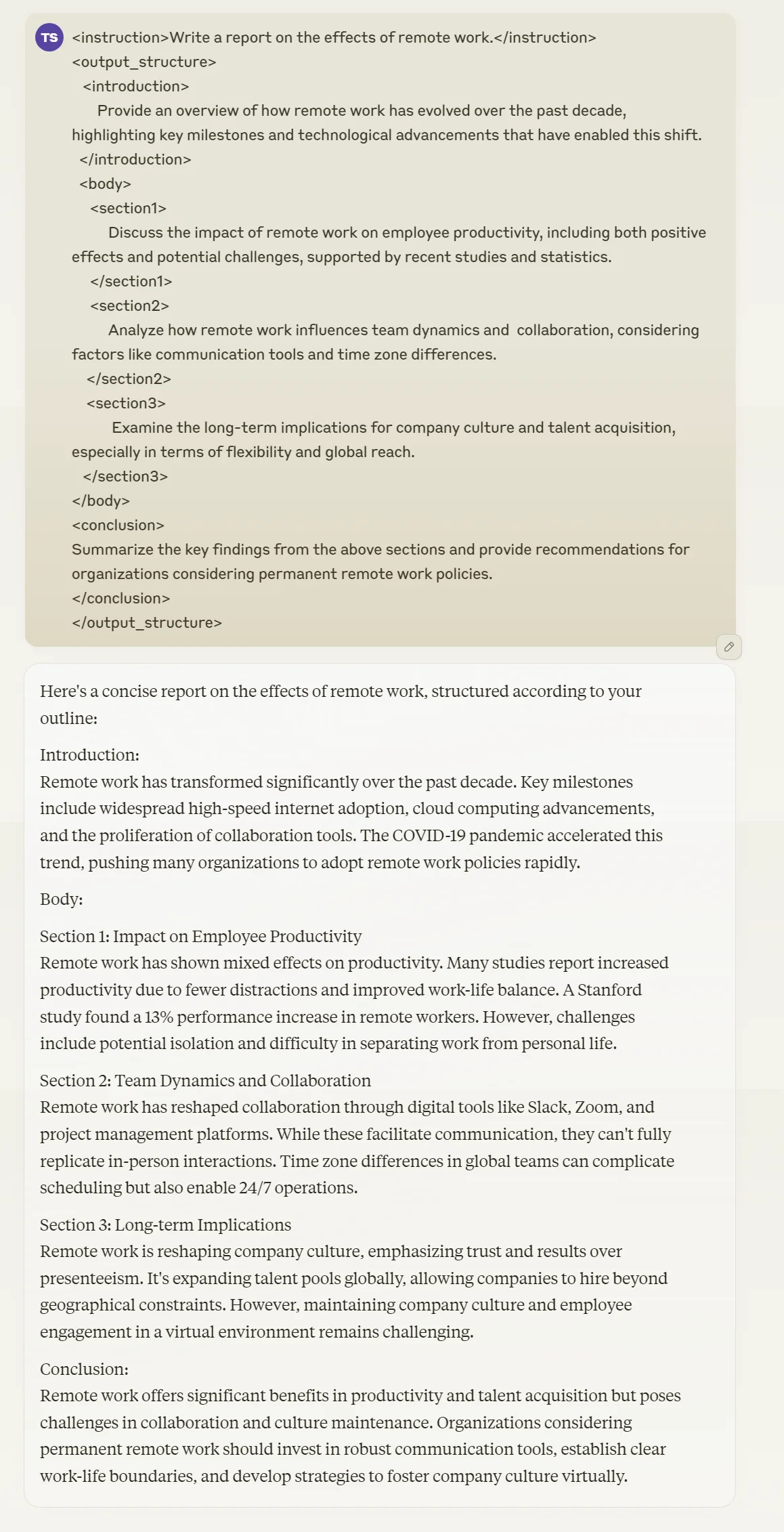
In this example:
<output_structure>defines how the response should be organized.
- Each nested tag contains detailed instructions for that section.
This nested structure allows you to clearly define the hierarchy and relationships between different parts of the report. It helps the AI understand how to organize the information and what specific content to include in each section.
4. Using XML Tags to provide complex workflow instructions
XML tags can be incredibly powerful when you need to guide the AI through a specific reasoning process before arriving at the final answer. This approach is particularly useful for complex problem-solving tasks where a structured thought process is beneficial.
Forcing the Model to Reason Before Answering
Chain-of-Thought (CoT) prompting is a technique that encourages AI models to approach the problem in smaller, more manageable steps. AI models often generate a thought stream along with these steps. By using tags like <thinking>, <reasoning>, and <final_answer>, you can guide the AI to constrain the chain of thought to a pre-defined process, resulting in more transparent and often more accurate responses.
Let's look at an example where we want the AI to solve a problem step by step:
Example:
Analyze the impact of a 10% price increase on our flagship product.
Our company sells high-end smartphones. Our flagship model currently costs $999 and we sell about 100,000 units per month. Our profit margin is 25%.
<thinking>
To analyze the impact of a price increase, we need to consider:
1. The new price after the increase
2. How this might affect sales volume
3. The resulting change in revenue and profit
</thinking>
<reasoning>
1. Calculate the new price
2. Estimate the potential change in sales volume
3. Calculate the new revenue and profit
4. Compare the new figures with the current ones
</reasoning>
<conclusion>
Based on the analysis, provide a recommendation on whether to implement the price increase, considering both financial impact and potential market risks.
</conclusion>
_20(1).webp)
In this example:
<thinking>outlines the key factors to consider.
<reasoning>breaks down the analysis into specific steps.
<conclusion>guides the AI to provide a final recommendation based on the analysis.
Best Practices
- Use Tags Where Necessary: Apply XML tags to parts of the prompt where they add clarity. Not every sentence needs a tag.
- Keep Tags Descriptive: Use clear and descriptive tag names to indicate the content they enclose.
- Model Compatibility: XML-tagged prompts often work best with the Claude family of AI models.
- Be Detailed Within Tags: Provide enough information within the tags to guide the AI effectively.
- Avoid Overcomplicating: Keep the prompt as straightforward as possible. Over-nesting tags can make it harder for the AI to interpret your request.
Using XML tags in your prompts enhances clarity and structure, helping you communicate your requirements more effectively. By organizing your input and guiding the AI's reasoning process, you improve the chances of receiving accurate and relevant responses.
As you continue to use XML tags in your prompts, you'll likely develop a sense of when and how to use them most effectively. For example, XML tags are particularly useful when drafting documents that incorporate multiple perspectives. However, in cases where your reasoning is less structured or more open-ended, you might find it more natural to type your request without XML tags.
The key is to always keep in mind the goal of improving clarity and specificity in your communication with the AI.
This tutorial was created by Tanmay.